Answer

Unable to make automation run, wondering if problem lies in the table itself

  • December 1, 2025
  • 7 replies
  • 40 views

Forum|alt.badge.img+2

Hello everyone,

I’ve created an Airtable to help manage pre-production workflows and am struggling to get what I think is a simple automation running;
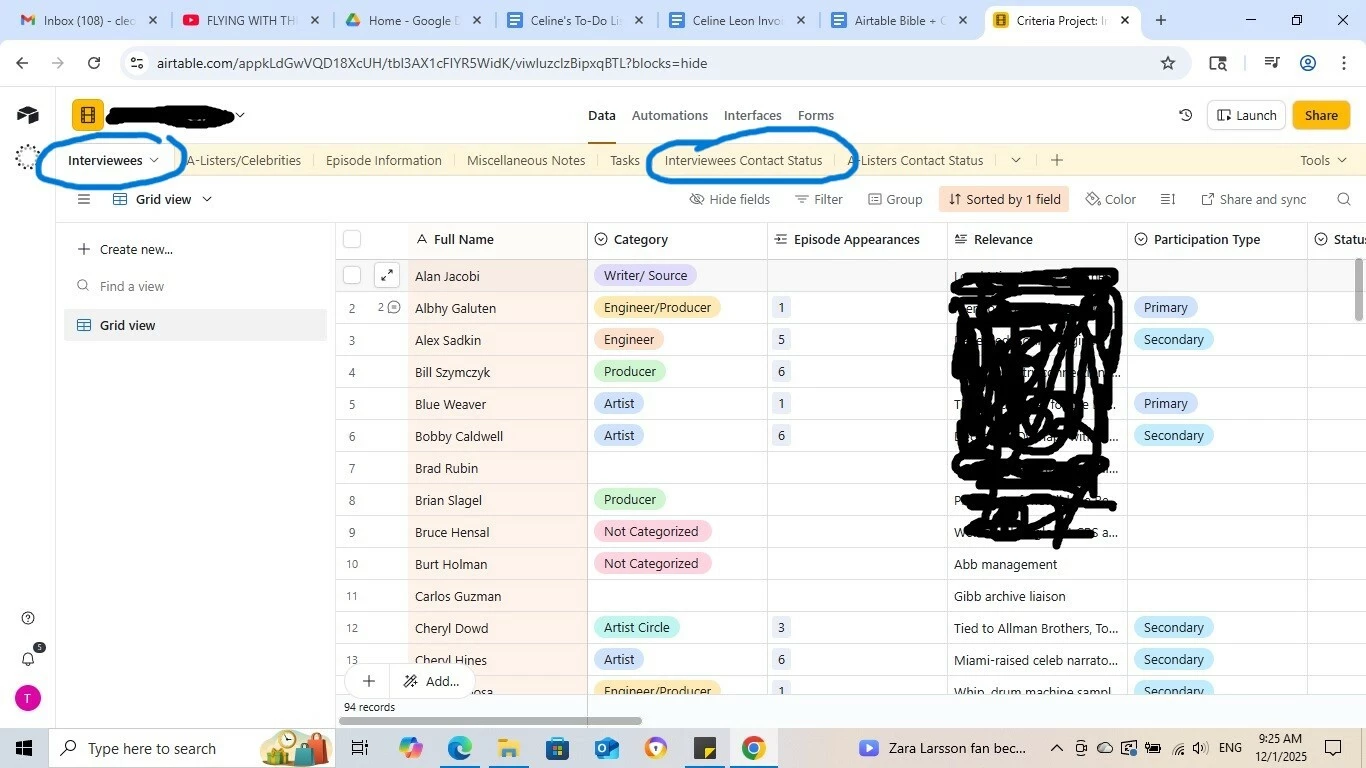
 

I’d like that when a record is assigned a contact person (The “Assigned?” field is “Yes”) and given an “Assignee” to carry out this task, that the status of that record be updated in the “Interviewees” table to “Contact Assigned.”


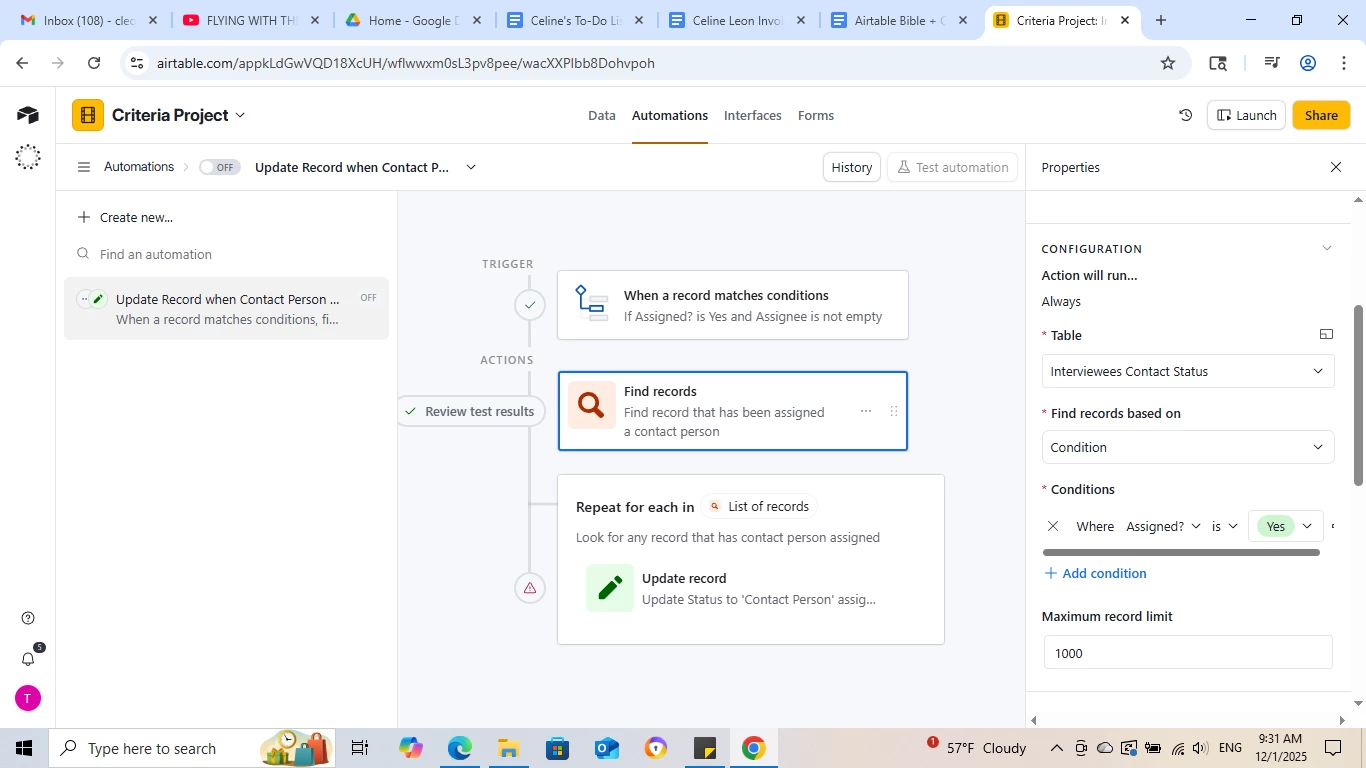
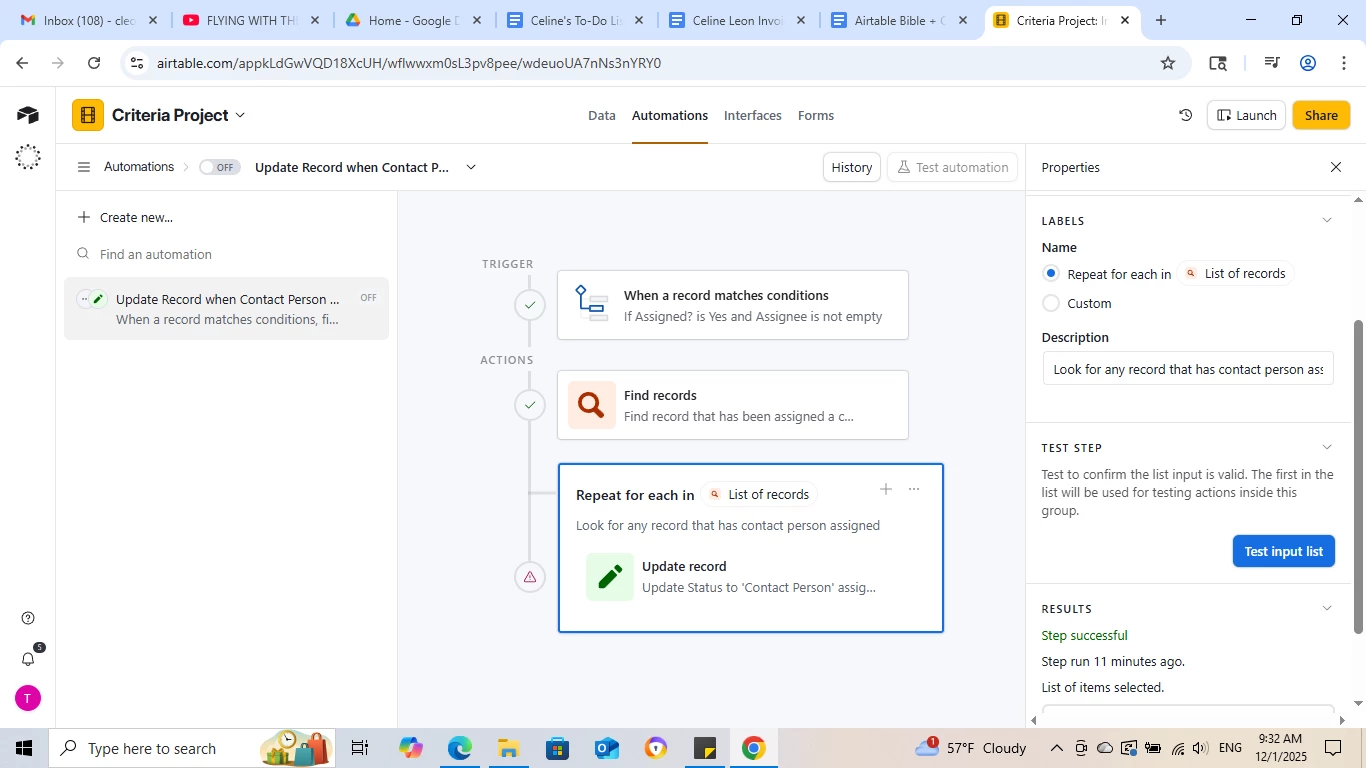
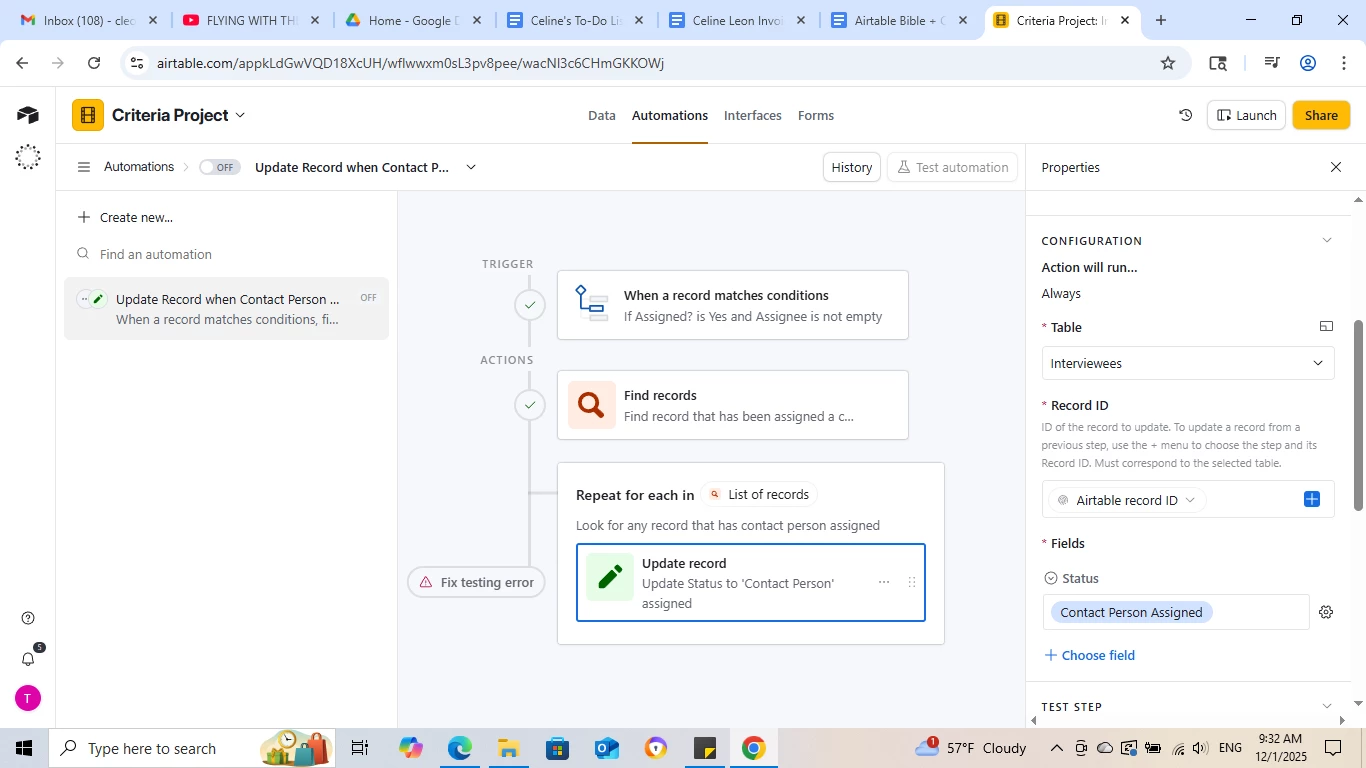
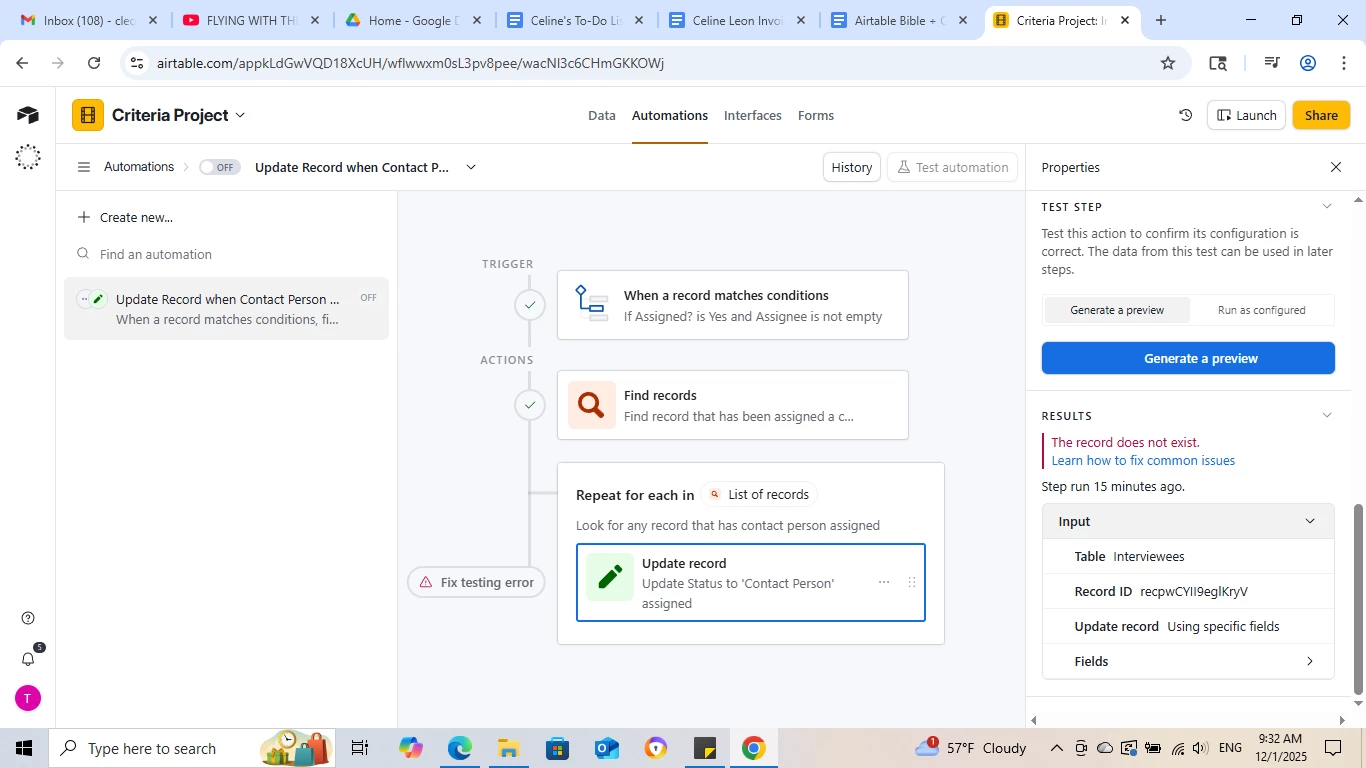
This is the automation I’ve set up so far but no matter what I do, I keep getting the “Record does not exist” error.
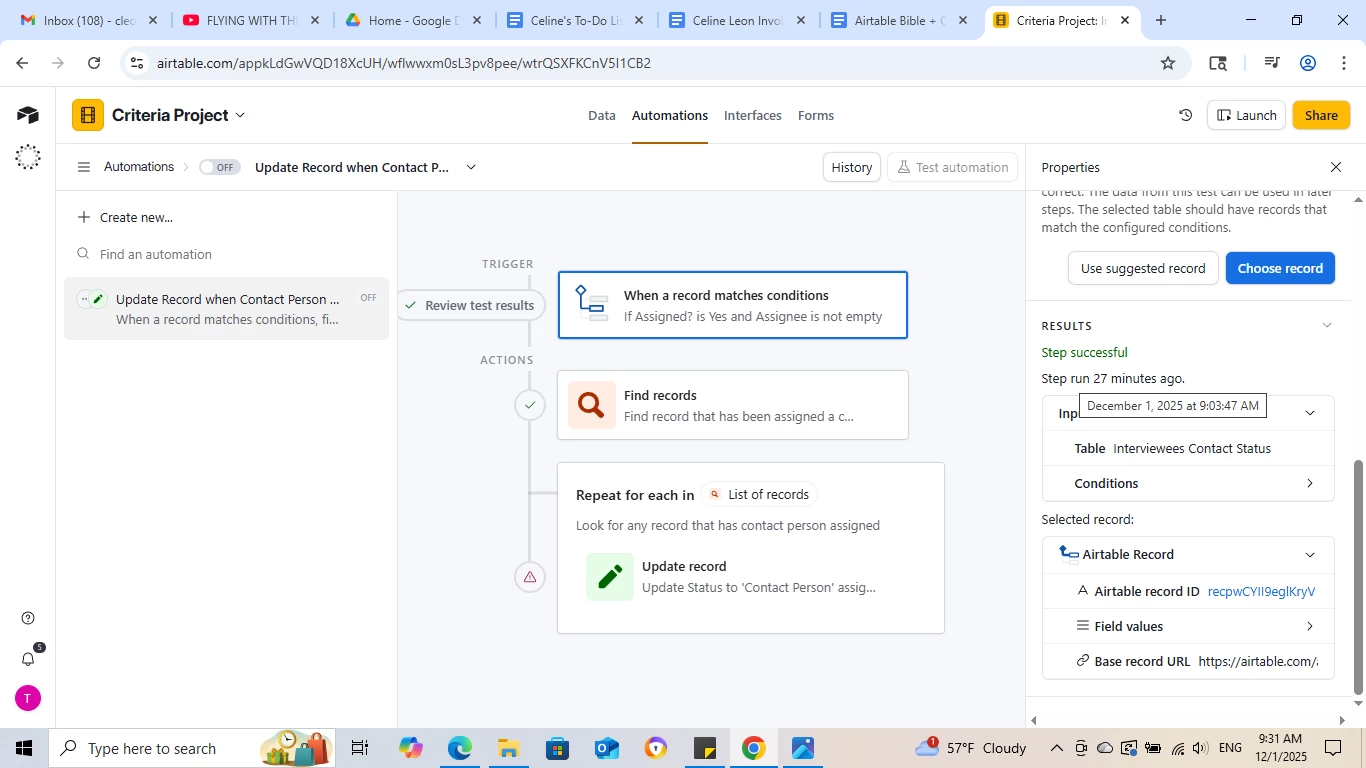
I can’t get it to update the status of the record within the “Interviewees” table. Now I’m wondering the problem lies in the fact that the record name or interviewee name is not the primary field in the ‘Interviewee contact status” table, but you can’t make a primary field a linked record. Is there any way to get around that or is that not the problem at all?


Is this an automation problem or a table infrastructure problem? Thank you!

Best answer by TheTimeSavingCo

Hm, you don’t need a Find Record step or a Repeating Group actually, and I’ve set it up here for you to check out


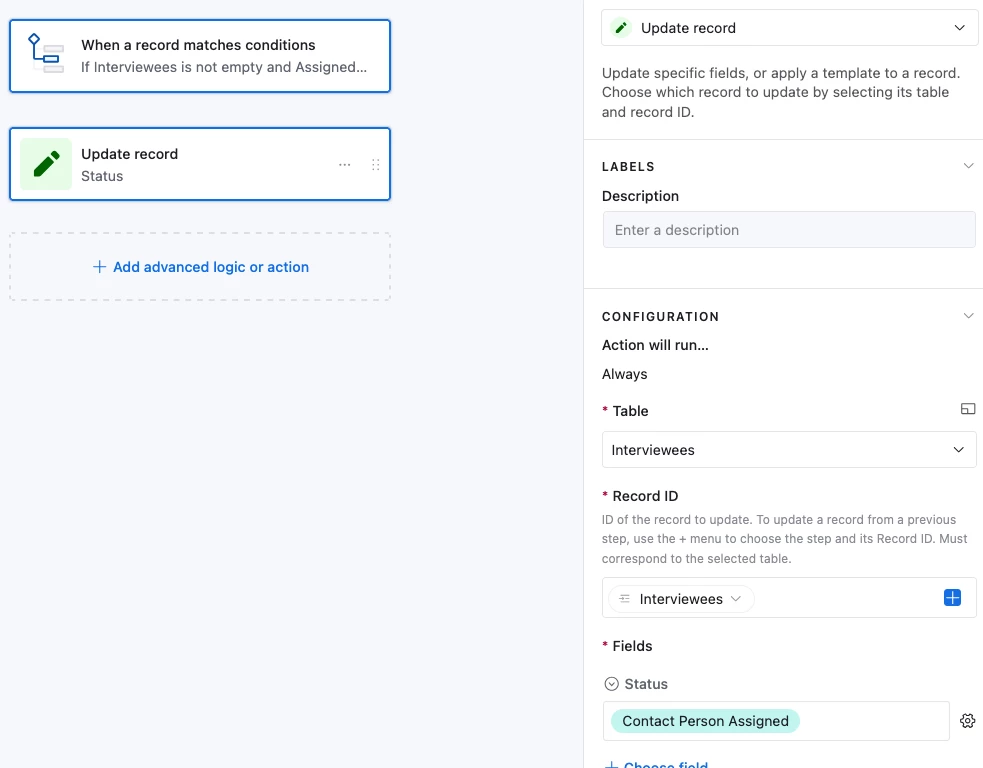
It uses an ‘Update Record’ step to update the record in ‘Interviewees’, and for the Record ID value it uses the linked field to the ‘Interviewees’ table


May be worth considering using a lookup + formula field to handle this instead though, and I’ve set it up in the base for you as well.  This method would work on its own without an automation

And the formula is:

IF(
AND(
{Assigned? (from Interviewees Contact Status)} = 'Yes',
{Collaborator (from Interviewees Contact Status)} != ''
),
'Contact Person Assigned'

)


7 replies

TheTimeSavingCo
Forum|alt.badge.img+31

Hm, you don’t need a Find Record step or a Repeating Group actually, and I’ve set it up here for you to check out


It uses an ‘Update Record’ step to update the record in ‘Interviewees’, and for the Record ID value it uses the linked field to the ‘Interviewees’ table


May be worth considering using a lookup + formula field to handle this instead though, and I’ve set it up in the base for you as well.  This method would work on its own without an automation

And the formula is:

IF(
AND(
{Assigned? (from Interviewees Contact Status)} = 'Yes',
{Collaborator (from Interviewees Contact Status)} != ''
),
'Contact Person Assigned'

)


Forum|alt.badge.img+2
  • Author
  • Participating Frequently
  • December 1, 2025

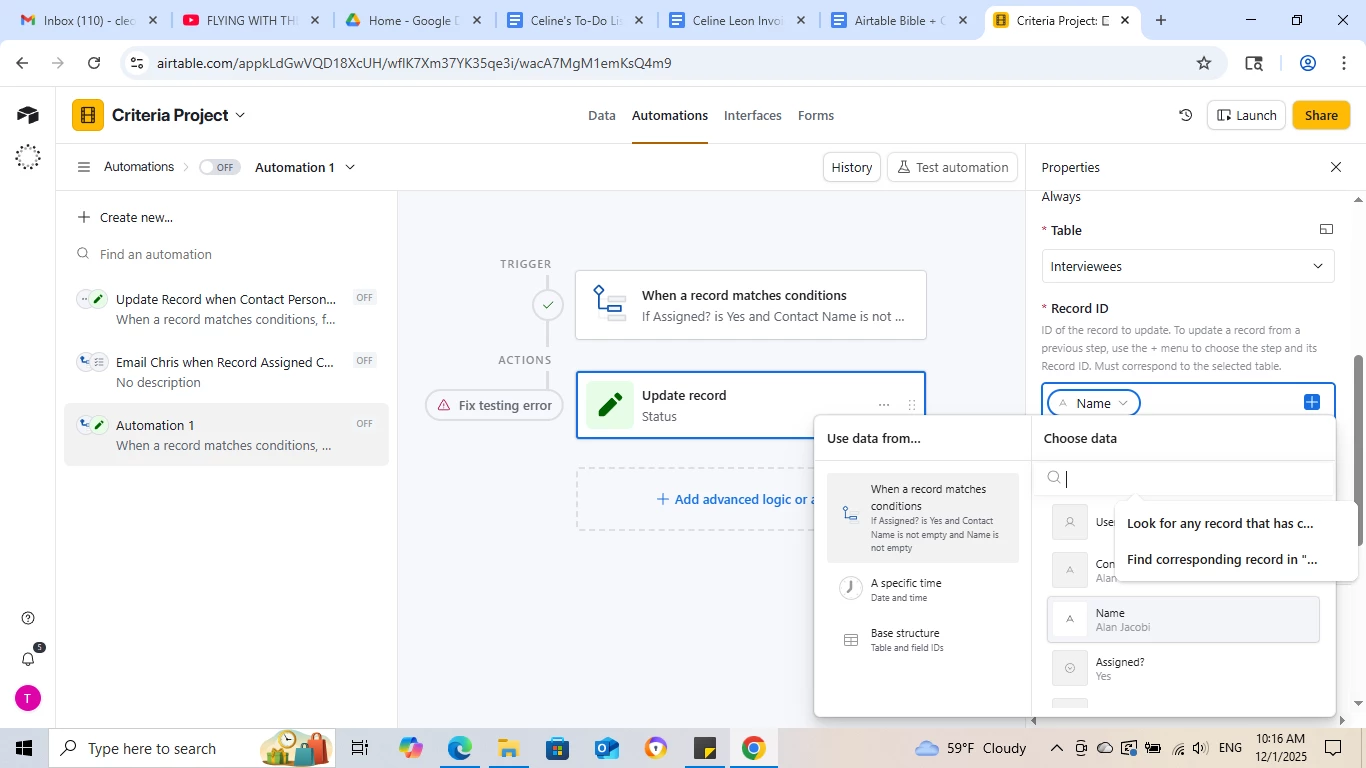
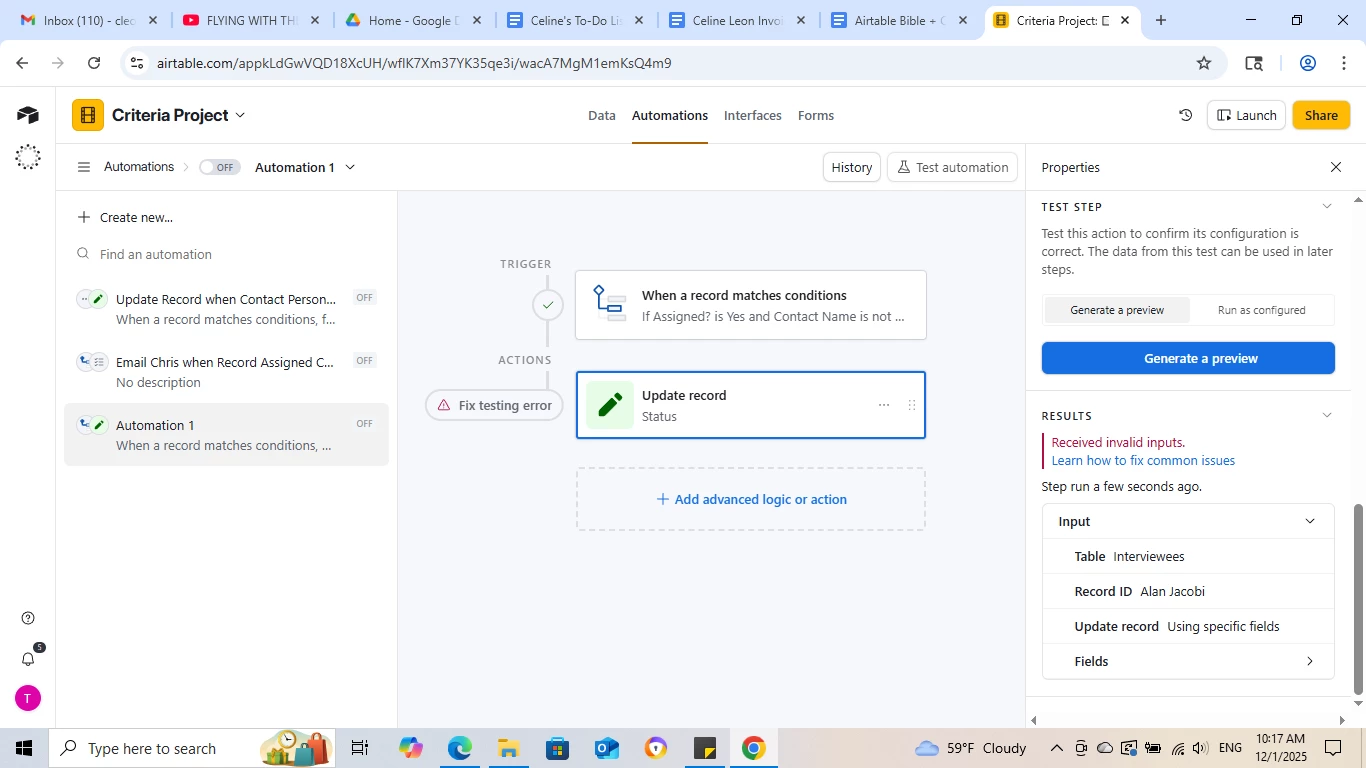
@TheTimeSavingCo Thank you for that thorough response but I’m still struggling. I followed your solution step by step and I’m getting this:


Thoughts?


TheTimeSavingCo
Forum|alt.badge.img+31

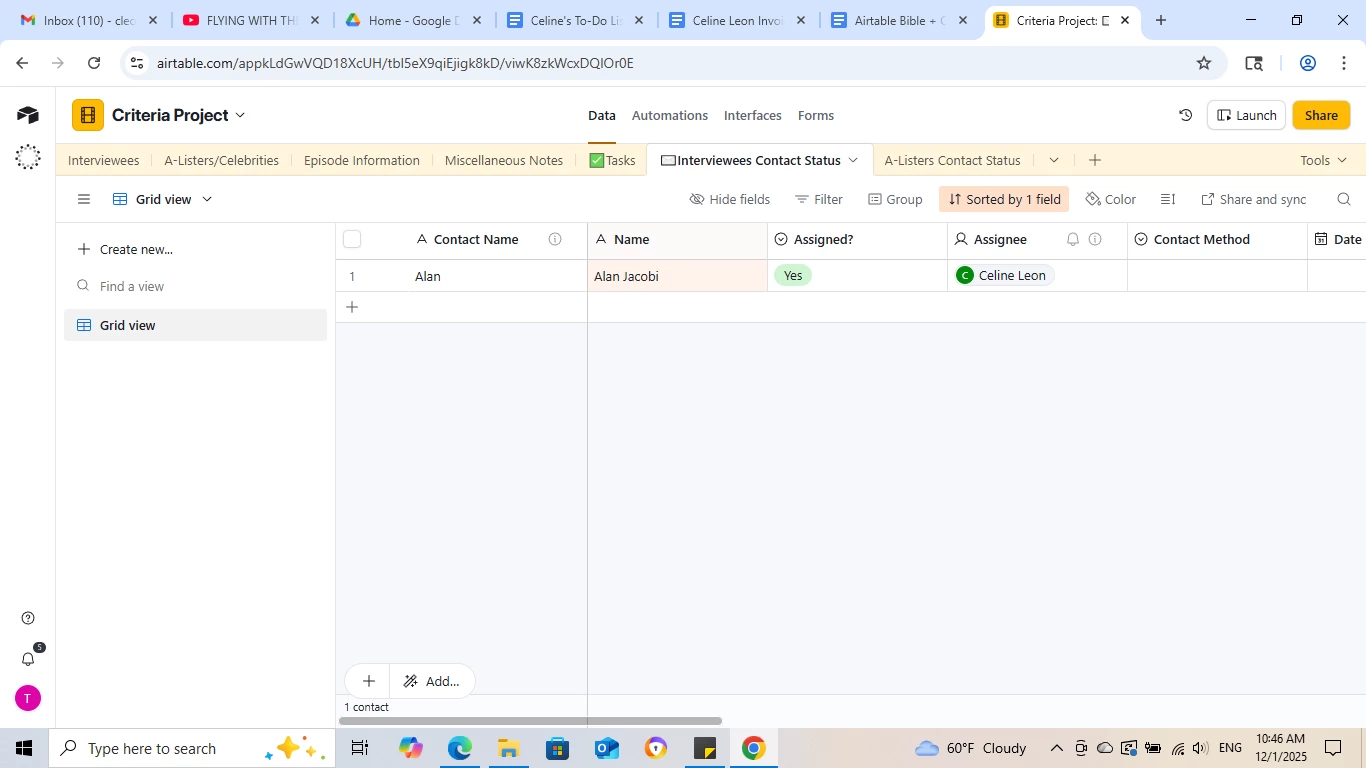
Hm, could you provide an updated screenshot of the ‘Interviewee Contact Status’ table please?  In your original screenshot the ‘Name’ field is a linked field, but in your latest automation screenshot, the ‘Name’ field is a text field instead


If you private message me an invite link to your base I can just sort this for you too!


Forum|alt.badge.img+2
  • Author
  • Participating Frequently
  • December 1, 2025

@TheTimeSavingCo  You’re right, I don’t know how that happened!

Also, I just realized that the first time I ran the automation, I think it changed some fields...weird.


Forum|alt.badge.img+2
  • Author
  • Participating Frequently
  • December 1, 2025

And I would share it with you ​@TheTimeSavingCo but we have some classified information in that table that we’d rather not put out there. But thank you for the offer!


Forum|alt.badge.img+2
  • Author
  • Participating Frequently
  • December 1, 2025

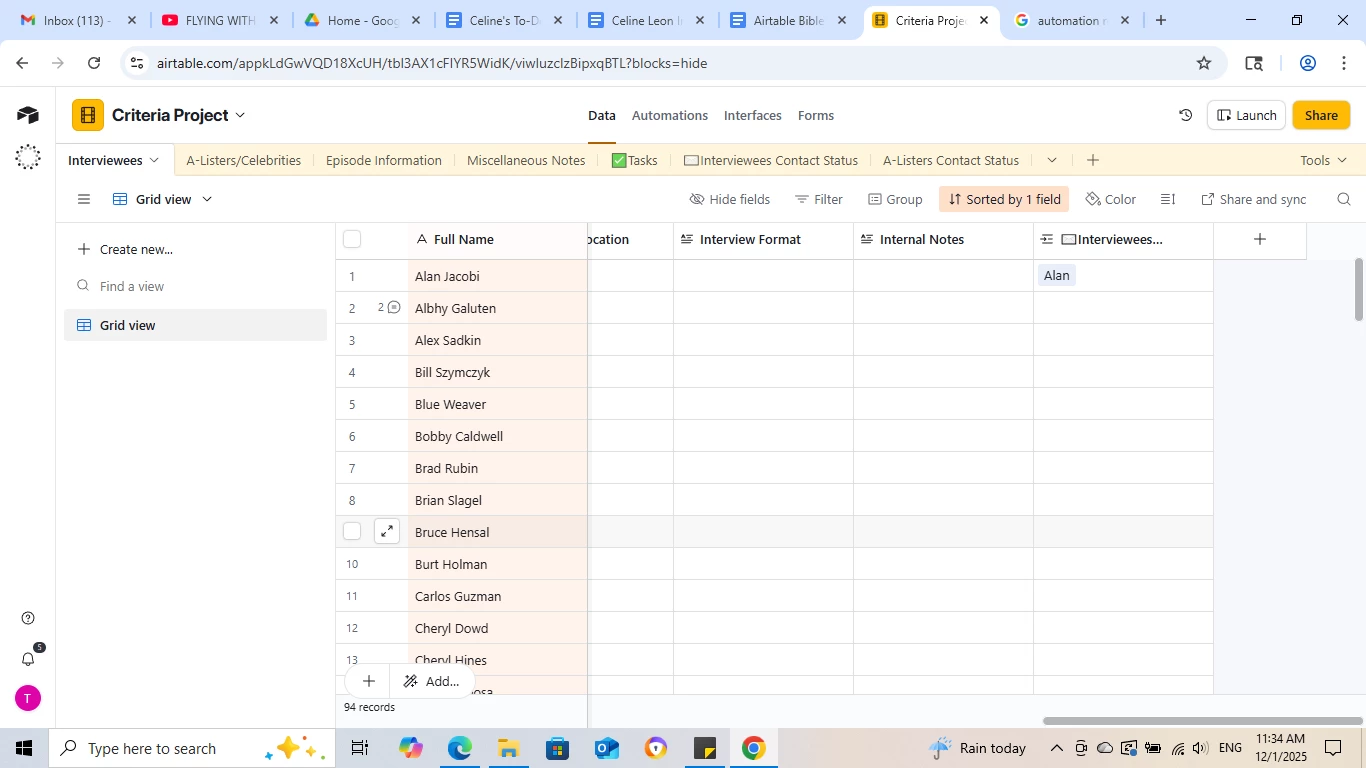
Okay, here’s another interesting occurrence. Why is it that whenever I try to recreate this automation, it creates this additional field in the “Interviewees” table after “internal notes?”


Forum|alt.badge.img+2
  • Author
  • Participating Frequently
  • December 1, 2025

@TheTimeSavingCo Actually, never mind, IT WORKED! Thank you so much and sorry for the long thread 🙌