Update Balance - Update Record Automation

  • August 29, 2022
  • 22 replies
  • 109 views

Hi all,

I’m new to Airtable, so it’s likely I’m being an idiot over here.

I recently connected the Fintable Extension to integrate banking data; Account Balances and Transactions to a Fintable Base.

I have then synced that Base in to Tables in to my Main Base to use. I have a Table where I have used a Gallery View to host card details and if it’s active, expired, type of account etc, see example…
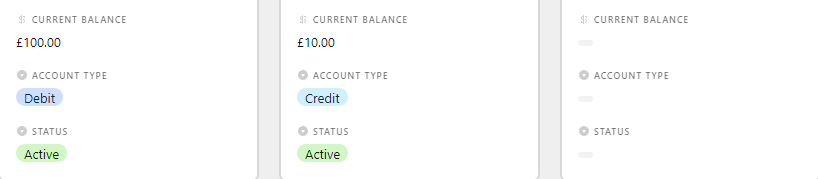
Now, what I am trying to do, is create an automation that automatically updates the Current Balance Field as soon as that field is updated (based on the Fintable Base Sync).

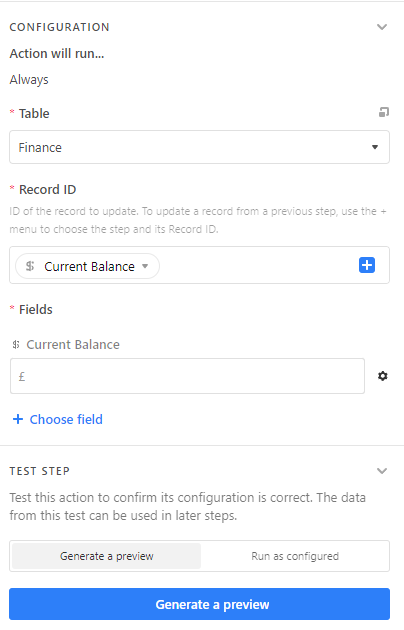
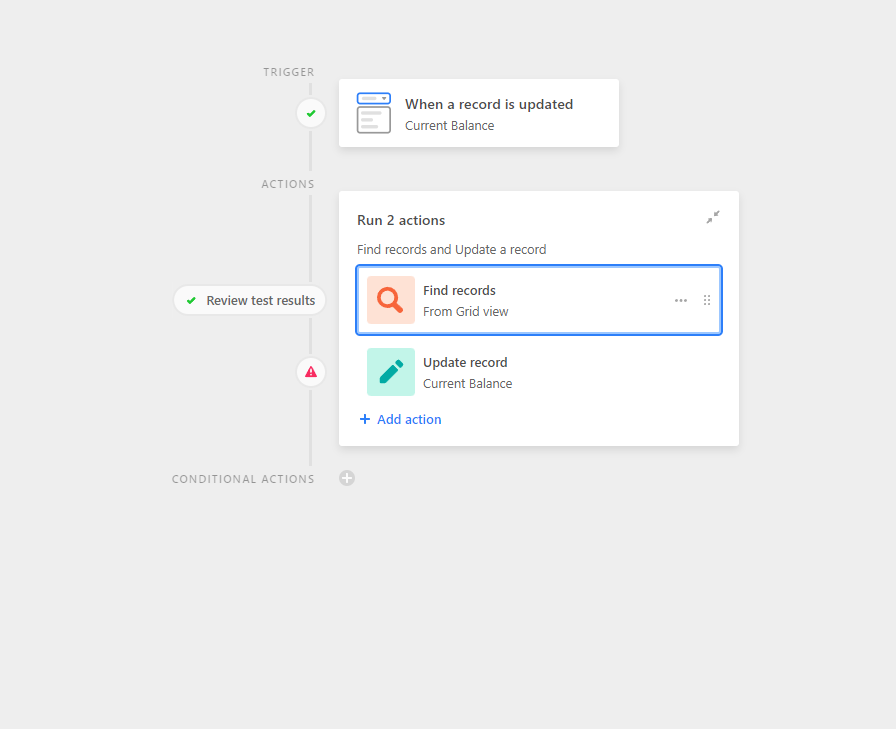
When creating this Automation, here is what I tried setting up -
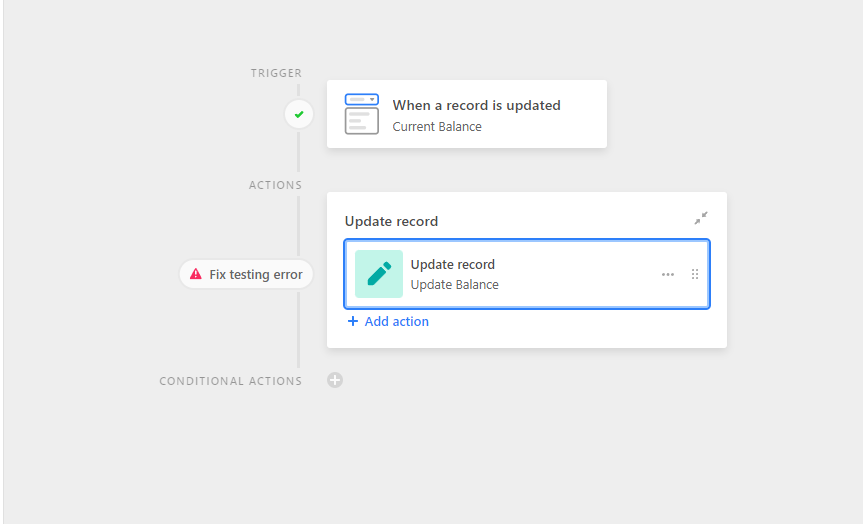

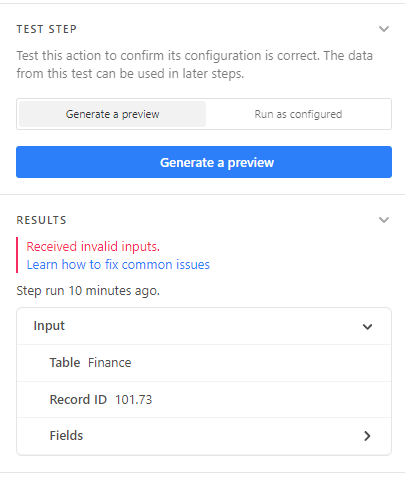
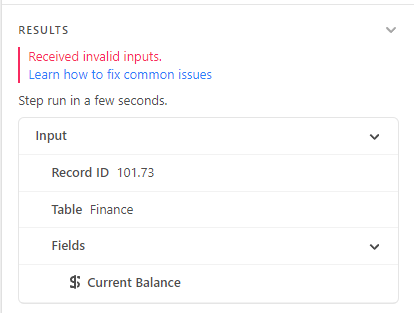
However, time and time again I get this error, and I cannot for the life of me figure out why?

22 replies

Mohamed_Swella1
Forum|alt.badge.img+17

Hi @Ash_Hallett ,

Welcome to Airtable Community !

You need to click on the gear icon beside the current Balance automation ands choose Dynamic Value then choose the field you need. From what I see here you are trying to pass the “£” as a value to a currency field which will only accept numbers.

If this helps, please mark this as Solution :slightly_smiling_face:


  • Author
  • Participating Frequently
  • August 29, 2022

Hi @Ash_Hallett ,

Welcome to Airtable Community !

You need to click on the gear icon beside the current Balance automation ands choose Dynamic Value then choose the field you need. From what I see here you are trying to pass the “£” as a value to a currency field which will only accept numbers.

If this helps, please mark this as Solution :slightly_smiling_face:


Thanks for the response Mohamed, but unfortunately I still get the same error!


Mohamed_Swella1
Forum|alt.badge.img+17

Thanks for the response Mohamed, but unfortunately I still get the same error!


Please screenshot the field after you have mapped it using the Dynamic value. Is the field you are referencing also a Currency field?


  • Author
  • Participating Frequently
  • August 29, 2022

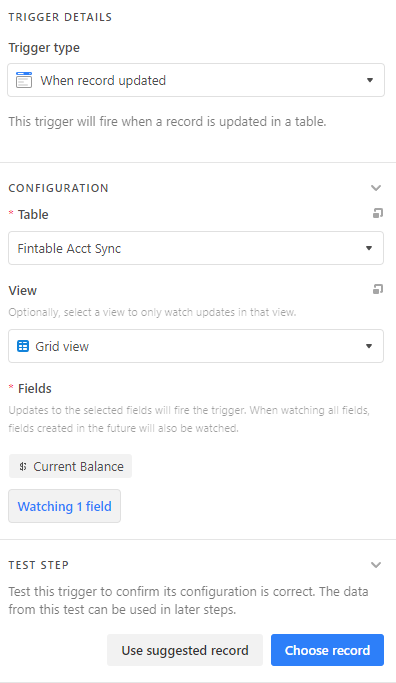
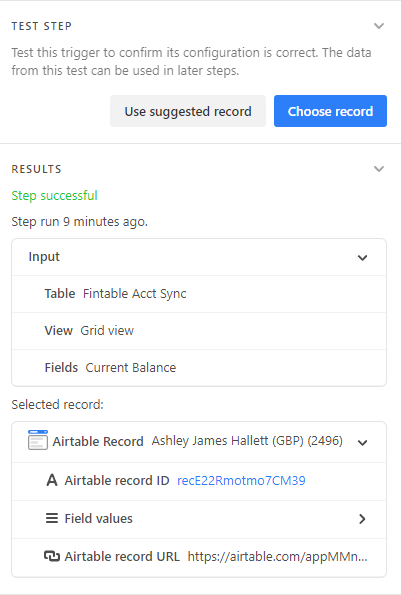
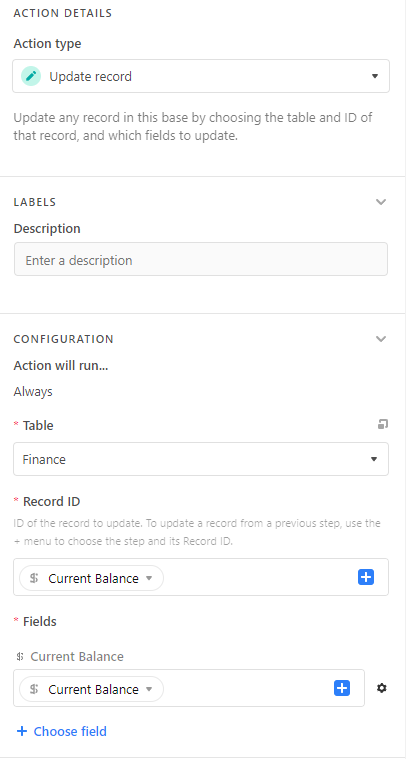
Here’s each step, starting with…
Trigger

Trigger Test

Action

Action Test


Mohamed_Swella1
Forum|alt.badge.img+17

Here’s each step, starting with…
Trigger

Trigger Test

Action

Action Test


Sorry I missed it the first time. The Record ID part is wrong. First you need to link the Fintable Act Sync table to the Finance table so that you know which record you need to update. Alternatively, you need to add a Find Records step to get the record id you want to update. After that, you can input this record id in this step


  • Author
  • Participating Frequently
  • August 29, 2022

Sorry I missed it the first time. The Record ID part is wrong. First you need to link the Fintable Act Sync table to the Finance table so that you know which record you need to update. Alternatively, you need to add a Find Records step to get the record id you want to update. After that, you can input this record id in this step


Afraid that still doesn’t work.

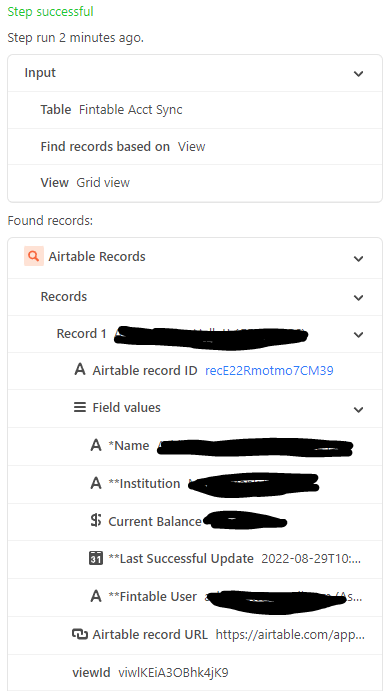
The find records piece works perfectly, shows me all of the different fields etc in the Fintable Act Sync table, but it still won’t let me run an update record to the Finance table, exactly the same error.


Mohamed_Swella1
Forum|alt.badge.img+17

Afraid that still doesn’t work.

The find records piece works perfectly, shows me all of the different fields etc in the Fintable Act Sync table, but it still won’t let me run an update record to the Finance table, exactly the same error.


The Find Record should run on the table you want to update, i.e. on the Finance table to find the record you want to update.

You need to get the record id of the record you want to update. Which record do you want to update? Based on what should Airtable update that record?


  • Author
  • Participating Frequently
  • August 29, 2022

The same thing happens.

I’m just trying to get the Current Balance from Fintable Acct Sync, and update the Finance table field - Current Balance.

So whenever the Finance Table Acct Sync field - Current Balance - updates, then the Finance table field - Current Balance - will update


Mohamed_Swella1
Forum|alt.badge.img+17

The same thing happens.

I’m just trying to get the Current Balance from Fintable Acct Sync, and update the Finance table field - Current Balance.

So whenever the Finance Table Acct Sync field - Current Balance - updates, then the Finance table field - Current Balance - will update


Please post screenshots of both tables and mark the RECORD that is being updated in Fintable Acct Sync with the corresponding RECORD in Finance table


Mohamed_Swella1
Forum|alt.badge.img+17

The same thing happens.

I’m just trying to get the Current Balance from Fintable Acct Sync, and update the Finance table field - Current Balance.

So whenever the Finance Table Acct Sync field - Current Balance - updates, then the Finance table field - Current Balance - will update


You are mentioning Fields, the problem is not the fields, its the Record. You have X number of records (rows) in FinTable Acct. Sync. and you have X number of records in Finance table.

To make this easier, you are updating row (record) number 1 in Fintable, which row (record) in Finance table should be updated? All of them?


  • Author
  • Participating Frequently
  • August 29, 2022

Apologies for the incorrect language, that must cause confusion, sorry.

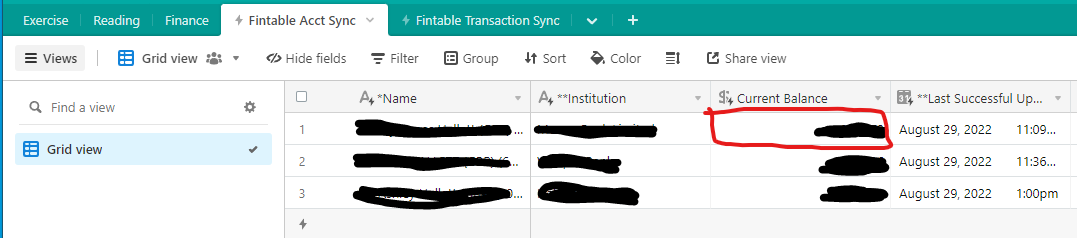
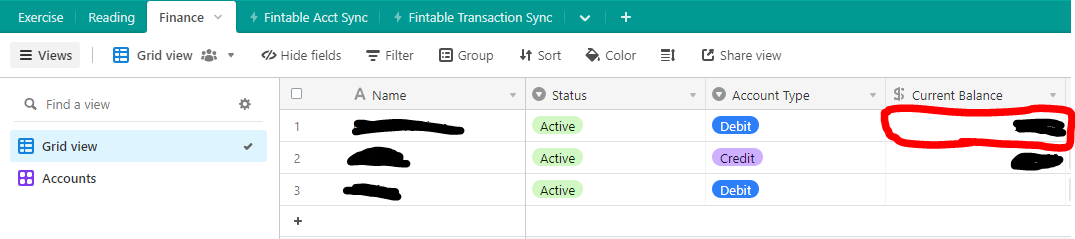
Here’s the two screenshots, so I want to grab the highlighted data from here…

And put it in the highlighted area here…


Mohamed_Swella1
Forum|alt.badge.img+17

Apologies for the incorrect language, that must cause confusion, sorry.

Here’s the two screenshots, so I want to grab the highlighted data from here…

And put it in the highlighted area here…


No worries.

Ok, so what is the relation between those 2 rows? Do they both have the same value in the primary field “Name” for example?


  • Author
  • Participating Frequently
  • August 29, 2022

No worries.

Ok, so what is the relation between those 2 rows? Do they both have the same value in the primary field “Name” for example?


Correct, they’re both exactly the same Name


Mohamed_Swella1
Forum|alt.badge.img+17

Correct, they’re both exactly the same Name


Ok great. Then you need to add that in the Find Records action. Are you able to find the correct record using this action?


  • Author
  • Participating Frequently
  • August 29, 2022

So I’m telling it to Find the Name?


Mohamed_Swella1
Forum|alt.badge.img+17

So I’m telling it to Find the Name?


Yes, because this is the record you need to update. In order to be able to do that, you need to Find the record ID, which will be one of the results of the Find step.


  • Author
  • Participating Frequently
  • August 29, 2022

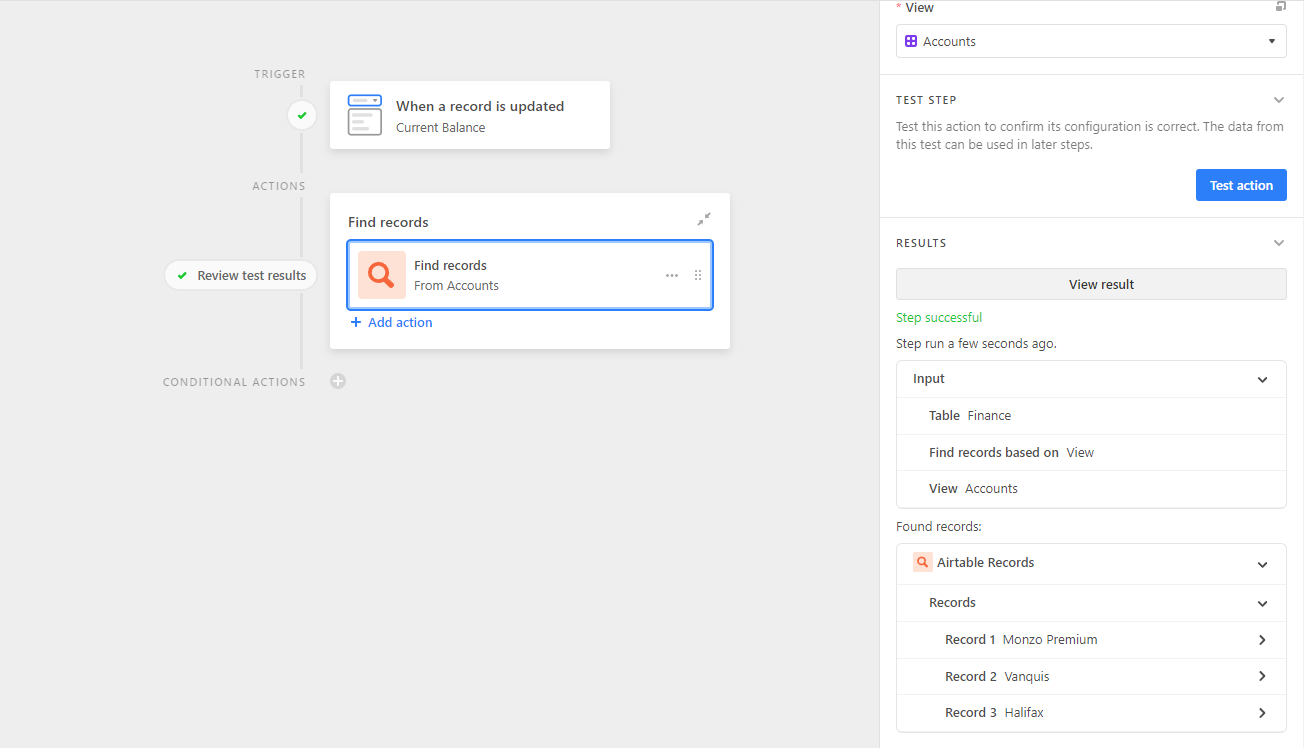
Here’s what I’ve got so far…


Mohamed_Swella1
Forum|alt.badge.img+17

Here’s what I’ve got so far…


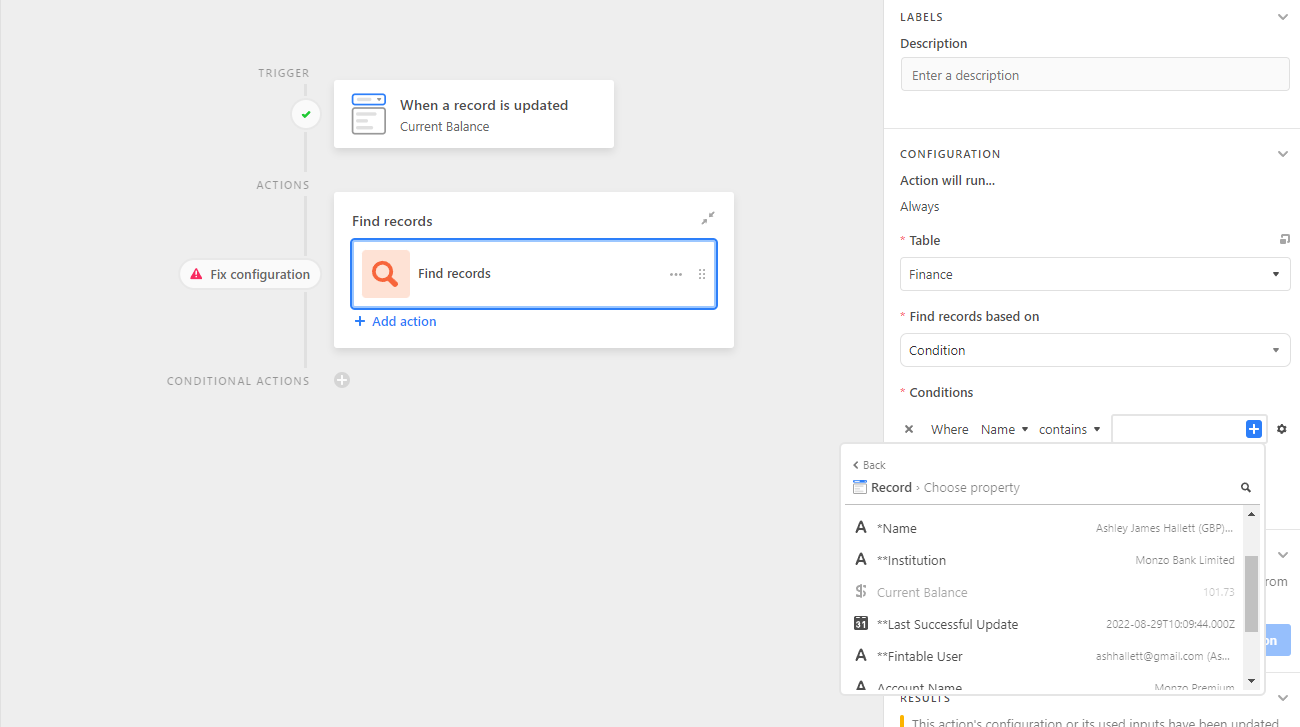
You should change the “Find records based on” to “Condition” instead of “View”

The Condition will be Name is, then choose Dynamic value from the gear icon, and choose the field Name from the trigger step


  • Author
  • Participating Frequently
  • August 29, 2022

It won’t let me… Current Balance is greyed out


Mohamed_Swella1
Forum|alt.badge.img+17

It won’t let me… Current Balance is greyed out


You need to choose the first option which reads *Name Ashley James …


  • Author
  • Participating Frequently
  • August 29, 2022

Ok, and now what do I tell the trigger to do?


Mohamed_Swella1
Forum|alt.badge.img+17

Ok, and now what do I tell the trigger to do?


Now I suppose you got the correct record you want to update in the Finance table?

Add Action > Update Record > in the part where it says Record ID input the record ID from the Find step then add the Balance from the Trigger step