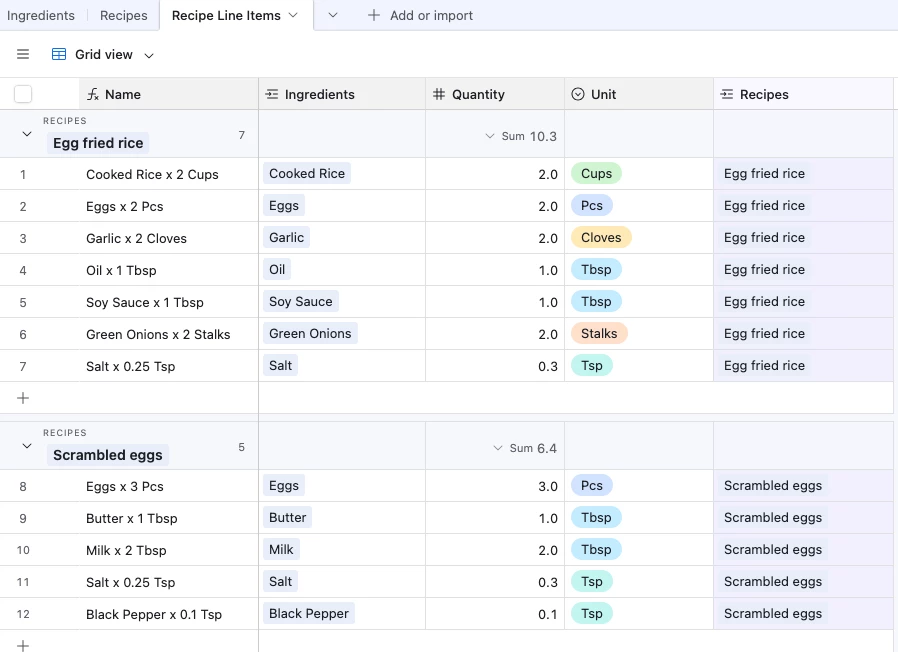
I would like to start off by saying that I have been researching, watching how-to’s and reading the forum for a few weeks now trying to wrap my mind around this issue and I am humbly asking for a hand with this issue I know can be solved (but not by me, apparently)
Attaching a diagram to hopefully give the jist of how my current base is laid out. It’s more complicated but this illustrates what I’m struggling with.
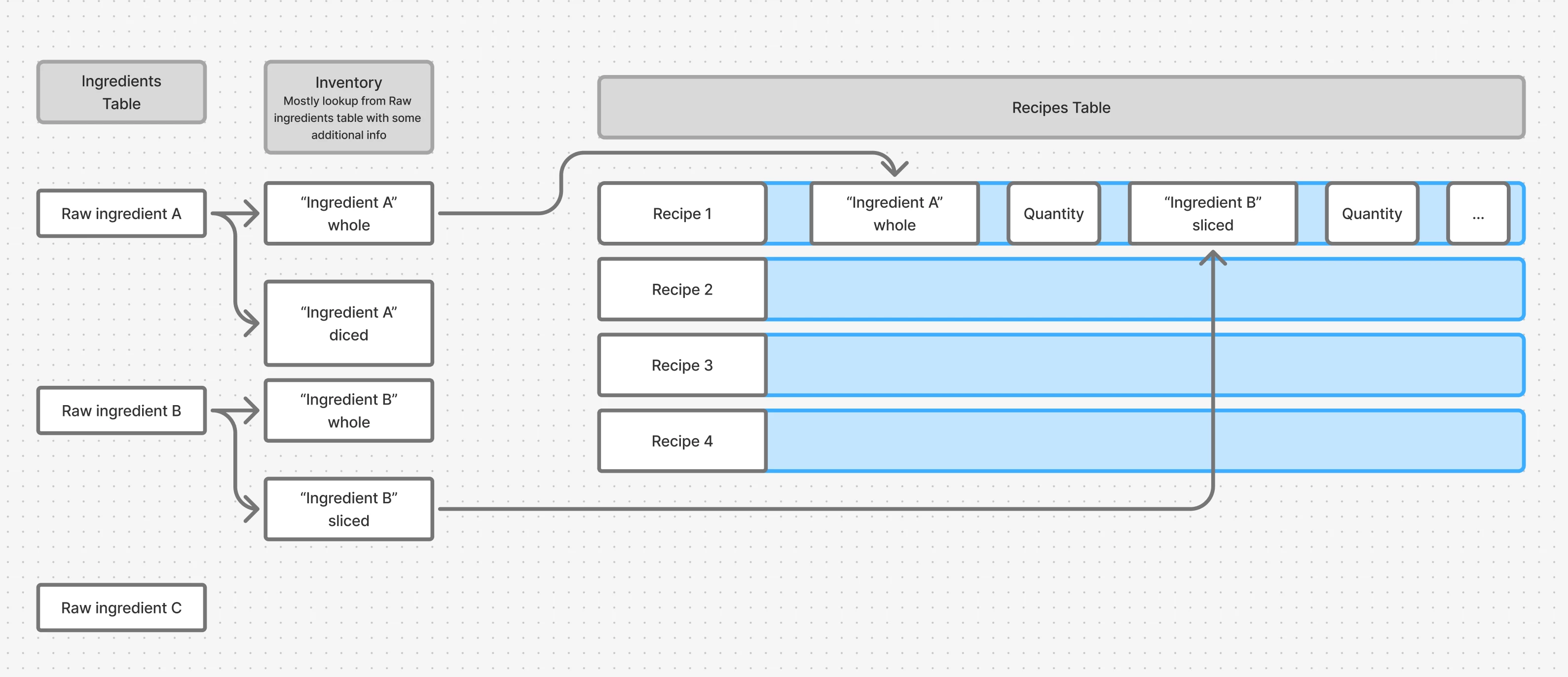
I am a chef, working on a tool for our restaurant to track costs and recipe development trial and error. I have three tables set up - one for ingredients (has metrics like cost, case size, purveyor, etc). Then there’s an Inventory table, which is effectively looking up ingredients and attaching additional attributes like whether or not something is ‘on hand’ or whether it’s been prepared in one way or another. These records then go into the Recipes table where (like any recipe) they need to have quantities unique to the recipe. I have figured out how to manage recipe price tracking, instructions (long text field), etc..
But the one thing I cannot figure out is if this is the best way to build the recipe table. Right now, recipes might have 20+ ingredients with unique quantities, meaning that they will have at least 40 columns +/-, and the horizontal layout is NOT an ideal way to look at a recipe.
Can someone more experienced help me? Is there a better way to display a recipe in a vertical orientation that is quickly editable, easy to duplicate/iterate on, and that shows totals (as in, total weight/volume/etc)? I wouldn’t think that creating a new table for each recipe is efficient, and the instructions for junction tables I’ve seen so far didn’t really seem to add any value to my problem. I like the idea that i could use a formula to just display all the ingredients and quantities in a long text field, but it’s not editable directly, and i want to make this as easy to use as possible before handing it off to the crew. One thing I like about my current model using lookup fields, is that if I am going to use an ingredient that doesn’t exist yet in the inventory (bought on the way to work), I can create it directly from the lookup field.
Even if there was a way to use a form to enter in recipes and almost like a plaintext way to view/seach/edit them that would be killer. This does not need to look good but it does need to be usable.
I am open to trying anything at this point, I have already sunk so much time into this and i know the solution is just outside of my area of expertise.
Please and thank you in advance.