Amounts At Top of Tables

  • April 27, 2022
  • 4 replies
  • 48 views

Forum|alt.badge.img+9

Hi everyone,

Okay this may be a confusing question, but hopefully not.

Basically I work as a freelancer so it’s really beneficial for me to see how much money I have in completed/ projects I am working on compared to how much money to date I need to have made.

I have these number on a table of mine by using an automation to add in each day the amount of money I need to make to pay my bills for the month in as a negative number. In addition to all of the various projects I have worked on/ am working on for the current year.

Both of these “money in” & “money out” type records are grouped so I can have the totals from those groups showing as a sum which at the bottom of the table shows me the difference so I know if I am behind or ahead for the year money wise.

The only issue is that it’s graphically so small and at the bottom of the screen that I literally never look at it.

Is there like anyway I can have this number be at the top left hand conner of my table as like a banner? Ugh I know that this is probably not a possibility, but that would literally be iconic.

I tried organizing everything in interfaces but it’s just to clunky for something I access daily with my workflow.

I also thought maybe somehow I can get the number to show up as the title of a group so it can be at the top and colored, but I have no idea/ dont think that is possible.

Any suggestions would be greatly appreciated!

4 replies

Hannah_Wiginton
Forum|alt.badge.img+19

Hey Jeffrey,

One way to get what you’re after is to create a new table called Reports and link it to your income table.

Then, say you want to calculate a months worth of income, you add all that months records to a single record in the Reports table. Then you use rollups to calculate the total.

You could take that further and add that new field as a Number app or in an Interface


TheTimeSavingCo
Forum|alt.badge.img+31

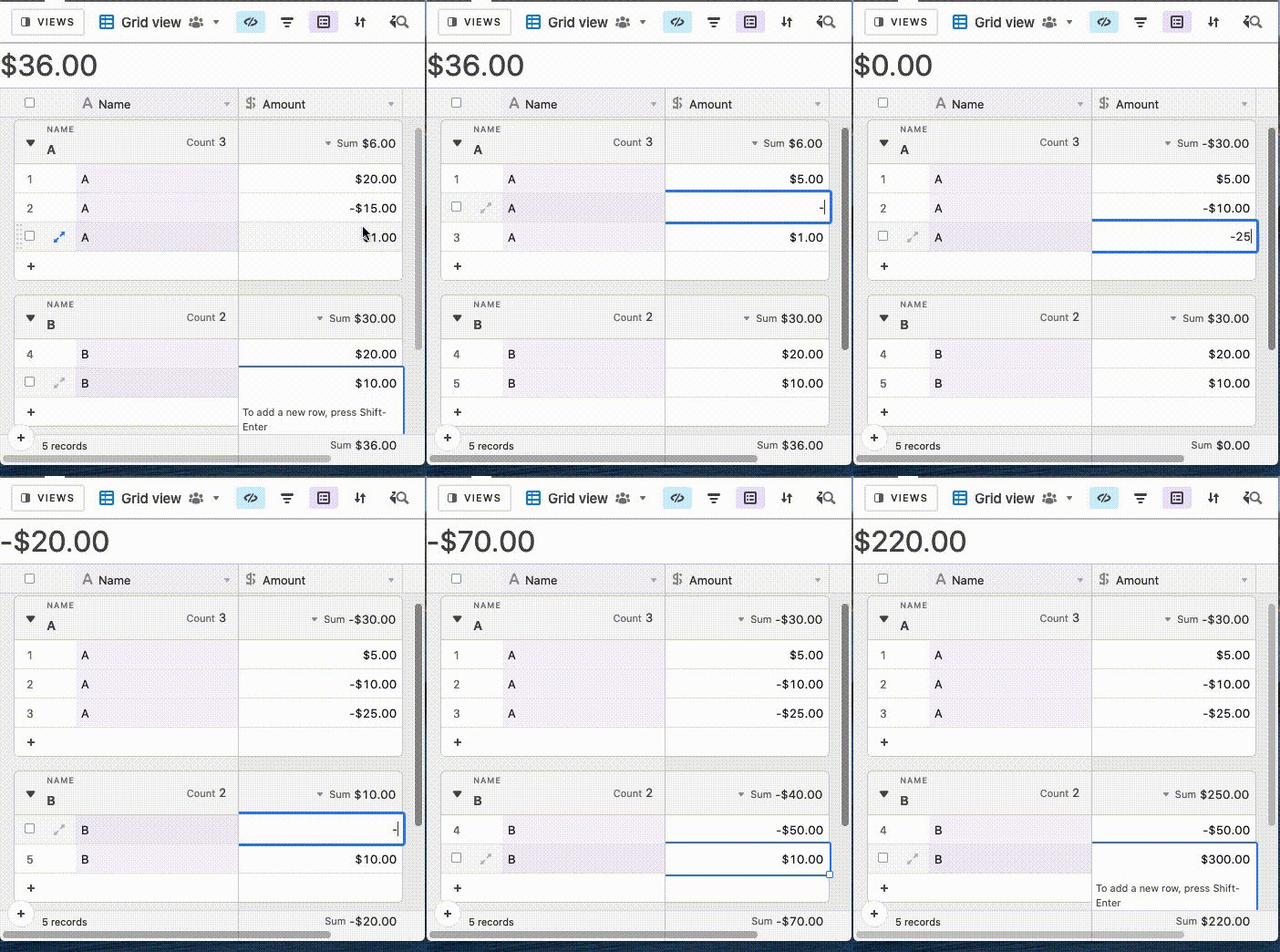
Hi Jeffrey, as far as I can tell what you’re looking for can’t be achieved within Airtable. I had a similar issue and was able to achieve a solution via tampermonkey though. Here’s how it looks:

I’m not sure what the Airtable forum rules are for non-Airtable related solutions though, so let me know if you’re interested and we can talk about it via DMs!


Forum|alt.badge.img+9
  • Author
  • Known Participant
  • April 29, 2022

Hey Jeffrey,

One way to get what you’re after is to create a new table called Reports and link it to your income table.

Then, say you want to calculate a months worth of income, you add all that months records to a single record in the Reports table. Then you use rollups to calculate the total.

You could take that further and add that new field as a Number app or in an Interface


That’s a great idea, thank you!


Forum|alt.badge.img+9
  • Author
  • Known Participant
  • April 29, 2022

Hi Jeffrey, as far as I can tell what you’re looking for can’t be achieved within Airtable. I had a similar issue and was able to achieve a solution via tampermonkey though. Here’s how it looks:

I’m not sure what the Airtable forum rules are for non-Airtable related solutions though, so let me know if you’re interested and we can talk about it via DMs!


Okay YES, that is exactly what I am talking about, I will dm you!