Question

Automate slot creations

  • February 16, 2026
  • 4 replies
  • 54 views

Forum|alt.badge.img+2

Hello,
I have an events table with several events, each taking place on a different date. (Example: Event 1 on January 1st, Event 2 on February 1st, etc.)
I would like people to be able to sign up as volunteers for one-hour slots for each of these events.
What database structure would you recommend I create?


Could I automate this process so that, once an event is created, it populates a new "slot" table by creating x new rows linked to each event, each row representing a different time slot?

(Row 1: Event 1 - 9am to 10am
Row 2: Event 1 - 10am to 11am
etc.)

Thank you very much for your help!

4 replies

TheTimeSavingCo
Forum|alt.badge.img+31

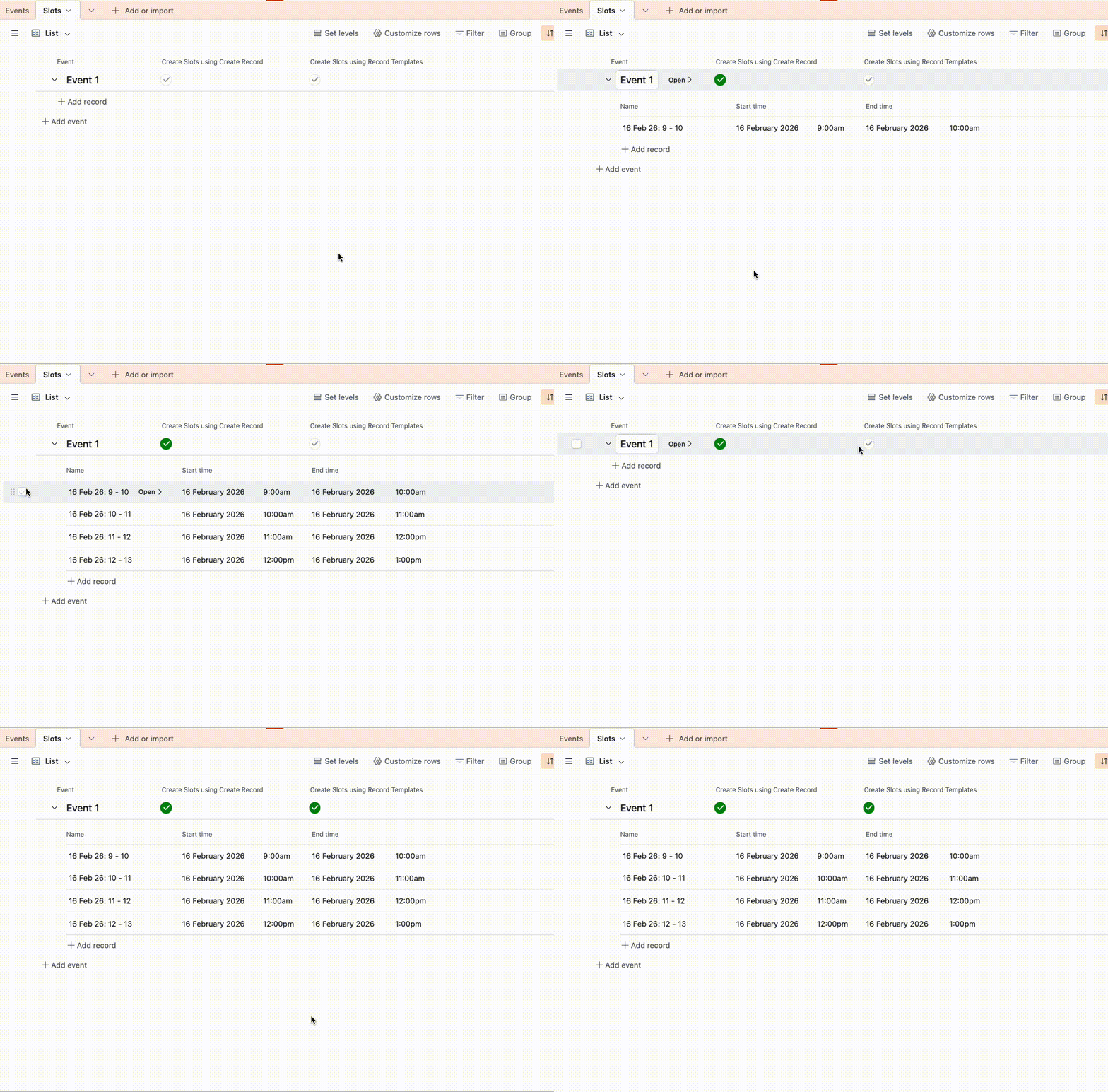
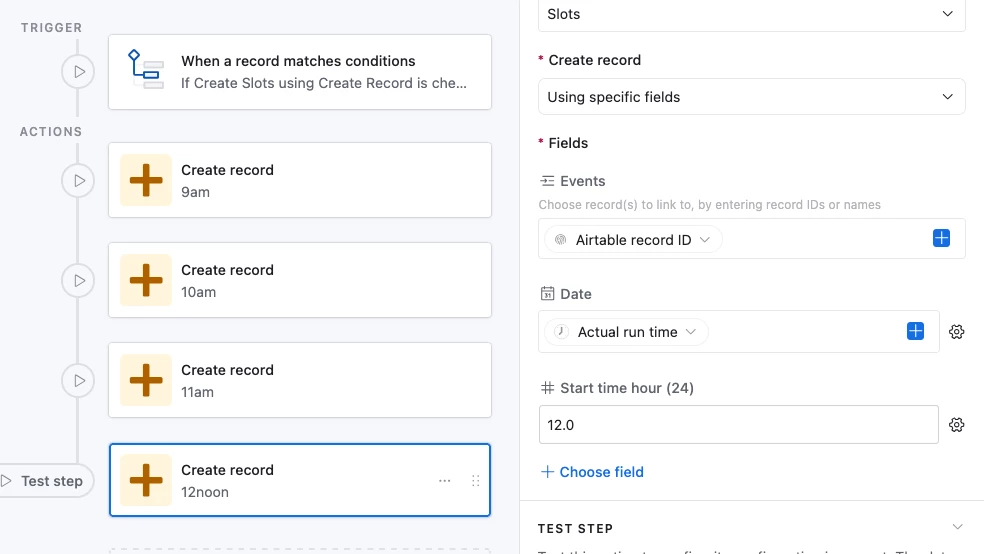
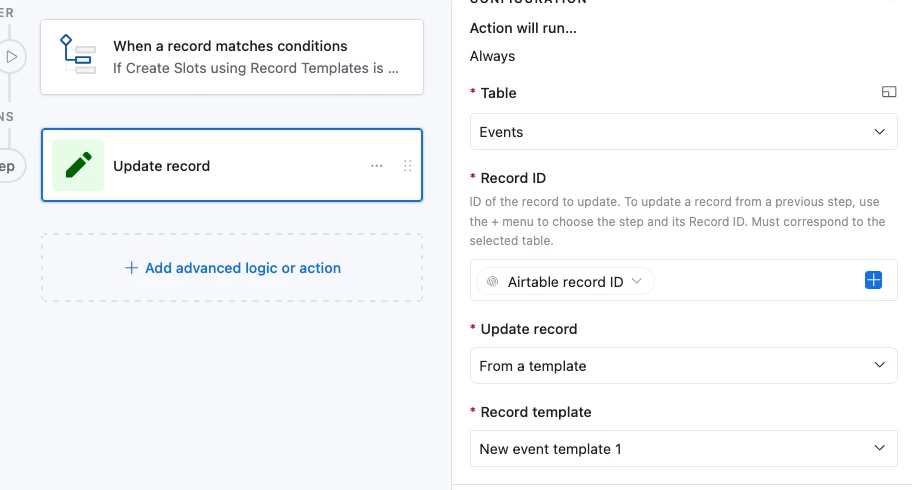
Yeap that sounds right!  You could either use an automation or a record template for this and I’ve created both here for you to check out:

https://support.airtable.com/docs/using-record-templates-in-airtable

Personally I’d prefer using a Record Template as they feel easier to maintain than a bunch of Create Record steps, but there’s really not much difference

And here’s how the automations look:


---

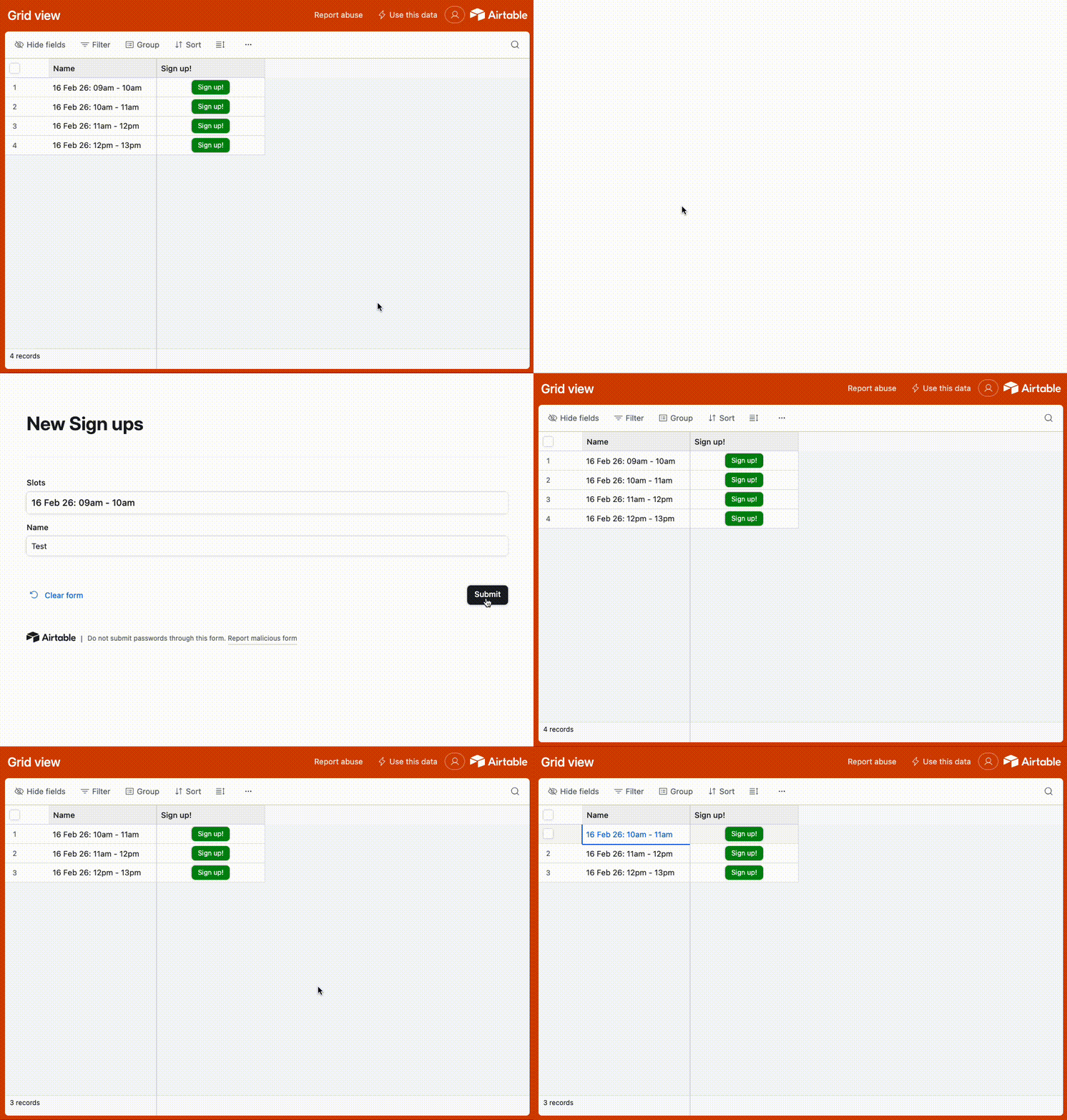
May I know how you plan on letting people sign up?  In my head you’re probably going to give people access to a page where they can see all the available slots and sign up and so I set up something in the base to handle that as well:

The idea is to create a prefilled form link so that people can click the ‘Sign up’ button for each slot and just put in their name, and the shared view has a filter to filter out any slots that a person has already signed up for

https://support.airtable.com/docs/prefilling-a-form-via-encoded-url

There’s an edge case where two people click on ‘Sign up’ at the same time and end up signing up for the same slot I’m afraid.  In that situation I’d suggest having an automation that’ll email the later volunteer that their slot has been taken. 

Services like Fillout allow you to prevent double sign ups but iirc they need the Enterprise plan for that which seems like overkill here


Mike_AutomaticN
Forum|alt.badge.img+28

Hey ​@Mariann,

Building on what Adam mentioned above, you can use Zite (product from the Fillout guys) to get a really good looking form which will actually handle the prevent double signups issue if you prompt it for it. You will not need paid plan to achieve this.

I’ve done that recently for a couple of clients, super happy with it.
 

Completely different matter, but would love to have you join the March 2026 AT Community led Hackathon! Make sure to sign up!!


Mike, Consultant @ Automatic Nation 
YouTube Channel  


Forum|alt.badge.img+2
  • Author
  • New Participant
  • February 19, 2026

Hello and thanks to both of you ! I’ll try this tonight.


@TheTimeSavingCo can I ask you the formulas fort start and end time please ? And same for the Name formula. Many thanks,


Mariann


TheTimeSavingCo
Forum|alt.badge.img+31

Yeap sure!  You can also duplicate the base into your own workspace so you can see all the automations, formulas, etc

Name: 

DATETIME_FORMAT(
Date,
"DD MMM YY"
)&': '&
DATETIME_FORMAT(
{Start time},
'HHa'
) &' - '&
DATETIME_FORMAT(
{End time},
'HHa'
)

Start:

DATEADD(
DATETIME_PARSE(
DATETIME_FORMAT(
Date,
'DDMMMYY'
),
'DDMMMYY'
),
{Start time hour (24)},
'hours'
)

End:

DATEADD(
{Start time},
1,
'hours'
)