Solved

Creating a individual records based on a range

  • January 23, 2026
  • 10 replies
  • 82 views

Forum|alt.badge.img+1

I’d like to build a base to track our produce prescription program. We have coupons with barcodes to distribute to the patients. Ideally I’d like the health worker to use a barcode scanner to scan the first coupon and the last coupon for each patient. Then I need to populate a table of all the coupons distributed within that range for each patient. 
I currently have a table set up for “patients” where health workers would assign the coupons. Then I have a table for “Coupons” where I’d like the records to be each coupon code distributed. 

Any help in how to do this would be appreciated!
Best answer by TheTimeSavingCo

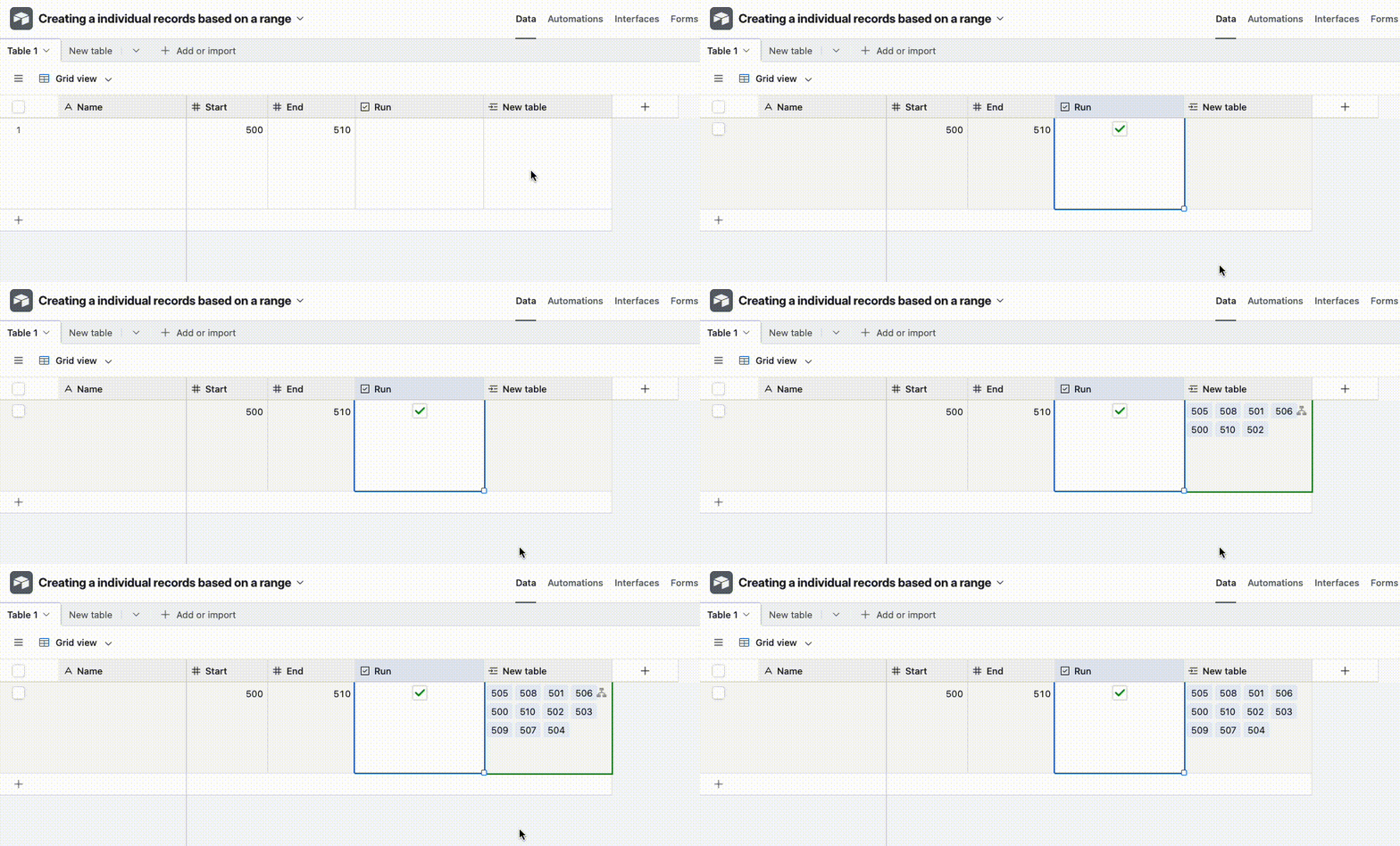
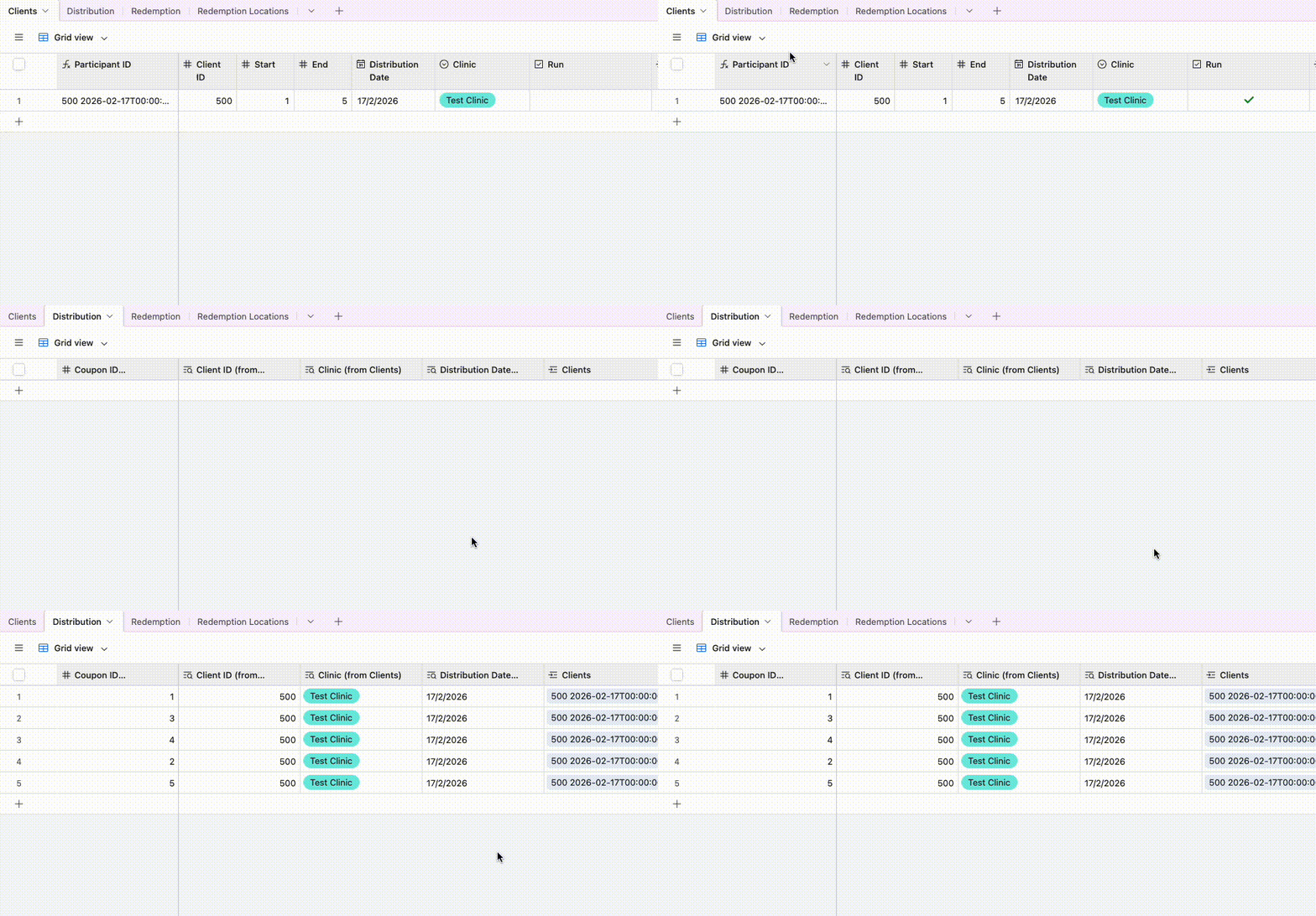
Ah yeah that’s pretty straightforward and I’ve set it up here for you to check out


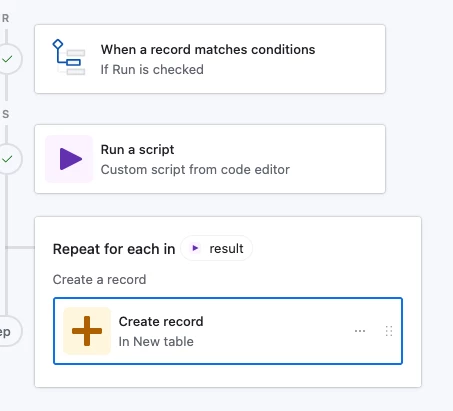
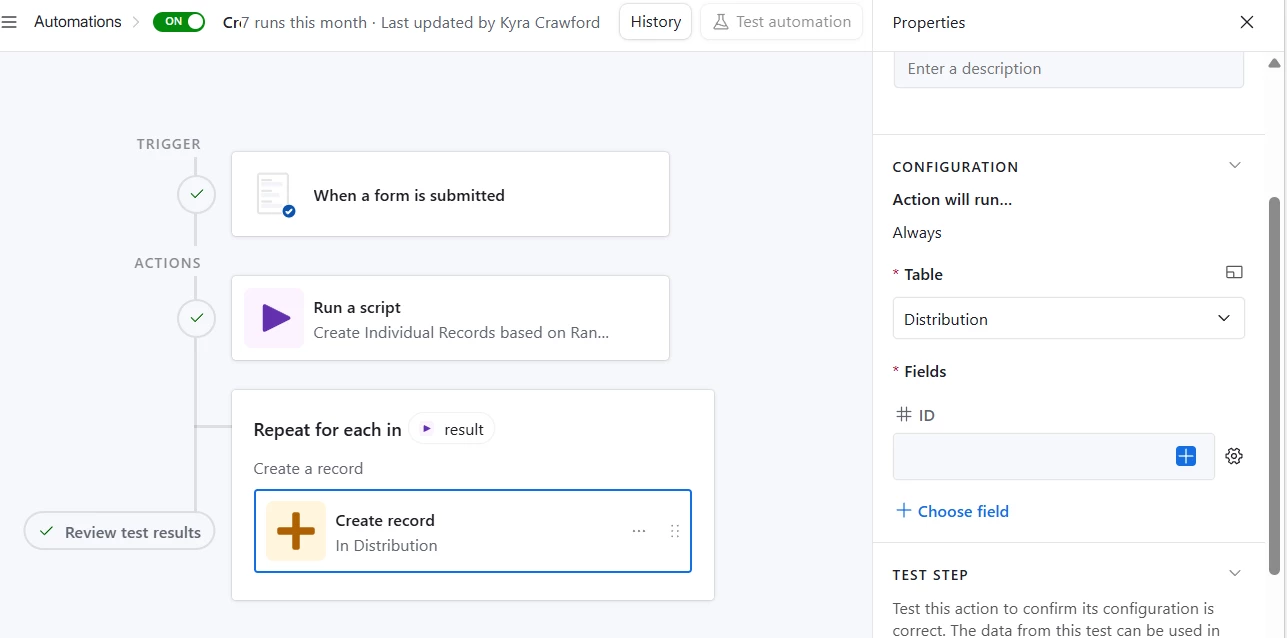
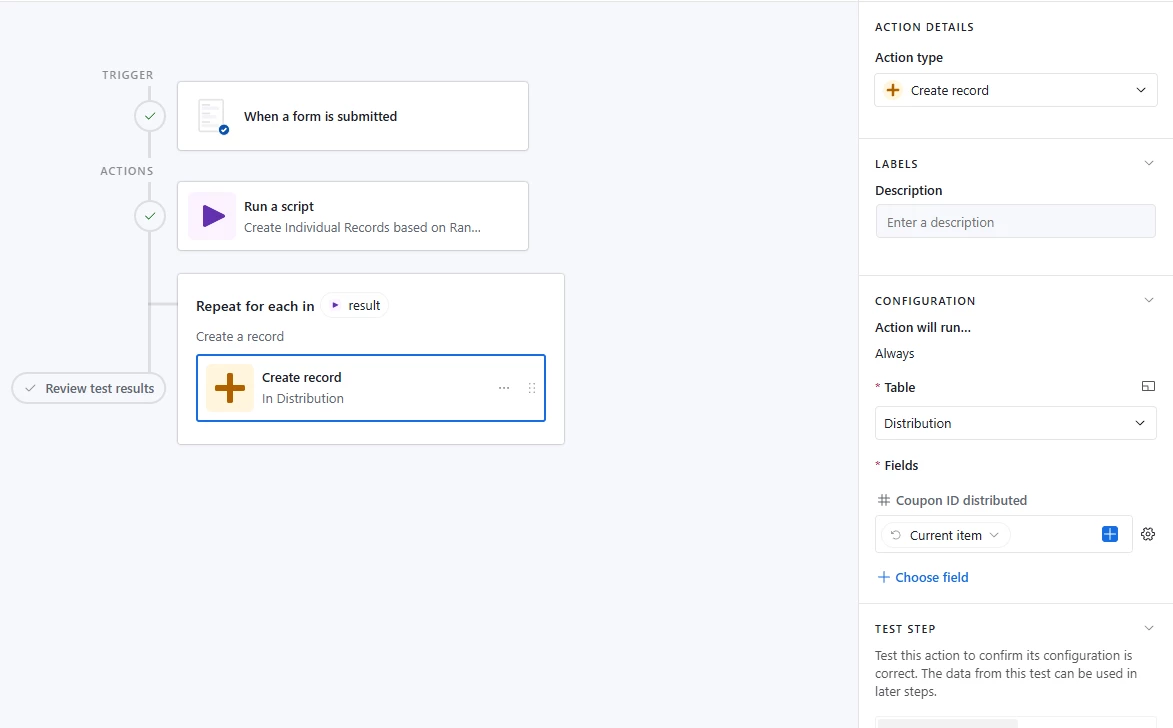
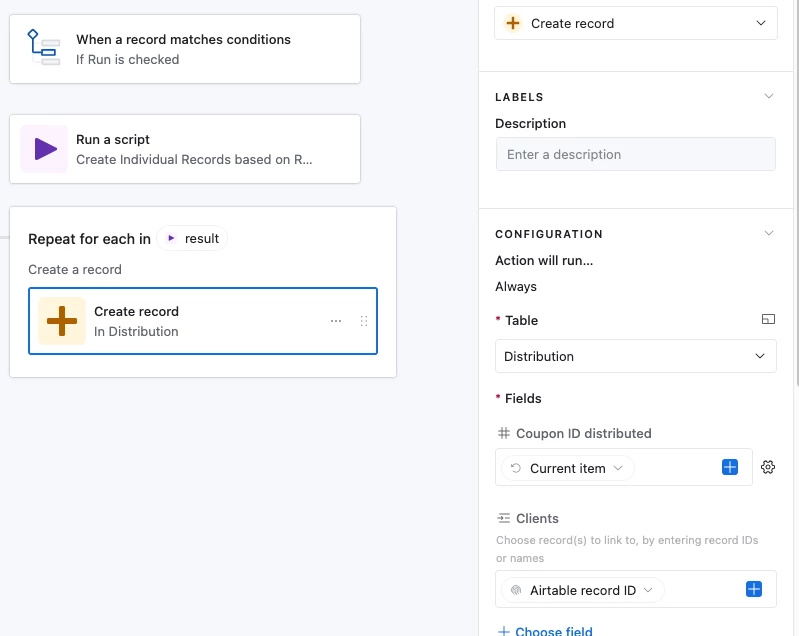
Here’s how the automation looks:


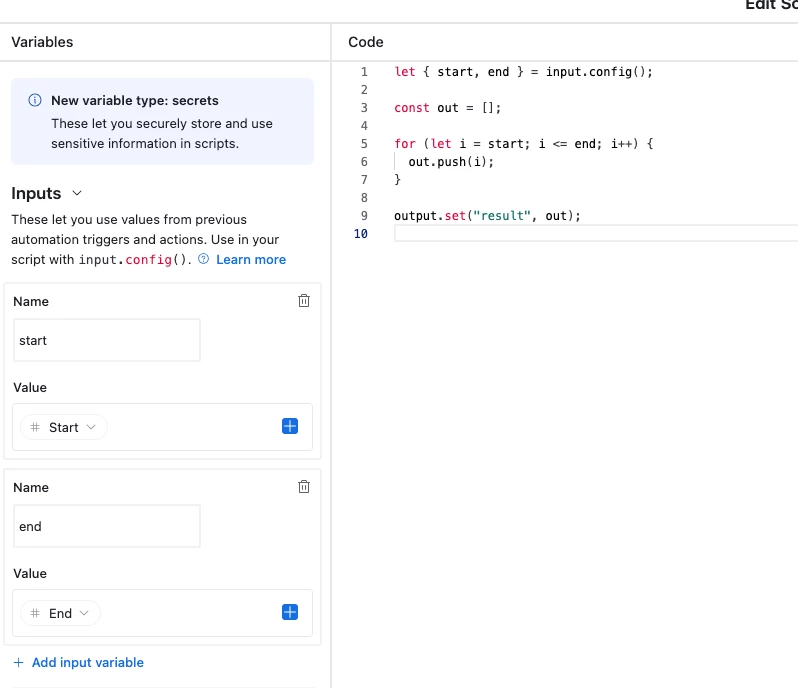
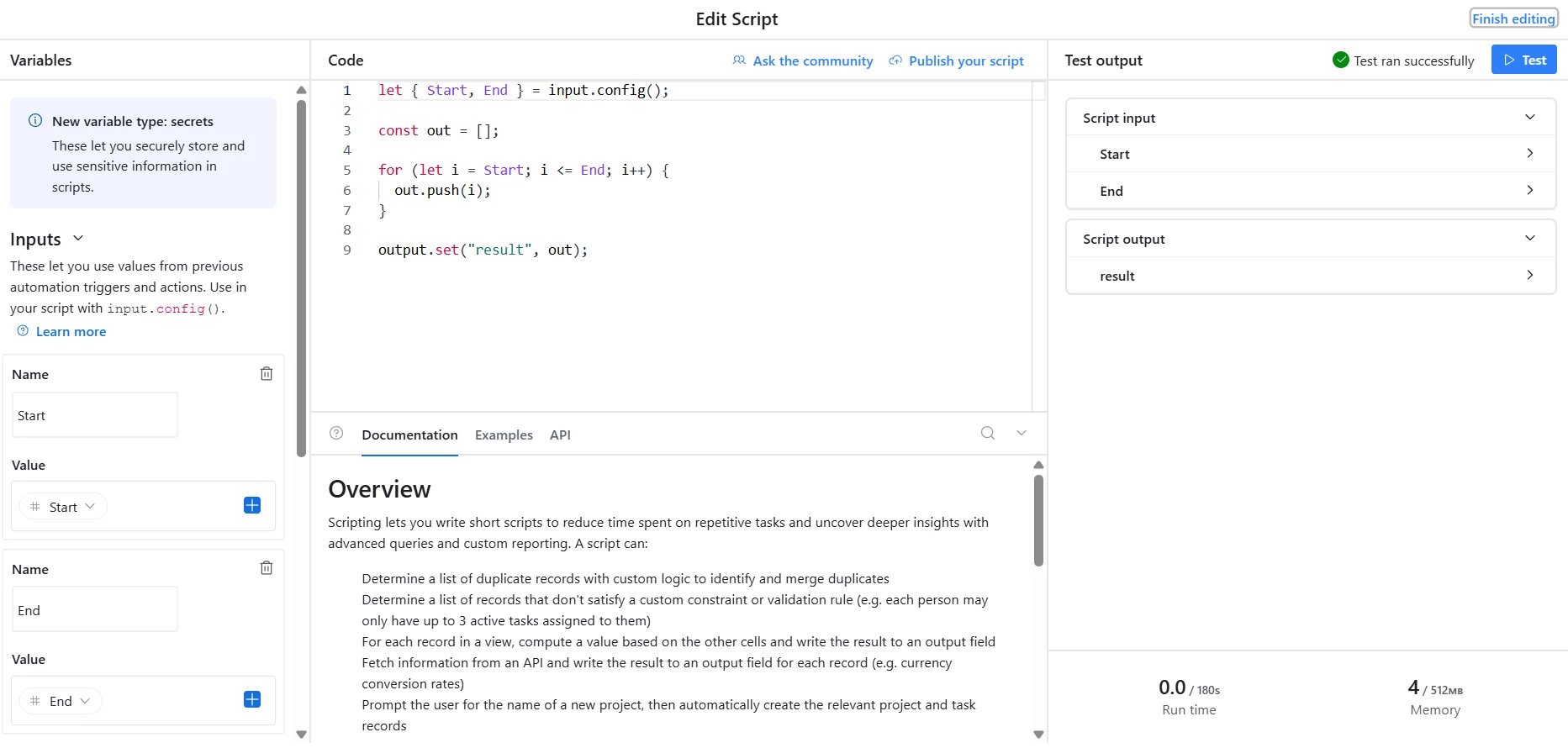
And it works by using a Script action to create an array of each increment, then we use a Repeating Group on the result to create one record per increment

let { start, end } = input.config();

const out = [];

for (let i = start; i <= end; i++) {
out.push(i);
}

output.set("result", out);


10 replies

TheTimeSavingCo
Forum|alt.badge.img+31

Yeap should be doable, probably write a simple script to help you create the range.  Could you provide an example of the first and last coupon, and the range that would need to be created / rules for creating that range?

Once I have those I’ll see what I can do!

---

I take it the scanning of the first and last coupon bit are working fine?


Forum|alt.badge.img+1
  • Author
  • New Participant
  • January 26, 2026

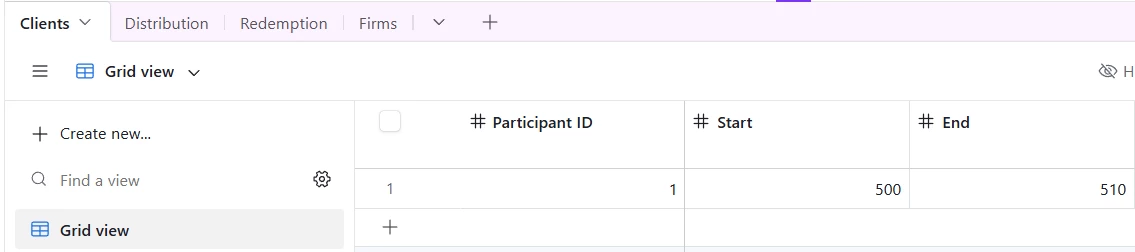
@TheTimeSavingCo  I haven’t received my barcode scanner yet to test. My plan is to have a form for the health care provider to input the patient ID number and then one field to scan the first barcode, and a second field for the last barcode number.
The barcodes will be distributed in numerical order and each patient receives a different number of coupons depending on their household size. So the rules for the range is simply the first barcode number plus one until you get to the last barcode number. Each barcode within that range would be associated with the same client ID number submitted in the form.


TheTimeSavingCo
Forum|alt.badge.img+31

Ah yeah that’s pretty straightforward and I’ve set it up here for you to check out


Here’s how the automation looks:


And it works by using a Script action to create an array of each increment, then we use a Repeating Group on the result to create one record per increment

let { start, end } = input.config();

const out = [];

for (let i = start; i <= end; i++) {
out.push(i);
}

output.set("result", out);


Flow Digital
Forum|alt.badge.img+2
  • Participating Frequently
  • January 27, 2026

Hey ​@LEAP4Local 

I hope you were able to do that  based on the suggestion from TheTimeSavingCo, you can share an update here for learning purposes.


Forum|alt.badge.img+1
  • Author
  • New Participant
  • January 27, 2026

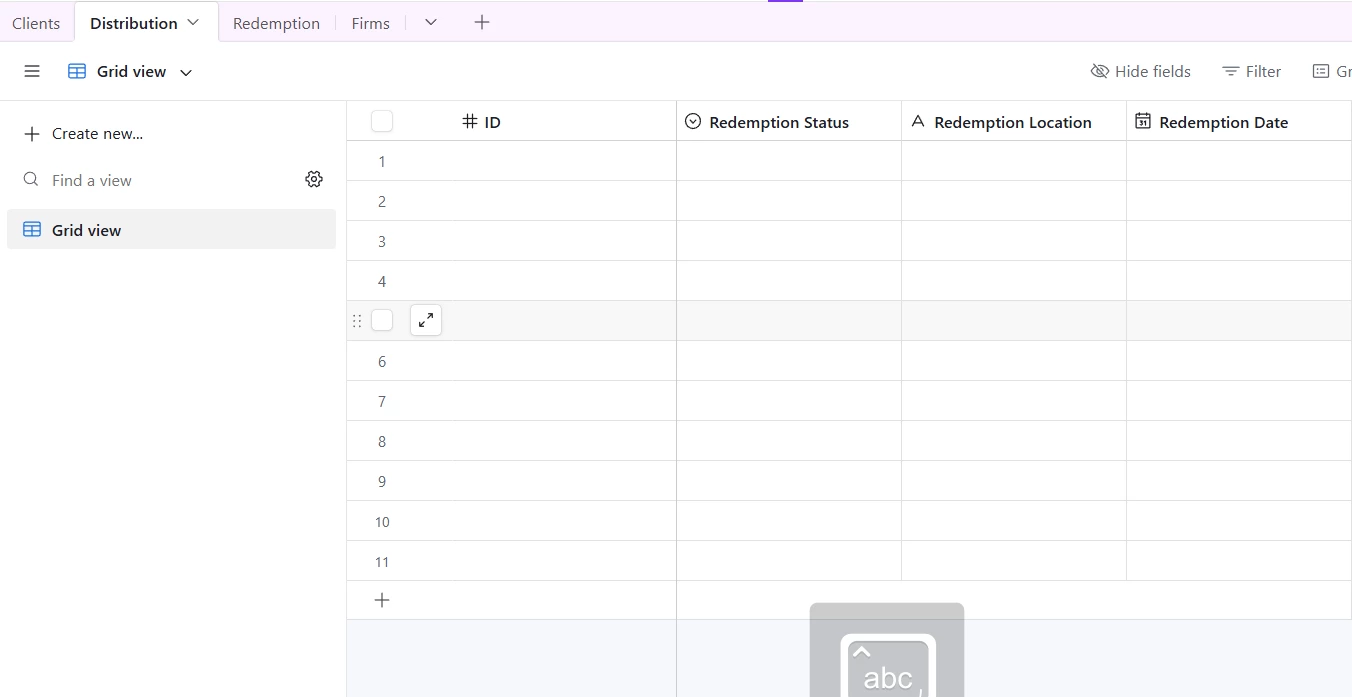
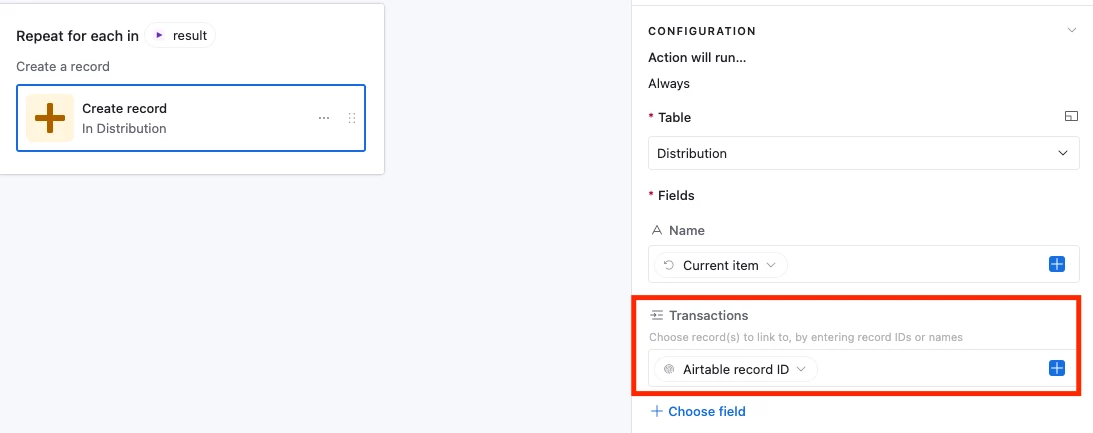
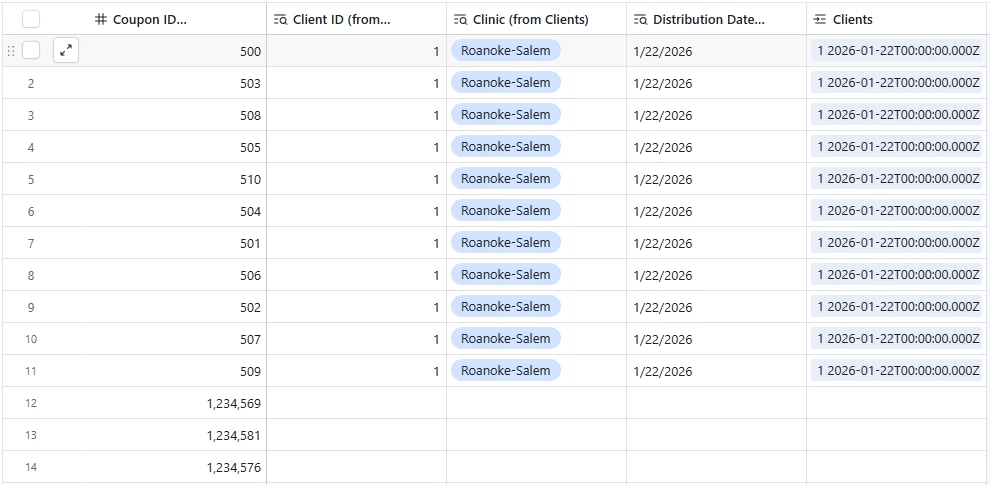
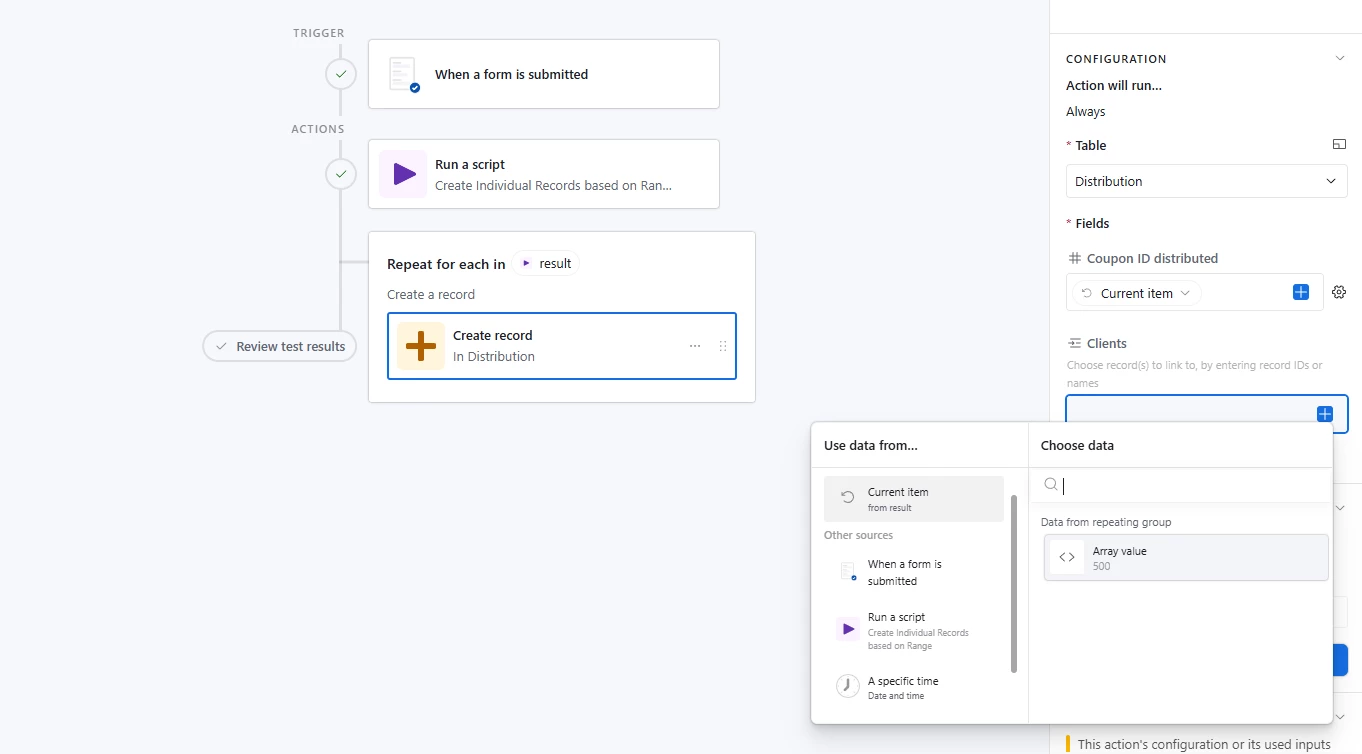
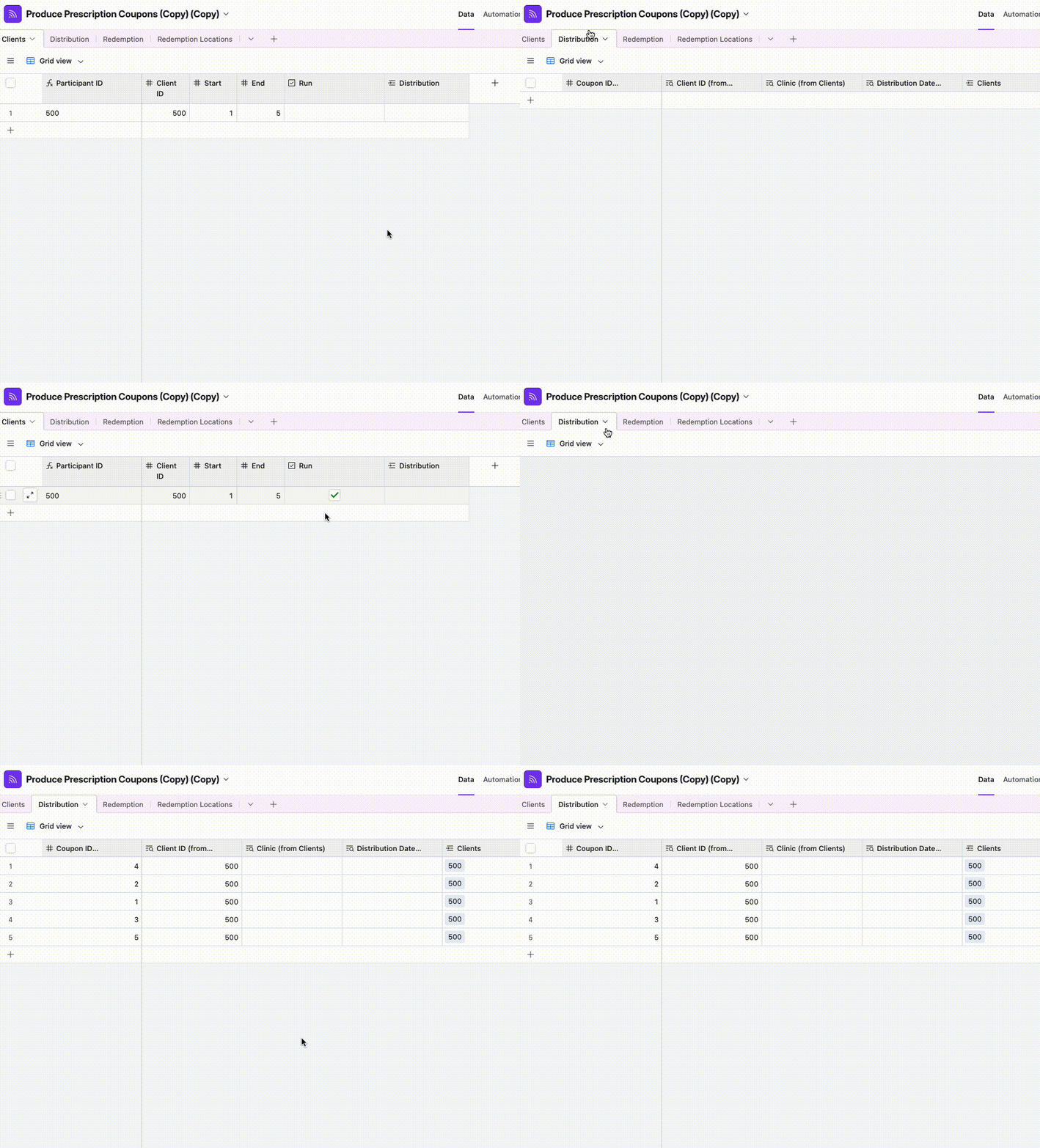
Ok, I’m so close but I seem to be missing something. I have adjusted the trigger to be for when a form is submitted instead of when a condition is met, but I don’t know why that would be the issue. The automation is running (records are added in the new table) but no values are being entered, it’s just a blank table with a lot of lines.


DisraeliGears01
Forum|alt.badge.img+21

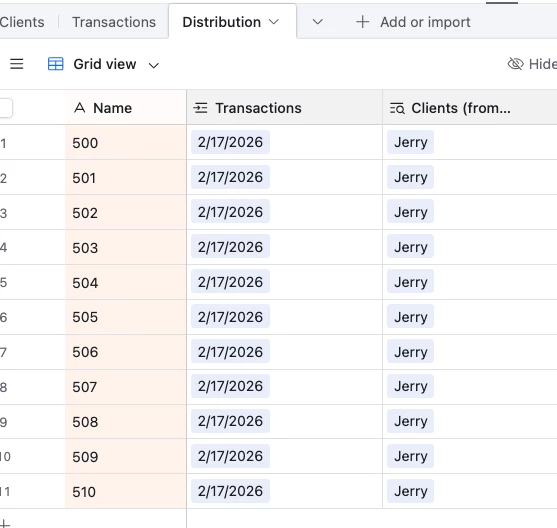
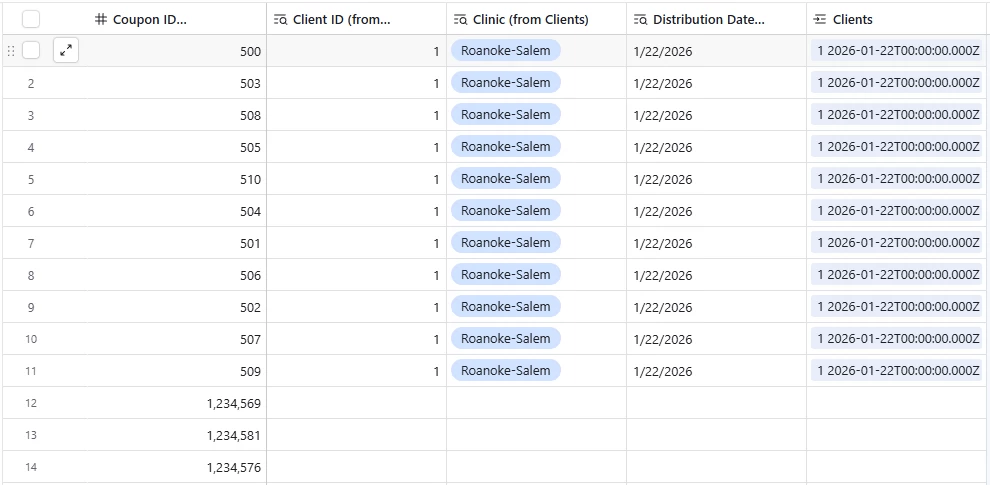
So compared to the gif Adam included, the issue is that the records generated are unnamed (blank) instead of 500, 501, 502, etc? Is it producing the right number of attached blank records?

My first thought is what’s the primary field for your barcode number table? If it’s a formula or an autonumber, those aren’t editable fields and so when it creates the records it can’t write a number into the primary.


Forum|alt.badge.img+1
  • Author
  • New Participant
  • January 27, 2026

Correct. They are blank and they are the correct number of records. The primary field for the second table is #. 


johov
Forum|alt.badge.img
  • New Participant
  • January 27, 2026

Hi ​@LEAP4Local ,


I can see from your screenshot that the issue is in your "Create record" configuration - the "# ID" field is selected but the value is empty (blank)!


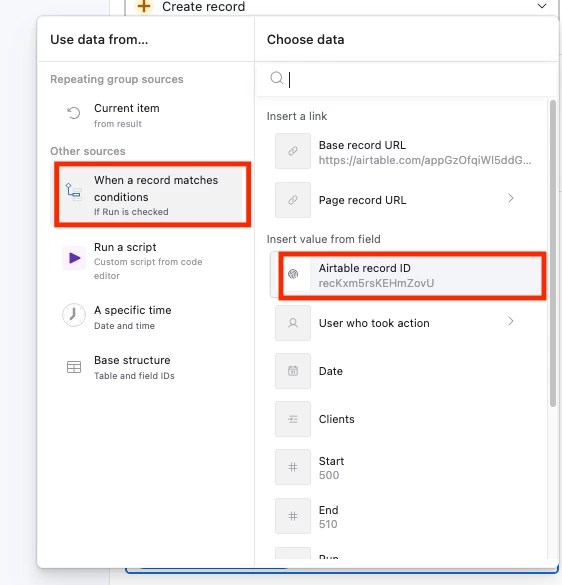
You need to map the current item from the Repeating Group to that field:


1. Click on the empty value area next to "# ID"

2. Click the blue "+" button to insert a dynamic value

3. Look for the Repeating Group section and select the current item - this contains each number (500, 501, 502...) from your script's output


Once you map that current item to the ID field, each record created will get the correct coupon number instead of being blank.


Hope that helps!


Forum|alt.badge.img+1
  • Author
  • New Participant
  • January 27, 2026

Beautiful! Thanks for all the help everyone!
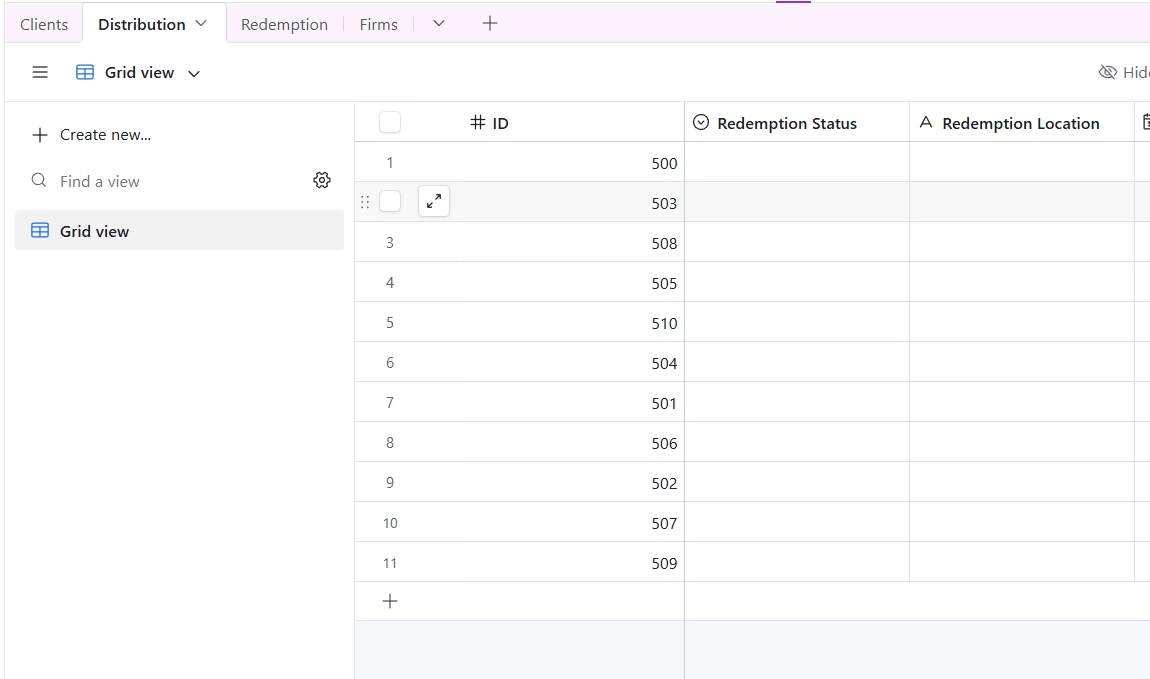
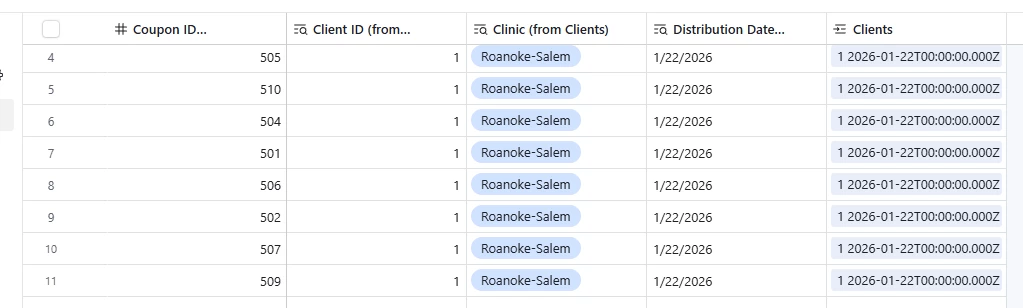
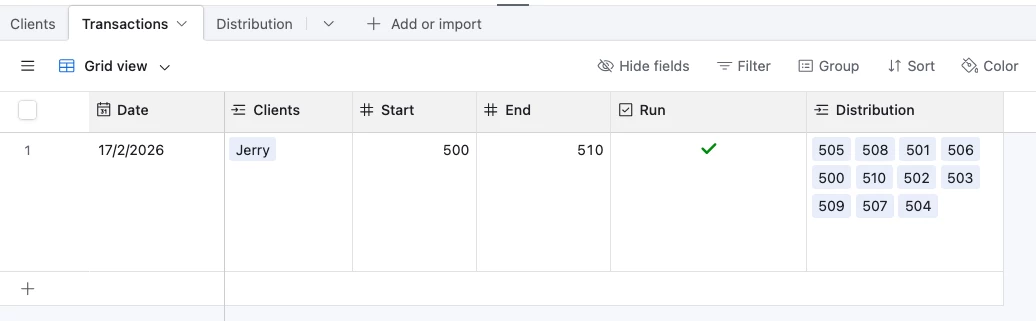
Now...is there a reason the numbers are coming in out of order?


DisraeliGears01
Forum|alt.badge.img+21

Automations and scripts run all at once and just with the way Airtable processes things they end up popping in at (very slightly) different times. If you just add a Sort by ID they’ll be in order (Airtable doesn’t really care about row order the way Excel does).