Field adding its own information

  • August 15, 2024
  • 6 replies
  • 40 views

Forum|alt.badge.img+3

Hello,

I am importing a csv file formatted: 390,390,390

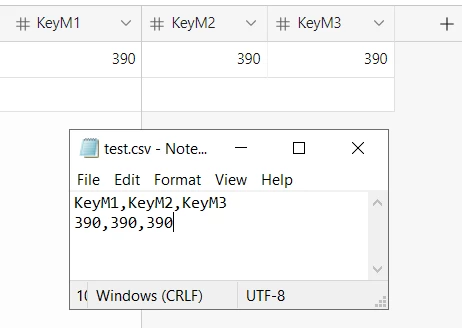
The table does this: 390 390 2 390 3

It's including the number of 390 values in the import file

How will I fix?

 

6 replies

Alexey_Gusev
Forum|alt.badge.img+25

Hi,
Check your CSV


Forum|alt.badge.img+3
  • Author
  • New Participant
  • August 16, 2024

Hi,
Check your CSV


Hi,

I did, this is the csv string: 320,390,390,390,480,590,590,590,590,


Forum|alt.badge.img+3
  • Author
  • New Participant
  • August 16, 2024

Hi,

I did, this is the csv string: 320,390,390,390,480,590,590,590,590,


Please review attached


Alexey_Gusev
Forum|alt.badge.img+25

Please review attached


Do you need to create a new table or import new data in the existing?
I'm used 

and it's quite simple.
but if you need to use Extension to add data to existing table, you should include field names as a first row
You can use this code to generate if you have a lot of fields


console.log([...Array(15).keys()].map(n=>'KeyM'+n).join(','))


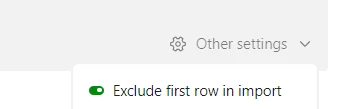
of course, this should be enabled


Forum|alt.badge.img+3
  • Author
  • New Participant
  • August 18, 2024

Do you need to create a new table or import new data in the existing?
I'm used 

and it's quite simple.
but if you need to use Extension to add data to existing table, you should include field names as a first row
You can use this code to generate if you have a lot of fields


console.log([...Array(15).keys()].map(n=>'KeyM'+n).join(','))


of course, this should be enabled


Hi, 

The extension requires a $20 plan. Not interested.

The file is a simple notepad, no headers

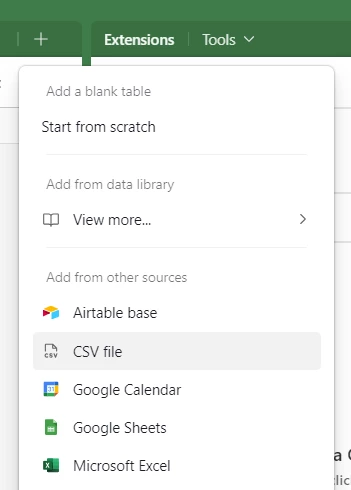
Can you tell me where the green toggle is located.?

This seems like a simple issue.

https://share.zight.com/eDuZzYJ8


Alexey_Gusev
Forum|alt.badge.img+25

Hi, 

The extension requires a $20 plan. Not interested.

The file is a simple notepad, no headers

Can you tell me where the green toggle is located.?

This seems like a simple issue.

https://share.zight.com/eDuZzYJ8


I thought you used extension because usual add table function has no Field Map details like in your screenshot.
Now it's clear. I never used Import Data but it's almost the same as Import with Create new table.
Import function must know which field to use for which number, and it reads first line of csv as field names.

So, CSV must contain several lines and first is field names

And since field name must be unique, it adds extra numbers 2, 3 etc

Easiest workaround is to duplicate line in CSV, to have it like: 
320,390,390,390,480,590,590,590,590
320,390,390,390,480,590,590,590,590

and then in options select

The alternative solution is to Download CSV (in View menu) and use list of fields from it.