Question

Filter Question - Select records that have xxx if the date is the latest in the list

  • December 23, 2025
  • 5 replies
  • 49 views

Forum|alt.badge.img+17

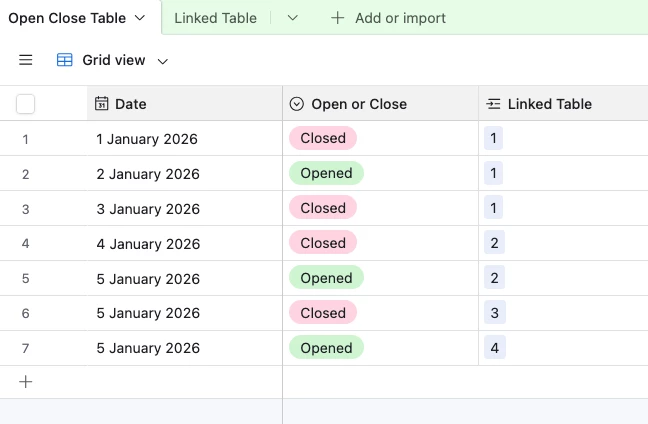
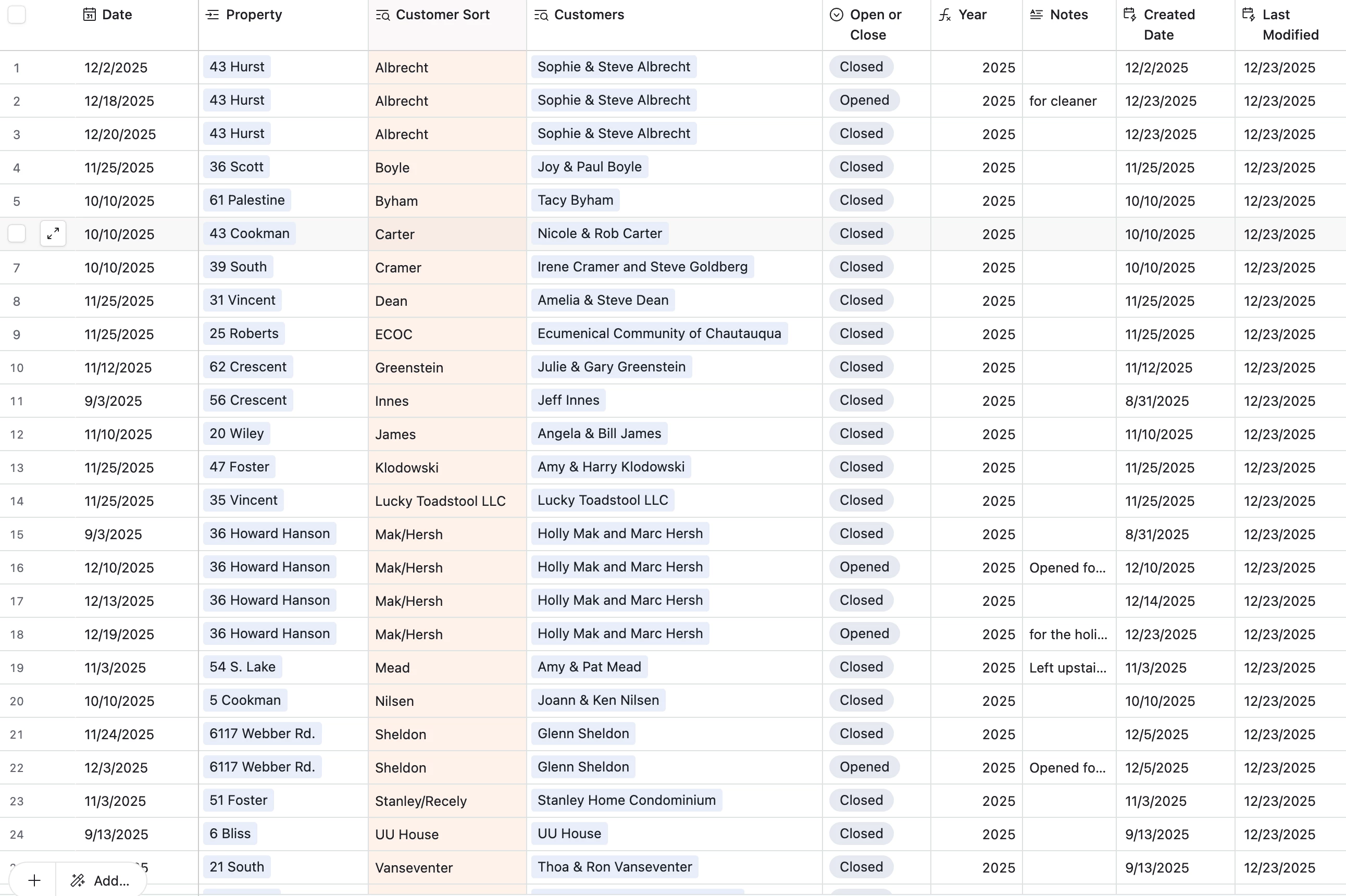
I have a table that lists the openings and closing of homes. Each record is a specific date and an opening or closing. So there is single select field that has the choices Open or Closed. Each record has a date and the single select and a customer and the property along with a few other fields. Right now 27 records.

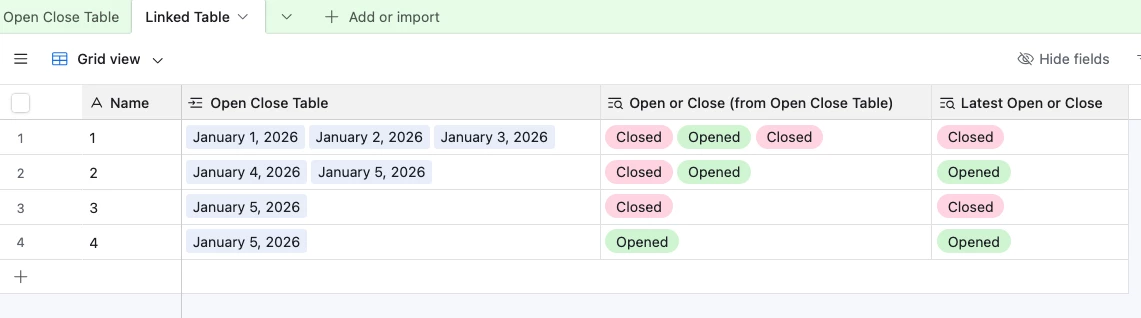
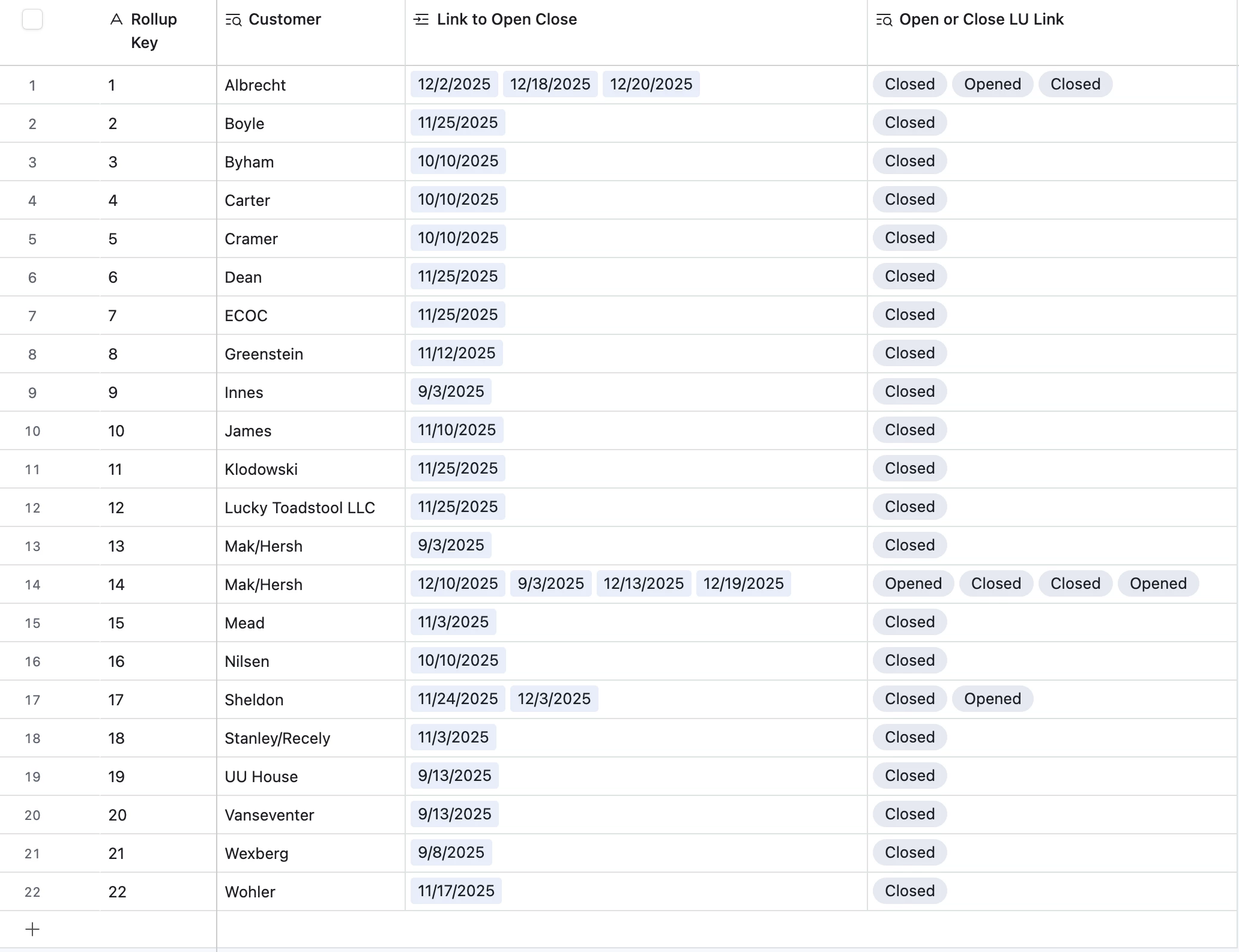
I also have a summary table with a link to the open and close table. Each record is a customer’s open and close records in the link field. That table has 22 records.

I want to filter for the latest opens so I can create a list to email through an automation so I get a l list every week what's currently open.

Does anyone have a idea of how to do this?.

Thanks. Scott

Linked table screen shot
Open Close Table Screenshot


5 replies

GCheung
Forum|alt.badge.img+17
  • Community Manager
  • January 9, 2026

Hey, ​@Scott_Brasted! ​Because your question hasn't yet received an answer/solution from the Community, we've created a Support Case on your behalf with our Airtable Expert Team to get you the quickest response possible. Please check your email for follow-up and your case reference number—and continue to follow this thread as new community members tend to share answers and add knowledgeable responses regularly. Thanks!


Rob_Weidner1
Forum|alt.badge.img+8
  • Participating Frequently
  • January 9, 2026

Hey Scott, I think you actually would be better off solving this using a combination of find record steps and repeating groups in an Airtable automation.

For example, your trigger would be at a scheduled time. Then, your next step would be to go through and find all of the records from your open/close table with dates from that week. And then, repeat through all of those found records, or just insert all of those found records into a send email step. 


Happy to answer any follow up questions you have regarding this workflow, but I believe you’re on the right track!


-Rob


TheTimeSavingCo
Forum|alt.badge.img+31

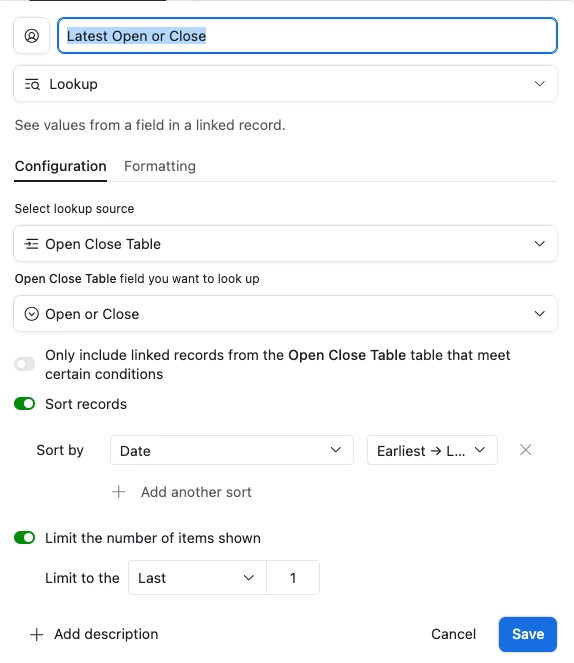
Hm, I think you could do this with a lookup field on the ‘Open or Close’ field with the following settings:

  1. Sort by Date, earliest to latest
  2. Limit display to the last 1

That field would show you the latest ‘Open or Close’ value based on the date, so you’d be able to filter on that to see what’s currently open, does that make sense?  I’ve set it up here for you to check out!

Result:

 Data:


Field setup:


Alexey_Gusev
Forum|alt.badge.img+25

Hi,
In your Properties table, you can create Rollup with MAX(values) to get latest value. So, you can create two such fields (using builtin Rollup filter “where Open or Close….” ) - for last Open and last Close.
And then formula comparing these two values and displaying current state. Note that you can use formula formatting to display in “single-select - like” style instead of just text.


Mike_AutomaticN
Forum|alt.badge.img+28

Hey ​@Scott_Brasted,

Any of the solutions suggested by Adam or Alexey above will work.
If you’d like to get some additional context on Rollup fields, and how to set them up, you might want to check out this article.
If you’d like to get further context on Lookups, then you might want to check out this other article.

If you need further help, feel free to grab a slot using this link. I’d be happy to help.

Mike, Consultant @ Automatic Nation 
YouTube Channel