Solved

How do I create a set of recurring tasks for each new project in Airtable with unique dates per project?

  • December 17, 2025
  • 3 replies
  • 25 views

Forum|alt.badge.img+1

Context

I have my base created, and my main table is named the “Event Plan”, within this table, each row is the record (event name).

In the second table, called my “tasks” lists all the tasks that an event requires.


The Problem I’m Facing

Right now, my airtable reuses the same task records across multiple events. So I have ONE "Copy Creation" task that links to all the events (because each event has this task). But this creates an impossible situation: that one task can only have ONE start date and ONE end date, even though the events run on completely different schedules.


Your Goal

I want to create an Airtable where:

  1. Each record/event in the table is a separate project with its own timeline
  2. Every record/event has the same 27 tasks that need to be completed (Copy Creation, Brand Review, Registration Page Live, etc.)
  3. Each task has its own start date and end date specific to that event's timeline
  4. I don't want to manually create 27 tasks every time you start a new webinar
    1. Ideally every time I create a row/event/record the same 27 tasks get applied to that specific event

Any help/guidance would be AMAZING. Thanks everyone (:
Best answer by TheTimeSavingCo

If you’ve got a paid account, you could try using Record Templates for this: https://support.airtable.com/docs/using-record-templates-in-airtable

The idea is to set up all 27 tasks as part of a Record Template that you then apply to a single Project record, which will in turn handle creating 27 task records for you that are linked to that Project

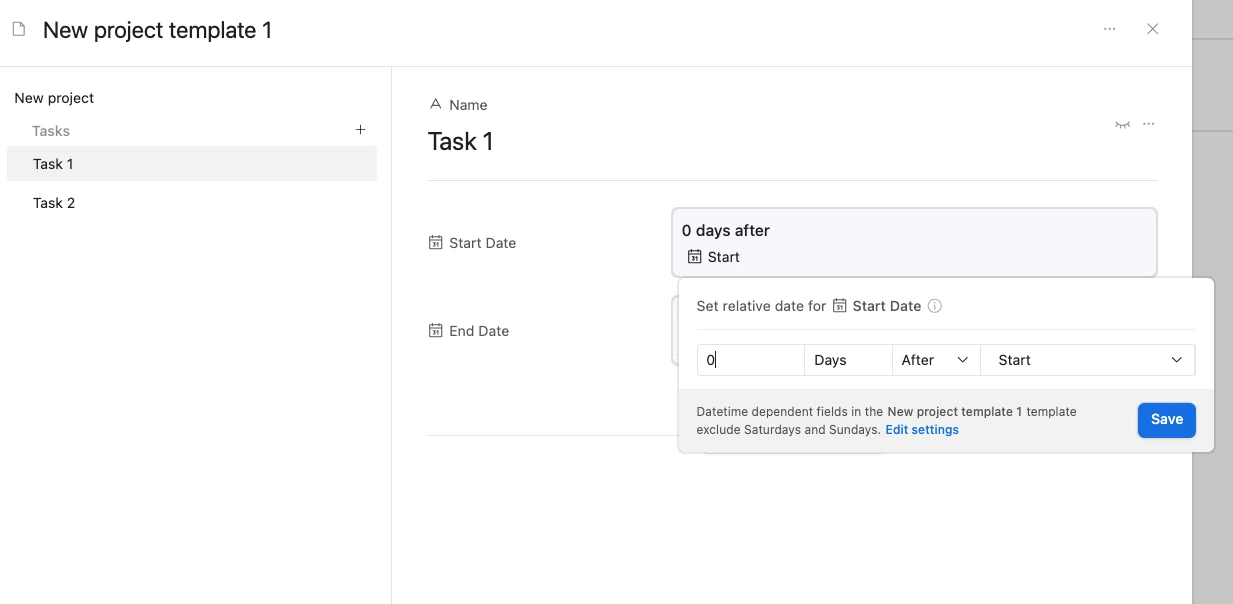
The nice thing is that this’ll let you set up end dates that are related to the original record’s start date too, and I’ve set it up here for you to check out

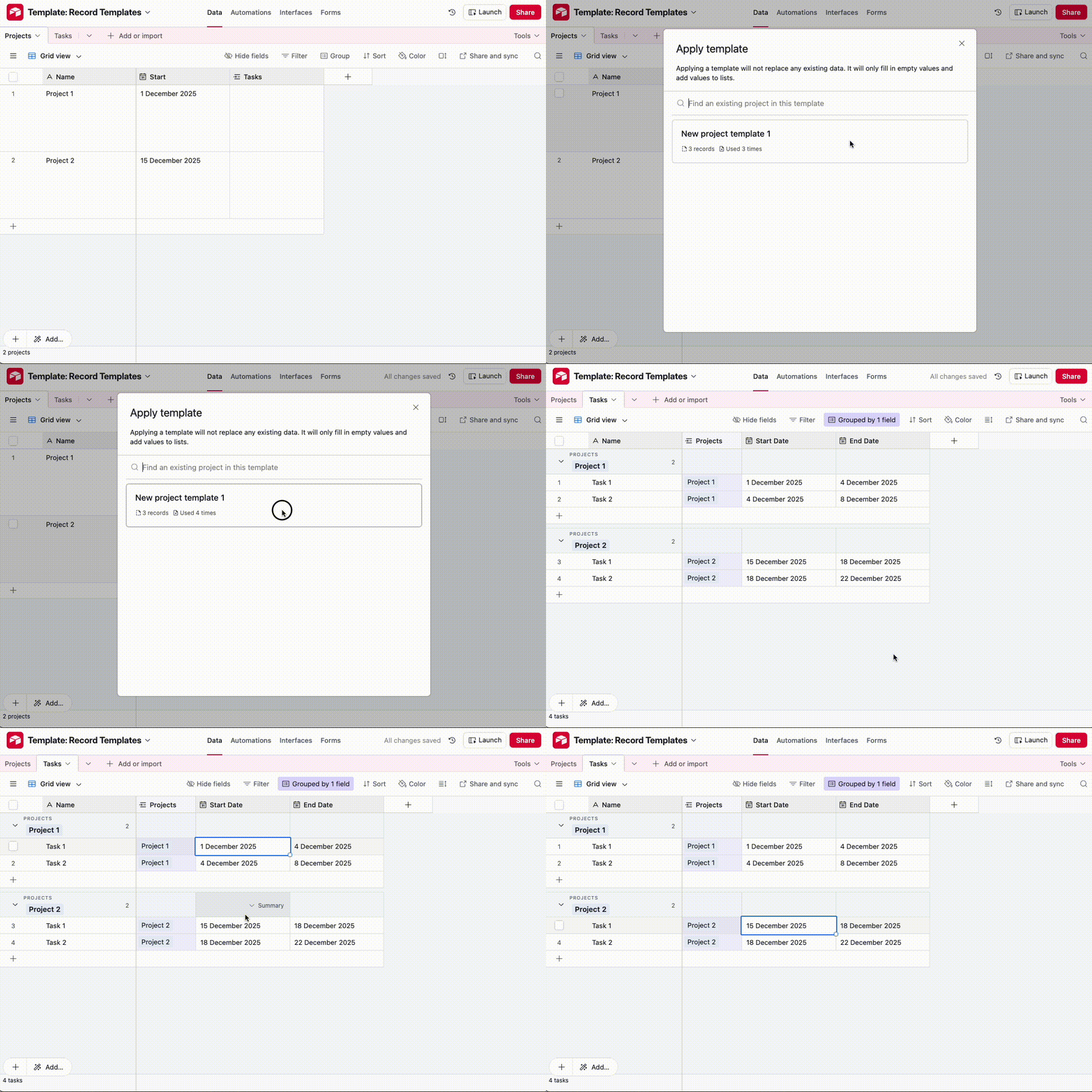
Record Templates can be applied via an automation or manually, as can be seen in the gif below:


If you’re on a free plan or don’t want to use record templates, you could also create a new table called ‘Task template records’ and create the 27 records there, and then you’d have an automation that would:

  1. Look for all the records in that table
  2. Have a Repeating Group that would create a new record in ‘Tasks’ per found record in the ‘Task template records’ table

3 replies

TheTimeSavingCo
Forum|alt.badge.img+31

If you’ve got a paid account, you could try using Record Templates for this: https://support.airtable.com/docs/using-record-templates-in-airtable

The idea is to set up all 27 tasks as part of a Record Template that you then apply to a single Project record, which will in turn handle creating 27 task records for you that are linked to that Project

The nice thing is that this’ll let you set up end dates that are related to the original record’s start date too, and I’ve set it up here for you to check out

Record Templates can be applied via an automation or manually, as can be seen in the gif below:


If you’re on a free plan or don’t want to use record templates, you could also create a new table called ‘Task template records’ and create the 27 records there, and then you’d have an automation that would:

  1. Look for all the records in that table
  2. Have a Repeating Group that would create a new record in ‘Tasks’ per found record in the ‘Task template records’ table

Mike_AutomaticN
Forum|alt.badge.img+28

Hey ​@barriola!

This should be exactly what you are looking for:


Please let me know if that helps, or if you have any follow up questions.

Mike, Consultant @ Automatic Nation 
YouTube Channel


Forum|alt.badge.img+1
  • Author
  • New Participant
  • December 19, 2025

@TheTimeSavingCo SO HELPFUL! 
SOLVED ALL MY PROBLEMS. THANK YOU!