
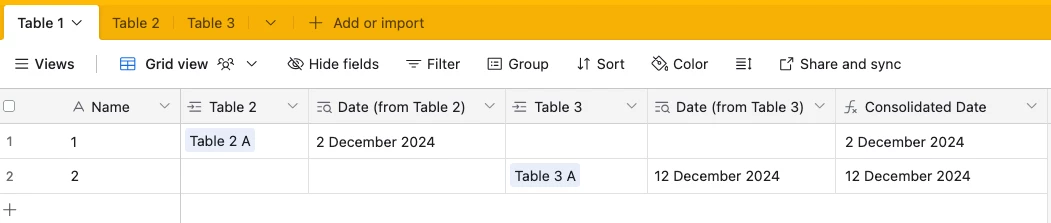
Hi, I have a few tables for different marketing teams, and each team has their own campaigns and dates. Some campaigns have more than one date. I created a master integrated marketing plan where i pull in information from each marketing teams table. The dates end up living across multiple columns in each record, making it impossible to create a timeline view. I've tried formulas, rolling up dates, flattening, but nothing has enabled me to create a timeline view based off one date field the way airtable requires. Any suggestions or workarounds out there?




Enter your E-mail address. We'll send you an e-mail with instructions to reset your password.