Solved

How to Link my Checkout Form to Equipment Table

  • January 22, 2026
  • 5 replies
  • 32 views

Forum|alt.badge.img+1

Hello! I am baffled by this issue. Essentially, I am creating a way for my office to check-out certain items (laptop chargers, phone chargers, etc.) using QR codes. I’ve got a form that allows people to use their phones (yay!), and I’ve got an array of QR codes that are just text based and give the name of the item, so every time someone scans them, the text pops up with the item name, and then they answer form questions like:

  • whether the item is being checked out or backed in (the person enters this themselves),
  • the name of the person doing the checking

And this is great. My fields track all the information I need, the QR codes work, etc. 
 

BUT I CANNOT FOR THE LIFE OF ME LINK these records to my “Equipment” table, which I am making so our tech team can keep an eye on things like:

  • Is this item available or checked out currently?
  • Who was the last person to check it out?
  • When was it last checked out?

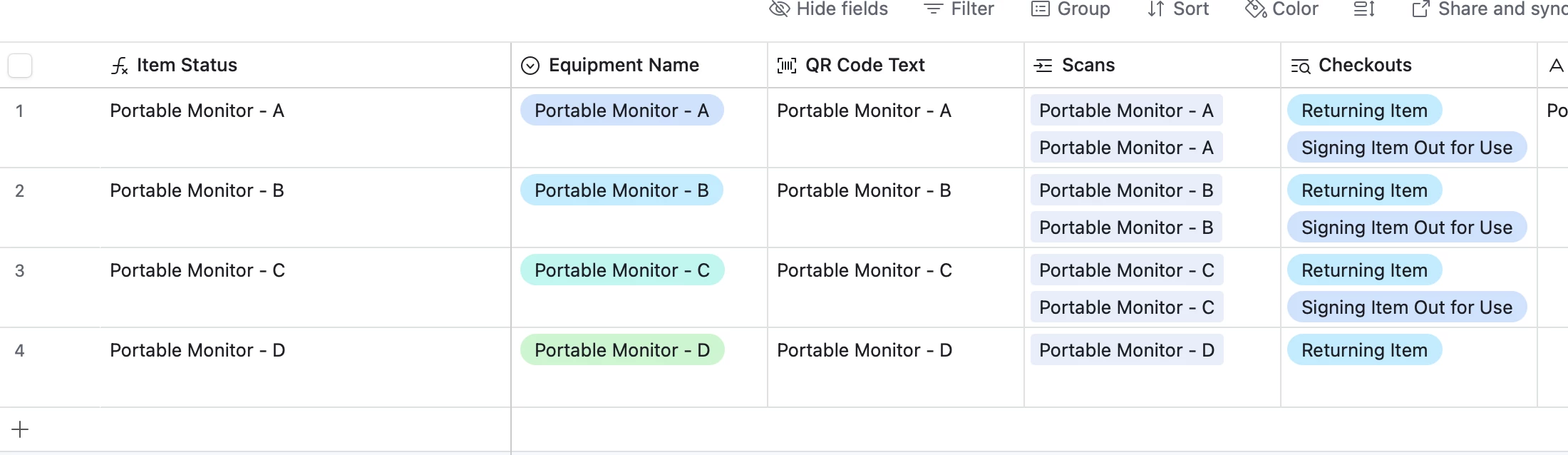
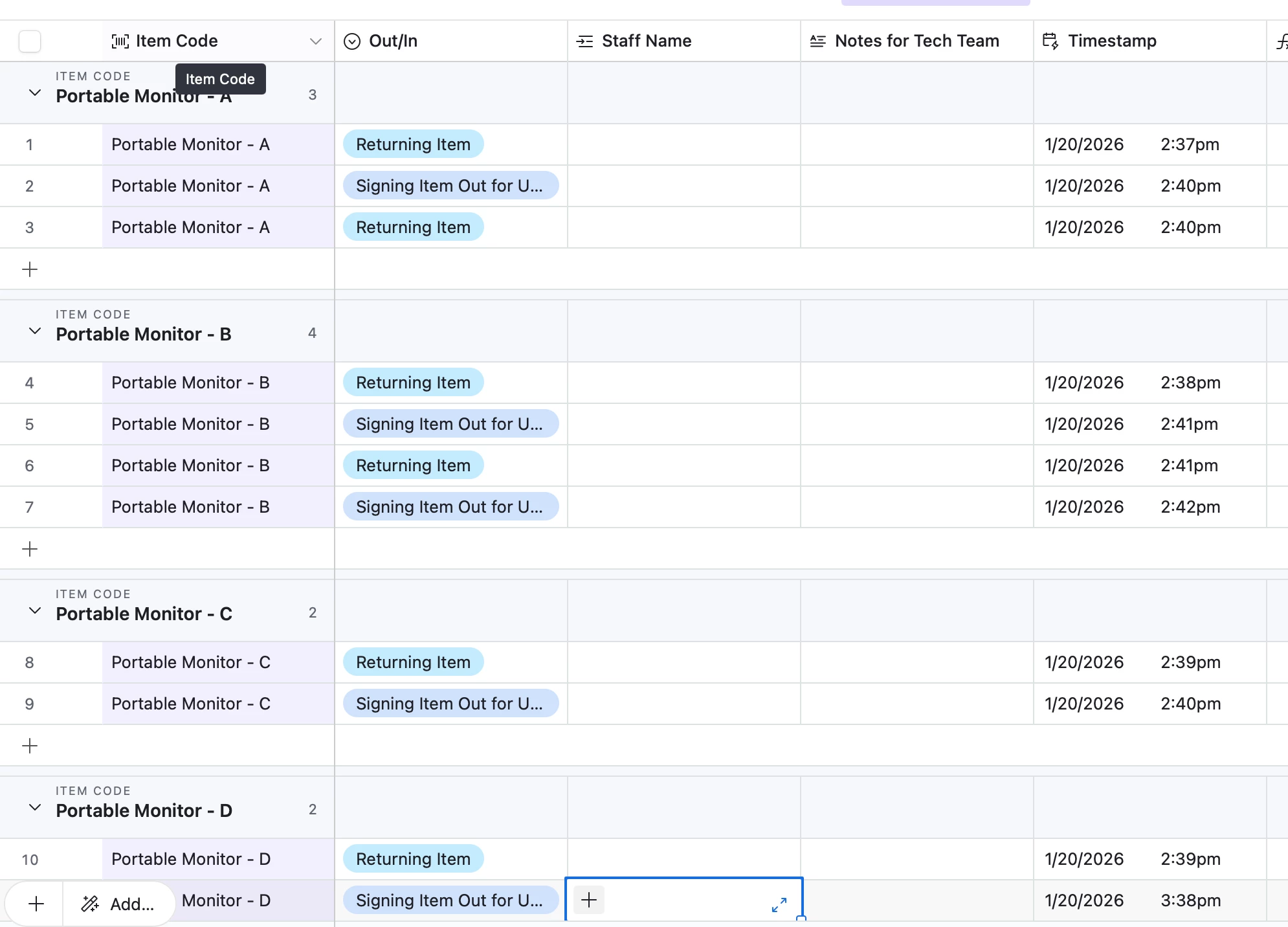
As you can see, I’ve tried a linked field, but I have to continuously select the Equipment Name of the item in my “Check-In/Check-Out Scans” table in order to get the list of checkouts into in my Equipment table. I feel like there should just be away to make this automatic, because my form already puts the correct text in my “item code” field.  


I’m not sure if I need to use an automation, so that every time a form comes in with the item name, the equipment with the same name gets updated with the latest info? Or if I need to edit the form, so it comes in as not just a string of text? Or if I need to use a link field, lookup field, etc. Please help!


 

Best answer by DisraeliGears01

The simplest solution is one you already mentioned, using an automation triggered on form submission to copy Equipment name into the linked record field for each submission. With your current QR code setup, it sounds like you've standardized equipment names so people can’t futz it up. That’s the solution with the least re-architecting. 

In the future or if you want a further deep dive, you could look into pre-filling forms via encoded URL, and QR coding that encoded URL, which would work similarly to what you’ve got but would be functional for a linked record field (so somebody scans the QR code and a form opens with the proper linked record already selected). That help article discusses using encoded URLs to prefill linked record fields (though it’s probably better to rely on recordID there).

And of course, any time forms come up we’re all obligated to mention Fillout, which is a hugely powerful form system deeply linked to Airtable. There’s several alternative solutions I can imagine using Fillout, but again that’s a bigger re-architecture. 

5 replies

Forum|alt.badge.img+1
  • Author
  • New Participant
  • January 22, 2026

To be clear, I have looked at other questions and I think I can handle the problem of determining the current status of each piece of equipment, I just can’t get these silly form responses into my equipment base automatically. 


DisraeliGears01
Forum|alt.badge.img+21

The simplest solution is one you already mentioned, using an automation triggered on form submission to copy Equipment name into the linked record field for each submission. With your current QR code setup, it sounds like you've standardized equipment names so people can’t futz it up. That’s the solution with the least re-architecting. 

In the future or if you want a further deep dive, you could look into pre-filling forms via encoded URL, and QR coding that encoded URL, which would work similarly to what you’ve got but would be functional for a linked record field (so somebody scans the QR code and a form opens with the proper linked record already selected). That help article discusses using encoded URLs to prefill linked record fields (though it’s probably better to rely on recordID there).

And of course, any time forms come up we’re all obligated to mention Fillout, which is a hugely powerful form system deeply linked to Airtable. There’s several alternative solutions I can imagine using Fillout, but again that’s a bigger re-architecture. 


Forum|alt.badge.img+1
  • Author
  • New Participant
  • January 22, 2026

@DisraeliGears01 You’re my hero and I’m so sorry to ask you this, but how do I get that automation working? I’m an Airtable newbie. I thought to click “Trigger: When a record is created” as step one, so that whenever a new form comes in it works automatically. But then, I do “update record”??? Which would be:

  • Table: (the same table as where the form comes in), my “Check-in/Check-out Scans” table 
  • Record ID: “Equipment Name” (this is the linked field I want to update)
  • Fields: ???? (this is where I’m stuck, I just want it to paste in my QR code text “Name” into the Equipment Name cell. 

I apologize profusely for being really really bad at Airtable and I hope this question doesn’t take up too much of your time. 


DisraeliGears01
Forum|alt.badge.img+21

No problem at all…

To provide a bit of extra explanation, in this instance we can use “When record is created” because presumably all records are created through the form, where all the information comes in at once. If anyone is creating records in the data layer this won’t work right (because the records get created without all the needed info).

Next step is Update Record, and the table is Check-in/Check-out Scans. 

The Record ID field is not the Linked Record field you’re wanting to update, it’s identifying the record you want the update action to modify. In this instance, click the little + icon, and a popup menu will appear. You want to Use data from When a record is created, and then insert value from field Airtable record ID (probably the 3rd option). This tells the update action to modify the record that was created. 

Then in your fields, choose your linked record field, and click the little + again, and scroll through the options until you can pick your item code text field. That tells the automation to paste in the value from item code into the linked record field.


Forum|alt.badge.img+1
  • Author
  • New Participant
  • January 22, 2026

@DisraeliGears01 IT WORKED!!!  If no one has told you today, you’re a literal hero. May all the blessings be upon you, may your pillow always be cool and your socks never wet and your hair always the perfect hair day. Thank you thank you thank you!!!!!!!!!!