Question

Left Table Joins

  • December 6, 2025
  • 12 replies
  • 126 views

Forum|alt.badge.img+1

I have three tables.

One has business information.

One has Employee information.

One has information about the workshops the business have signed up for.


I want to create a table that tracks employee attendance for all workshops at all businesses. All employees attend all the workshops the businesses sign up for.

I don’t know how to do this without a left table join. It seems like it should be simple, but it is not.


12 replies

TheTimeSavingCo
Forum|alt.badge.img+31

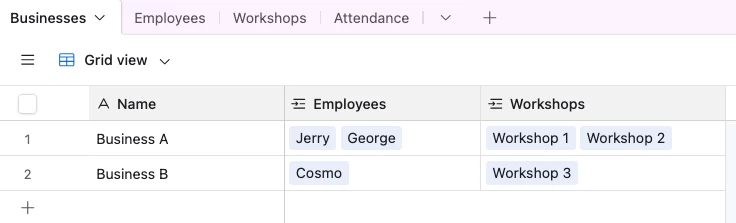
Let’s assume your data looks like this:


We then have two ways to potentially handle this:

  1. Tracking attendance only
  2. Tracking more granluar data per employee per workshop.  e.g. maybe there are scores or notes you wish to record per attendance

Tracking attendance only

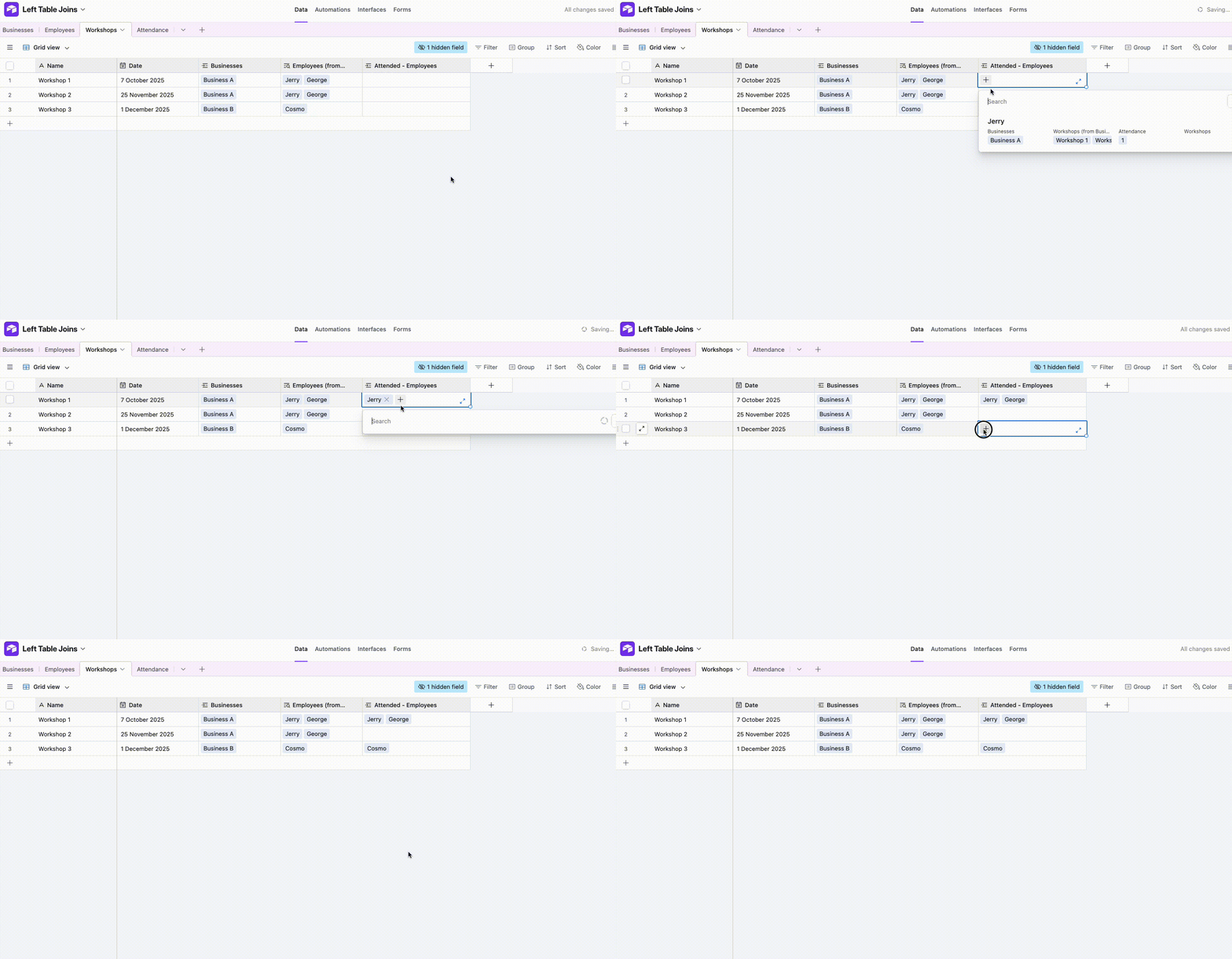
For this we create a new linked field to Employees in the ‘Workshops’ table and populate it to indicate that they’ve attended.  In the gif below, Workshop 1 has full attendance while Workshop 2 had no attendees

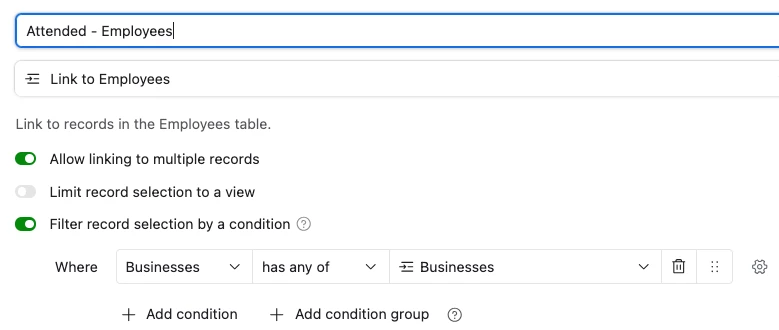
You’ll also notice that only the Employees linked to that Business are available for selection, and that’s done via a conditional in the linked field:


Tracking more granluar data per employee per workshop

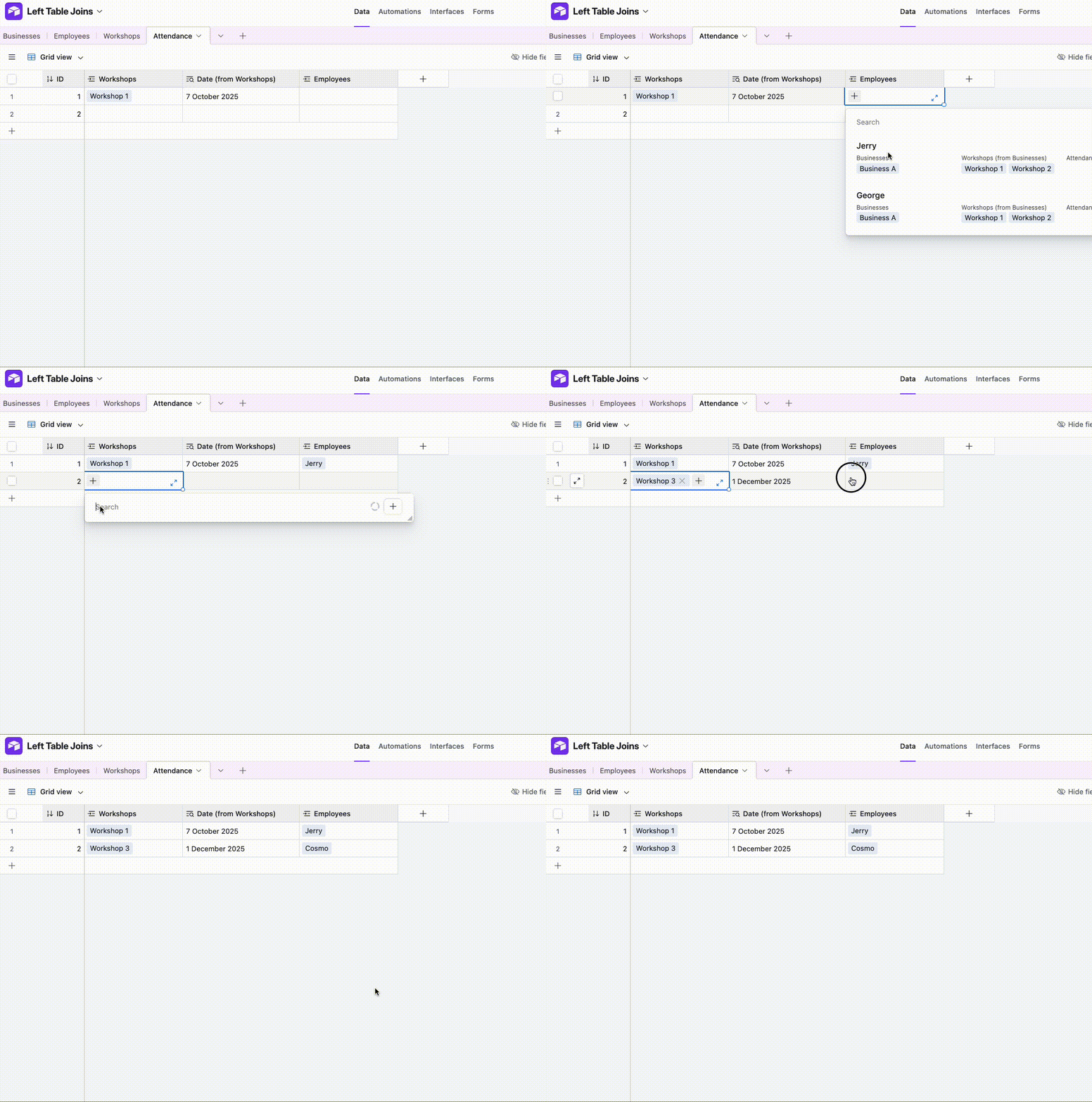
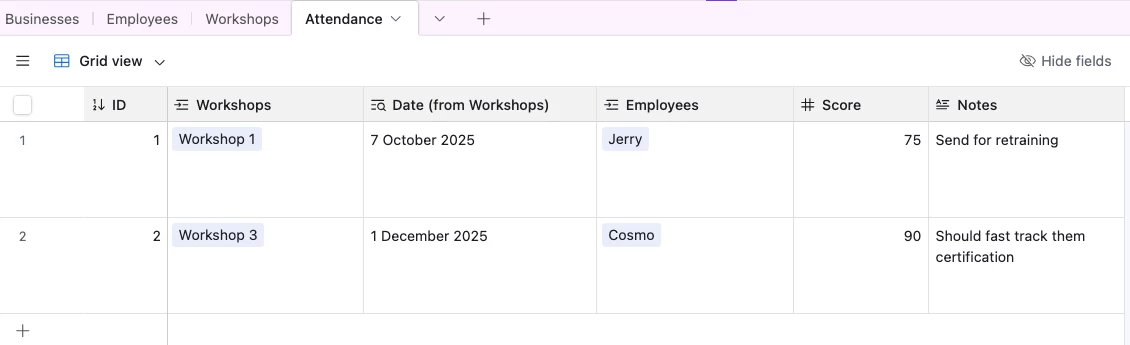
For this, we set up a new table called ‘Attendance’ that’s linked to ‘Employees’ and ‘Workshops’ where each record represents the attendance of a single 


This then lets us add additional fields to note details per attendance, like so:

And I’ve set it up here for you to check out!


Forum|alt.badge.img+1
  • Author
  • Participating Frequently
  • December 7, 2025

Hello,

Sorry, I soups have been now specific. I’m looking for a table that autogenerates a record for every employee at every workshop. It looks like what you’re doing is still manually creating a record for every employees? That takes too long and is too prone to errors.

Thanks!


TheTimeSavingCo
Forum|alt.badge.img+31

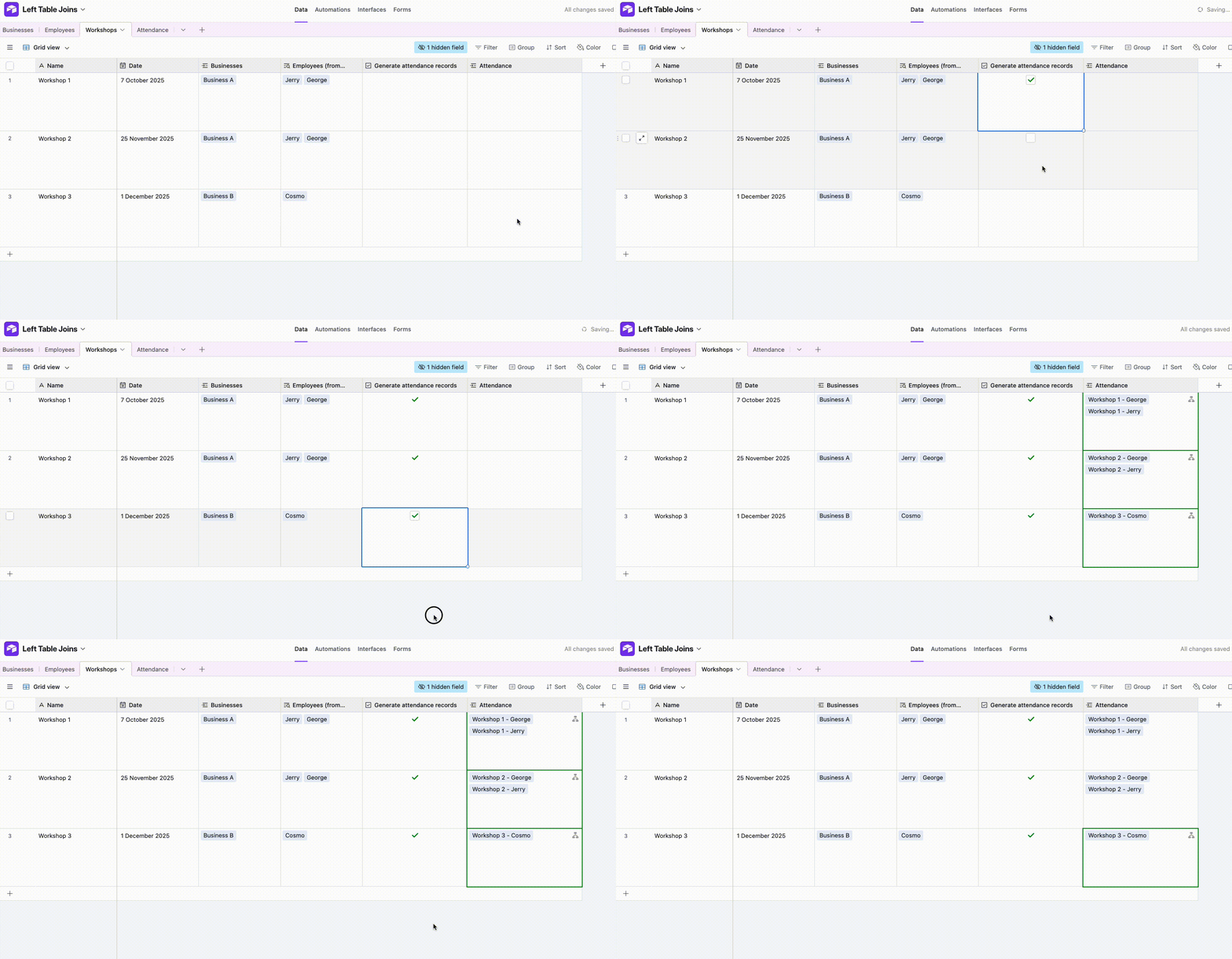
Ahh ok!  So you want to have all of them pre-generated and tick a ‘Attended’ checkbox or something, is that right?  If so, how does this look?

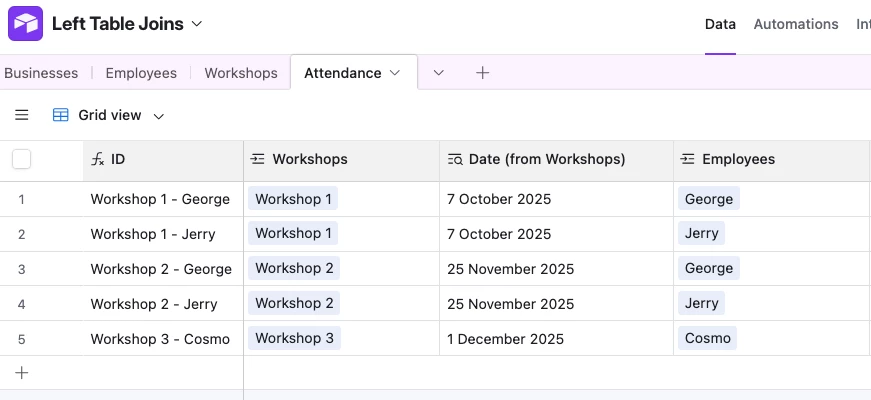
And the generated records look like this:

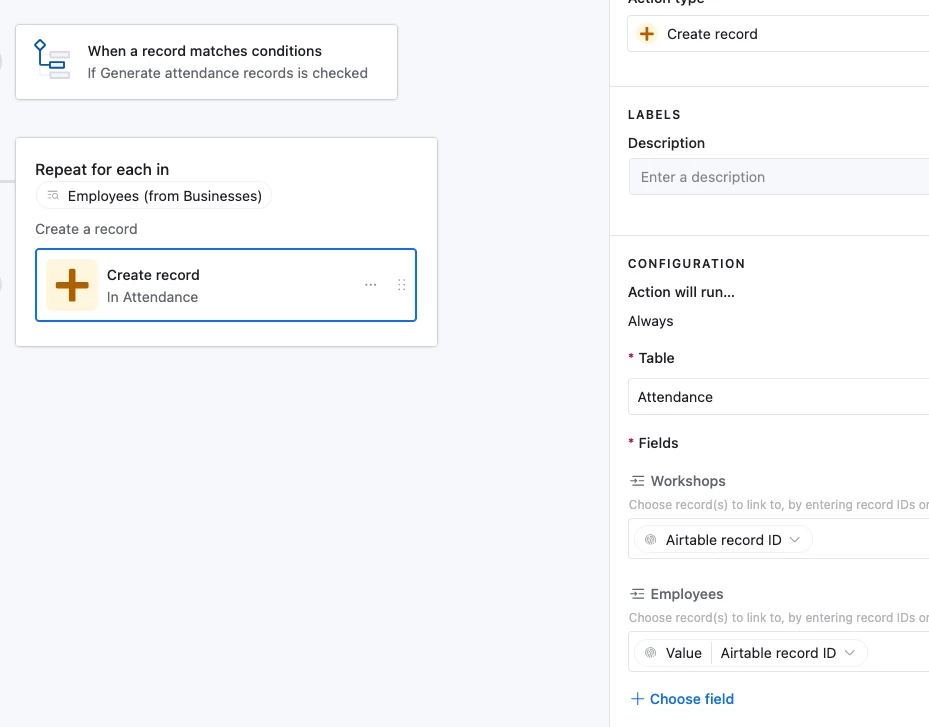
This is done with an automation with a repeating group that uses the Employee records linked to the Business as the input, and creates one record each in Attendance:


Forum|alt.badge.img+1
  • Author
  • Participating Frequently
  • December 8, 2025

Hello,


Yes, that is what I’m looking for, but I don’t know how you did it.

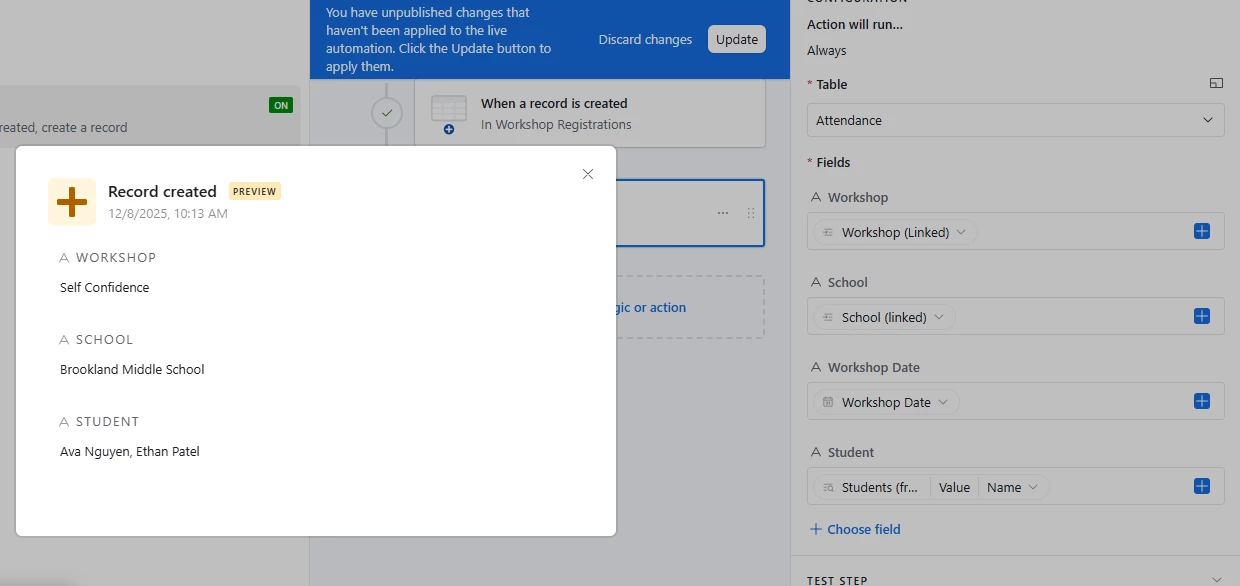
The closest I can get is this:
 

Also, it looks like you still had to manually select which students attended which workshops in the first picture? This is what I’m trying to avoid having to do.

The workshop date doesn’t populate, and the student names are only available as a list.


Thanks!


DisraeliGears01
Forum|alt.badge.img+21

Looking at your screenshot, some differences from what Adam provided previously is

  • A-  You’re not using a Repeating Group automation, so it’s only firing once, not multiple times
  • B- You haven’t created linked record fields in your Attendance table (Workshops is a short text field instead of linked record, same for student)
  • C- Your primary field in attendance isn’t a concatenated formula

Forum|alt.badge.img+1
  • Author
  • Participating Frequently
  • December 9, 2025

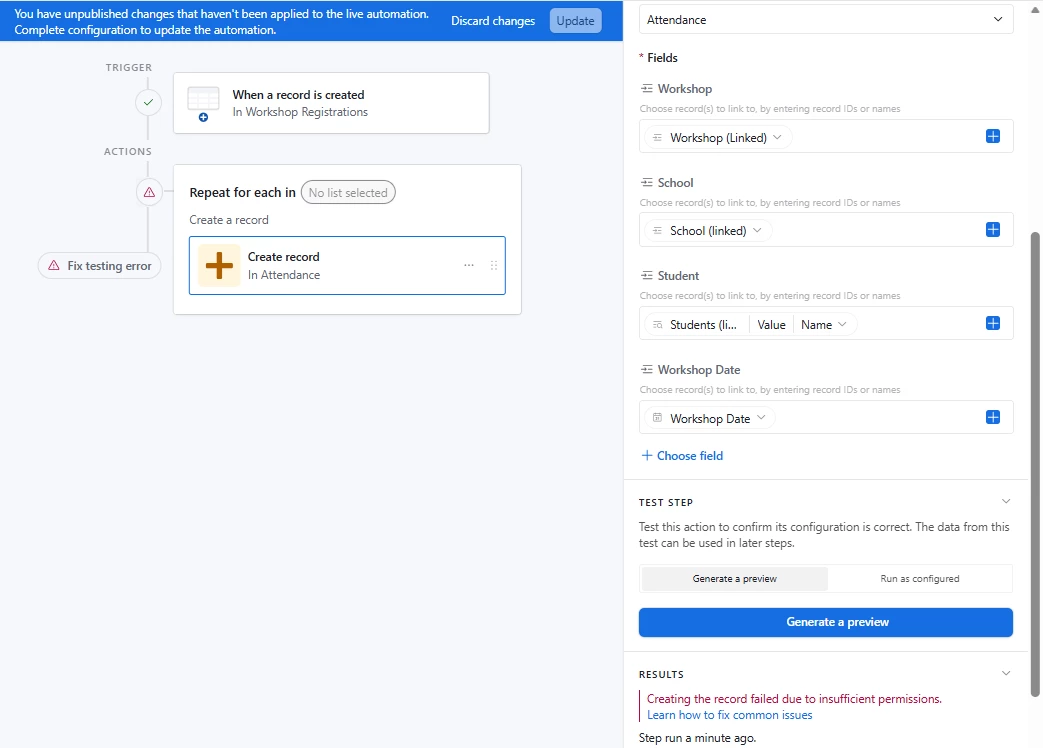
I changed it to a Repeating Group automation.

Now I get this:


DisraeliGears01
Forum|alt.badge.img+21

Well, couple more things…

  • You don’t want it to trigger on record creation unless you’re adding records via a form. Record creation is when you click the little + and a new row is created, and often this creates problems with blank records trying to run automations. In Adam’s example he has a simple checkbox field fire the automation as his trigger.
  • Now that you have it set to repeat you need to select the list to repeat from. For your example it should be the “Students (linked...)” field. That’s what goes in Repeat for each in (No list selected)
  • I’d also heavily suggest using the Airtable Record ID values instead of the string names for your linked record fields, as I'd expect this to get repetitive and if your primary field values duplicate the automation will get confused. You can kinda see this in Adam’s second screenshot.  

Forum|alt.badge.img+1
  • Author
  • Participating Frequently
  • December 9, 2025

This the attendence table:


Forum|alt.badge.img+1
  • Author
  • Participating Frequently
  • December 9, 2025

I want it to trigger from a form submission, or if I add a record manually, or if I update the record manually (I think this will have to be a separate automation). And I want it to update, with no action required, just like if I joined to tables in SQL. I want the new table to just be the join of two different tables automatically. I think this might not be possible with Automations or in Airtable at all?

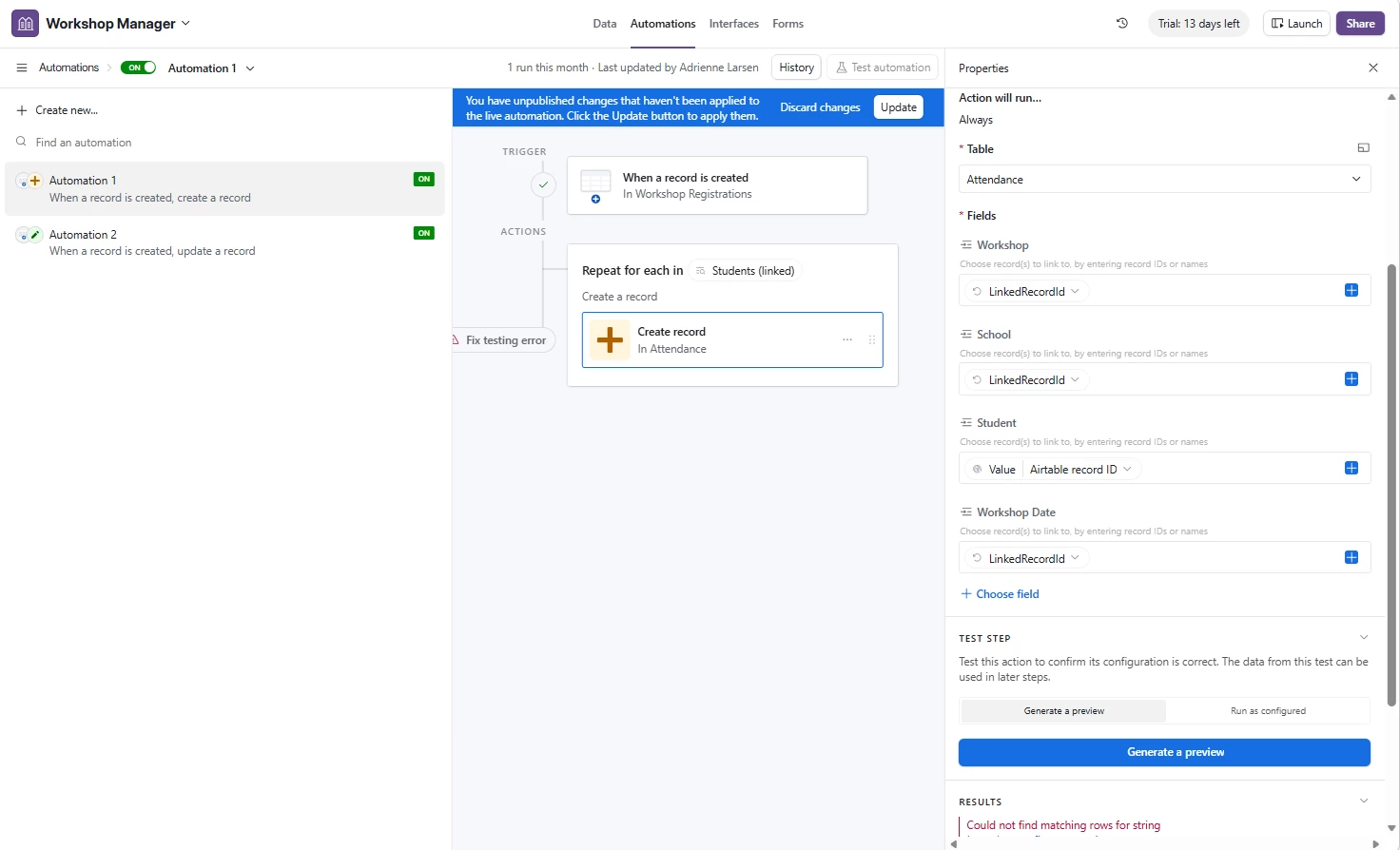
When I use the LinkedRecordIDs, I get this:


Forum|alt.badge.img+1
  • Author
  • Participating Frequently
  • December 9, 2025

It looks like what I want might not be possible in Airtable at all? This seems worse than just using PowerQuery in Excel...


DisraeliGears01
Forum|alt.badge.img+21

On the trigger front, what I’d suggest is keeping the checkbox concept, and in your form prefilling that field as checked and hiding it. That way when a form submission comes through it runs immediately, but when you’re manually adding you can enter whatever relevant data and then click the checkbox.

On your automation fields, I think you’re using the same “LinkedRecordID” across multiple fields. The School and Workshop don’t have the same Record ID.  You need the appropriate “Airtable Record ID”s for each field. Oh and don’t forget to update the automation and run from the start while testing. 


Forum|alt.badge.img+1
  • Author
  • Participating Frequently
  • December 9, 2025

How can you tell that the same “LinkedRecordID” is being used across fields? How do I set it to be different linked records? It only ever gives me the one option. I think I’m missing a core concept here, and I haven’t been able to find any sort of documentation that explains what any of it means that doesn’t assume facts not in evidence.

What is supposed to be in the field boxes? I don’t know what they’re actually doing…

What is “Could not find matching rows for string?” What string?! What rows?!