Question

Linking 4 tables to display in a single view

  • February 5, 2026
  • 5 replies
  • 31 views

Forum|alt.badge.img+1

Hi, I’m another newbie that’s too inexperienced with Airtable to find what I need in this forum. I have tried and tried to solve a problem I have but with no success so I wonder if anyone who knows Airtable well could help me please?

I have managed to set up 1 master table and 3 other tables that have data related to the master table. All tables have a common record. I am trying to link the tables, as you would do for example in a relational database like Micrsoft Access, in order to create a view where for each line of data I choose/expand in the master table, the related data from the other 3 tables is also displayed. I just can’t get this to work

I suppose the problem might be in the way I have tried to link the tables together?

If anyone could spell out in very simple terms what I need to do to sort this out, I’d be very grateful. Thanks 
5 replies

TheTimeSavingCo
Forum|alt.badge.img+31

Hm, could I confirm you’re using Linked Fields for this? https://support.airtable.com/docs/linking-records-in-airtable

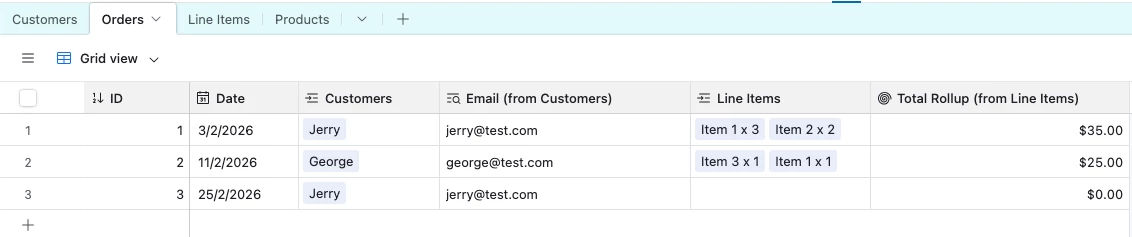
Here’s an example base that shows a table linked to two other tables and displays data from them, specifically the ‘Email’ and ‘Total rollup’ fields:

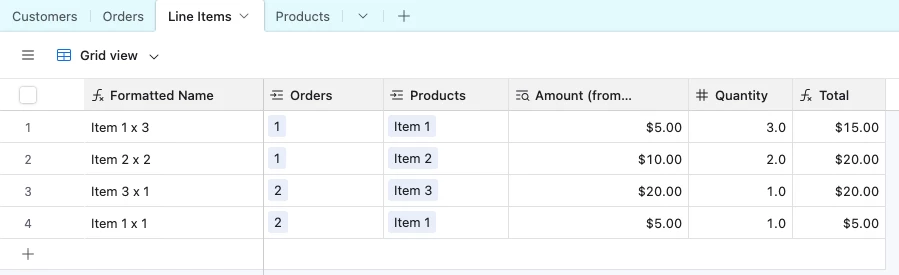
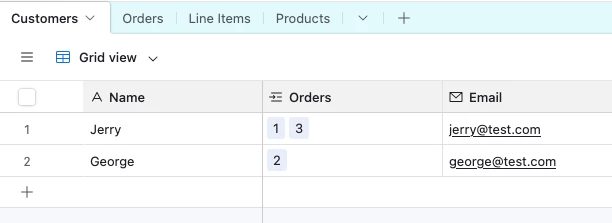
And here’s the Customers and Line Items tables:


If you could provide some screenshots of your tables I can see what I can do to help!


Forum|alt.badge.img+1
  • Author
  • New Participant
  • February 6, 2026

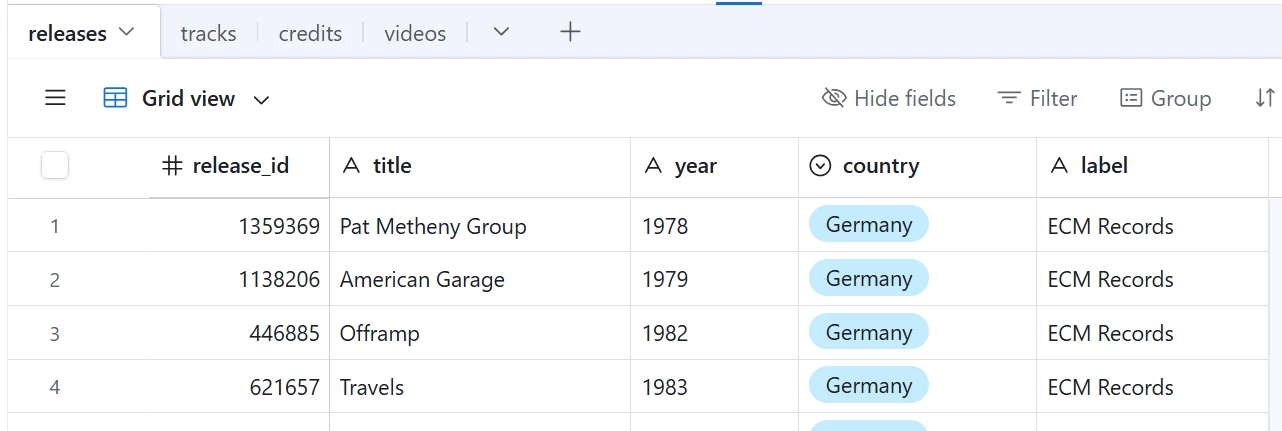
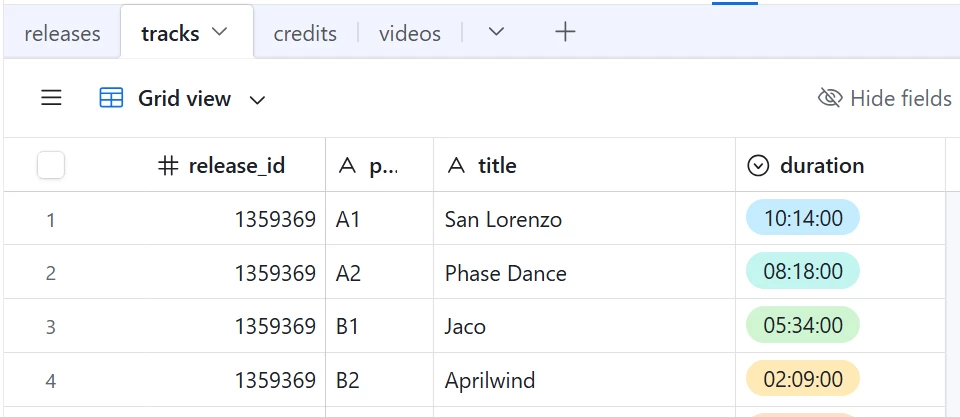
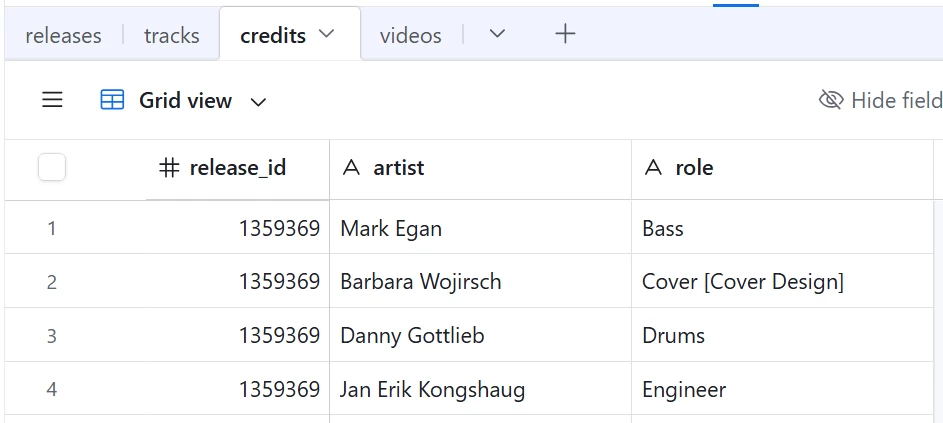
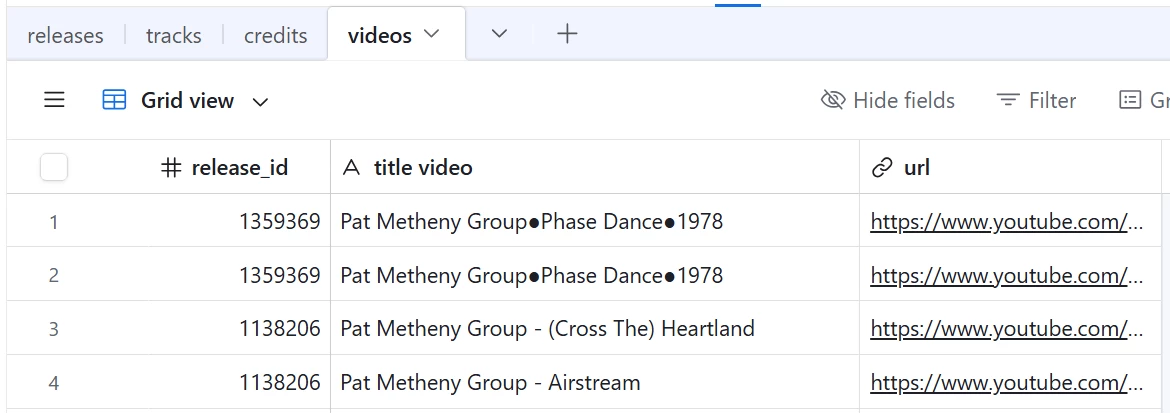
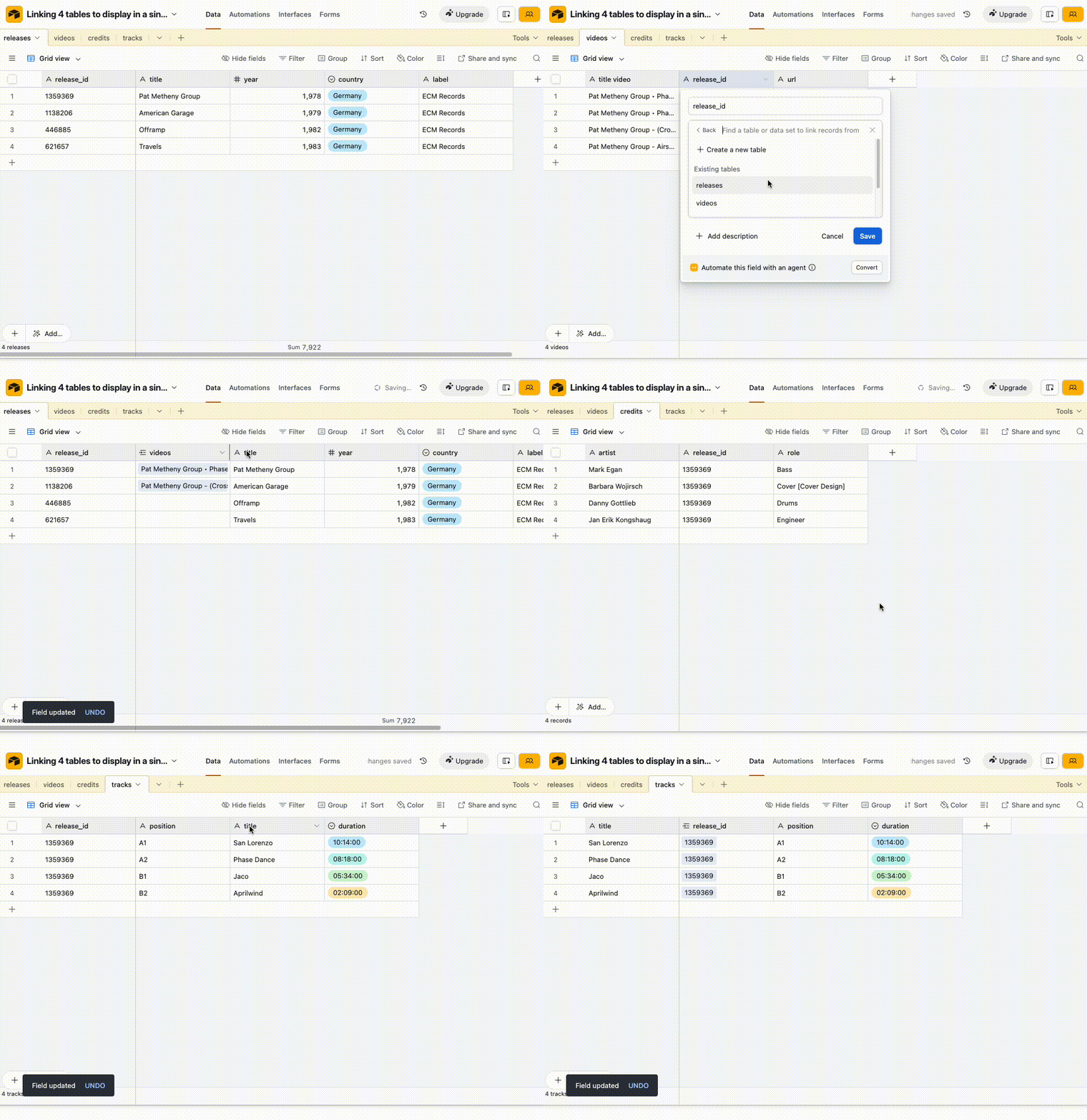
Hi Adam, many thanks for your help. I’ve looked at what you sent but I’m still a bit baffled. I think the problem may be that I’m used to conventional databases like MS Access and so I’m thinking that Airtable works in the same way which it clearly doesn’t. Thanks for your offer to look at my tables. I have thrown together 4 test tables as below, with table releases being the “master” table. For each table the field release-id is the common field that should link the data together. What I’m trying to do is click on one record in the table releases and then see the corresponding data from the other 3 tables being displayed, which for each table would be more than one record. Not sure if I’m being clear but anyway here goes with screenshots of each table:

Any help would be gratefully received. As a newbie it would be helpful if you could show me step-by-step if time allows.

Thanks again

Chas


TheTimeSavingCo
Forum|alt.badge.img+31

Yeap we’d need to use linked fields for that and here’s how you could do it with your base

And you can find the updated base here

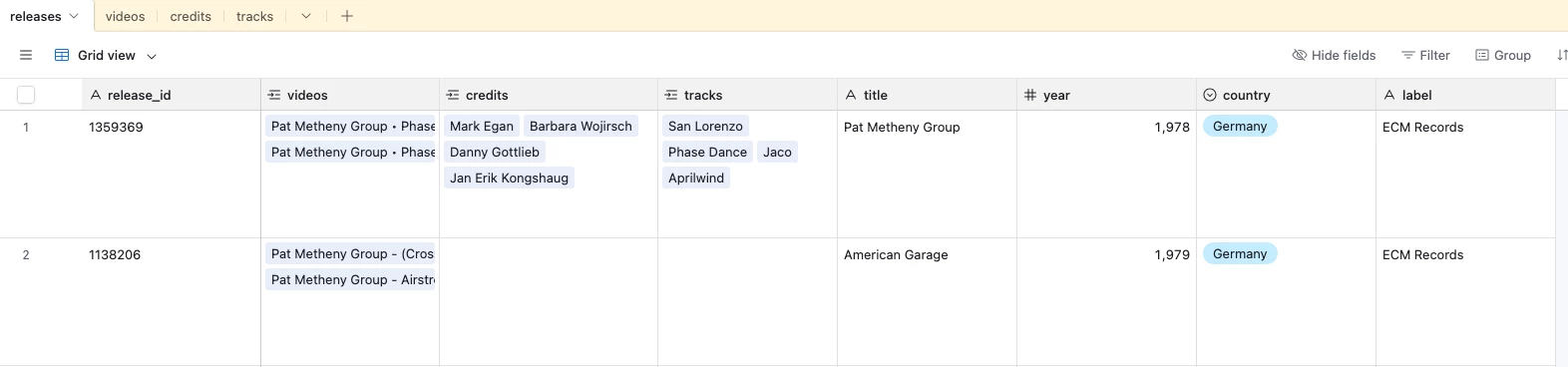
The data will then be visible in the Releases table like so:

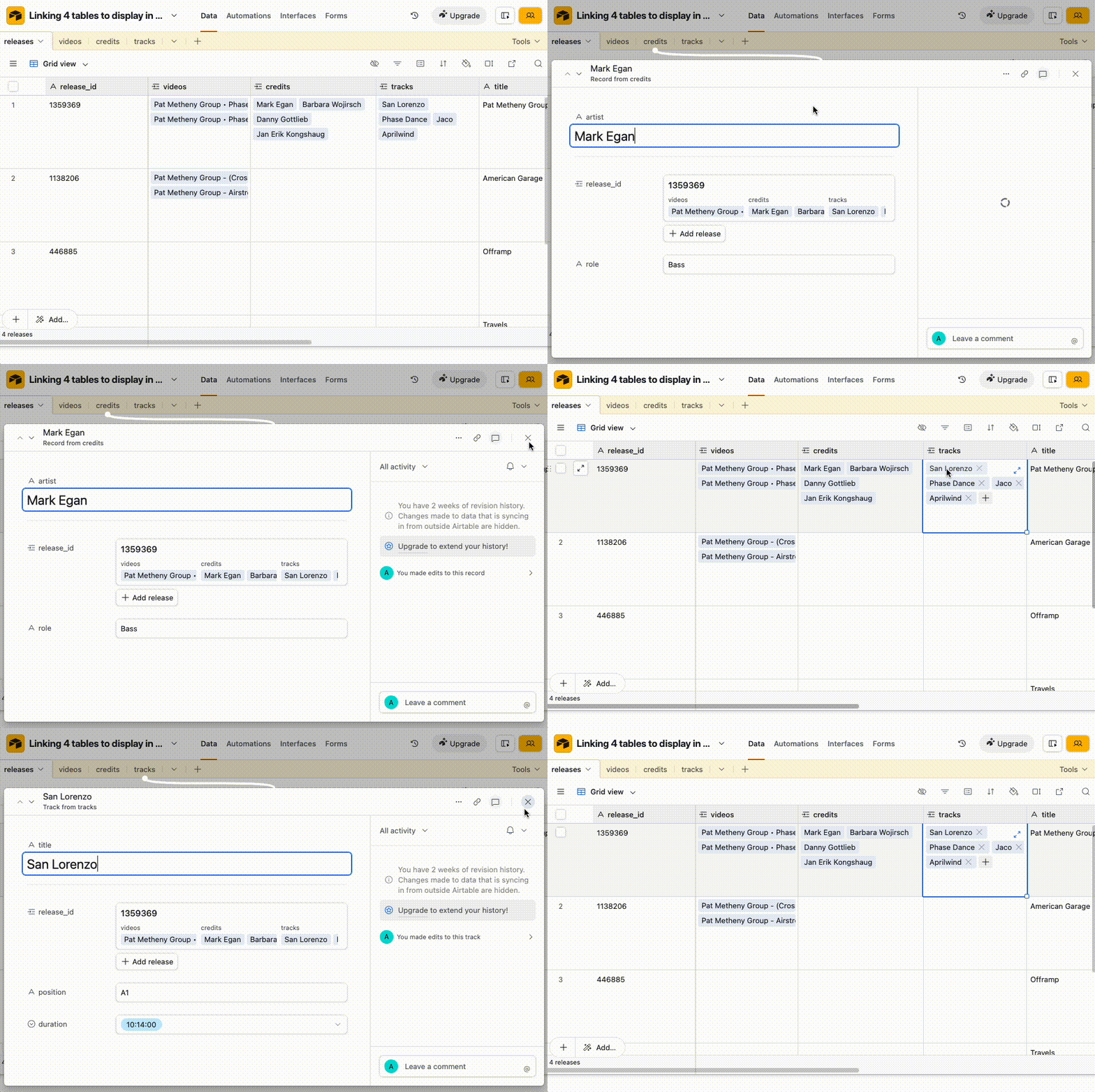
To view specific data for ‘Mark Egan’ you’d then click into it:


You could also look into lookup and rollup fields too

https://support.airtable.com/docs/rollup-field-overview

https://support.airtable.com/docs/lookup-field-overview
 

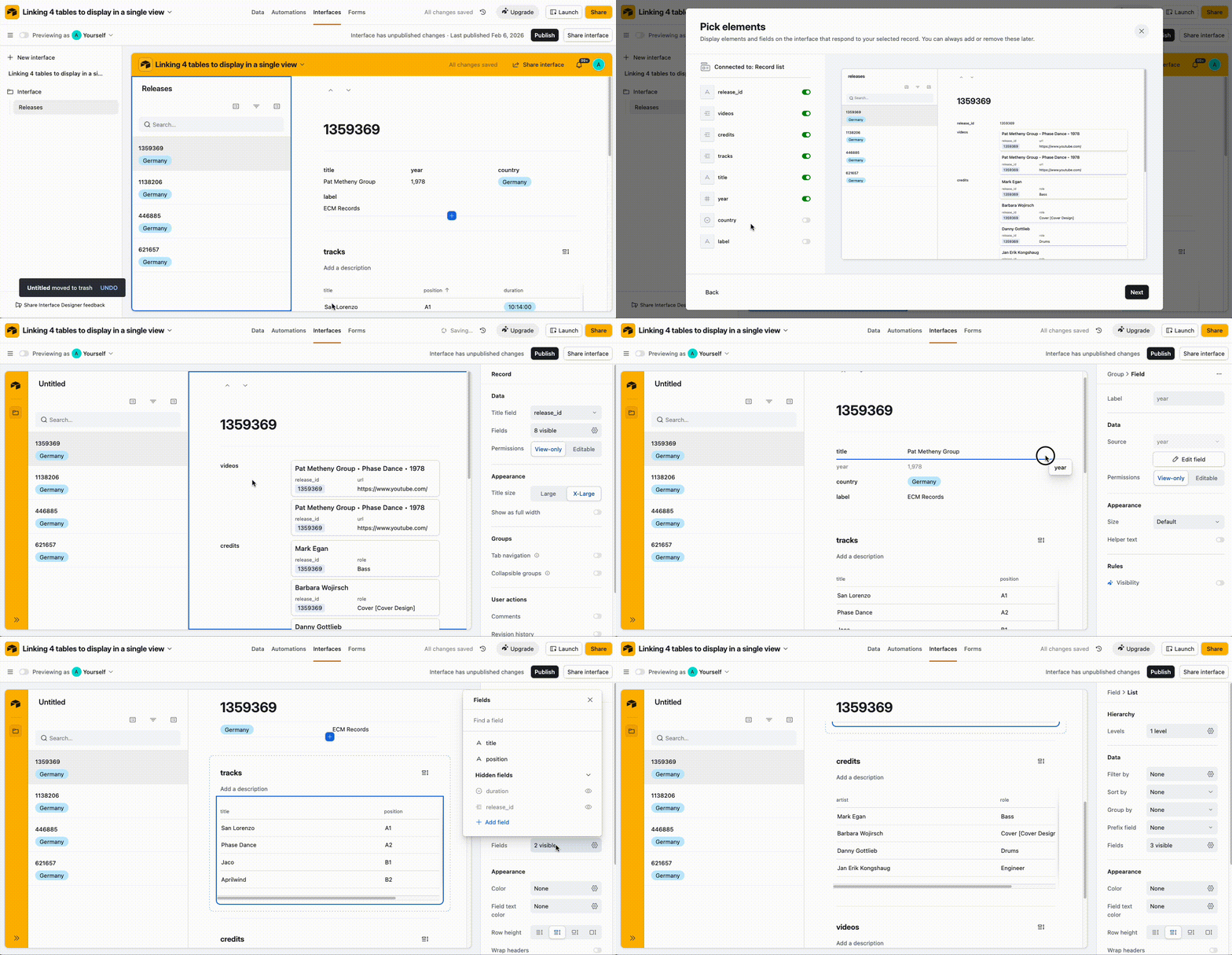
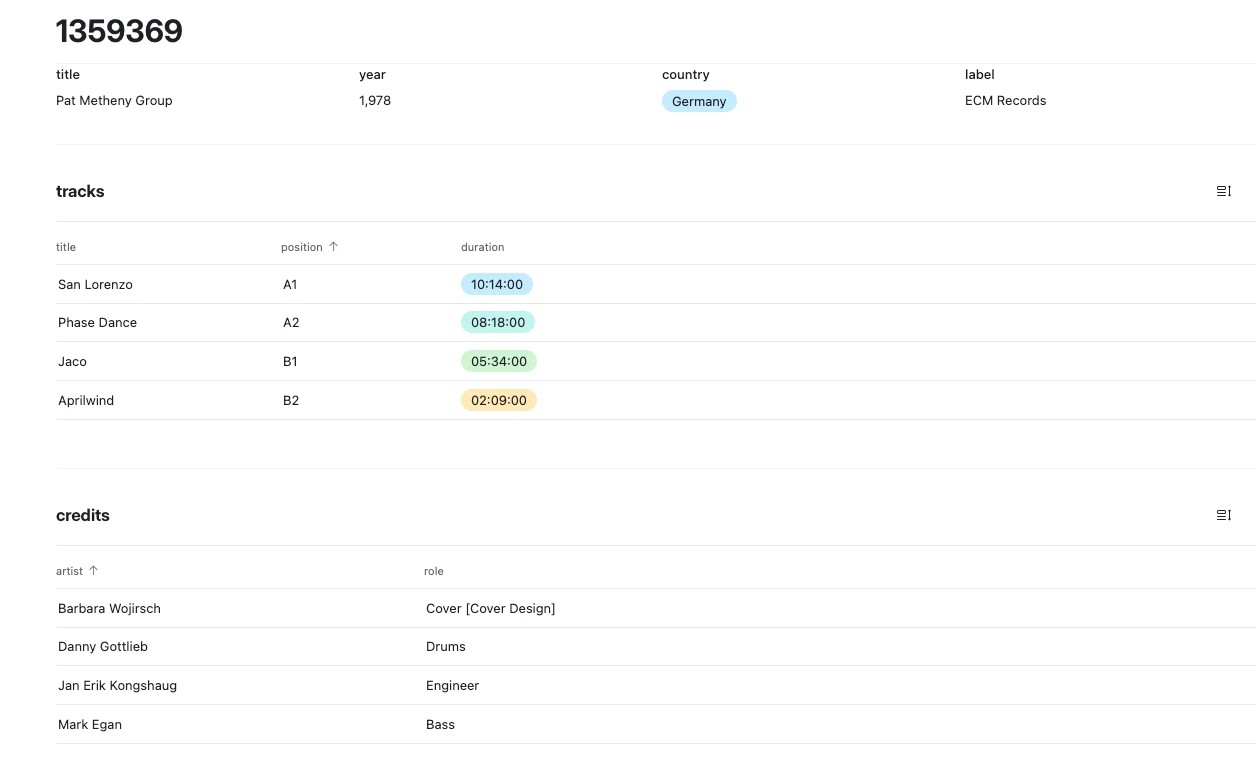
I’d actually suggest trying to use an Interface for this instead though as it’d let you create something like the following and you can find it in the example base above!


Forum|alt.badge.img+1
  • Author
  • New Participant
  • February 6, 2026

Many thanks Adam. I’ll try to get my version running using your instructions. In fact the Interface you suggest is EXACTLY what I wanted so I’ll see if I can get that to work. Cheers!


Forum|alt.badge.img+1
  • Author
  • New Participant
  • February 6, 2026

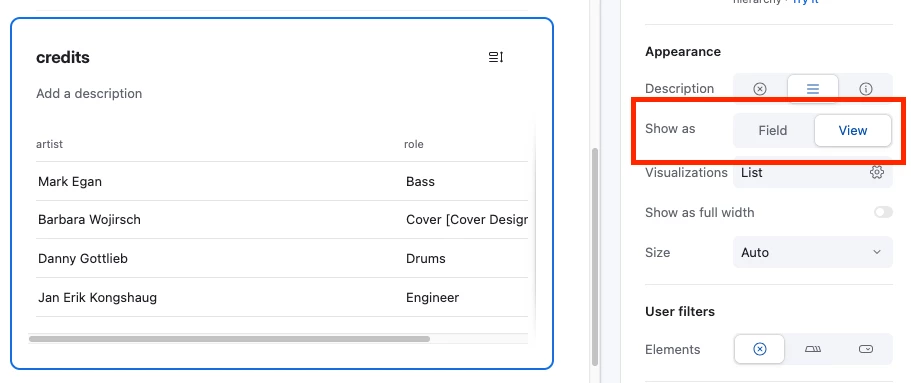
Success! Followed your instructions and everything works fine! Very happy with this. Only thing is that I can’t see how you constructed the Interface in the version you created for me. This is how I would really like to view the data. If I’m not asking too much, could you give me an idea of how you created the Interface please?