Question

Look-up field for primary field

  • February 26, 2026
  • 1 reply
  • 6 views

Barry_Seidensta
Forum|alt.badge.img+8

I have three tables - Venues, Rooms, and Sessions. There is a fourth table called Working Agenda. What formula do I need to put in the Working Agenda Primary field to insert all the rooms and venues? The rooms and venues are the primary field in each of their respective tables. Do I need to add lookup fields for Venue Name and Room Name to the Working agenda? And If so, how do I automatically populate them without having to go into each record and select the room?

https://airtable.com/invite/l?inviteId=invqf2ektCLhZAAC8&inviteToken=a13ea39ba4246111f600b52df60d4aea82f695b96b41399b40190b2cc06e2c3c&utm_medium=email&utm_source=product_team&utm_content=transactional-alerts

1 reply

TheTimeSavingCo
Forum|alt.badge.img+31

It looks like each Venue can have multiple Rooms, is that right?  As a one off, I would suggest:

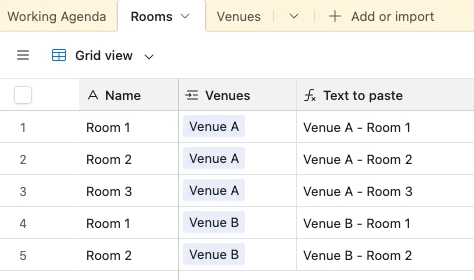
  1. Create a formula field in ‘Rooms’ which concatenates the Venue + Room name:


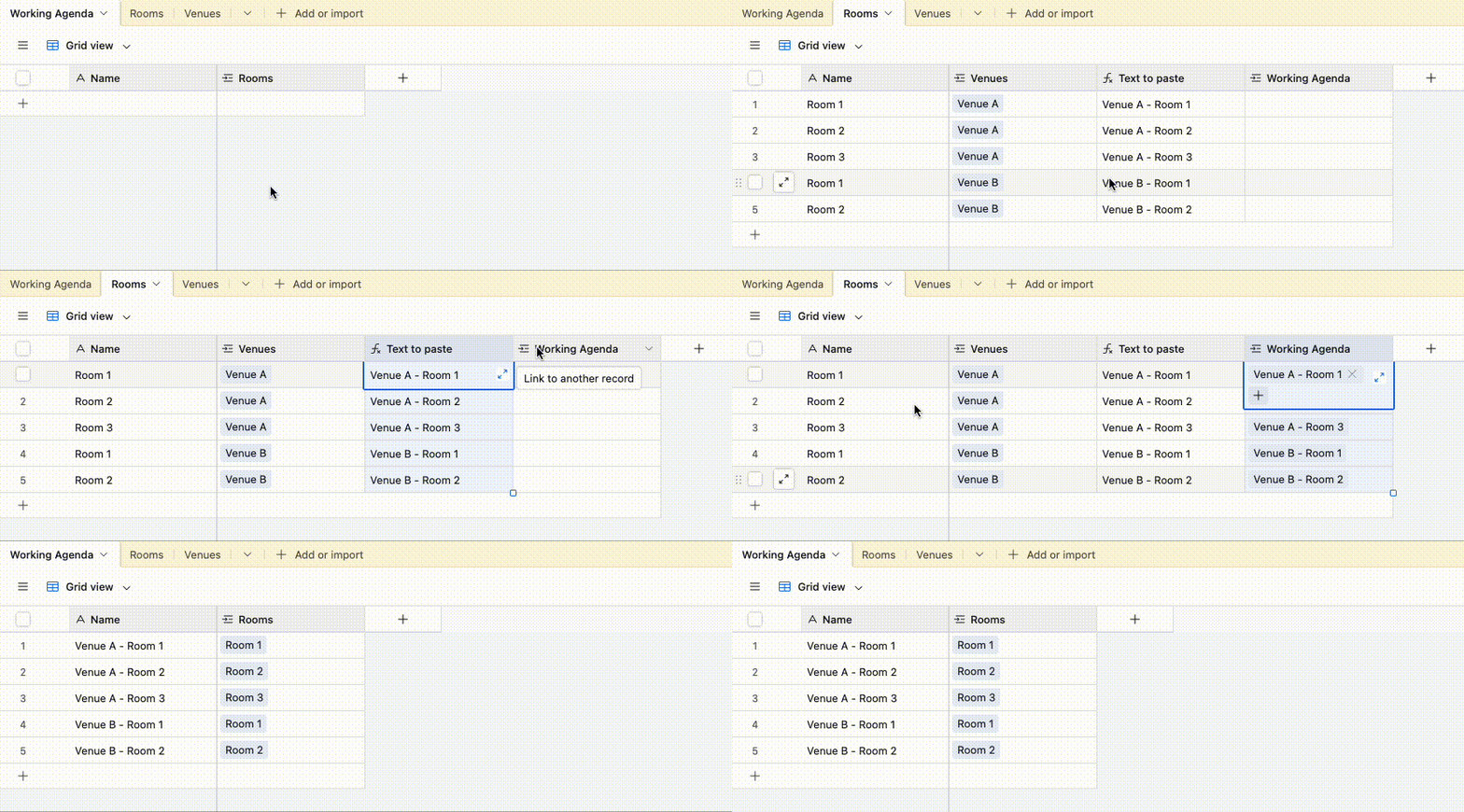
  2. Click the header of that field and hit CMD/CTRL + C
  3. Click the header of the linked field to Working Agenda and hit CMD/CTRL + V
    1. This’ll create one record per unique room + venue combination automatically


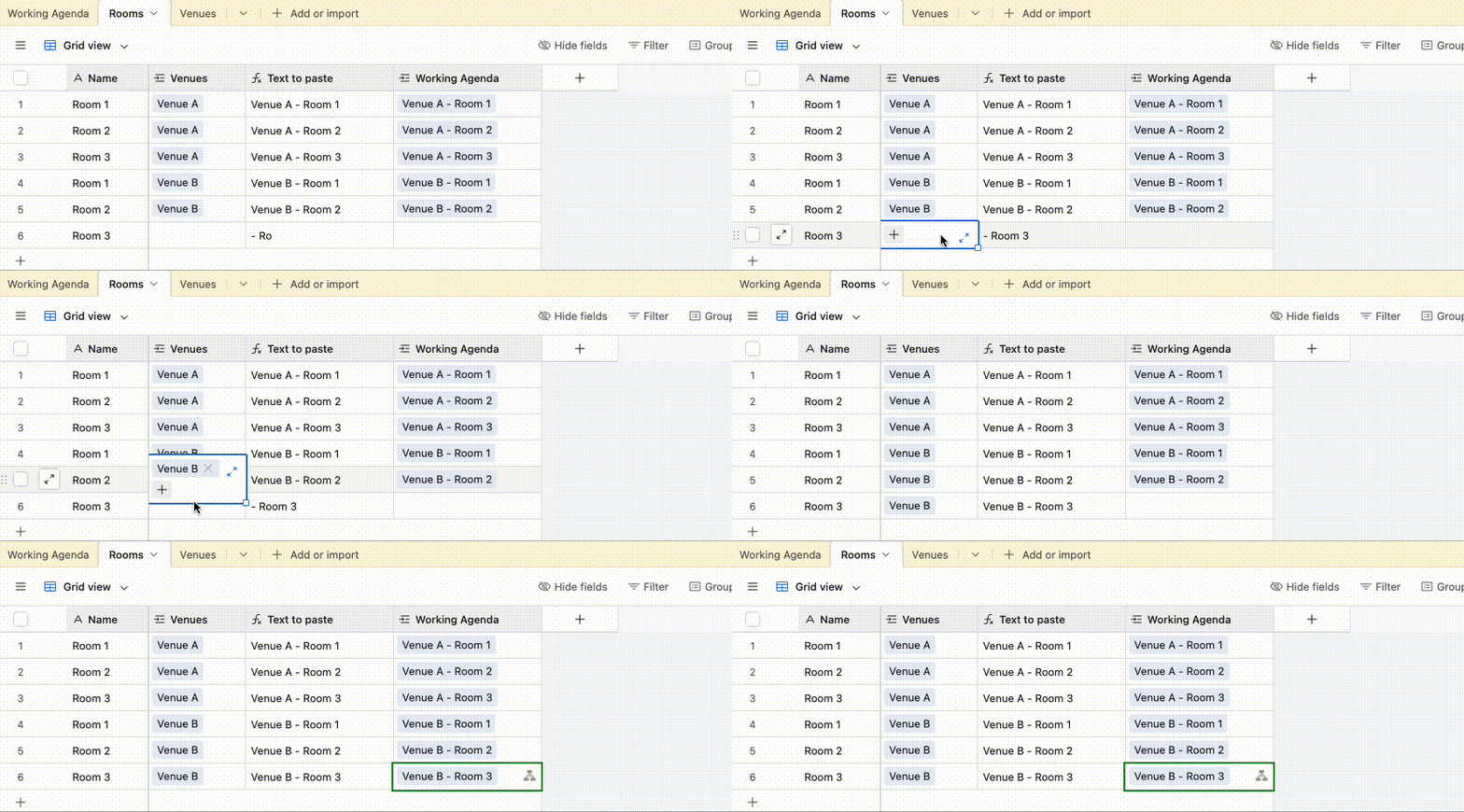
And to keep this updated, we could have an automation that triggers whenever a Room record has both a name and a Venue filled up that would automatically paste it in for us, thus keeping the Working Agenda table synced up

And here’s a link to the base

---

Quick question, are the records in Working Agenda pretty much a one to one to the records in ‘Rooms’?  If so, I was wondering if it might be cleaner to keep it all in one table instead and use views to filter out the fields instead?  You’ve probably already thought of this though, sorry!