Need Help please.
I have decided to record my workout sessions on Airtable, and I want to customize the "Set" field depending on the "Type" field.
My goal is to format "Set" to duration when the "Type" is "Dead Hang". Otherwise, "Set" format will be number.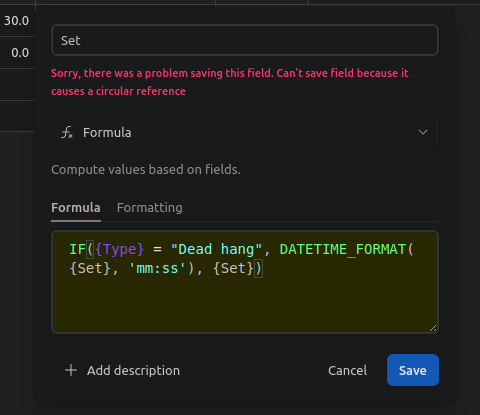
I have tried this formula, but I am getting an error message saying "circular reference". Can anyone help me with this?
Thank you

Solved
Circular reference

 +4
+4Best answer by Mahandry
The error is caused by a reference to {Set} in the "Set" field.
Is there another field name where you are inputting the number of seconds of dead hang?
Perhaps what I want to do is not available on Airtable, but the desired result is like in the image, without hiding some fields. All "Set" field formats will be duration when the "Type" field is "Dead hang", and number (int) otherwise.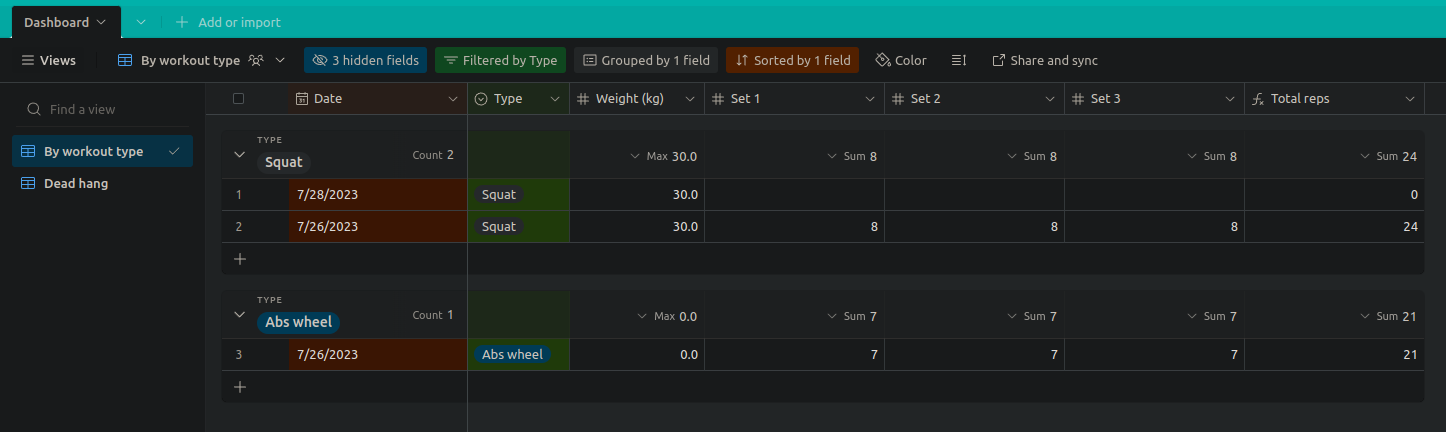
This topic has been closed for replies.

Enter your E-mail address. We'll send you an e-mail with instructions to reset your password.