Date formula problem

  • January 23, 2022
  • 3 replies
  • 47 views

Hi
I have the following formula in my table ID column, which works great, it puts together the customer name, date of photoshoot and type of photoshoot. Leaving it blank with no error message until the data is entered, but for some strange reason the date says 23/4/2022, but the ID cell puts it together as 22/4/2022 instead. See photo……
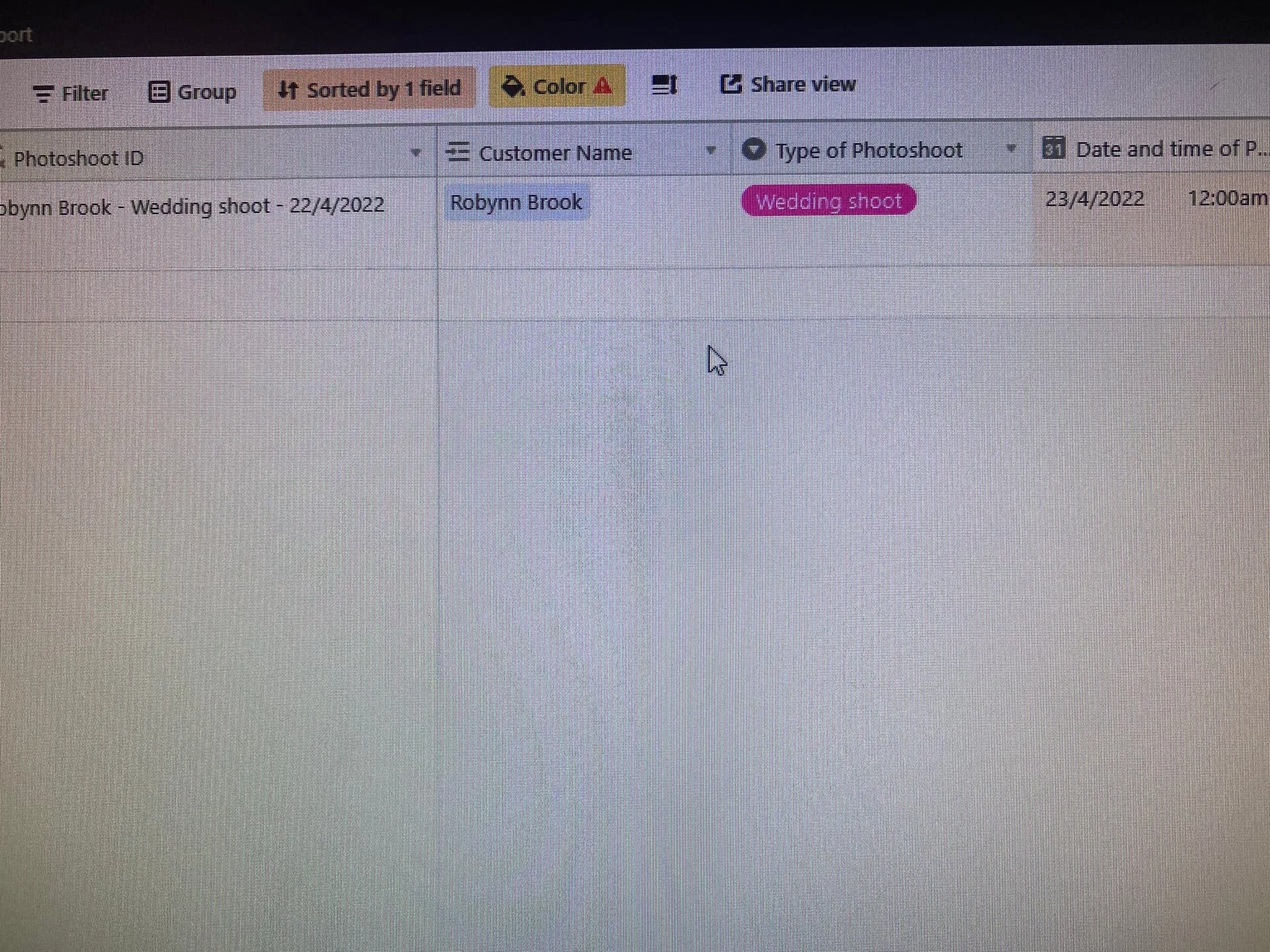
IF(OR({Customer Name}="",{Type of Photoshoot}="",{Date and time of Photoshoot}=""),"",CONCATENATE({Customer Name}," - “,{Type of Photoshoot},” - ",DATETIME_FORMAT({Date and time of Photoshoot}, “D/M/YYYY”)))

3 replies

kuovonne
Forum|alt.badge.img+29
  • Brainy
  • January 23, 2022

It is a time zone issue. You need to use SET_TIMEZONE with DATETIME_FORMAT
See the formula field reference for more info.


  • Author
  • New Participant
  • January 23, 2022

Im a complete beginner, I don’t understand where in my current formula I need to use the timezone part of the formula


Hannah_Wiginton
Forum|alt.badge.img+19

Im a complete beginner, I don’t understand where in my current formula I need to use the timezone part of the formula


Hey @Keith_Landale

Here’s more info on using DATETIME_FORMAT AND SET_TIMEZONE

so your formula will look something like this:

DATETIME_FORMAT(
  SET_TIMEZONE(
    Date, 'America/Los_Angeles'),
  'M/D/Y h:mm A'
)

Here’s a list of timezone specifiers and examples