Answer

Dynamic Date Comparison in Find Records Automation

  • November 19, 2025
  • 2 replies
  • 53 views

Forum|alt.badge.img+11

Hello all, I'm looking for some help with a dynamic date filtering challenge in automations.

I have a Social Media Metrics table where each record needs to link to all previous records for the same Contact/Platform combination, but only where Date Recorded is before the current record's date.

The challenge: Airtable's Find Records action in automations doesn't support dynamic date comparisons (e.g., "Date Recorded < trigger record's Date Recorded"). This means I can't filter to only link previous records—it would link to all records including future ones.

I've considered:

  • Manual linking (works but not scalable)
  • MIN/MAX rollup pattern with formula logic (works but still requires the linking step first)
  • External tools like Make.com or scripting (viable but checking if there's a native solution first)

Has anyone solved this elegantly within Airtable? Any creative workarounds I'm missing?

Thanks in advance!
Best answer by TheTimeSavingCo

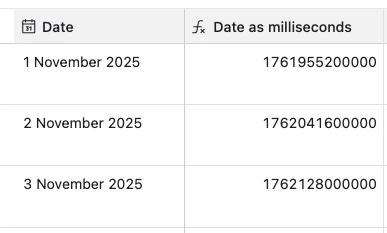
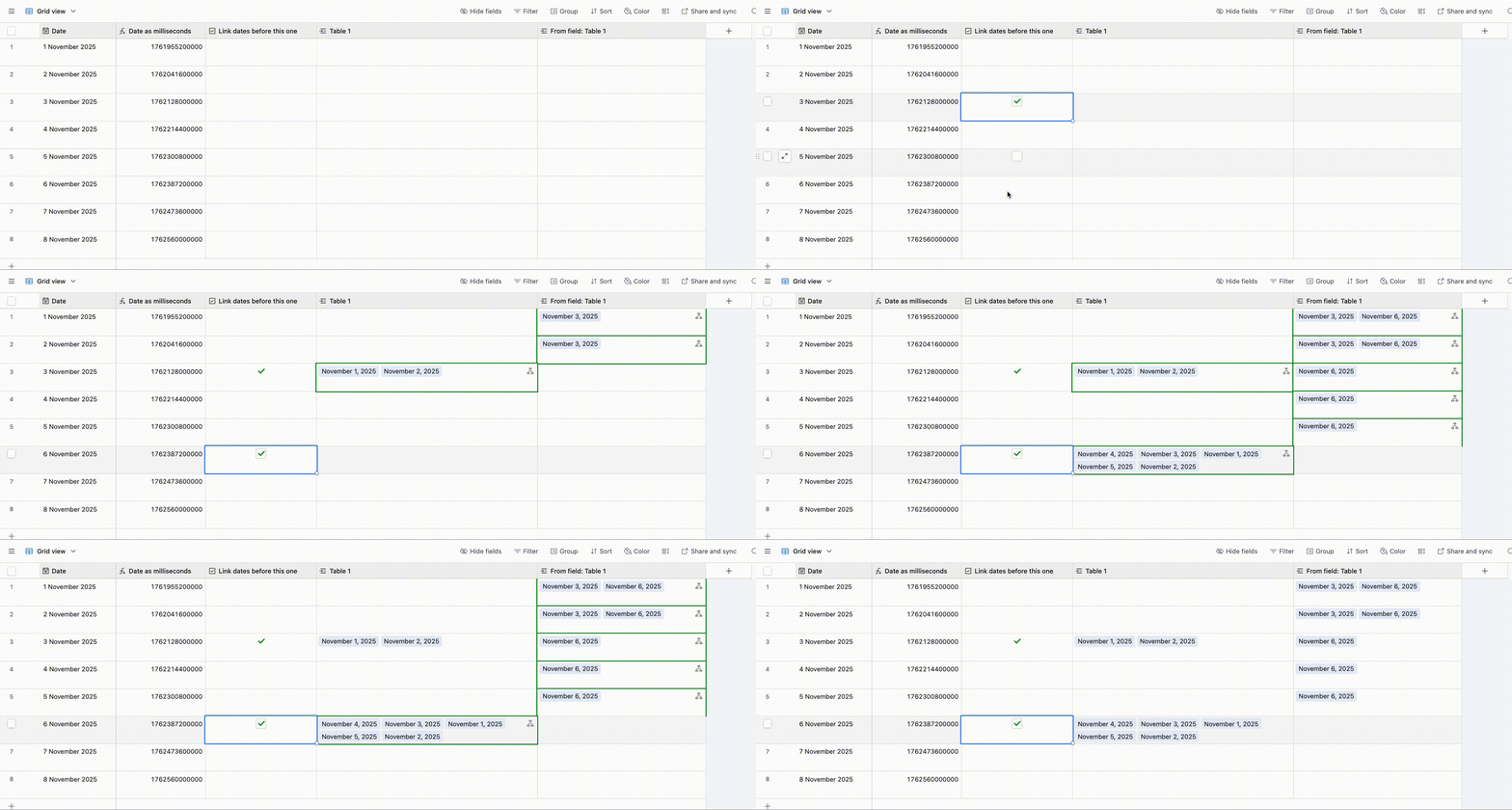
Try adding a formula field that converts the dates into milliseconds and filtering off of that instead.  I’ve set it up here for you to check out

Here’s the formula:

DATETIME_FORMAT(Date,'x') + 0

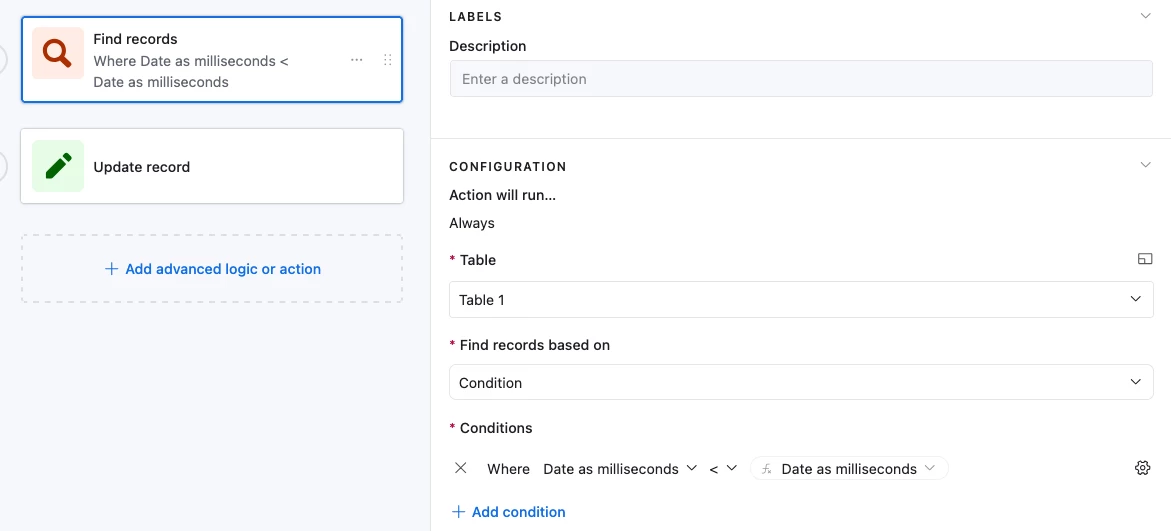
And that converts it into a number that you can then use in Find Records:


2 replies

TheTimeSavingCo
Forum|alt.badge.img+31

Try adding a formula field that converts the dates into milliseconds and filtering off of that instead.  I’ve set it up here for you to check out

Here’s the formula:

DATETIME_FORMAT(Date,'x') + 0

And that converts it into a number that you can then use in Find Records:


Forum|alt.badge.img+11
  • Author
  • Known Participant
  • November 20, 2025

Hello ​@TheTimeSavingCo  / Adam,

Thank you so much for the milliseconds solution - it worked brilliantly!

Your approach unlocked exactly what I needed. Here's what I have been able to build with it:

The Challenge: 

  • Tracking social media metrics monthly and needed to automatically calculate month-on-month growth for each expert.
  • Required linking each record to all previous records (same Contact/Platform) but ONLY where dates were earlier.

The Solution (thanks to you):

  1. Formula field: Date as Milliseconds using VALUE(DATETIME_FORMAT({Date Recorded}, 'x'))
  2. Automation Find Records: Filter where Date as Milliseconds < trigger's milliseconds value ✅
  3. Rollup: Get previous month's follower count from linked records using MAX date
  4. Growth % Formula: Simple division formatted as percent

Result: Every new record automatically links to all previous months, rolls up the immediate previous month's data, and calculates growth % - completely automated!

The milliseconds conversion was the key insight that made dynamic date comparisons possible in automations. Brilliant workaround!

Thanks again for sharing your base - it saved me hours of manual inputting and crosseyed checking

Best 
Ladi

P.S I have marked your answer as the solution/best answer