
"Find" function not working when referencing rollup field

  • May 13, 2019
  • 3 replies
  • 50 views

Forum|alt.badge.img+7

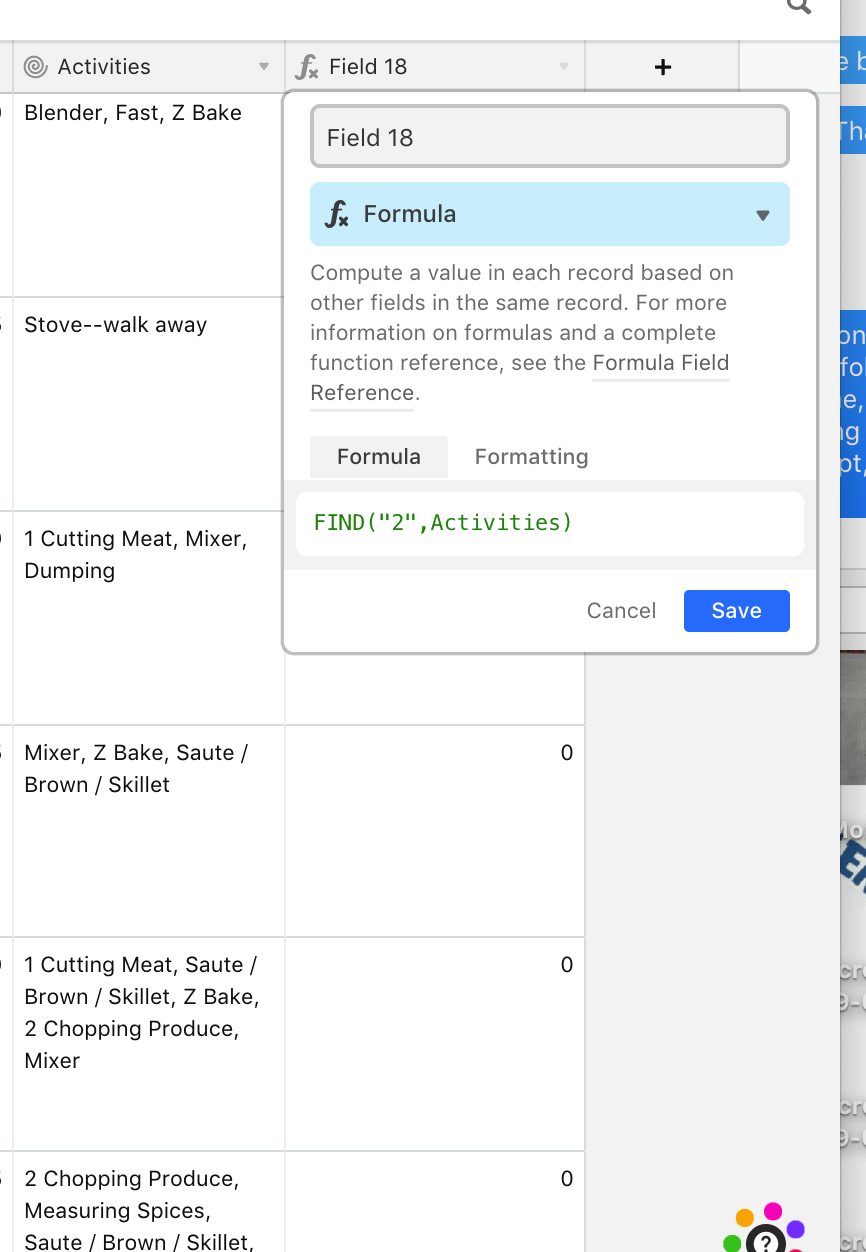
I want to assign a numerical value to all recipes that include steps of “Cutting” or “Chopping”, but it doesn’t seem to recognize these or ANY digit/number when using the find function.

3 replies

JonathanBowen
Forum|alt.badge.img+18

Hi @Angie_Belle - I’m guessing your roll-up field is an array function. If so, you should make it a string first in the FIND formula by concatenating it with an empty string to get it to work:

FIND("2", Activities & "")

JB


Forum|alt.badge.img+7
  • Author
  • Known Participant
  • May 13, 2019

Hi @Angie_Belle - I’m guessing your roll-up field is an array function. If so, you should make it a string first in the FIND formula by concatenating it with an empty string to get it to work:

FIND("2", Activities & "")

JB


That worked, although I don’t understand why. Thank you! Now, how do I extract the lowest number from an array rollup?


Justin_Barrett
Forum|alt.badge.img+21

That worked, although I don’t understand why. Thank you! Now, how do I extract the lowest number from an array rollup?


Certain fields, including rollups, generate arrays, not strings. An array is a collection of separate items, and those items could be strings, dates, numbers, etc. However, the FIND function only knows how to find things in a single string. When you ask it to find something in an array, it doesn’t know what to do. Concatenating an array with an empty string (the Activities & "" portion of @JonathanBowen’s sample) forces Airtable to take all of the separate items in the array and mash them together into a single string, which FIND can then process.

One of the aggregation functions available for use in rollup fields is the MIN function, which isolates the lowest value. Enter the following into the aggregation function field when setting up the rollup:

MIN(values)



