Question

Finding mode with rollup function?

  • December 23, 2025
  • 2 replies
  • 21 views

Forum|alt.badge.img

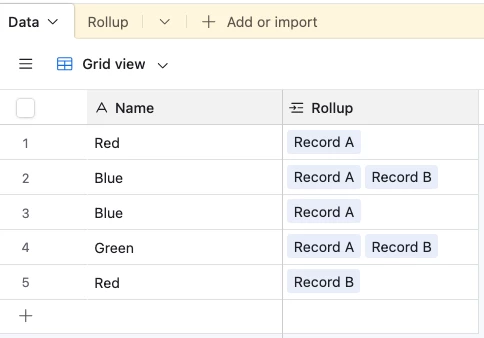
After extensive searching, I’ve confirmed that rollup functions do not support finding the mode of the values in the rollup field. I can’t be the only person who has come across this need, so I’d love to know what methods are available without using a 3rd party app. I’m not opposed to an automation, but would rather it be as simple and without the need for scripting if possible.

2 replies

Mike_AutomaticN
Forum|alt.badge.img+28

Hey ​@doingmybest,

Though I had answer this one before, but not seeing my answer/follow up question.

Do you have a limited set of values out of which you need to get the mode? (e.g. in rating of 1 to 5, values can only be 1, 2, 3, 4, or 5). Or is this an unlimited amount of values?

Mike, Consultant @ Automatic Nation 
YouTube Channel  


VikasVimal
Forum|alt.badge.img+12
  • Inspiring
  • December 25, 2025

Nope.
Airtable doesn’t have a lot of hidden features. If you don’t see a formula for mod, the workaround would be more complex than a simple script.

Option 1: https://chatgpt.com/g/g-GuMycukiN-vik-s-scripting-helper Use this to write your own script.

Option 2: I didn’t want to put in the effort, but curiosity took over. 

You’ll need a few fields
Table 2 Fields:


 Table 1 fields:


The count field in Table 2 is the number of tasks linked to Table 2 (Tasks is in table 3, not needed for this workflow. We start with just the count)
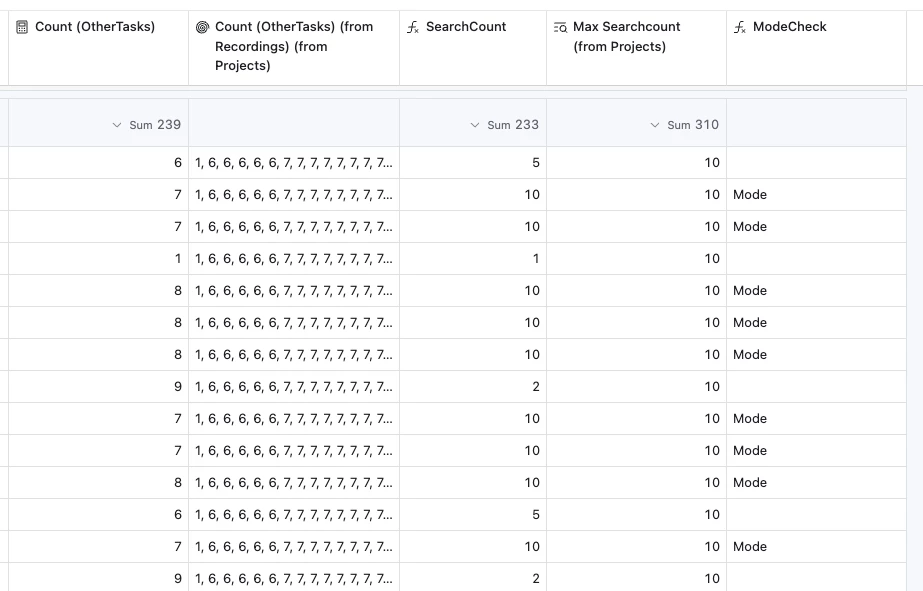
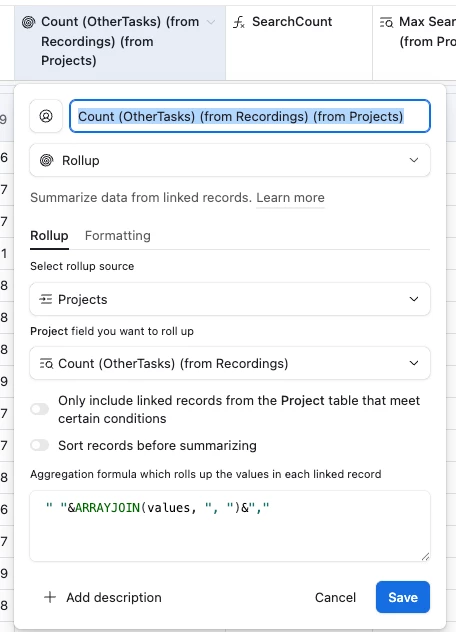
We lookup this count in Table 1, parent of table 2. Then create a rollup of the lookup back in table 2. I use a rollup to format the output with 1 leading space, and one trailing ‘,’ character. Why will become evident in the next formula.


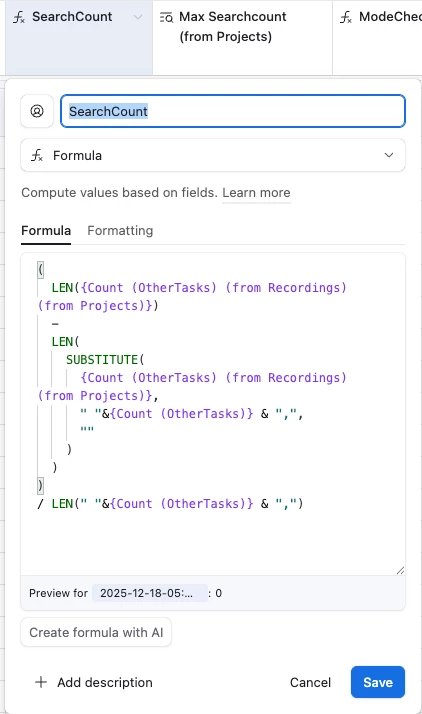
Then the key field is the SearchCount field in Table 2. It counts how many times a number in a particular field has been found in the Rollup.


Now we have the frequency of each Count in the table 2.
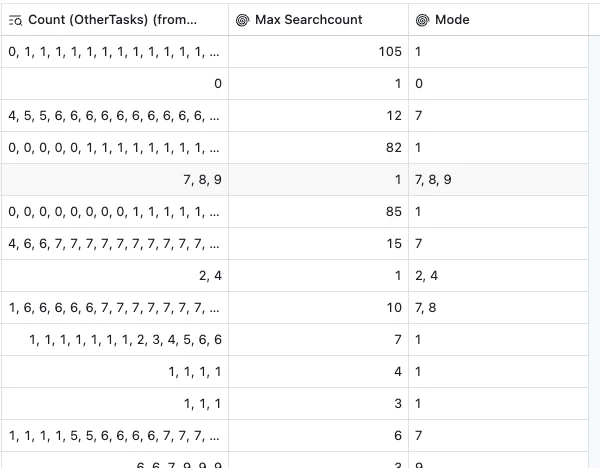
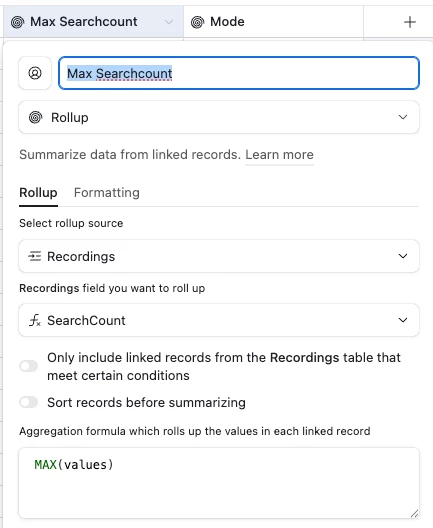
We roll it up into table 1. This gives us the number of times the mode has surfaced


Then We look it back up in table 1, giving us the field indicating the number of times mode has surfaced ‘Max Searchcount (from Projects)’.

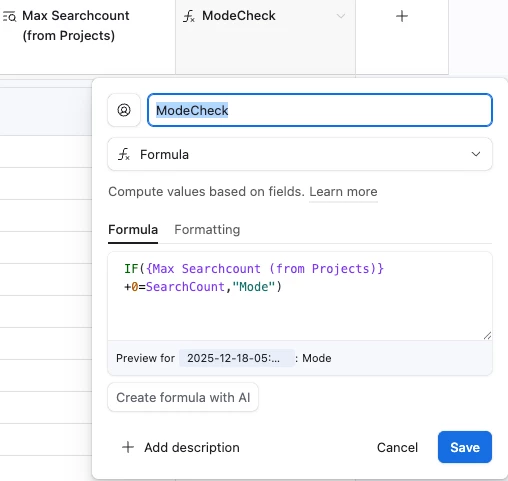
We lookup the MaxSearchCount in table 1 into Table 2, then we compare the SearchCount and Max Search Count, and label all the matches as Mode.


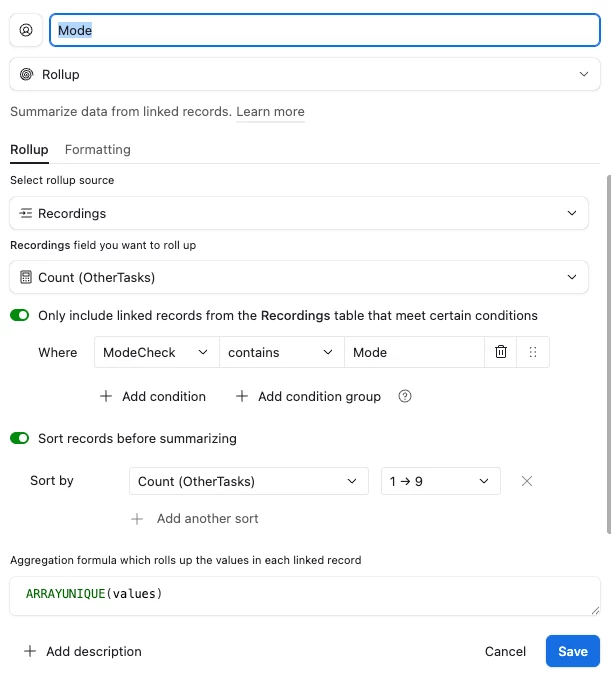
Now we rollup all Counts back in table 1, filtering for only the numbers where ModeCheck field outputs ‘Mode’

 There you have the mode. Note that Mode is not always a single number. It outputs all the modes of the distribution.


And like I said earlier, the script would’ve been much simpler.

Check out more of my work at vikasvimal.com and ping me if you need expert support.