
Hi,
I’m setting up a bookkeeping system for my business.
What I need is that when I select the option “Expense” from the Single Select option in the Type field, I want to add a negative sign with the Received Amount field so that it is subtracted from the sum.
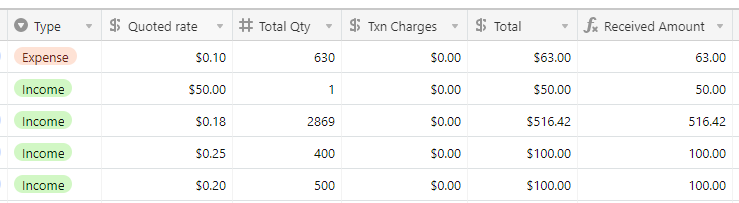
I’m attaching a screenshot for clarity.
I’d really appreciate it if someone can help me with the formula for this.
Thanks a lot :slightly_smiling_face:
