Is there a wide to hide data in certain cells using a formula?
I am trying to work with date data coming from Memberstack that appears in UNIX form.
- I have a column converting the UNIX data to readable data.
DATEADD('1/1/1970',{UNIX Renewal Date from Memberstack},'seconds')
-
I have a column for Manual renewal dates. Some people are outside the system.
-
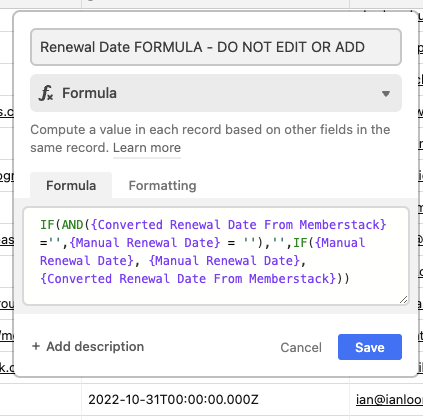
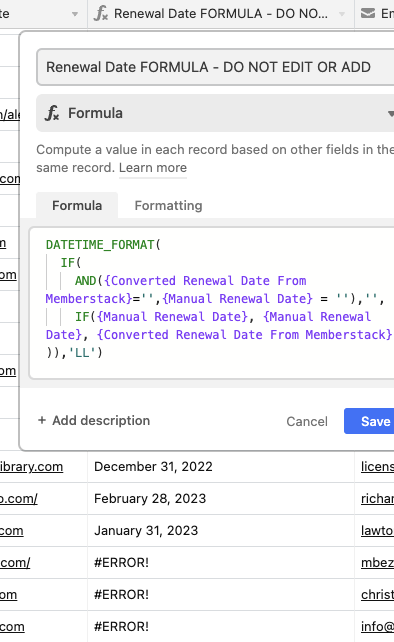
I have a column that merges the two. IF there is a Manual Date, use that, if not, pull the Converted UNIX renewal date. It works mostly fine. It is setting the manual renewal date back a day, which is weird, but not the end of the world.
IF({Manual Renewal Date}, {Manual Renewal Date}, {Converted Renewal Date From Memberstack})
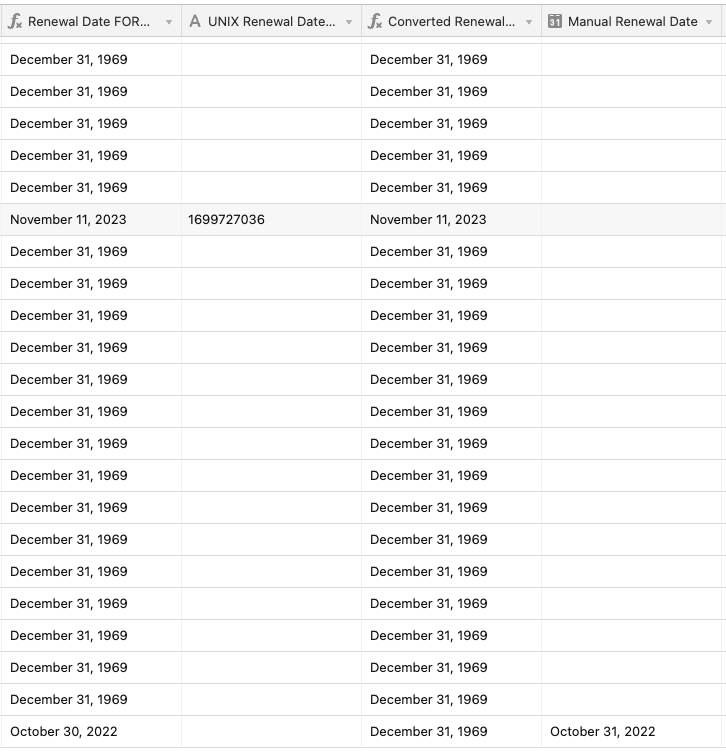
- Now the issue is that the UNIX baseline of December, 31, 1969 is showing up anywhere there is a blank cell. Is there a way to get rid of that? Essentially I am looking to either have a blank cell of a simple N/A instead of the 1969 date.
Screenshot attached for reference.
Thanks in advance!