Logical operators within the "IF" function

  • May 26, 2022
  • 2 replies
  • 16 views

I have two values “PUt” and “SRt”

With different values of these fields I need to output different “Profiles”.

When I write a formula to compare these numbers, I get the wrong answer from the formula.

Values:

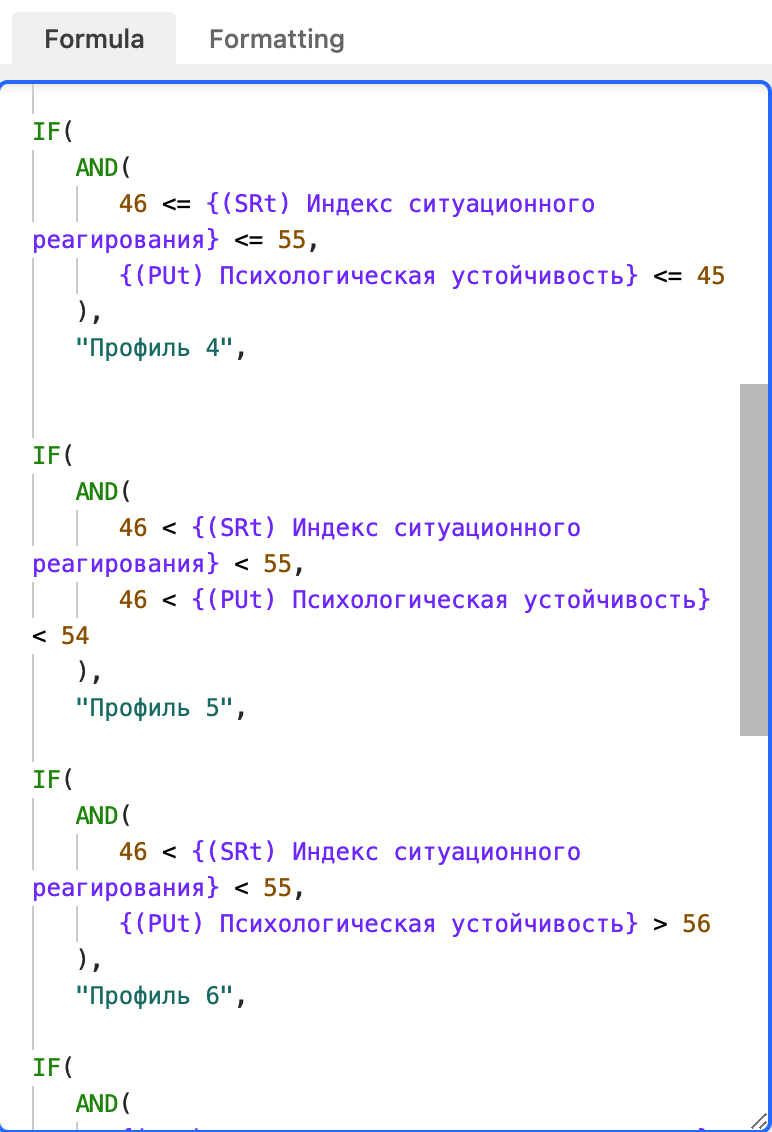
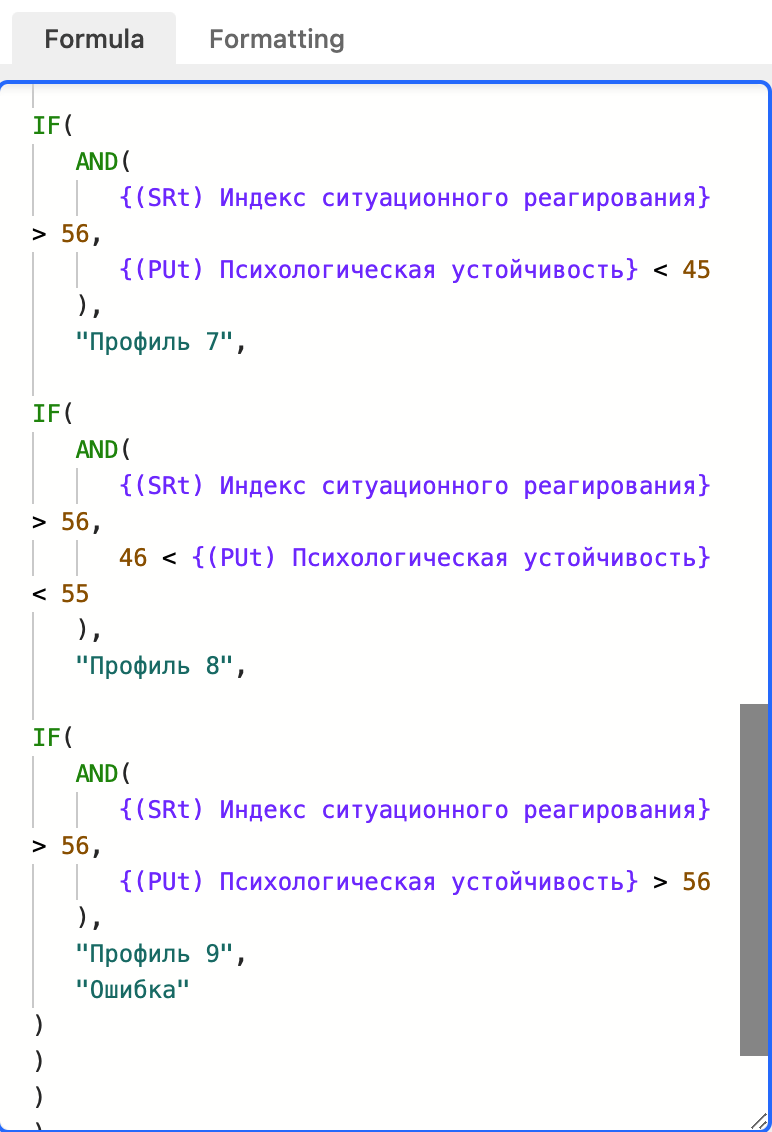
This is my formula:
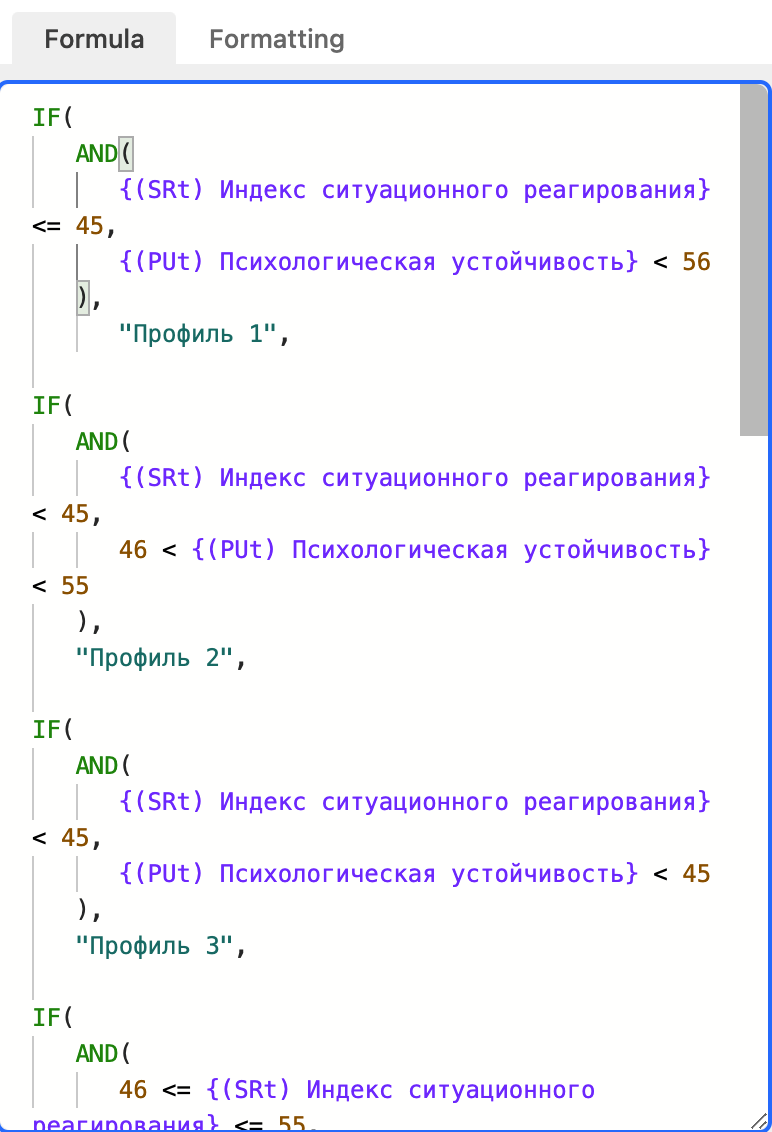

Logically, the formula should select “Profile 6”

But the cell shows “Profile 5”.

2 replies

TheTimeSavingCo
Forum|alt.badge.img+31

Hm, I don’t think that you can do [NUMBER] < [VALUE] < [NUMBER], actually

I think you’ll need to separate them each out into single lines, e.g.

IF(
  AND(
    46 < SRt,
    SRt < 55,
    46 < PUt,
    PUt > 54
  ),
  'Profile 5',
  IF(
    AND(
      46 < SRt,
      SRt < 55,
      PUt > 56
    ),
    'Profile 6'
  )
)

You can view it here. To view the formula, duplicate the base by clicking the title of the base at the top of the screen, then the three horizontal dots on the right, and then the “Duplicate Base” button.


  • Author
  • New Participant
  • May 26, 2022

Hm, I don’t think that you can do [NUMBER] < [VALUE] < [NUMBER], actually

I think you’ll need to separate them each out into single lines, e.g.

IF(
  AND(
    46 < SRt,
    SRt < 55,
    46 < PUt,
    PUt > 54
  ),
  'Profile 5',
  IF(
    AND(
      46 < SRt,
      SRt < 55,
      PUt > 56
    ),
    'Profile 6'
  )
)

You can view it here. To view the formula, duplicate the base by clicking the title of the base at the top of the screen, then the three horizontal dots on the right, and then the “Duplicate Base” button.


Didn’t even think of that decision :grinning_face_with_sweat:

Thanks so much, buddy!