Solved

Removing a comma from lookup field

  • October 12, 2023
  • 2 replies
  • 60 views

Sareyh
Forum|alt.badge.img+6
  • Participating Frequently

I am looking to remove the comma separating the two lists. Here is a picture to show an example.
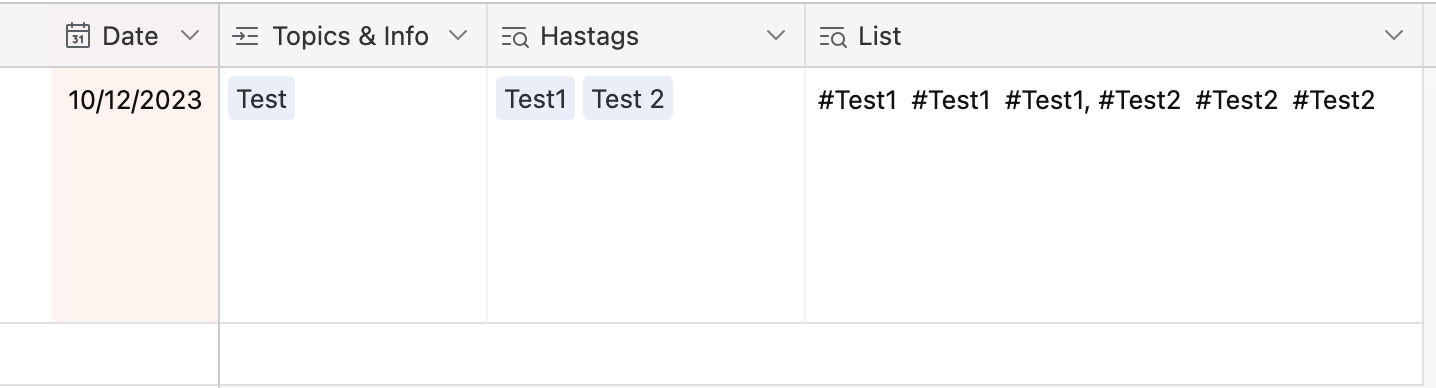


Is there a way to do this?

Thanks!

Best answer by Ella11

Hi @Sareyh ,

If you use a roll up for the {List} field, then in the roll up formula you can specify how you want all the items to be listed ( comma, no comma, line breaks etc). I think this video might help you as it explains it better than I can:

https://www.youtube.com/watch?v=ttcOR-qUC9w

2 replies

Forum|alt.badge.img+17
  • Inspiring
  • Answer
  • October 13, 2023

Hi @Sareyh ,

If you use a roll up for the {List} field, then in the roll up formula you can specify how you want all the items to be listed ( comma, no comma, line breaks etc). I think this video might help you as it explains it better than I can:

https://www.youtube.com/watch?v=ttcOR-qUC9w


Sareyh
Forum|alt.badge.img+6
  • Author
  • Participating Frequently
  • October 13, 2023

Hi @Sareyh ,

If you use a roll up for the {List} field, then in the roll up formula you can specify how you want all the items to be listed ( comma, no comma, line breaks etc). I think this video might help you as it explains it better than I can:

https://www.youtube.com/watch?v=ttcOR-qUC9w


Thank you! I had tried this previously but it didn't work cause it was a lookup field, realized I had to do it in the table it was linked to.