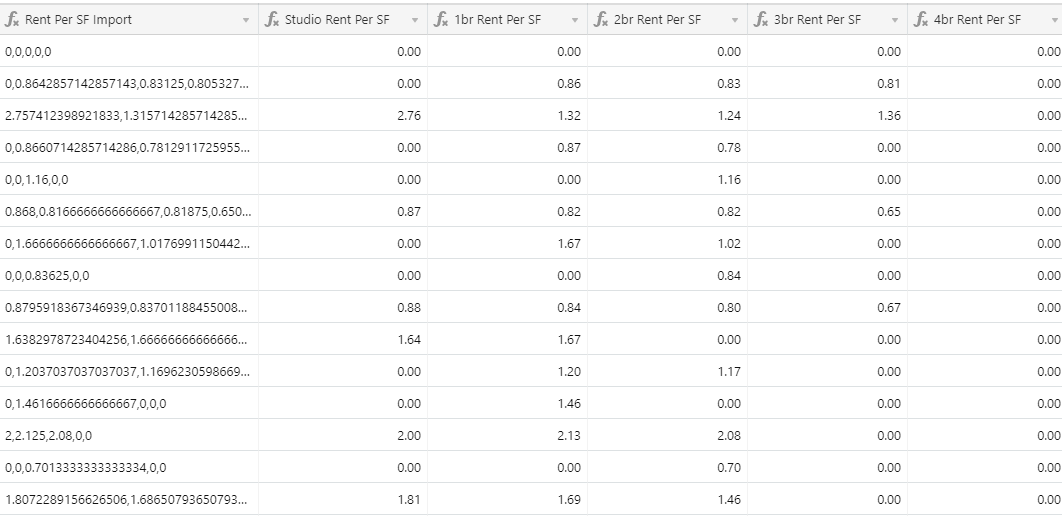
I am concatenating multiple fields into one comma separated field, and even though the formula format is 2 decimals, it’s showing as a whole bunch of them in the concatenated field.
I’ve tried rounding but I can’t seem to get it right. Included pic.

 +5
+5I am concatenating multiple fields into one comma separated field, and even though the formula format is 2 decimals, it’s showing as a whole bunch of them in the concatenated field.
I’ve tried rounding but I can’t seem to get it right. Included pic.
Enter your E-mail address. We'll send you an e-mail with instructions to reset your password.