
Question

Roundup formula incorrect calculation: unavoidable four digit decimal point

  • February 1, 2026
  • 3 replies
  • 26 views

Leno_Marin
Forum|alt.badge.img+5

I’m having an issue with a formula that rounds up incorrectly, i’ve browsed the forums and can’t seem to find a solution.

I have a simple math equation x * y = z

I suspect that the issues is stemming from a formula that contains four decimal points:

I’m not able to round up this number, however, it needs to remain as is.  I’m not sure how to get a correct calculation using airtable.


3 replies

TheTimeSavingCo
Forum|alt.badge.img+31

Hm, doing 68.52 * 5 gives me 342.6 while the screenshot shows 342.55, which makes me think that the field that shows ‘68.52’ is rounding it up as a display thing but actually has more decimal places.  Could you edit the field with 68.52 to make it show up to 4 decimal places, and then multiply that number by 5 to see whether you get 342.55?

If that doesn’t work, could you provide screenshots / details of how the value of 68.52 is constructed with reference to ‘0.0134’?


Mike_AutomaticN
Forum|alt.badge.img+28

Hey ​@Leno_Marin,

As Adam mentioned above, you might want to provide further screenshots. I don’t think I’m fully following.

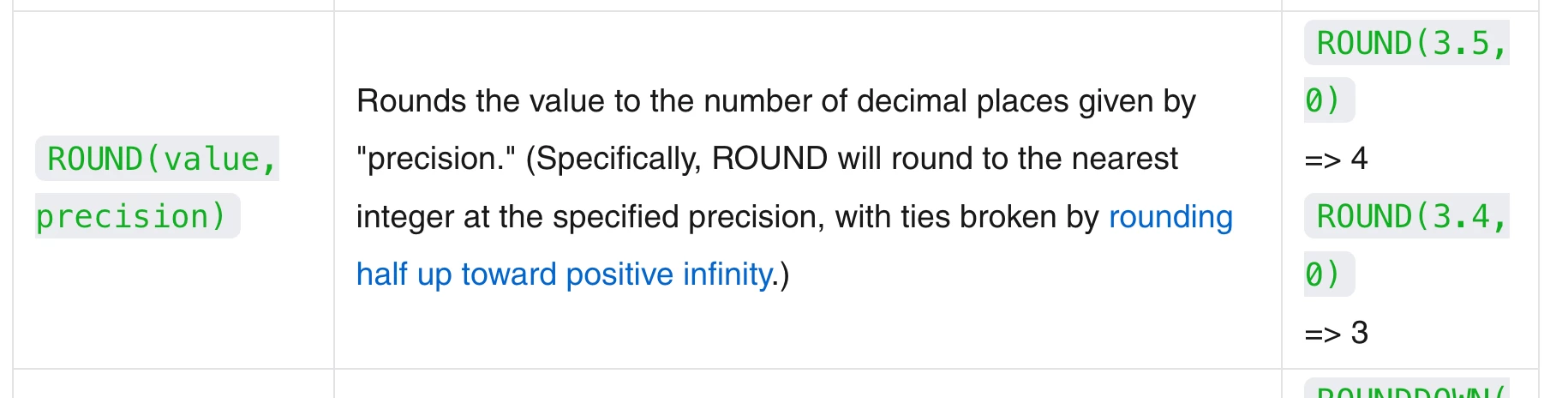
Anyway, you might want to look into Airtable’s Round formula expression in the meantime! See screenshot below.


Mike, Consultant @ Automatic Nation 
YouTube Channel 


DisraeliGears01
Forum|alt.badge.img+21

Just to add on to ​@Mike_AutomaticN’s suggestion, there are also Round Up and Round Down expressions that you can define the decimal level for to dial in exactly where the rounding needs to occur at.