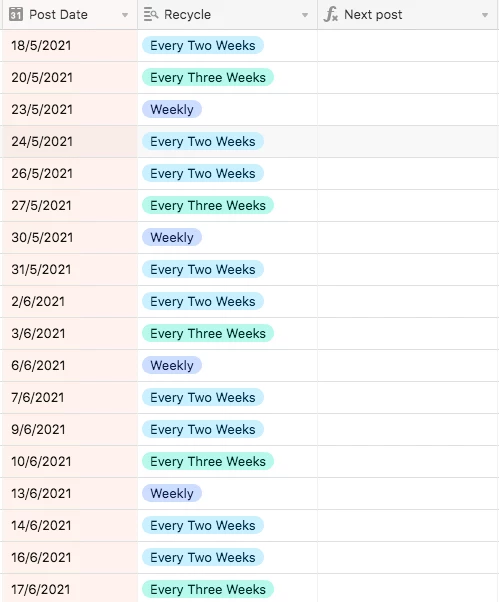
Hi, I need it to work out,
IF “Recycled” is “Weekly”, make the date in “Next Post” 7 days after “Post Date”.
IF “Recycled” is “Every Two Weeks”, make the date in “Next Post” 14 days after “Post Date”.
IF “Recycled” is “Every Three Weeks”, make the date in “Next Post” 21 days after “Post Date”.
IF “Recycled” is “Blank”, leave “Next Post” blank.
This is the formula I am trying but it is returning an error:
SWITCH({Recycle}, “Weekly”, DATEADD({Post Date}, 7, ‘days’),
“Every Two Weeks”, DATEADD({Post Date}, 14, ‘days’),
“Every Three Weeks”, DATEADD({Post Date}, 21, ‘days’), BLANK())
Can anyone see what I’m doing wrong?