
Question

Help with interface not recognising a field

  • July 16, 2025
  • 2 replies
  • 66 views

Popstar
Forum|alt.badge.img+1

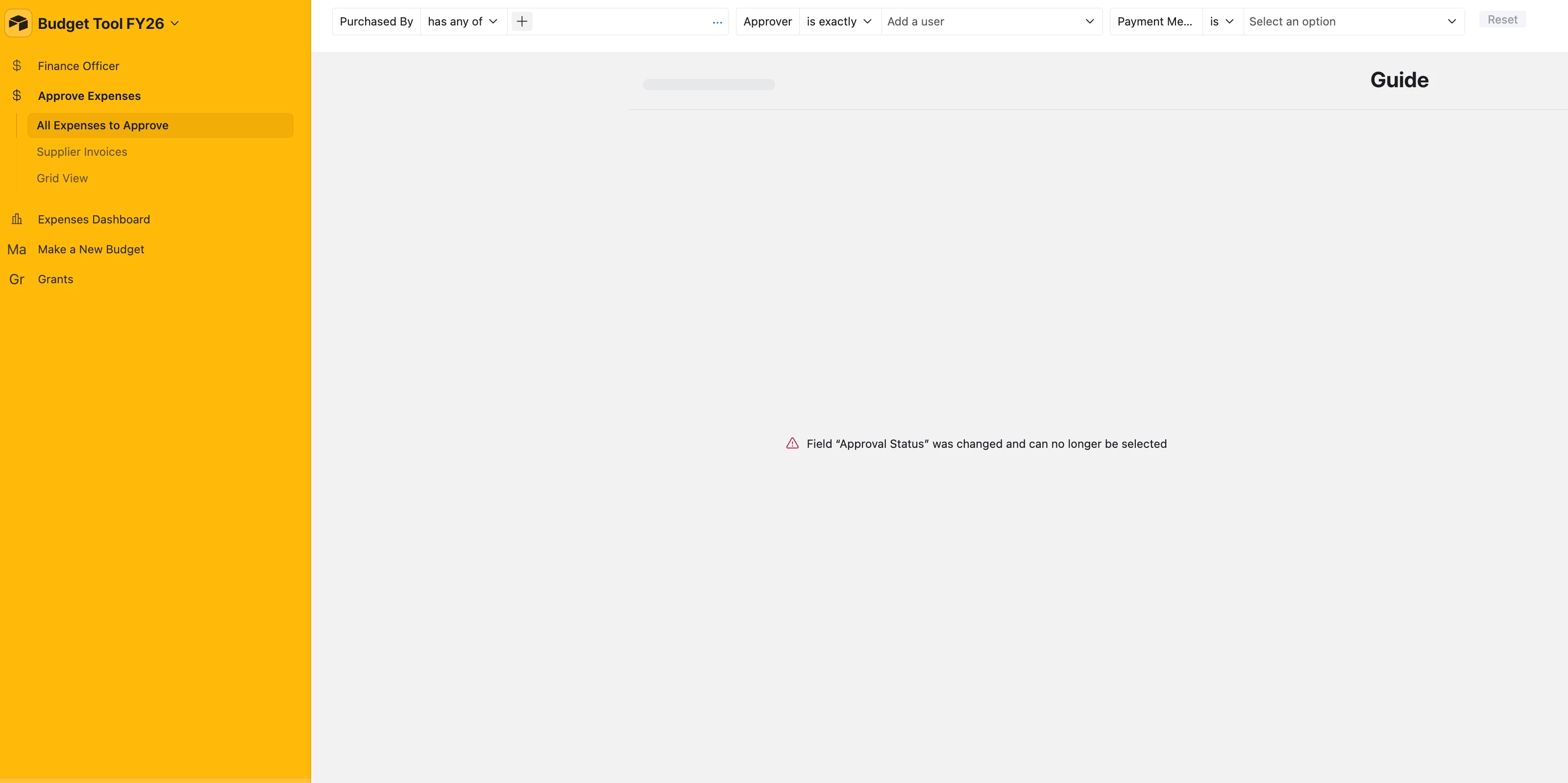
Hey AT brains trust, I'm at my wits end attempting to get this interface to simply filter to show me my un-approved expenses. This is for our Base to manage all org expenses, which each FY I duplicate, turn old automations off and new ones on, rename to current FY, recolour and a little bit of renaming inbudget areas. An interface we rely heavily on is sending me this error message.

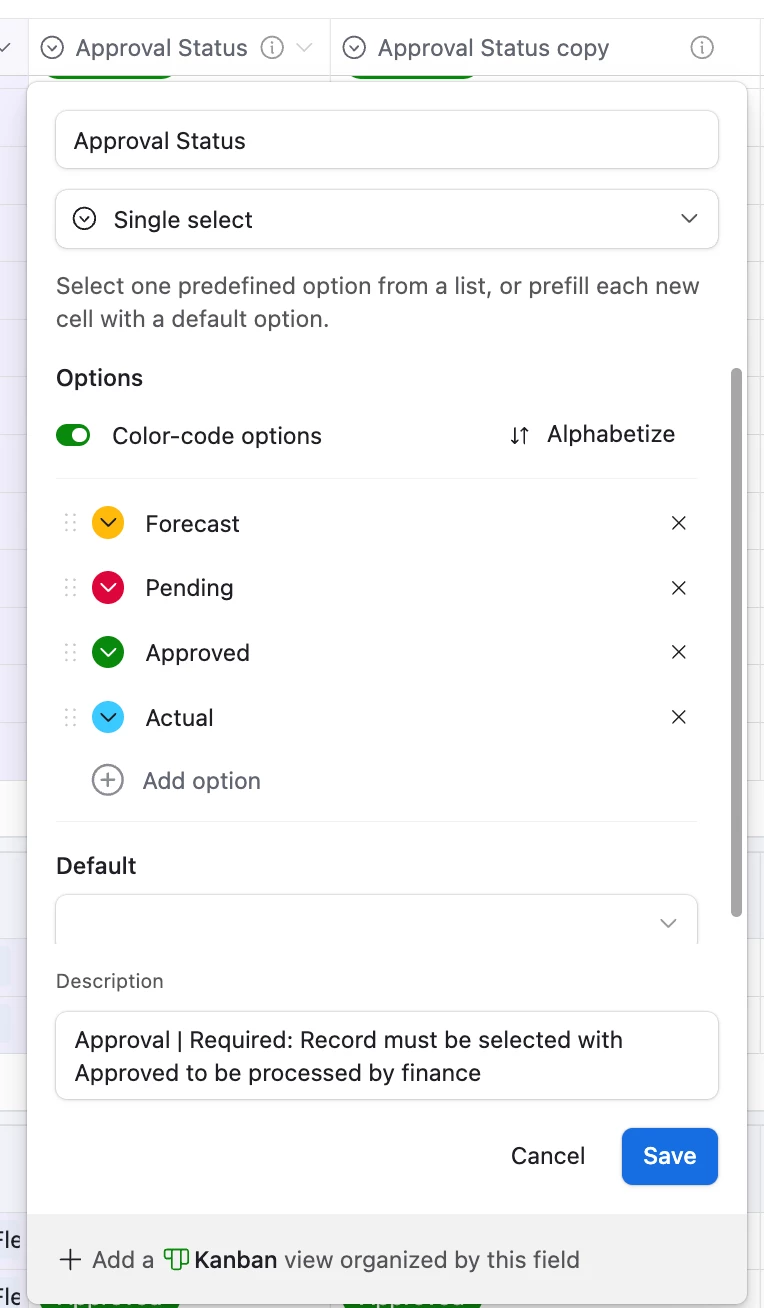
  • The field is single select and has not changed
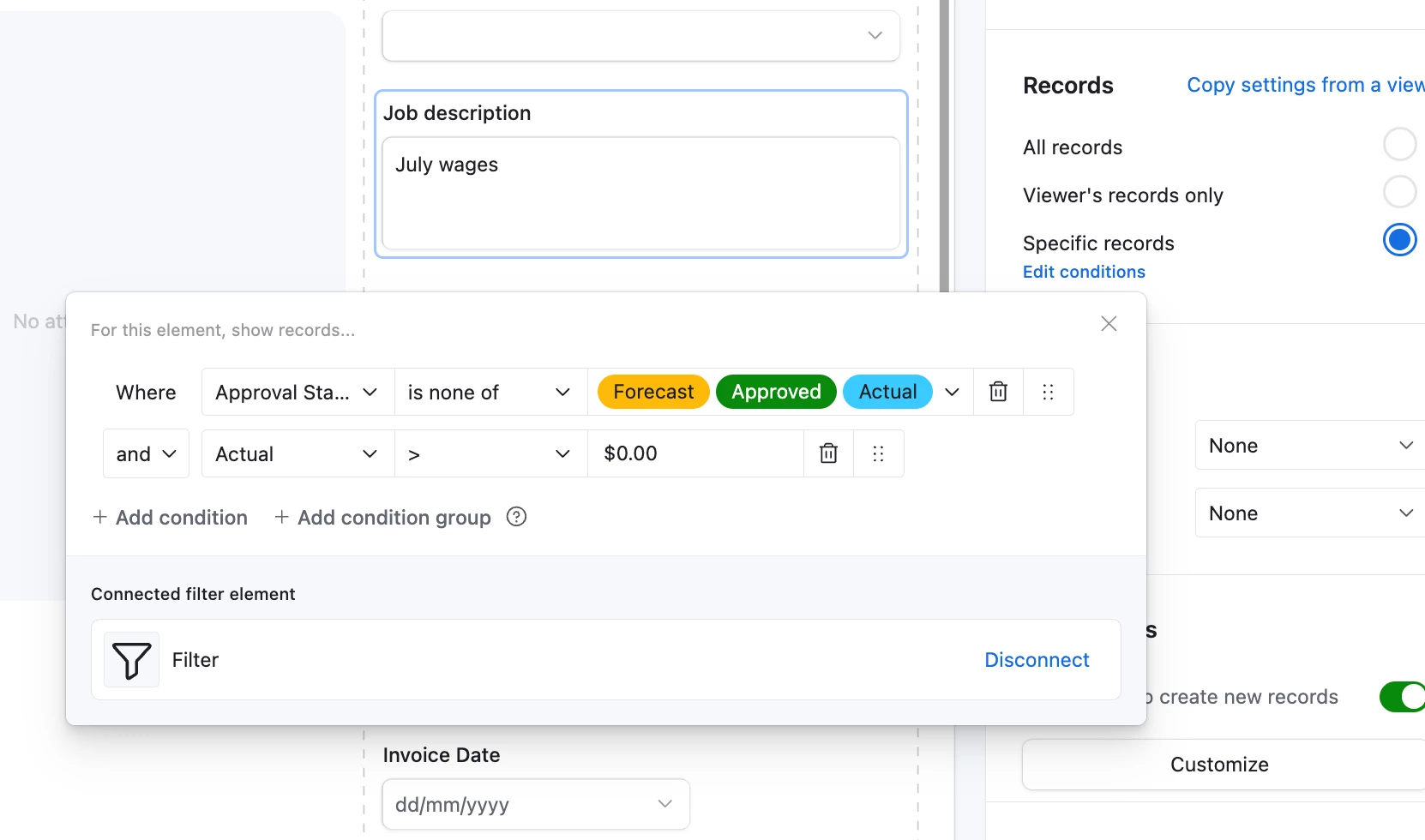
  • The filter is specific and again very simple, we want to see unapproved expenses

I have copied the field and used that, I have duplicated the base, I have reentered the filters and have had no luck and am losing my brain. The previous FY still works but nothing has changed in this area.

Please help
 

This topic has been closed for replies.

2 replies

proboticsolutions
Forum|alt.badge.img+4

Hi ​@Popstar,
 

It seems like the issue is related to dependencies on the "Approval status" field.
Here’s a quick checklist to troubleshoot:

  • Re-map Dependencies: Ensure that all fields references to "Approval status" are updated and properly mapped in the new setup.

  • Check Filters: Double-check that the filter is correctly referencing the active "Approval status" field.

  • Field Visibility: Verify that the "Approval status" field is visible in the current view and accessible for filtering.

What I would say is revisit all fields on the interface, and you’ll likely find a misconfigured or misplaced filter/field

Let me know if this helps or if you need further assistance! 
If this works, please mark it as solved. 👍
You can also explore my services and connect with me on LinkedIn.


TheTimeSavingCo
Forum|alt.badge.img+31

Hm that’s a weird one.  If you could DM me a link to a duplicated copy of your base with no data in it I’d love to poke at it to see what I could figure out