Copy and Pasting Columns to another Table

  • April 14, 2016
  • 4 replies
  • 30 views

Forum|alt.badge.img+11

Is this feature already available?

I find myself creating the same columns for a lot of tables. One example is when I’m trying to keep track of all my transactions for each month.


4 replies

Forum|alt.badge.img+5

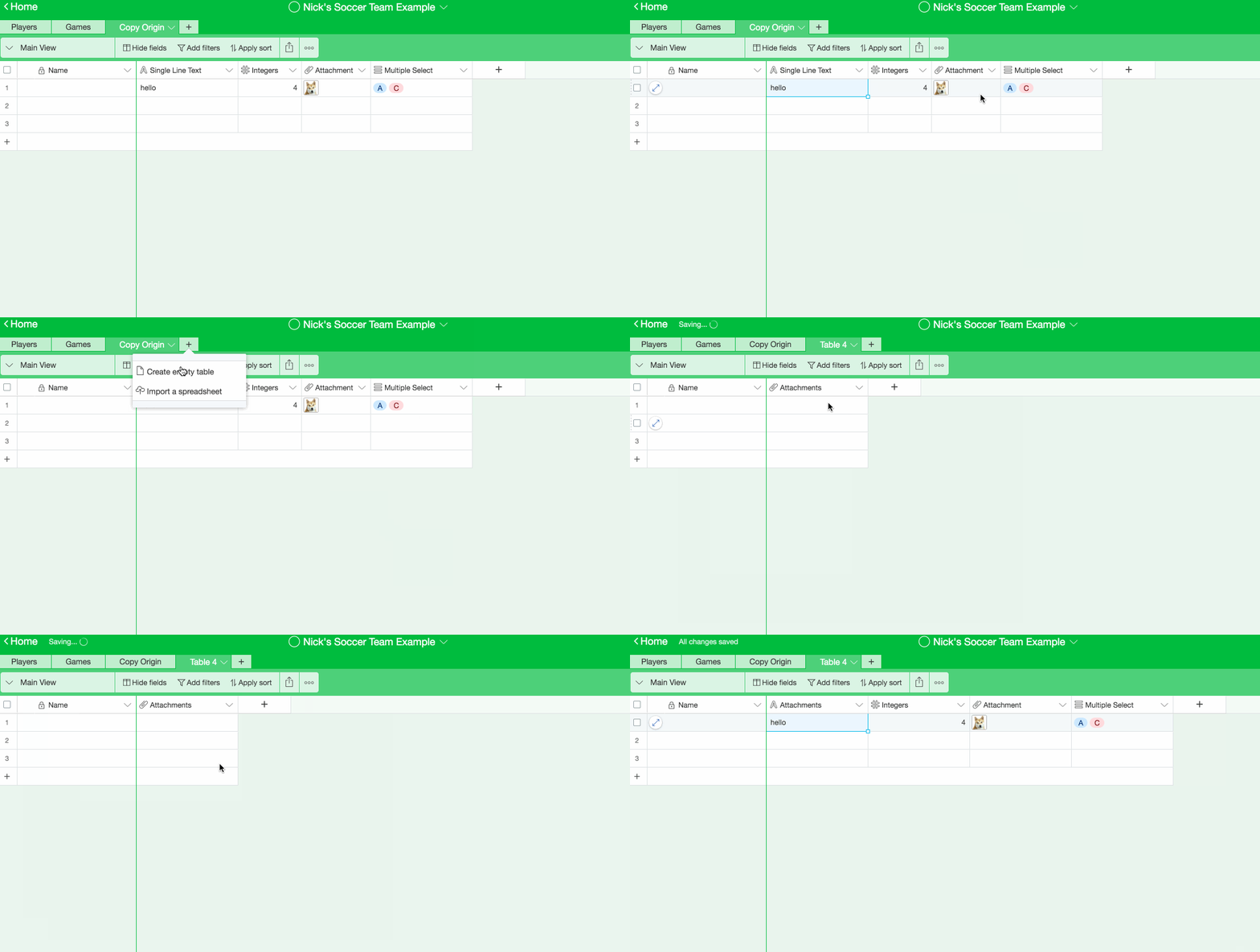
If you copy and paste cells from the old columns on the rightmost side of the new table, the new columns that are created will match the column types from what you copied.

This works for non-computed columns. Copying and pasting a formula cell into another table won’t work. Copying and pasting the contents of a count field will create a number field instead.


Forum|alt.badge.img+11
  • Author
  • Participating Frequently
  • April 15, 2016

If you copy and paste cells from the old columns on the rightmost side of the new table, the new columns that are created will match the column types from what you copied.

This works for non-computed columns. Copying and pasting a formula cell into another table won’t work. Copying and pasting the contents of a count field will create a number field instead.


That’s a good work-around. Thank you!


  • New Participant
  • March 23, 2017

If you copy and paste cells from the old columns on the rightmost side of the new table, the new columns that are created will match the column types from what you copied.

This works for non-computed columns. Copying and pasting a formula cell into another table won’t work. Copying and pasting the contents of a count field will create a number field instead.


Thank you, that saved me a lot of time.


Forum|alt.badge.img+10

But this would only let you copy one row at a time? I can’t seem to find a way to copy all the records at once.