With almost every table I build, I want to be able to group by year and month chronologically. However, most of the time I have a full date (with the day) on there as well. Hence, almost every table I build I have to create multiple extra columns to pull the year and month (both together and separately) in order to be able to have groups chronologically. This is to see what projects are happening in each month, how many items are sold each year, what tasks need to be done each month, what expenses happened each month, etc etc. And if I do a pretty format for the month and year (January 1, 2023) in one table, I still have to do another column that is YYYY-MM in order to use it as the group if I want it in chronological order, which is then not pretty (2023-1) for the group name. It would be great to be able to have something that is smart enough to give you options on grouping and sorting that is based on your date column’s YYYY-MM or YYYY-MM-DD (whatever you choose) equivalent so that these columns don’t need to be made every time. Even though they can be hidden once they’re set up, it’s a lot of repetition and bloat. Added a couple screenshots for examples, although I’m sure most people know what I’m talking about!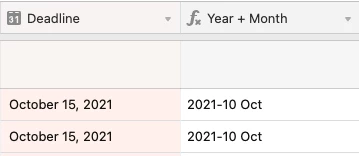
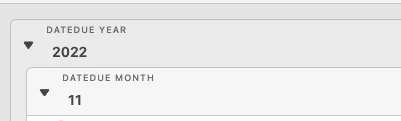

Grouping options for dates
 +5
+5This topic has been closed for replies.




Enter your E-mail address. We'll send you an e-mail with instructions to reset your password.