[SOLVED] Formatting options for Long Text

  • November 2, 2016
  • 153 replies
  • 518 views

Show first post

153 replies

Forum|alt.badge.img+10
  • Known Participant
  • November 17, 2018

Basic markup would be nice.
Support for tables would be really nice, so I could create simple checklists with notes within a Long Text field.


Forum|alt.badge.img+8
  • Participating Frequently
  • November 26, 2018

Oh please, this would be such a useful addition. Markup or basic HTML would be so great.


  • New Participant
  • November 28, 2018

I agree that bold would be huge, and more so, bullets. The ability to truly use long texts as notes would be invaluable.


  • New Participant
  • December 10, 2018

Markdown/CommonMark please, it would be a game-changer.


Forum|alt.badge.img+7
  • Participating Frequently
  • December 14, 2018

Seriously, how can this be so difficult to implement? At the moment we’re having to link out to Google Docs just so we can do very basic formatting like bullet points. It makes our whole system flaky and hard to contain/manage.

Can you at least give an indication if you’re considering this? Surely 81 comments deserve a response of some form…


  • New Participant
  • December 21, 2018

+1 on this feature request. We are generating a variety of static reports out of Airtable and basic formatting support in text fields would really improve their readability.


Forum|alt.badge.img+7
  • New Participant
  • December 21, 2018

Any sort of basic rich text or markdown would be great


ROBERT_STEFAN
Forum|alt.badge.img+2
  • New Participant
  • January 14, 2019

Many databases I used in the past had word processors integrated so that you could format templates and map data from the fields in a record and send to print or email. This was very beneficial for communication in business. Is there any way to create templates and documents? Does AirTable have anything on the near horizon to address creating documents, email outputs, and other types of reports.


  • New Participant
  • January 16, 2019

We definitely need the ability to apply some basic formatting - bold, italic, lists.


Kamille_Parks11
Forum|alt.badge.img+27

it would be great if we could use typical HTML/CSS terms for formatting so we could use them in formulas as well. I.e., <b>Text</b> for bold, <i>Text</i> for italics, <ul><li></li></ul> for un-ordered lists (and ordered lists too), etc.


Kamille_Parks11
Forum|alt.badge.img+27

@Katherine_Duh

Use Case 1: I am building a recipe database and the Instructions field makes individual steps difficult to read as all text blends together. This is where lists would come in handy (right now I have to fake it)

Use Case 2: anyone who uses formulas to calculate overdue deadlines might want to make text bold and red to make its stand out. not everyone likes using emojis.

Use Case 3: financial databases might want negative numbers to appear red.


Forum|alt.badge.img+4
  • Known Participant
  • January 23, 2019

We need this. Could be very useful.


  • New Participant
  • January 23, 2019

I’d like to use Airtable to organize our UX writing guidelines. I’d love to use basic formatting like link text, bold, italics, underline, bulleted lists, and numbered lists in Do and Don’t fields to demonstrate best practices vs. incorrect usage.


  • New Participant
  • January 24, 2019

Beggars belief that this isn’t considered important enough to have made any progress on in two and a half years. There are many more things I’d be using Airtable for with this feature, and no updates at all on if it’s even being considered by the team.


  • New Participant
  • February 3, 2019

Adding my voice to the chorus here. There’s only so much “long text” you can add without formatting to make it more readable.


Forum|alt.badge.img+3

+1 Currently using Blocks to produce investment reports and without formatting the long text boxes become very hard to read and use. We are using lots of symbols to try and mix things up – * : etc but not a very good workaround.


  • New Participant
  • February 9, 2019

Another user that would really appreciate formatting capabilities in Airtable here.
Use-case: I have a table with a lot of information, and I’d like to make the actionable items bold so that they stand out amongst the other cells’ text. Markdown, or an equivalent, would be hugely helpful.


  • Participating Frequently
  • February 11, 2019

Another user that would really appreciate formatting capabilities in Airtable here.
Use-case: I have a table with a lot of information, and I’d like to make the actionable items bold so that they stand out amongst the other cells’ text. Markdown, or an equivalent, would be hugely helpful.


Add my name to the list of people who would REALLY want to have a rich text editor.

My preference? The WordPress approach of being able to switch between “visual” and “text” views.


  • New Participant
  • February 17, 2019

Hello. I also expect long-text format updates!

Markdown and rich content are different things, it is better to think separately.

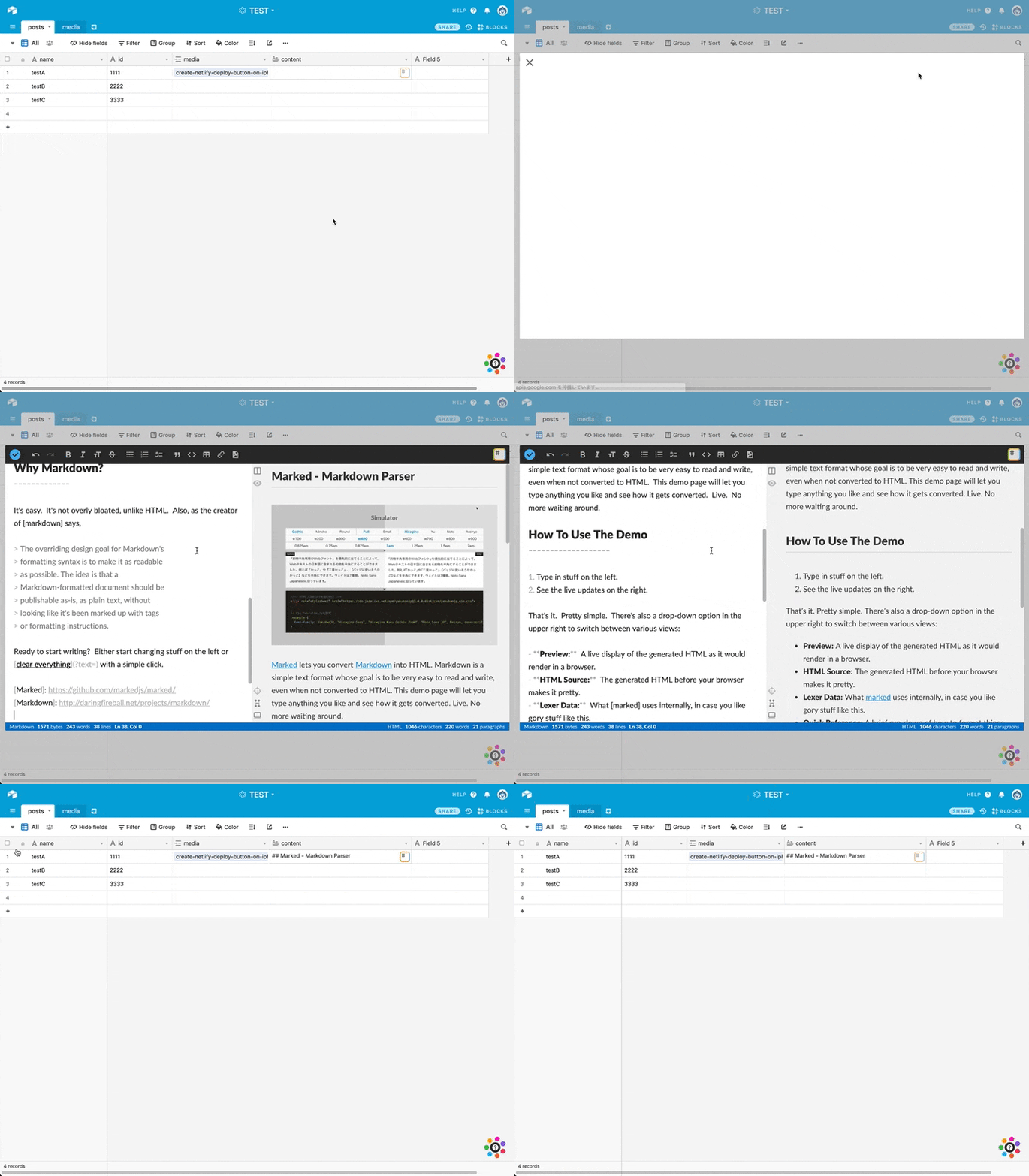
If you are optimizing for Markdown, I would like an experience like Chrome extension StackEdit.

The following is the mock I made. The input field of Airtable is not textarea, so this Chrome extension does not work.


  • New Participant
  • February 19, 2019

Hi I just started using Airtable yesterday for our business operating in IT services. We use github primairly for project management and all our issues on there are written using Markdown. If you use Zapier to create airtable records when an issue on Github is created you can copy over the issue description to a airtable long field. Only now we have all headings and styling missing from the original issue.

It would be great for our use case to be able to use markdown within a long text field. This will help adoption within my organisation.


  • New Participant
  • February 25, 2019

It would be awesome for us using airtable for the purpose of documenting minutes and logs of our daily activities at startups. Airtable could have much wider capabilities if we could use markdown functionalities, even it wouldn’t be a long text field but new markdown field or anything.


Forum|alt.badge.img+1
  • New Participant
  • February 25, 2019

new airtable user here, experimenting w/ moving whole team to pro but I was kind of shocked to see there was no rich text editor…

would love to use markdown since that’s kind of the defacto standard. I imagine a lot of users would appreciate a gui driven rich text editor (if that compiled to markdown that would be ideal for compatibility) just my 2¢


  • New Participant
  • February 28, 2019

and the kicker to all of this is that they already have the code in place for parsing and displaying markdown in the base description modal. :triumph:


The lack of rich text formatting in long text severely limits the usefulness of Airtable. If I want to brainstorm or create notes, I have to use a separate application or program because any “long text” quickly becomes unreadable without formatting.

Please prioritize this very common and highly requested feature.


Agreed. Formatting of long text would really be nice.

It would also be nice to be able to format the records (and center them vertically) when you increase the row height.