Timeline Dependencies

  • December 10, 2018
  • 5 replies
  • 31 views

Hello everyone,

I believe the timeline should be able to visualise task dependencies. Other project management platforms such as Asana is able to do so by linking interdependent timeline blocks with a line.

Would this be possible by linking a field in an entry to another to show dependencies? This makes managing and understanding complex timelines more doable.

Any comments appreciated!

5 replies

Forum|alt.badge.img+4
  • Known Participant
  • December 10, 2018

I managed to create a timeline with dependencies using the Org Chart Block. It takes a bit of massaging to make it work right, but the end result was pretty handy. Might be worth a shot!


  • Author
  • New Participant
  • December 11, 2018

I managed to create a timeline with dependencies using the Org Chart Block. It takes a bit of massaging to make it work right, but the end result was pretty handy. Might be worth a shot!


That’s an interesting workaround, thanks for the idea!


Forum|alt.badge.img+3
  • Known Participant
  • March 28, 2019

This would be a great addition to the timeline block, to make it a little closer to a Gantt chart.


  • New Participant
  • April 30, 2019

I managed to create a timeline with dependencies using the Org Chart Block. It takes a bit of massaging to make it work right, but the end result was pretty handy. Might be worth a shot!


Hi Mac, without taxing you for a lengthy reply, I’m wondering if you could elaborate how you use Org Chart Block? I’m brand new to Airtable and this dependency issue is a showstopper for me. Could you point me to anything that would show me how you did this or could you give me a quick “how to”? Any direction is appreciated. Thank you.


Forum|alt.badge.img+4
  • Known Participant
  • April 30, 2019

Hi Mac, without taxing you for a lengthy reply, I’m wondering if you could elaborate how you use Org Chart Block? I’m brand new to Airtable and this dependency issue is a showstopper for me. Could you point me to anything that would show me how you did this or could you give me a quick “how to”? Any direction is appreciated. Thank you.


Sure, I just posted something over in Show and Tell: Business Process Management

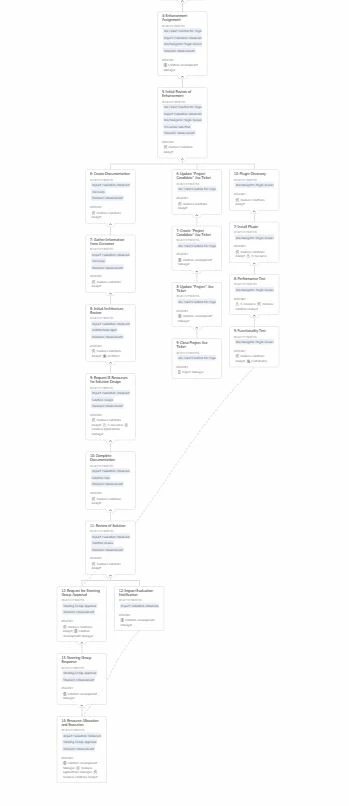
Here is a shot of my actual process flow diagram:

It’s not perfect, but it beats the heck out of manually dragging and dropping a process flow.