Question

Adding linked records in form through master intake form

  • February 18, 2026
  • 4 replies
  • 27 views

Forum|alt.badge.img

I’ve been building an app through the free trial and have hit a snag. I’m aware Airtable won’t let you create new Linked Records in a form. Fillout doesn’t have the capacity for a price my boss is willing to pay. I’ve been using Gemini quite a bit which has been helpful, and they suggested something that would work but I wanted your opinion (Confidently incorrect AI’s and all that).


My tables in question are “Customers” which can have many “Locations” and “Contacts”. Locations can have many “Jobs”. If I create a job and the customer doesn’t exist, I have to leave to make the customer, only to remember that I don’t have the contact or location, so I have to leave and do those, repeat ad-nauseum.


Gemini’s suggestion is to create a master intake table. For the customer, I could select from a dropdown (as usual), but if it’s a new customer, I would fill in new fields for the customer information. Repeat with Location, Contacts, and the Job details. Then use automation to parse the data and create the relevant records in the appropriate tables.


This would work, but I’m afraid it’s clunky and a pain to maintain. If I decide to track contacts birthdays, I then have to remember to also add that information to the intake form. 


I would then also have to do this for materials used, tracking visits to site, etc. etc.


Is waiting for native Airtable allowing adding new linked records my only other option?

4 replies

TheTimeSavingCo
Forum|alt.badge.img+31

Sigh yeah I feel your pain

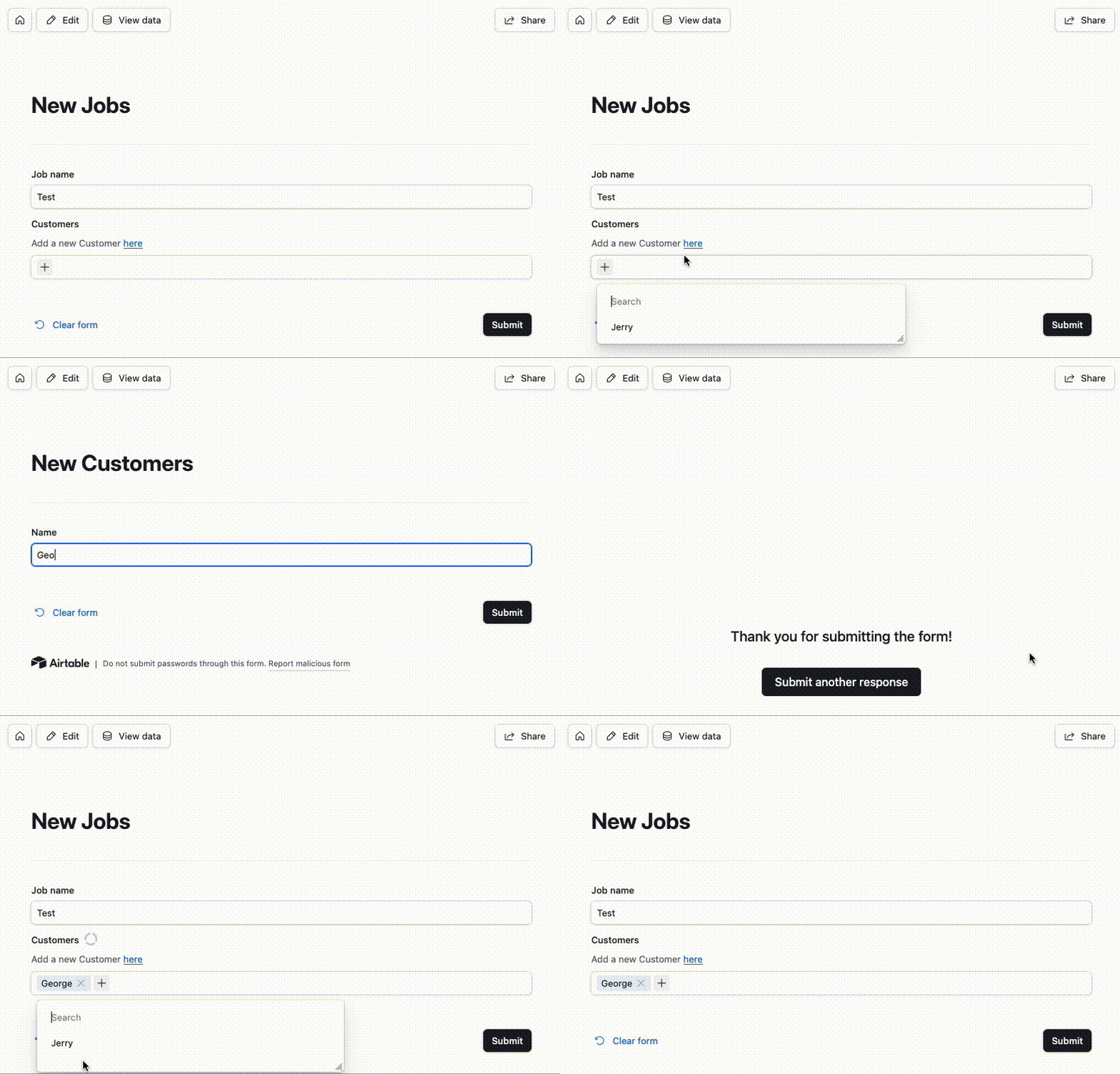
A workaround you can consider is adding links to the other forms within the main form.  And so e.g. you’ll have the linked field to ‘Customers’, and if it doesn’t exist you’ll be able to open the ‘Customers’ form from the ‘Job’ form.  Bit clunky but works fine

It’d look like this and here’s a link to the form and the base


Forum|alt.badge.img
  • Author
  • New Participant
  • February 18, 2026

I haven’t been successful in finding out how to add this button. Is it only available through the “Forms” tab, or can I add a button to the modal that pops up when I select “Add Record”?


This serves essentially the same function I suppose. Is there a way to link the newly created record back to the original form?


TheTimeSavingCo
Forum|alt.badge.img+31

I haven’t been successful in finding out how to add this button. Is it only available through the “Forms” tab, or can I add a button to the modal that pops up when I select “Add Record”?

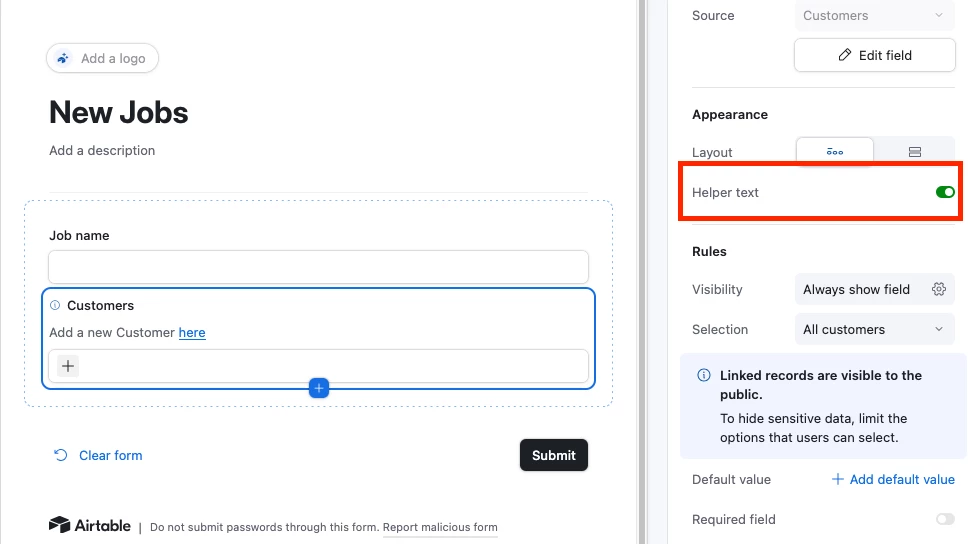
We’re able to do both!  In the Forms tab, we toggle on ‘Helper text’ like so:

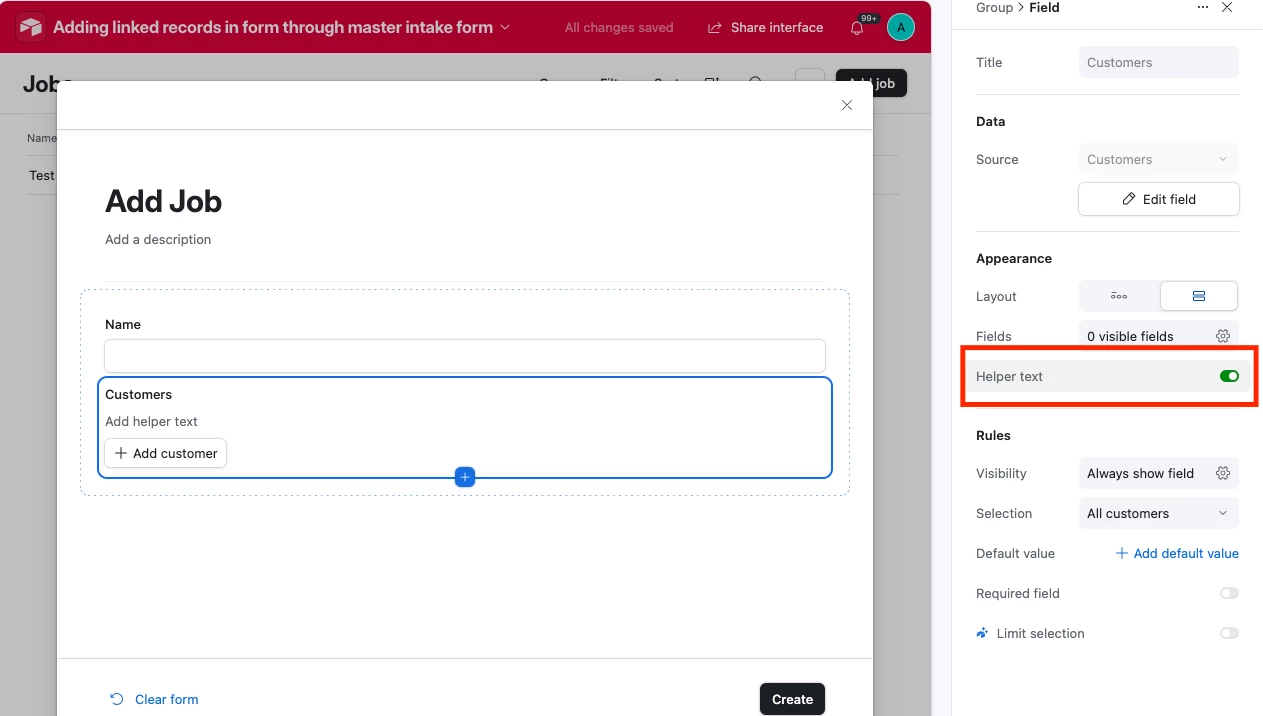
And in the modal that pops up we can do it like so:


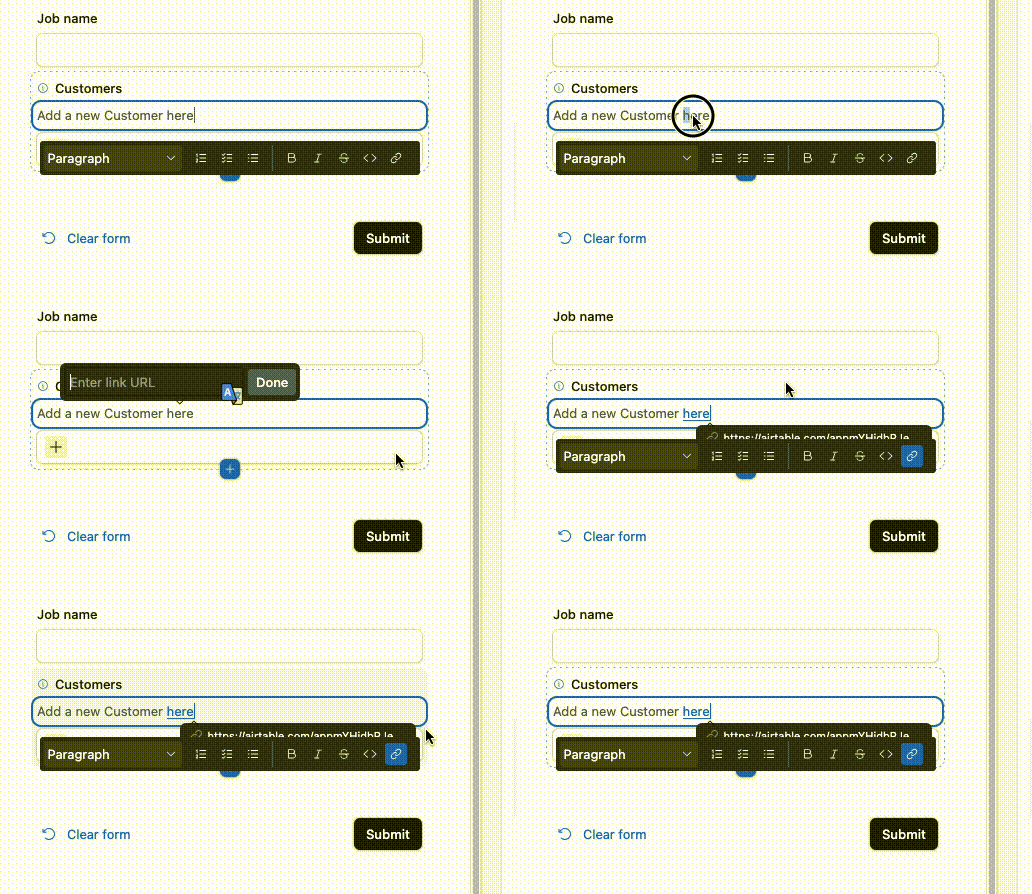
And to make it a link that can be clicked we select the text and then click the link button:


ScottWorld
Forum|alt.badge.img+35
  • Genius
  • February 18, 2026

 @SparkSystem 

The most important thing to note is that Fillout is 100% free and is always the #1 best way of handling this.

However, there are 2 other ways to workaround this problem as well, for a total of 3 ways to solve this issue.

Here are the 3 different ways:

  1. On the first form, give the user a link to ANOTHER FORM which will allow them to add new records to the linked table. Then, they can come back to the first form to continue their data entry.
     
  2. On the first form, in the linked record field, give the user an option to choose from that is called "new record" or something like that. Then, conditionally show additional fields where they can type in the new information. Then, use an automation to add the new record into the appropriate table.
     
  3. However, instead of the workarounds above, your #1 best bet is to use Fillout’s advanced forms for Airtable, which already has this functionality natively built into its forms.

Fillout is 100% free and offers hundreds of advanced features that aren’t natively available in Airtable’s native forms, such as the ability to:

I show how to use a few of the advanced features of Fillout on these 2 Airtable podcast episodes:

Hope this helps!

If you’d like to hire the best Airtable consultant to help you with anything Airtable-related, please feel free to contact me through my website: Airtable consultant — ScottWorld