Auto-Link Entry to Another Table By Matching Content (OR Auto-Fill Single Select Field Based on Content of Another Field)

  • January 24, 2019
  • 4 replies
  • 62 views

Forum|alt.badge.img+10

I’m not sure if this is possible with AirTable, but I’m hoping someone more savvy can help me brainstorm a solution.

BACKGROUND:
I’m a lawyer, and I’d like to create a database of cases that are cited in briefing, so that I can go back and reference my notes / summaries of each case when they are cited again in a new case. The thing I’m struggling with right now is whether there is a way to associate each case with its Jurisdiction (the court that decided the case) and its Reporter (the publication where the case appears).

There is a limited universe of Jurisdictions and Reporters, most of which I have pulled into separate tables already.

Cases come from one of the following:

  • The U.S. Supreme Court
  • One of the state supreme courts
  • One of the U.S. Courts of Appeal
  • One of the state appellate courts
  • One of the U.S. District Courts
  • One of the state trial courts

Each case from an appellate or trial court has a similar citation structure that goes like this:
[Volume] [Reporter] [Page] ([Jurisdiction] [YYYY])

Each case from a supreme court has the same structure, but omits the Jurisdiction, which is inferred from the Reporter (i.e., only supreme court cases appear in those reporters, so there’s no need to put the jurisdiction):
[Volume] [Reporter] [Page] ([YYYY])

To make things somewhat more complicated, there are also “unpublished” cases that appear in Westlaw (an online database), and that have slightly different citations:
[Case No.] [Year] WL [Page] ([Jurisdiction] [MMM. D, YYYY])

So, for example, full citations might look like this:

  • A case decided by the Supreme Court: 49 U.S. 457 (2003)
  • A case decided by the Alabama Supreme Court: 23 Ala. 289 (2005)
  • A case decided by a U.S. Court of Appeals: 568 F.3d 456 (9th Cir. 2010)
  • A case decided by a state court of appeals: 398 A.2d (Md. Ct. Spec. App. 2015)
  • A case decided by a U.S. district court: 530 F.Supp.3d 234 (S.D.N.Y. 2010)
  • An unpublished case by a U.S. District Court: No. 05-CR-6050 CJS, 2005 WL 2709572 (W.D.N.Y. Oct. 21, 2005)

HERE’S WHAT I WANT TO DO:
On the Cases Table, I’d like to be able to enter the full citation of a case (or paste it from another source), and have AirTable automatically “pull” the Jurisdiction, Reporter, and Date (either full date or year) from the citation and (1) for the Jurisdiction and Reporter, either select the appropriate value in a single select field in the Cases Table, or associate the Case with the appropriate entry in the Jurisdiction Table and Reporter Table; and (2) for the Date, enter the appropriate value in a Date field.

Anyone bored and up to the challenge of helping me figure this out? :grimacing:

4 replies

Forum|alt.badge.img+8
  • Participating Frequently
  • May 31, 2019

This would completely change the game for airtable because it’s one of my biggest sticking points when trying to set up a user friendly databases for other people (who don’t really get it) to use.


Forum|alt.badge.img
  • New Participant
  • December 3, 2025

This approach for auto-linking or auto-filling fields can really streamline workflow and reduce manual errors. For anyone needing detailed references while implementing similar solutions, the Polk Court Search offers comprehensive resources and information. Integrating such tools can save a lot of time and help maintain accuracy across datasets. It’s definitely worth exploring these kinds of automated connections in your setup.


Alexey_Gusev
Forum|alt.badge.img+25

Hi,
I was able to set up good auto-filled AI Single-select.
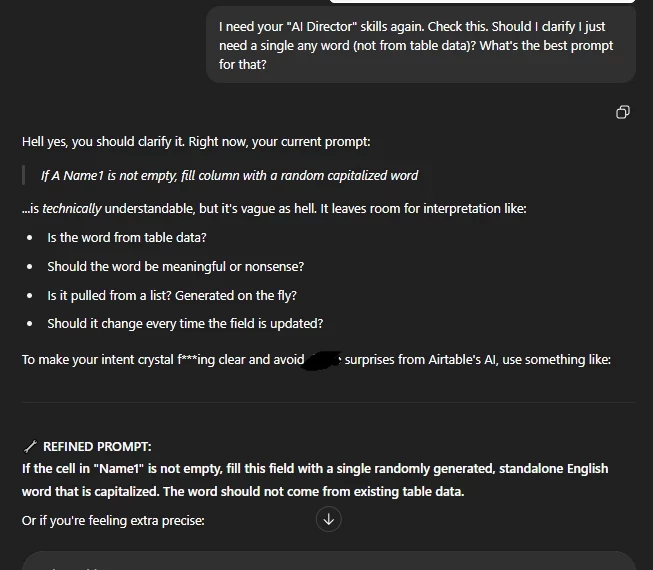
Usually I ask AI (ChatGPT or Omni) to write me a prompt for Airtable field agent - like “there are examples of input data, i want it to Select AAA here, BBB here”. Then I use result prompt. If something work not 100% correct (usually it happens for first try), I return to conversation and ask to fix it.
 

It's important for a lawyer to understand that AI can "find" a quote from a source that matches the given parameters remarkably well, but doesn't actually exist.

But the process of prompt tuning itself is quite amusing.


Forum|alt.badge.img+9
  • Inspiring
  • December 4, 2025

I would create a formula field for each of your text segments you need to pull out of the full citation -- ie, one for jurisdiction, one for date, etc. These new formula fields would use text manipulation functions that pull out just the text you want from the full citation text string. (This is probably a job for regular expressions, but there are other ways, too. For ex:  If the date is always in parentheses, then you’d use functions to find the location of the first parens x and the length of the cite y, and then grab the text between x and y. It will be fiddly, require some if-thens, etc. but entirely doable.)

It wasn’t clear to me if the jurisdictions, reporter, and date were themselves tables and if yuo wanted to then have these case items linked to those separate tables. If so, the next step would be to create automations for each formula field, such that when they have something in them, their content is copied into a link field to the relevant table. That will create  the link (or create the entry in the related table if there isn’t one).