

Hi Airtablians
I have a date column which I have set to DD/MM/YYYY . . when i try to cut or import data into it sometimes it works, sometimes it doesnt, i have realised that even though I have set the field explicitly as DD/MM/YYYY format like most of the known world, it still wants in input in MM/DD/YYYY then it represents that back in the format I want to see it i.
This is causing havoc with automations.
I am guessing that there is a central “what format is the date in this entire table/workspace in” setting but I cant find it?
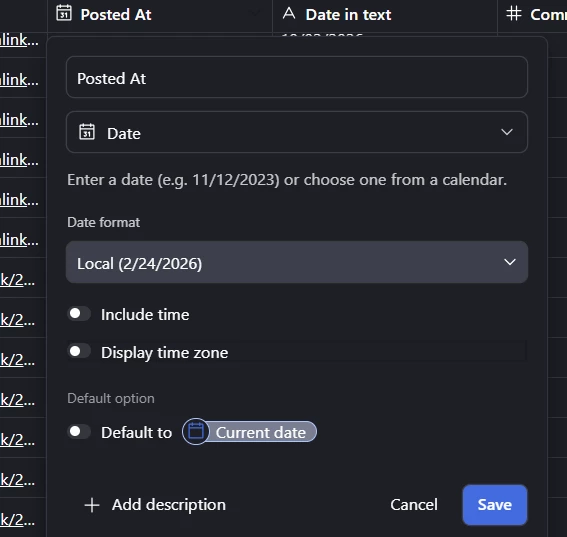
field input still wanting me to enter in
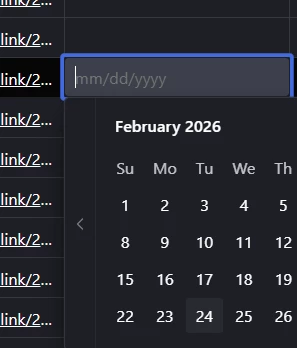
it appears this is why i cant cut or import data in unless it is MM/DD/YYYY format (which also means all the datas in the dataset are probably wrong, but i saved in s asecond text field as backup.
The field is linked to an interface, in case that means anythiung?