Solved

HIDE field only when conditions are met in form view

  • Oct 15, 2021 11:10 AM UTC
  • 2 replies
  • 108 views

Forum|alt.badge.img+6

Dear Community,

I have a trouble to hide a field with conditions in form view and I’m losing my mind with this. My goal logic is like this:
HIDE field 3, when field 1 contains “word” AND field 2 is not empty.
But form view has only option to show field with conditions. How I can make this field disappear with show field conditions ? Trying to invert the logic do not work: show field 3, when field 1 does not contain “word” AND field 2 is empty.
Any ideas ?


Best answer by Lassi_Seppa

Solved.
got it working with conditional groups (glad they are available now).
Logic is:
Show field 3 when, (field 2 is empty and field 1 does not contain “word”) or (field 2 is not empty and field 1 does not contain “word”) or (field 2 is empty and field 1 contains “word”)
Basically need to make list in the condition groups for all possible options.

View original
This topic has been closed for replies.

2 replies

Forum|alt.badge.img+6
  • Author
  • Inspiring
  • Answer
  • Oct 15, 2021 11:43 AM UTC

Solved.
got it working with conditional groups (glad they are available now).
Logic is:
Show field 3 when, (field 2 is empty and field 1 does not contain “word”) or (field 2 is not empty and field 1 does not contain “word”) or (field 2 is empty and field 1 contains “word”)
Basically need to make list in the condition groups for all possible options.


CristianCG
Forum|alt.badge.img+15
  • Participating Frequently
  • Oct 18, 2024 10:30 PM UTC

Solved.
got it working with conditional groups (glad they are available now).
Logic is:
Show field 3 when, (field 2 is empty and field 1 does not contain “word”) or (field 2 is not empty and field 1 does not contain “word”) or (field 2 is empty and field 1 contains “word”)
Basically need to make list in the condition groups for all possible options.


Hi there!

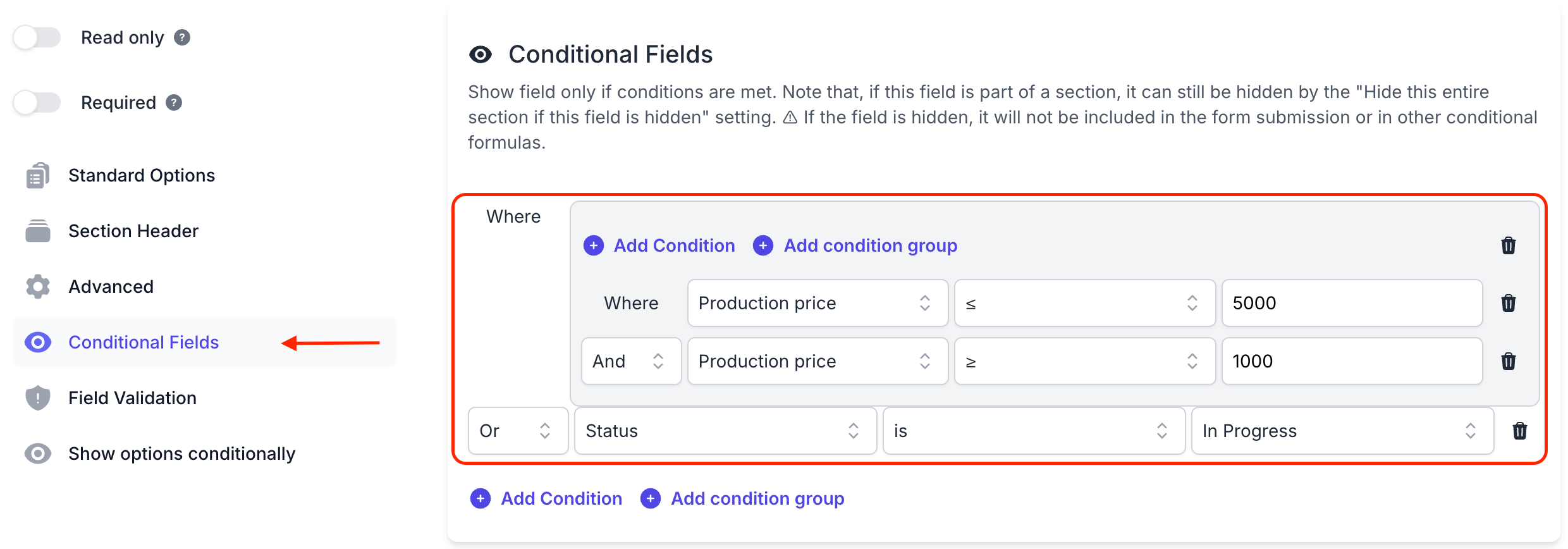
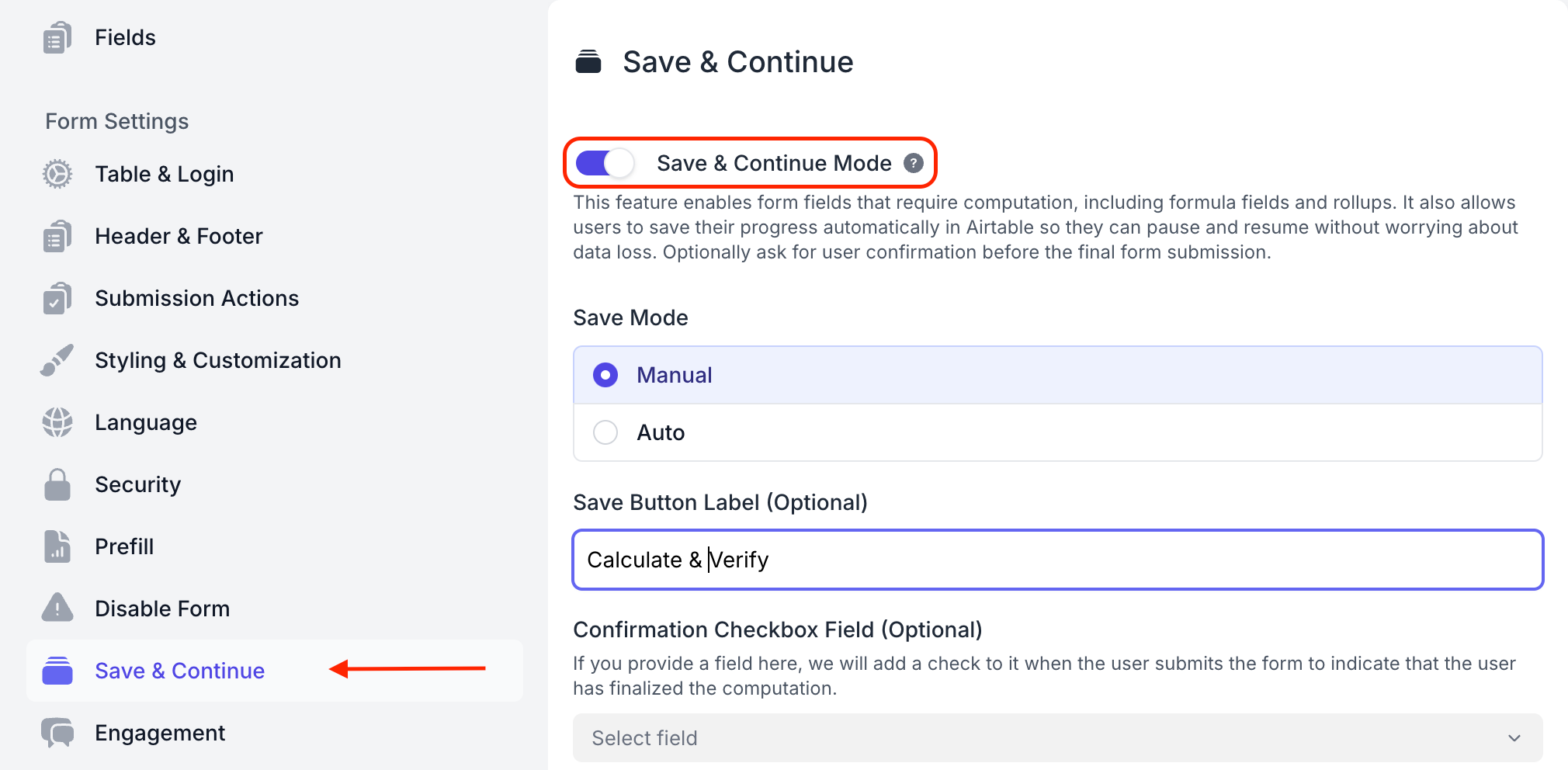
To give you even more options to work with conditional fields, at miniExtensions, we've created a third-party form that integrates seamlessly with Airtable. With our form, you can create individual or grouped conditions to show or hide fields based on the values of other fields. Plus, with our versatile Save & Continue mode, you can calculate formula fields and use them to control field visibility as well!

You can calculate the formulas manually before submitting the form or periodically every few seconds:

Feel free to try out these features with a free account on miniExtensions 👍