Bill gave you an excellent explanation of how Airtable stores dates under the hood.
Here is a suggestion for investigating if it is a timezone issue:
Customize the date field in Airtable so that it also shows a time field. Then experiment with turning on and off the “Use same time zone” toggle and see how that affects the date/times. If the date/time is correct using one of those settings, then you probably have a time zone issue.
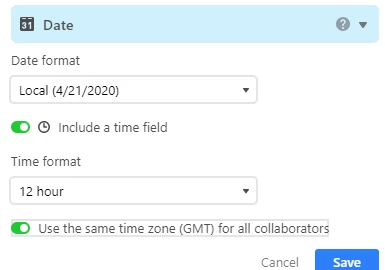
If you are able to confirm that it is a time zone issue, decide if you want to keep the dates as they are stored and adjust the “Use the same time zone” toggle, or if you want to actually change the stored values. If you want to change the stored values, you can add the offset to the date/time using a temporary formula field with the DATEADD() formula function, then copy the new values back to the original field and deleting the temporary field.




