
Question

Is there a more robust search in Airtable? (searching long/short text fields and not just the title)

  • November 13, 2025
  • 20 replies
  • 189 views

ScottPhillips
Forum|alt.badge.img+6

Hi all,


We use Airtable for project management and one challenge we often have is searching for something via a keyword or name--something that would help us find a project without knowing the exact title of the record.


Is there any sort of add-on that would help with this? Or is there something we can do to make fields show up in search results?


Thanks.

20 replies

TheTimeSavingCo
Forum|alt.badge.img+31

Hm, where are you doing this from?

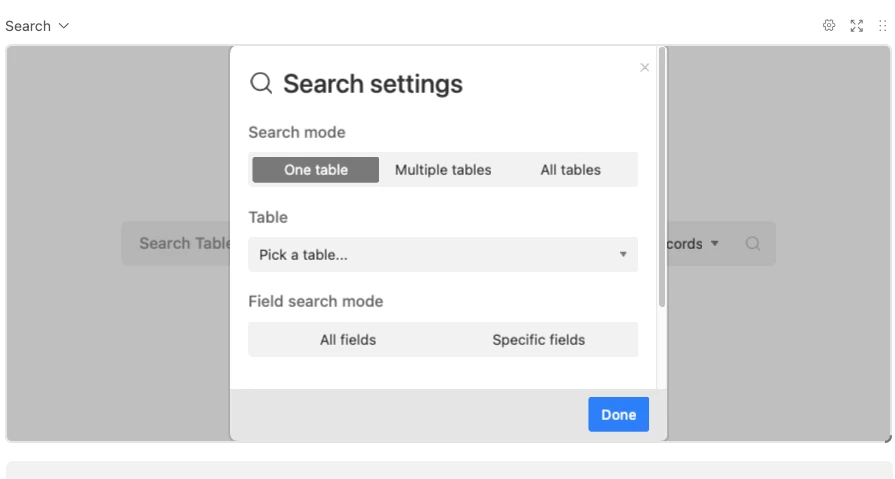
If you’re doing it from the data layer, you could look into the Search extension, which lets you search all tables, by all fields: https://airtable.com/marketplace/blknmXKkZjB7scdSq/search


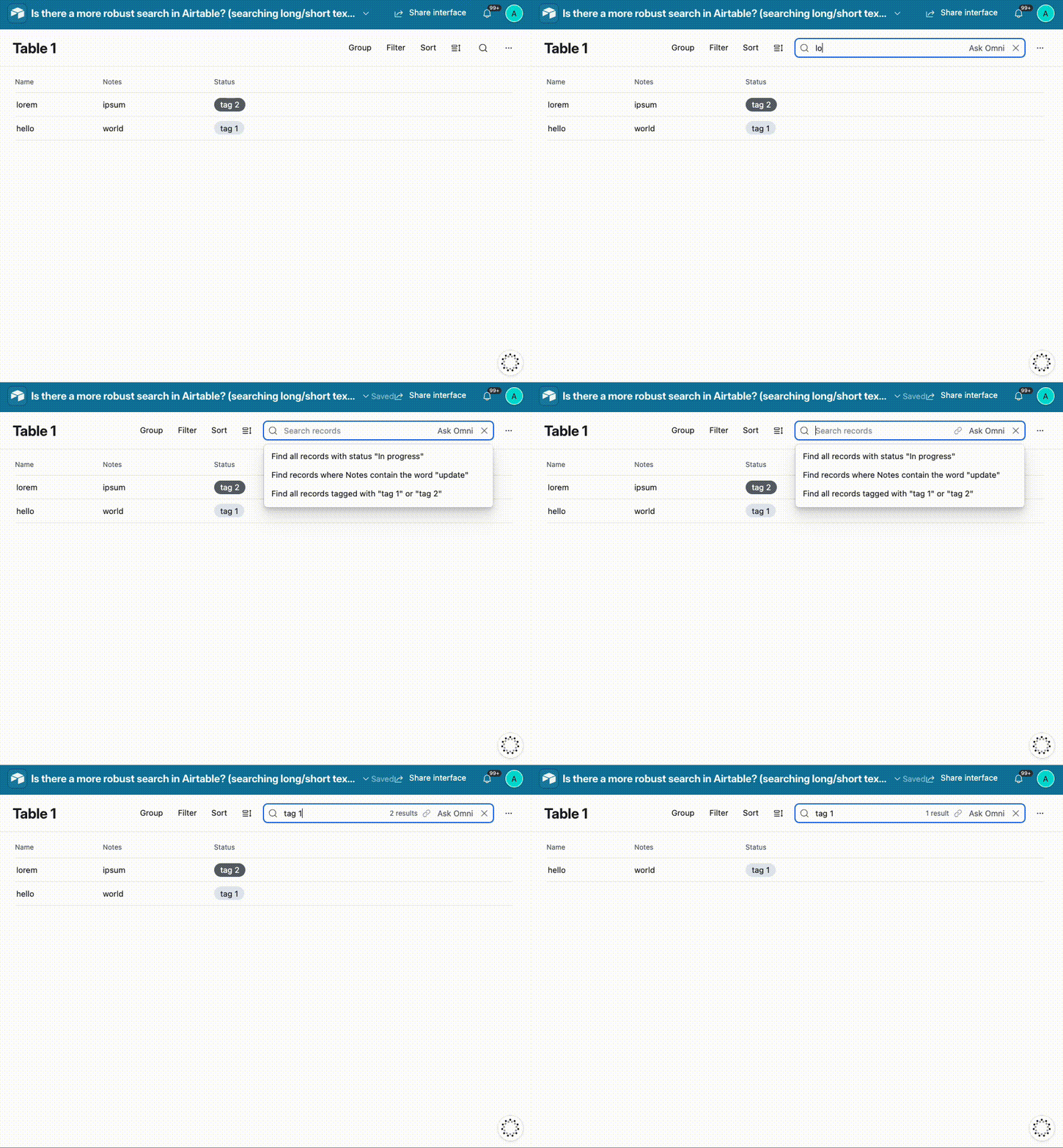
If you’re doing this via Interfaces, searching via the search bar on the top right will look for your text in all the available fields in the layout:


viktor.deri
Forum|alt.badge.img+5
  • Known Participant
  • November 14, 2025

Hi,


Searching with placeholders like * % or similar is currently not possible. So there probably won’t be an internal tool for that either?


amjad
Forum|alt.badge.img+1
  • Participating Frequently
  • November 14, 2025

Hi viktor.deri,

You're correct that Airtable doesn't support wildcard operators like * or % in the native search. However, there are a few workarounds you can use:

For pattern matching, you can create filtered views using the FIND() function in a formula field. Set up a formula like IF(FIND("searchterm", {YourTextField}), "Match", "") and then filter where that field equals "Match". This lets you find partial text matches.

If you need more complex pattern matching, REGEX_MATCH() is really powerful. You can write something like IF(REGEX_MATCH({YourTextField}, "your.*pattern"), "Match", "") which supports full regular expressions.

If you're comfortable with the API, you can use the filterByFormula parameter with FIND() or SEARCH() functions for more flexible programmatic searching.

For ScottPhillips original question, TheTimeSavingCo's suggestion about the Search extension is definitely the way to go for searching across all fields in the data view.

Hope this helps!


Mike_AutomaticN
Forum|alt.badge.img+28

Hey ​@ScottPhillips,


Also, you might want to submit this as a feature request: https://community.airtable.com/p/product-ideas


This is really really needed. 
Mike


viktor.deri
Forum|alt.badge.img+5
  • Known Participant
  • November 17, 2025

Hi viktor.deri,

You're correct that Airtable doesn't support wildcard operators like * or % in the native search. However, there are a few workarounds you can use:

...

Hope this helps!

HI, thanks!

I’m referring to the standard search fields commonly found across interfaces. It would be helpful if they allowed wildcard searches, so that you can look for text passages or, in our case, order numbers when you only know the ending.


ScottWorld
Forum|alt.badge.img+35
  • Genius
  • November 17, 2025

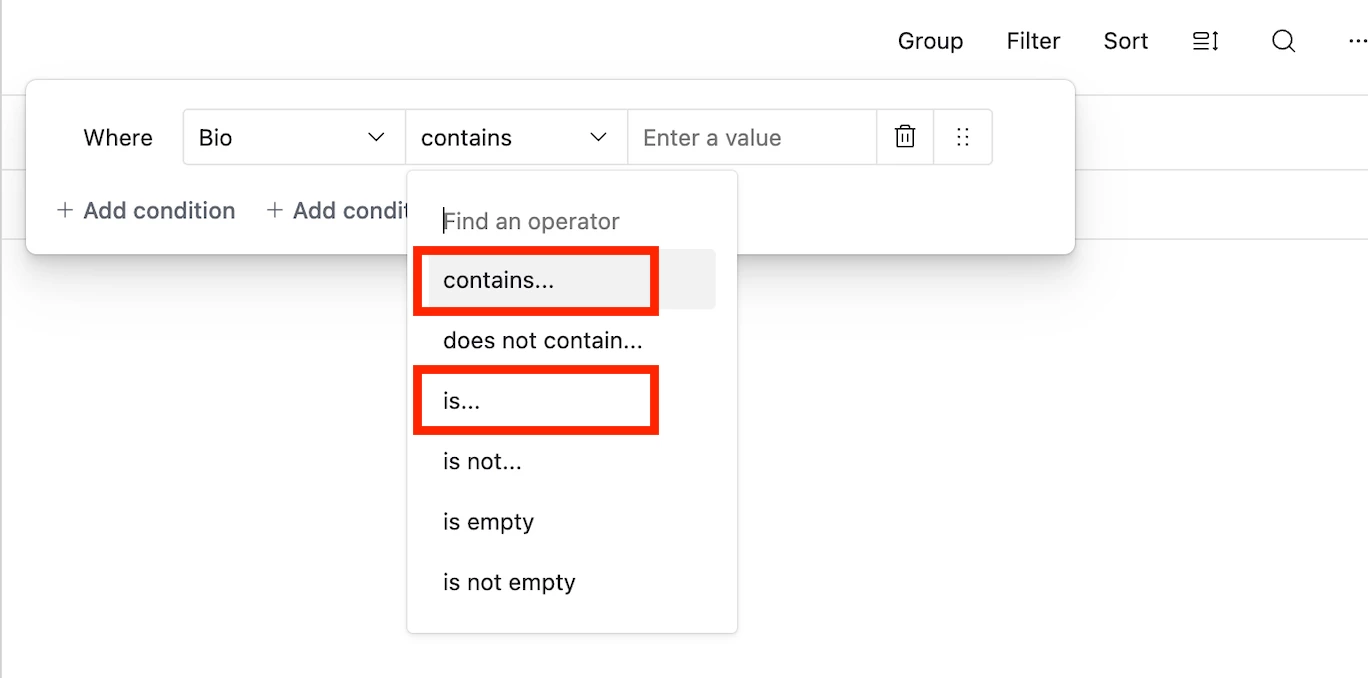
You can already do things like that with filtering: ”Order Number contains XYZ” or “Text Passage contains XYZ”.

- ScottWorld, Expert Airtable Consultant 


Mike_AutomaticN
Forum|alt.badge.img+28

Hey ​@viktor.deri,

For further reference, see image below. Is this what you mean?


Even the searchbar -without specifying field nor “is” or “contains”- was pretty smart and robust, which actually took my by surprise:


Completely different matter, but would love to have you join our Airtable Hackathon! Make sure to sign up!!

Mike, Consultant @ Automatic Nation 
YouTube Channel


viktor.deri
Forum|alt.badge.img+5
  • Known Participant
  • November 17, 2025

Hey ​@viktor.deri,

For further reference, see image below. Is this what you mean?

Hi Mike

Thanks for the idea. However, those are filters – I’m well aware of those. I’m talking about the standard search field (see image).


ScottWorld
Forum|alt.badge.img+35
  • Genius
  • November 17, 2025

What would you like to do in that search field that you can’t already get with filters?

- ScottWorld, Expert Airtable Consultant


Mike_AutomaticN
Forum|alt.badge.img+28

@viktor.deri,

Got it! Yes, that is whay I’m showing on my second screenshot. Would you mind sharing two screenshots, (1) of the record you’d like to find, and (b) the search query that is not making that record show up?

Please note that the field which you’d like to be searched for should be visible on the list (or view layout you are using) for the search to work!

Completely different matter, but would love to have you join our Airtable Hackathon! Make sure to sign up!!

Mike, Consultant @ Automatic Nation 
YouTube Channel


viktor.deri
Forum|alt.badge.img+5
  • Known Participant
  • November 17, 2025

What would you like to do in that search field that you can’t already get with filters?

- ScottWorld, Expert Airtable Consultant

I can do everything with the filters, but it’s more cumbersome. For example: a customer calls me and asks about a job in ABC Street. In that case, I just need to type “ABC Street” into the normal search field.
However, if the customer calls and can’t give me the exact street name—maybe only “BC Street”—then I can’t find it with the normal search. It would be nice to be able to type *BC Street…


Mike_AutomaticN
Forum|alt.badge.img+28

Hey ​@viktor.deri,

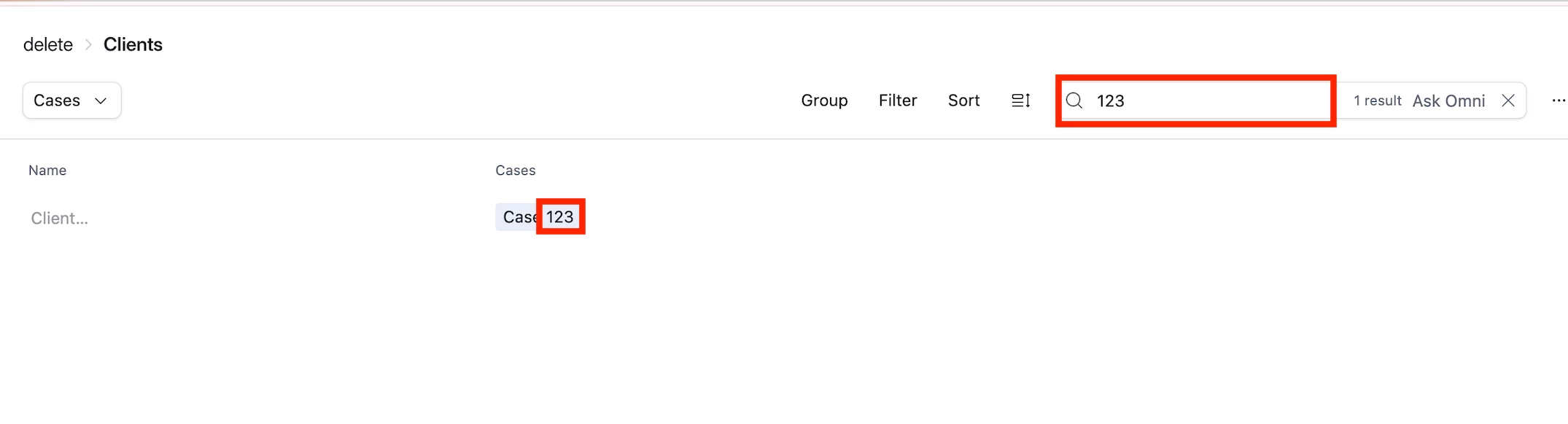
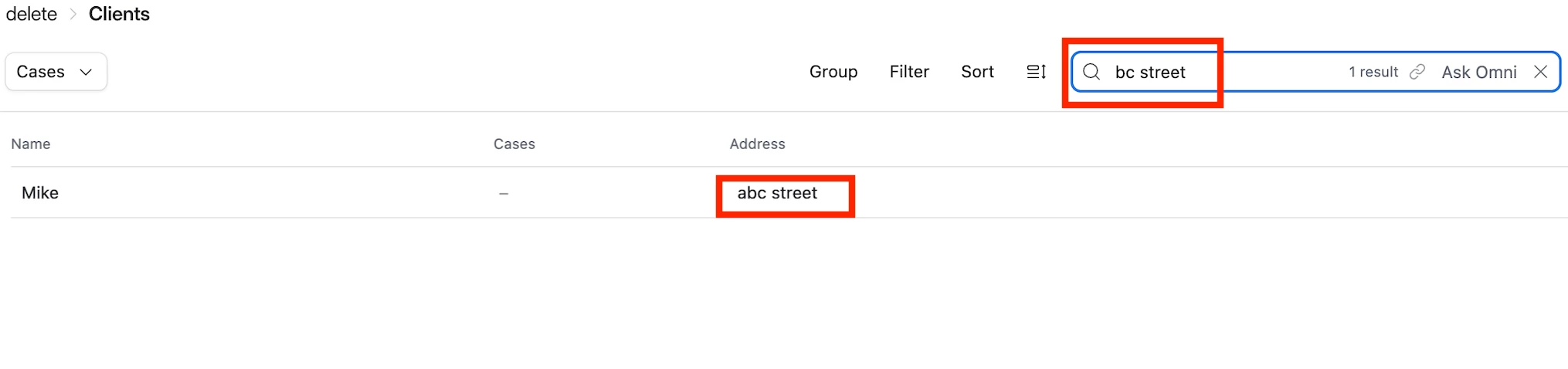
Am I missing smth? See image below. Record is still found by the query.


viktor.deri
Forum|alt.badge.img+5
  • Known Participant
  • November 17, 2025

Hey ​@viktor.deri,

For further reference, see image below. Is this what you mean?


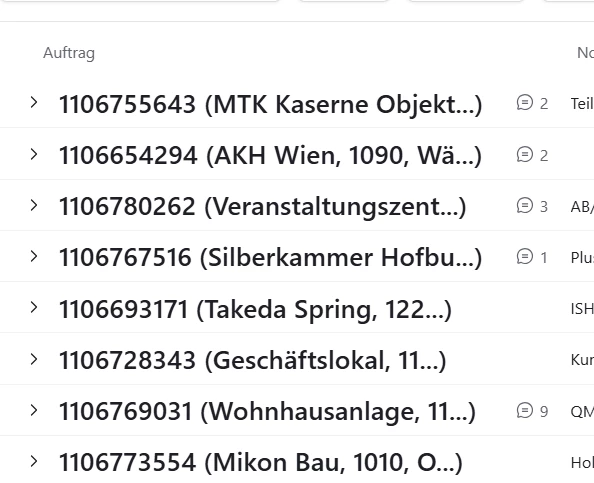
This dosnt work for me. Show my Screenshot:


If i search for 

there is no Result. If i could search *55643 it wold be great.


Mike_AutomaticN
Forum|alt.badge.img+28

I now refreshed the page, tried again and it is not showing. This is strange.


ScottWorld
Forum|alt.badge.img+35
  • Genius
  • November 17, 2025

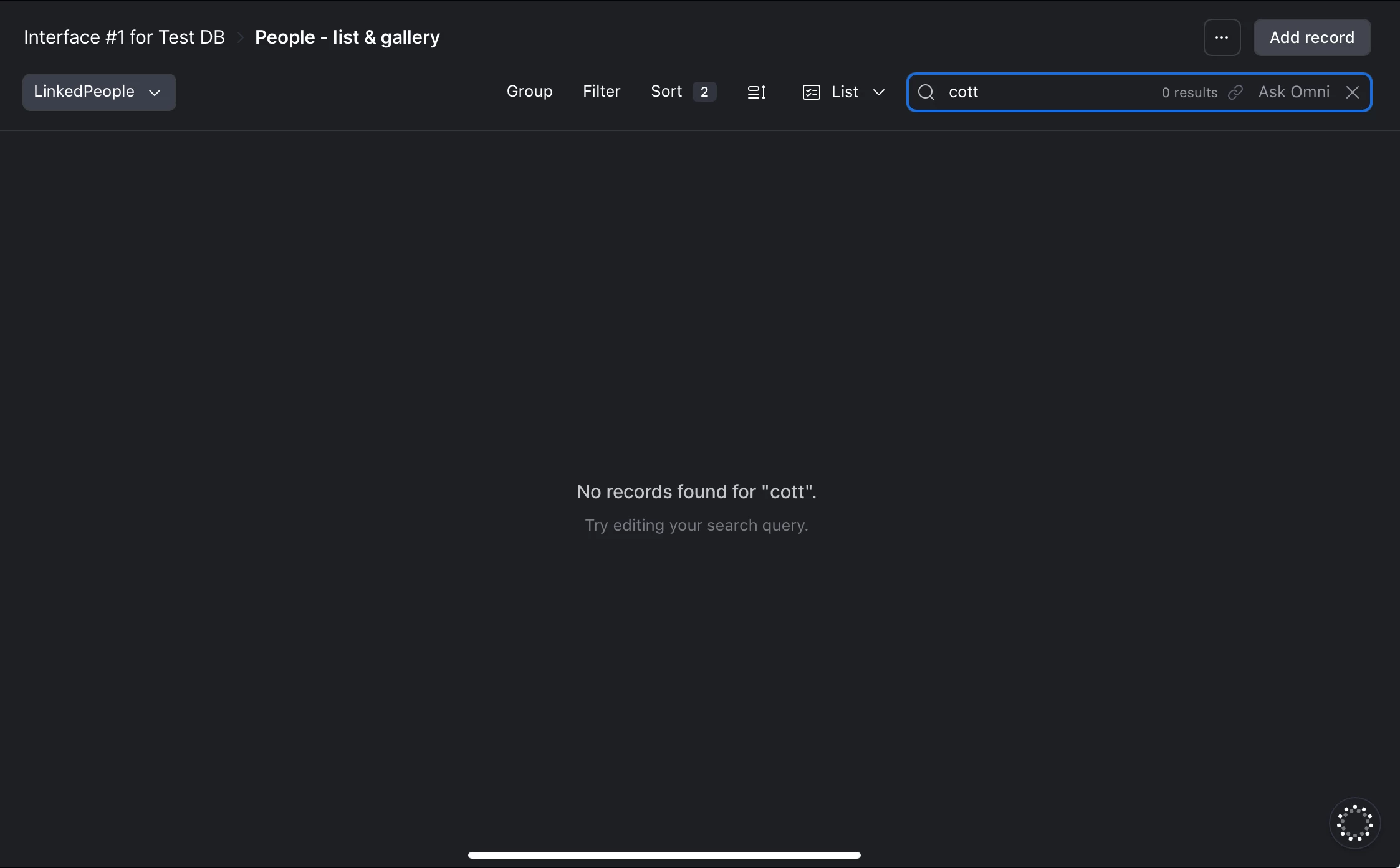
Oh, I see… now I can see that the “search” feature in Airtable’s interfaces seems to be broken. I can’t get this to work on my end.

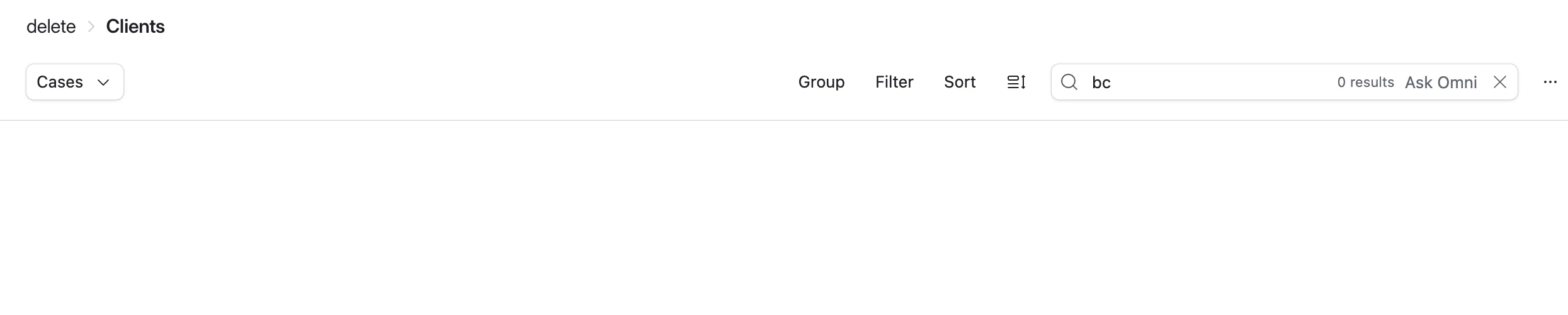
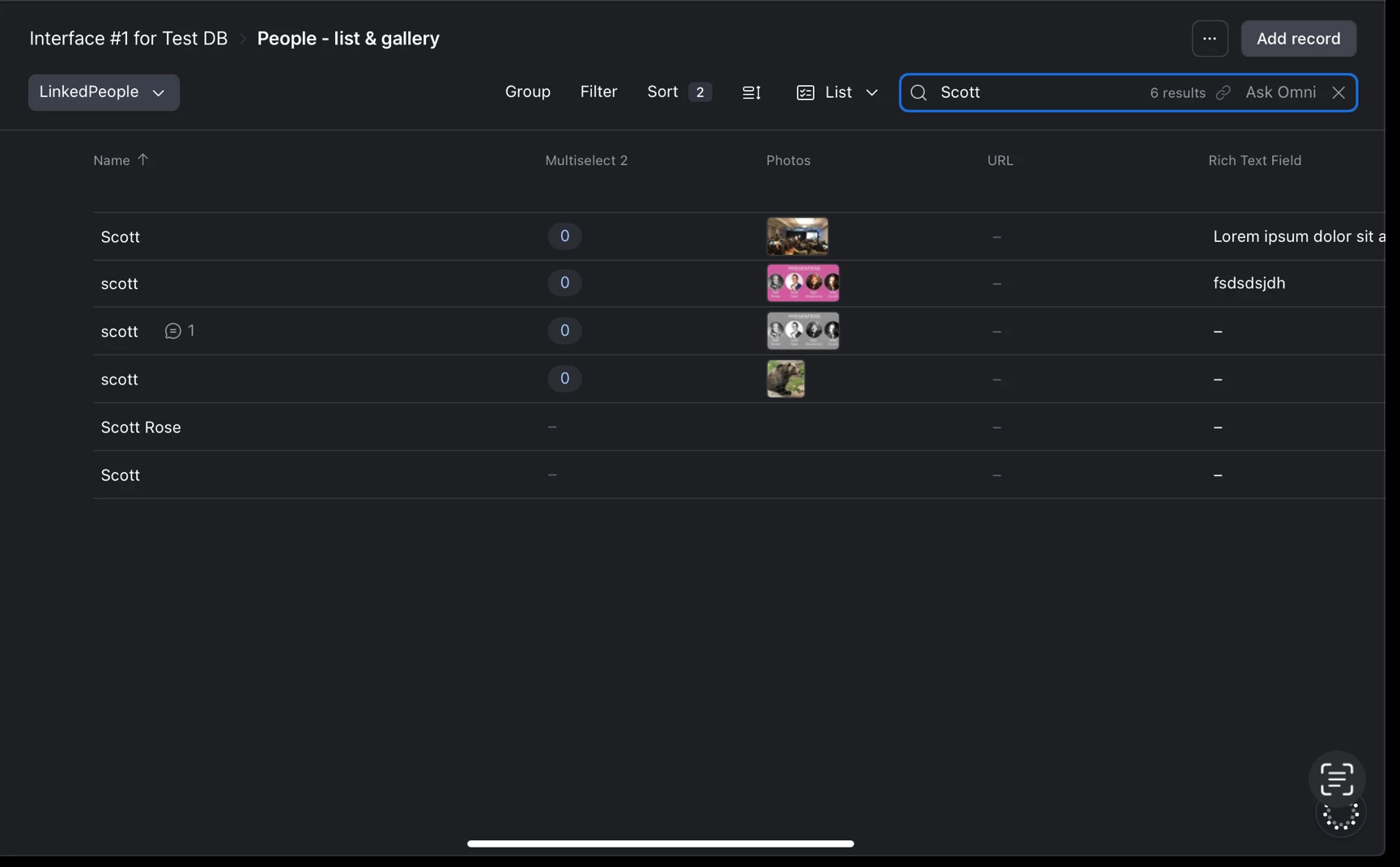
I didn’t realize that Airtable only searches on whole words starting from the very beginning of each word. That’s the only way that I can get this to work.

Check out my 2 screenshots below.  

This has gotta be a bug, right?

What makes this frustrating is that the identical search feature in the Data layer DOES actually do the type of search that you’re looking for!

However, the search feature in the Data layer has other problems — it only highlights the matching term onscreen, and it can only search the currently-visible records onscreen. 

So they really need to COMBINE the functionality of these 2 searches to make them more robust.

I would definitely report this to support@airtable.com, and also submit it to the product feedback form.

In the meantime, until Airtable fixes this, remember that this works perfectly with filters!

So, one trick that might make this easier to manage is this:

Create a formula field in Airtable that combines all of your searchable fields together into one big  formula field. Then, when you need to search for something, you can just filter on that one formula field. So you’ll get the quick & easy & universal searchability that you’re looking for, but you’ll be using Airtable’s filtering functionality to get it.

Hope this helps!

If you have a budget and you’d like to hire the best Airtable consultant to help you with this or anything else that is Airtable-related, please feel free to contact me through my website: Airtable consultant — ScottWorld


ScottWorld
Forum|alt.badge.img+35
  • Genius
  • November 17, 2025

I just reported this to Airtable Support.


ScottWorld
Forum|alt.badge.img+35
  • Genius
  • November 18, 2025

Here is the reply I received from Airtable Support:

The current search functionality is working as designed, but I understand why you’d like an improvement. Enhancing search capabilities has been a popular request, and our team is aware of the need. However, we don’t have a set timeline for if or when this feature might be added.

Right now, the platform uses prefix-based searching, meaning results must start with the text you enter. In contrast, fuzzy searching—which you're looking for—would allow results to match even if the text appears in the middle of a word. For example, searching for “Courtney” would work if you typed “Court” but not if you started with “ourtney.”


- ScottWorld, Expert Airtable Consultant


Mike_AutomaticN
Forum|alt.badge.img+28

Mhmm but it is still strange that it did work on one of my attempts (screenshot above) and it didn’t in others. Right?

Completely different matter, but would love to have you join our Airtable Hackathon! Make sure to sign up!!

Mike, Consultant @ Automatic Nation 
YouTube Channel


ScottPhillips
Forum|alt.badge.img+6
  • Author
  • Known Participant
  • November 19, 2025

Thank you all--this is helpful.


Alas, I was hoping for something for interfaces as we are transitioning our usage from base layer views to interfaces. Sigh...


ScottWorld
Forum|alt.badge.img+35
  • Genius
  • November 19, 2025

@Mike_AutomaticN 

Your search worked — and it works for me too — because you’re searching from the beginning of a word.

Airtable lets us search words from the beginning of those words, but not the middle of those words.

So, if I was searching for Scott Rose, I could search for “Sc” or “Ro”, but I couldn’t search for “cott” or “ose”.

What makes this frustrating is that the filter element CAN filter for the middle of words. It’s just the search element that can’t handle this.

So my formula trick that I listed above would be the best way to workaround this issue for now. Create one master formula field that combines all the searchable fields, and use a filter to filter on that formula field.

- ScottWorld, Expert Airtable Consultant