Unable to reproduce expression statements in the Vega-Lite block

  • February 12, 2021
  • 9 replies
  • 80 views

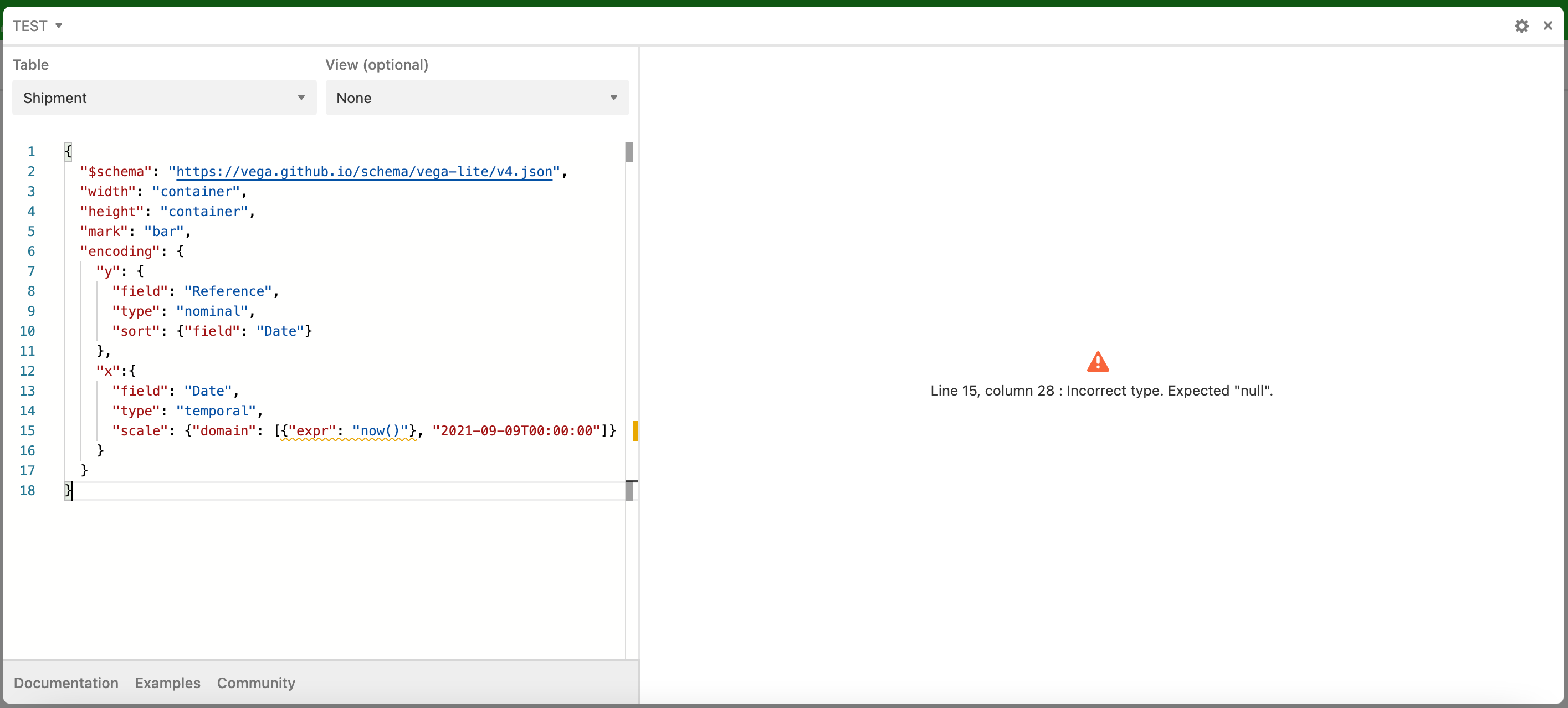
I’m unable to reproduce Vega-Lite code, which works in other editors (example). In Airtable I just get an error message for the now() statement:

"scale": {"domain": [{"expr": "now()"}, "2021-09-09T00:00:00"]}

with error message: Incorrect type. Expected “null”.

Is this a bug in the app or am I doing something wrong?
9 replies

Forum|alt.badge.img+19
  • Inspiring
  • February 12, 2021

I always assume I’m doing something wrong because in almost 100% of the cases I am. :winking_face:

I think you’ll need to change this to an actual field in your table that expresses the Now().


  • Author
  • Inspiring
  • February 15, 2021

I’m not sure whether it is a bug or not. It could also be that this block uses an old version of Vega-Lite.

BTW, it’s not only that the expressions don’t work. Also the layers don’t work as expected. This is really a pitty, because it prevents users from creating nice dashboards in Airtable. (Yes, i checked my code in an external Vega-Lite editor.)

Yes, I could solve the expression problem of Now() by adding an actual field. But I would like to keep my base as lean as possible and put all calculations into the Vega-Lite blocks.


Forum|alt.badge.img+19
  • Inspiring
  • February 15, 2021

I’m not sure whether it is a bug or not. It could also be that this block uses an old version of Vega-Lite.

BTW, it’s not only that the expressions don’t work. Also the layers don’t work as expected. This is really a pitty, because it prevents users from creating nice dashboards in Airtable. (Yes, i checked my code in an external Vega-Lite editor.)

Yes, I could solve the expression problem of Now() by adding an actual field. But I would like to keep my base as lean as possible and put all calculations into the Vega-Lite blocks.


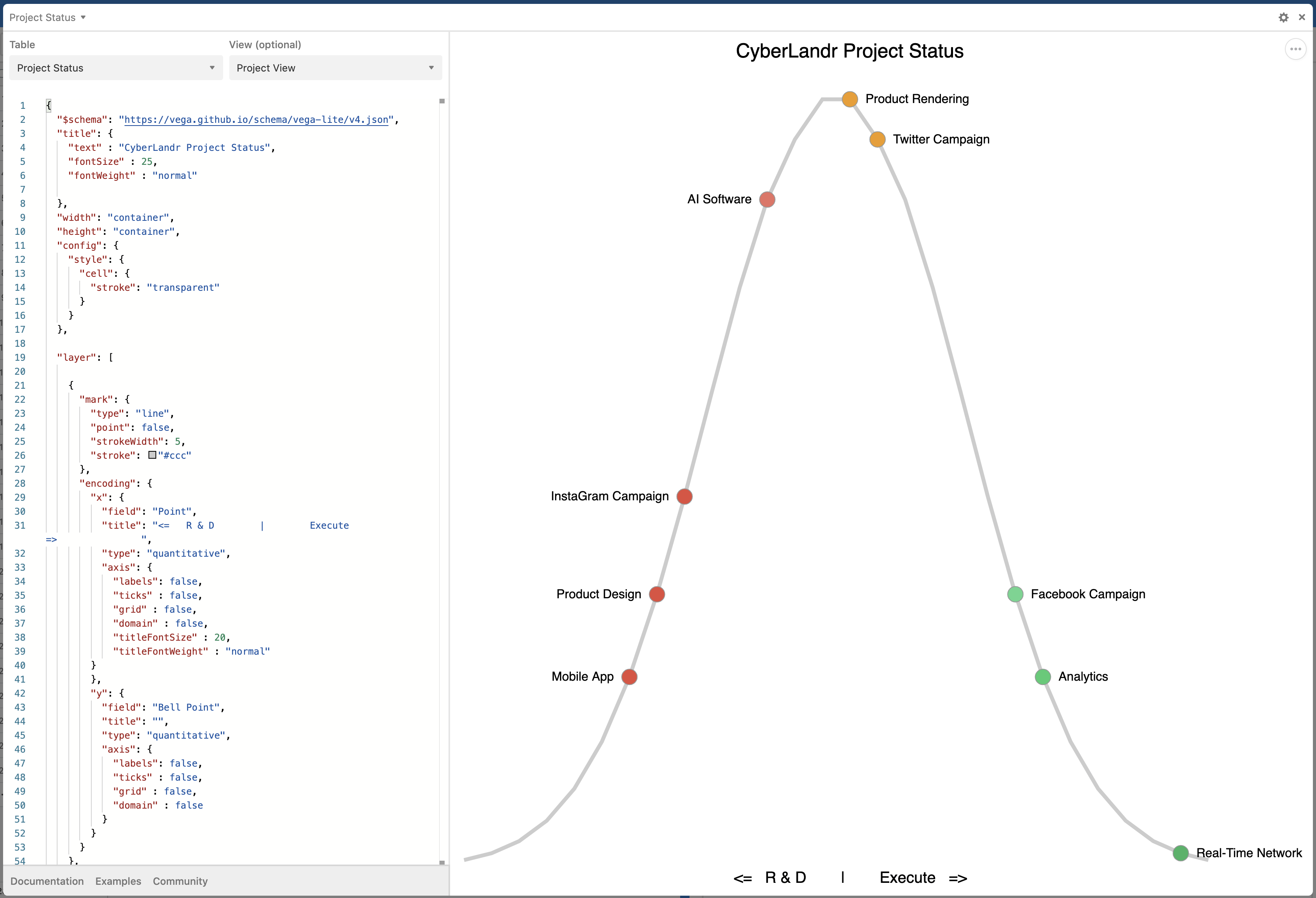
Hmmm. Layers seems to be working fine for me in this example.


  • Author
  • Inspiring
  • February 17, 2021

Now you make me curious…

I observed that I can use ‘layer’ only, if I delete this line:

"$schema": "https://vega.github.io/schema/vega-lite/v4.json",

Does that make sense to you? Would you have a small example using layers, that works for you in the Vega-Lite app?


  • Author
  • Inspiring
  • February 17, 2021

Now you make me curious…

I observed that I can use ‘layer’ only, if I delete this line:

"$schema": "https://vega.github.io/schema/vega-lite/v4.json",

Does that make sense to you? Would you have a small example using layers, that works for you in the Vega-Lite app?


Following up on my previous post:

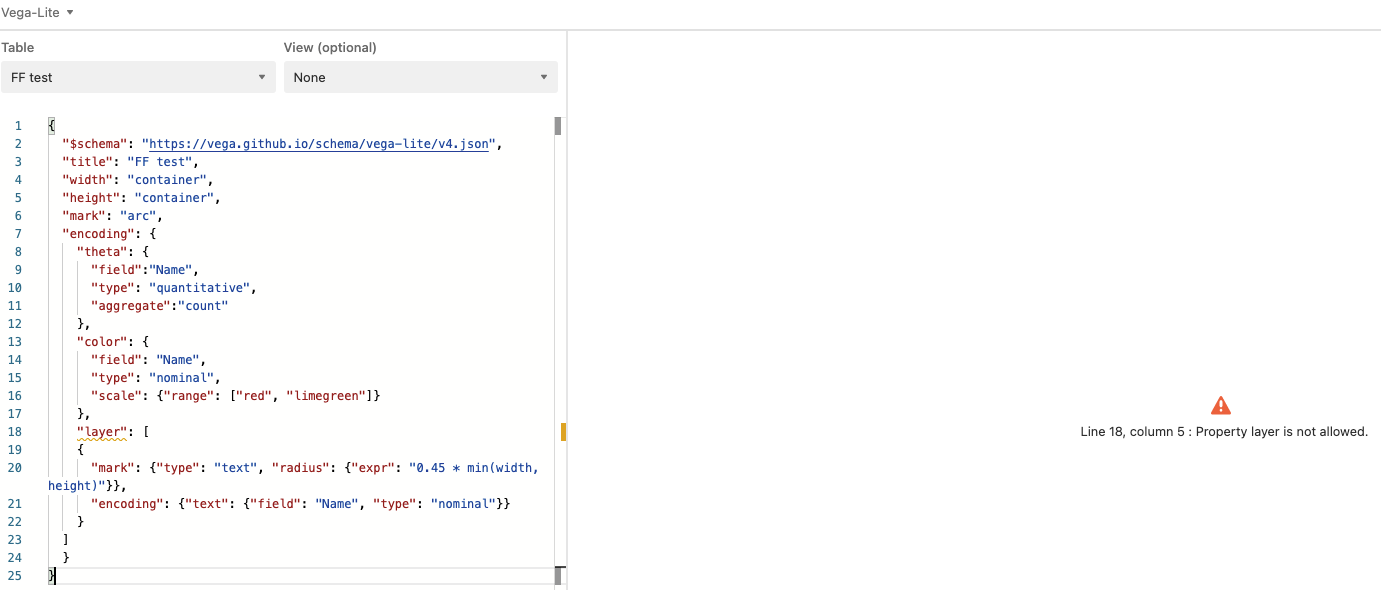
Here I made a mini example where the property ‘layer’ is not allowed.

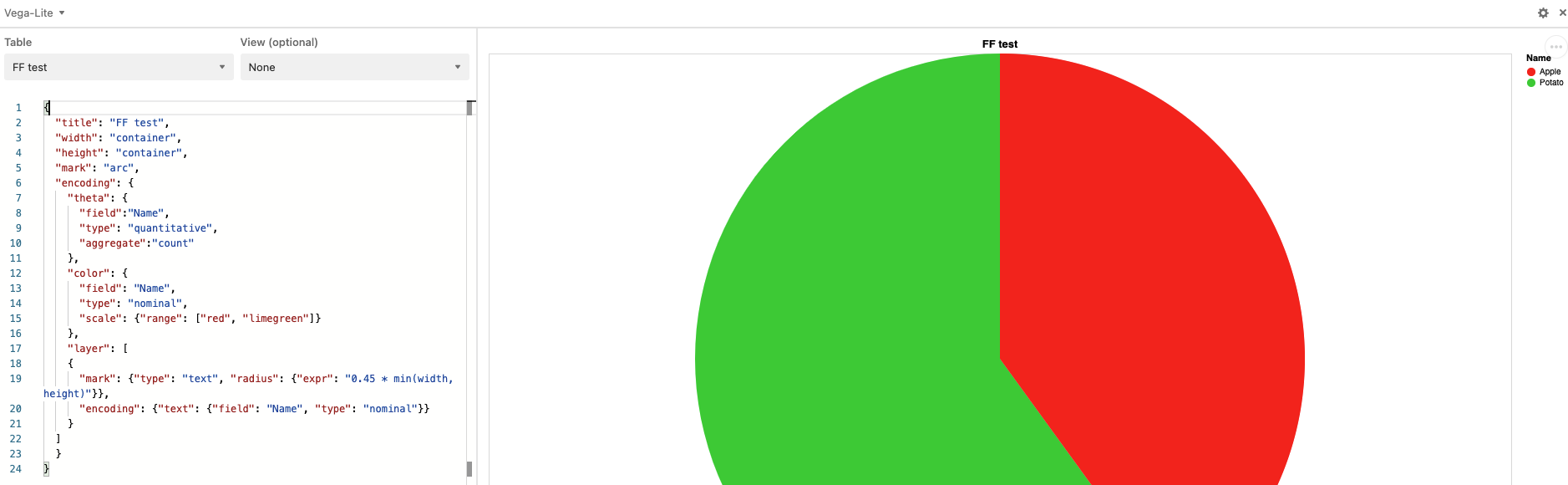
After deleting the first line I get:


Forum|alt.badge.img+19
  • Inspiring
  • February 17, 2021

Following up on my previous post:

Here I made a mini example where the property ‘layer’ is not allowed.

After deleting the first line I get:


Very strange because my examples include the schema line and include layers and seem to work fine.


Justin_Barrett
Forum|alt.badge.img+21

Following up on my previous post:

Here I made a mini example where the property ‘layer’ is not allowed.

After deleting the first line I get:


A quick peek shows that your “layer” property is inside the “encoding” property group. Looking at what @Bill.French shared, I believe that it’s supposed to be up a level.

Disclaimer: this is coming from someone who has never touched Vega-Lite. I’m just looking at the structure alone.


Forum|alt.badge.img+19
  • Inspiring
  • February 20, 2021

A quick peek shows that your “layer” property is inside the “encoding” property group. Looking at what @Bill.French shared, I believe that it’s supposed to be up a level.

Disclaimer: this is coming from someone who has never touched Vega-Lite. I’m just looking at the structure alone.


Good eye. That would certainly explain the schema connection behavior.


  • Author
  • Inspiring
  • March 4, 2021

Good eye. That would certainly explain the schema connection behavior.


Dear Bill, dear Justin,
thanks a lot for your feedback. I feel these questions are quite specific, so I really appreciate your feedback!
I will play around with the position of the layer statement and get back within the next few days.