
View based on specific time of the day Filter

  • July 16, 2020
  • 2 replies
  • 31 views

Hello,
I am new to airtable and i have a challenging task.
I am using airtable as a CRM for my business.

We want to create a view for records (Leads) with created time between 08:00 PM and 09:00 AM
The reason for doing that is because i want to use this view as a trigger for zapier.

I could not find any available filter that handle time of the day.

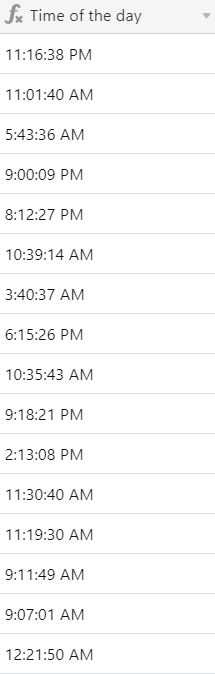
I have already created a column that show only time of the day by using the below formula:
DATETIME_FORMAT({Date Of Creation},
“LTS”)
Please check the image

how this data can be used to filter certain time?
Thanks in advance for any support or advice on this.

Regards,

This topic has been closed for replies.

2 replies

Justin_Barrett
Forum|alt.badge.img+21

Welcome to the community, @JM-Koalas! :grinning_face_with_big_eyes: In a case like this where you can’t directly filter on the data, create a formula field to isolate records within that time span, then filter on that formula’s output. Here’s a formula that should work:

OR(
    DATETIME_FORMAT(SET_TIMEZONE({Date of Creation}, "America/Los_Angeles"), "HHmmss") >= "200000",
    DATETIME_FORMAT(SET_TIMEZONE({Date of Creation}, "America/Los_Angeles"), "HHmmss") < "090000"
)

I had to force the timezone to my local time. Without that, the date is interpreted as GMT. Change the timezone specifier as needed for your area.

That formula will return a 1 when the time is on or after 8pm, or before 9am, no matter the date. Make a view filter that only shows records where this formula returns a 1, and that should work as a Zapier trigger.


  • Author
  • New Participant
  • July 16, 2020

@Justin_Barrett
You are a super hero.
Thanks a lot, that is exactly what i was looking for.
I tried it as Australia/Melbourne time and it worked perfectly.
Thanks again