
Hello! This is a repost from the AI Incubator I was a part of at the end of 2025.
I just wanted to follow up on the AI Plays webinar, quite a few people were interested in the custom interfaces but were not entirely sure what they were capable of and how to generate them. Now I can’t find exact prompts, when I’ve been testing I’ve kind of just given a vague explanation of what I’ve wanted the interface to do and then iterated and fine tuned with specific prompts to make changes to the interface.
From my understanding, Custom Interfaces use React UI Component which is essentially JavaScript and then uses a Tailwind CSS to control styling and layout. That is the extent of my code knowledge at the moment but its pretty powerful and can make some really pretty interfaces, and aesthetics are my favourite thing to play with 😂. I apologise if this reads as a tutorial, but I thought it was the best way to show how to do it.
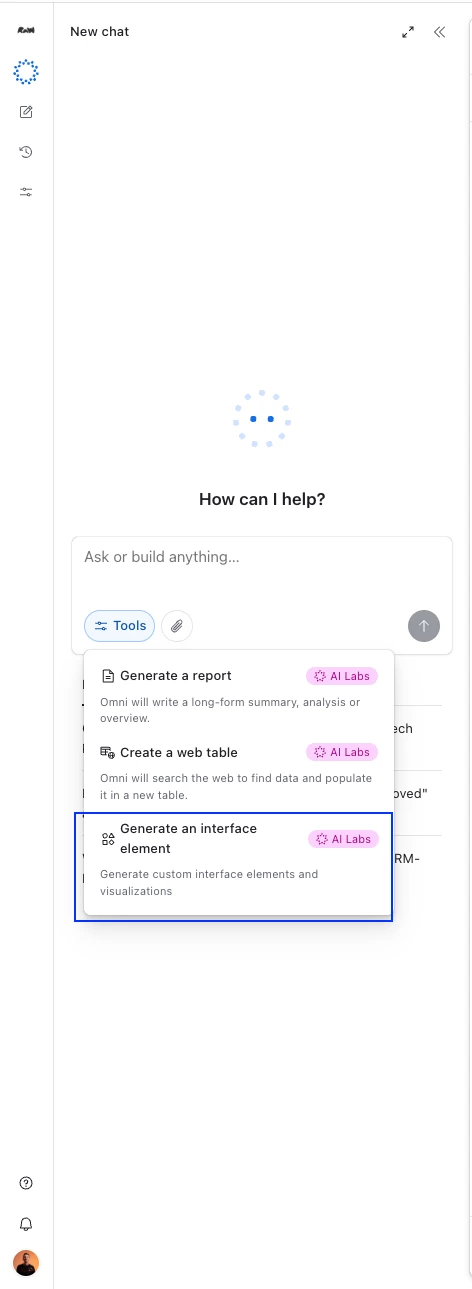
Once you’ve got the data - I find it best to use actual data in your tables so then you have a a solid base to start with and can see exactly how the information will be presented - use Omni and click the Tools > Generate an interface element (AI Labs should be switched on).
At the start of Interface creation, I usually go with the basic functionality of what I need the interface to do. I started experimenting in our style table, which essentially houses all of the products we produce with CADs, Techpacks, Style Names etc.
For the purpose of this post, I’m just going to create a brand new interface from scratch so I can show some of the prompts I’m using, you’ll be most successful if you have a clear vision of what you want the interface to look like.
My first prompt was:
Create an interface that the design team can use to browse all of our existing styles using the Styles table. There should be filter options that allow the user to filter by Gender, Brand and Designer. Also ensure the team can search the style gallery and click in to view product details. Create a gallery style view with products cards that show the CAD Images. Primary field on the product card should show the Style Name, with a secondary field that shows the Full Style Code. Tag each product with a Brand and Gender, and add a "Recently Added" tag to styles created in the last 14 days.
Omni then generates the code (which actually takes a while), and will give an explanation of what it has built:
This custom element creates a style gallery interface for the design team to browse and search styles from the Style table. The gallery displays styles as cards with CAD images, showing the Style Name as the primary field and Full Style Code as the secondary field. Each card is tagged with Brand and Gender information, and styles created in the last 14 days are automatically tagged with "Recently Added". The interface includes filtering capabilities by Gender, Brand, and Designer, along with a search function that works across style names and codes. Users can click on any style card to open the full record detail page for more information. The styles are sorted by creation date (newest first) by default, and the interface supports both light and dark modes.
Here’s the first result:
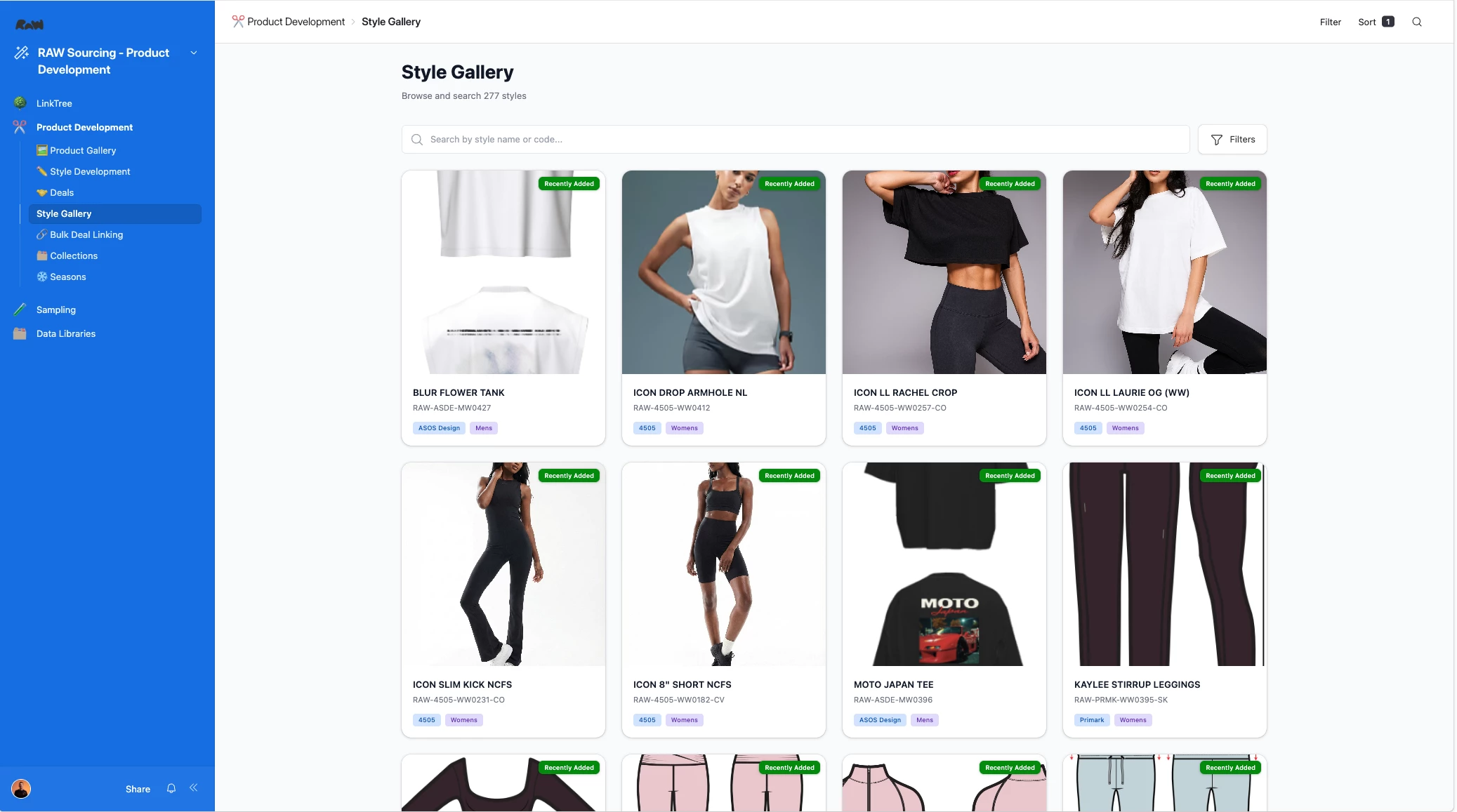
It’s a good start, but there is still so much more potential. It also doesn’t always meet the requirements. For example, in this iteration I can’t click in to view record details, but the filters and the search work great. But now I iterate, so for this case, I want to see a record detail modal (like a pop up box for each style), and I want a bit more colour and flair to it, because it’s a bit basic.
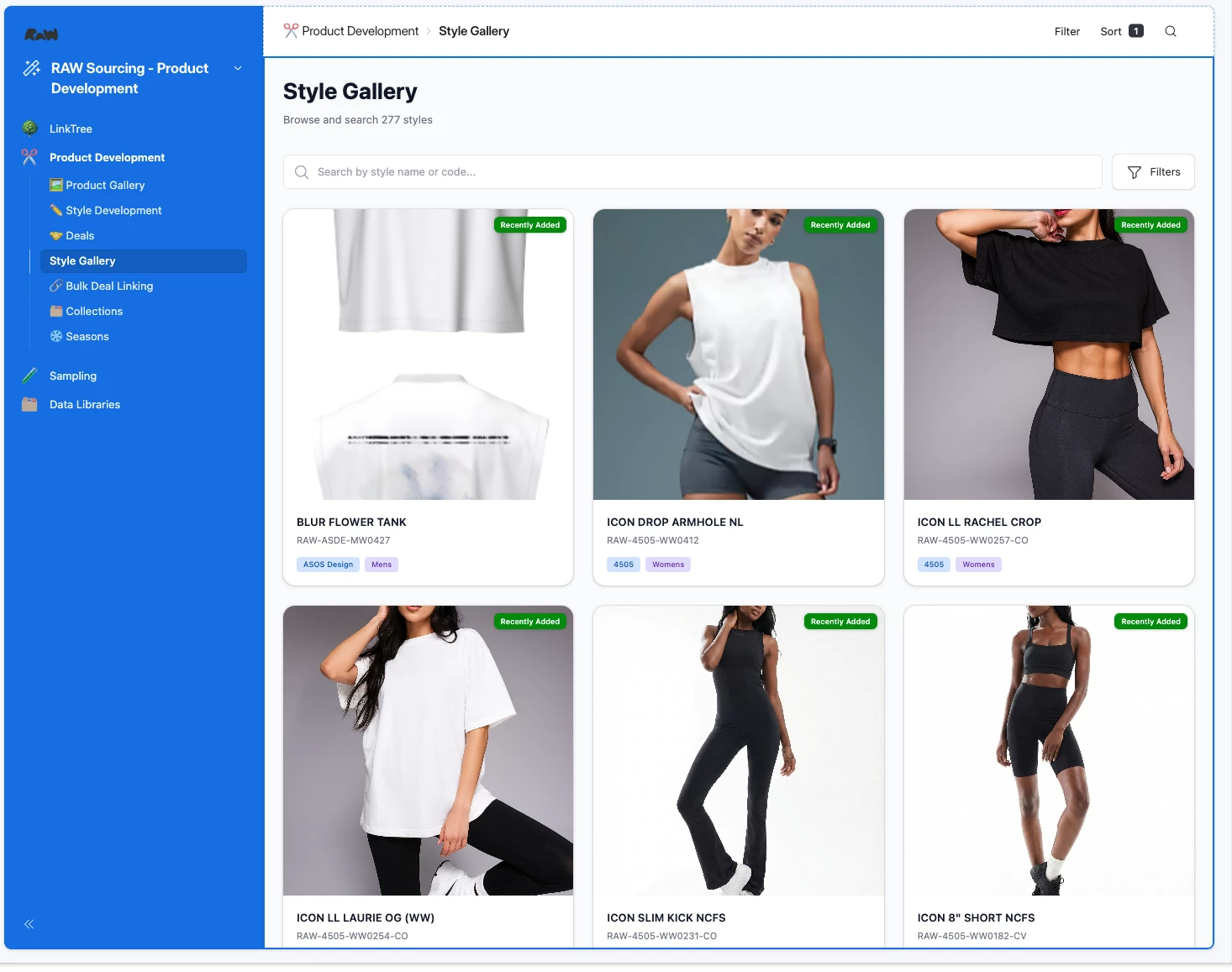
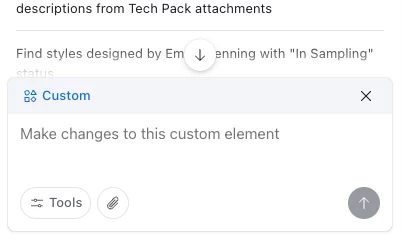
To iterate, edit and change, make sure that you’ve clicked into the custom interface from the edit view and there is a little “Custom” badge on the chat box.
Here was prompt number two:
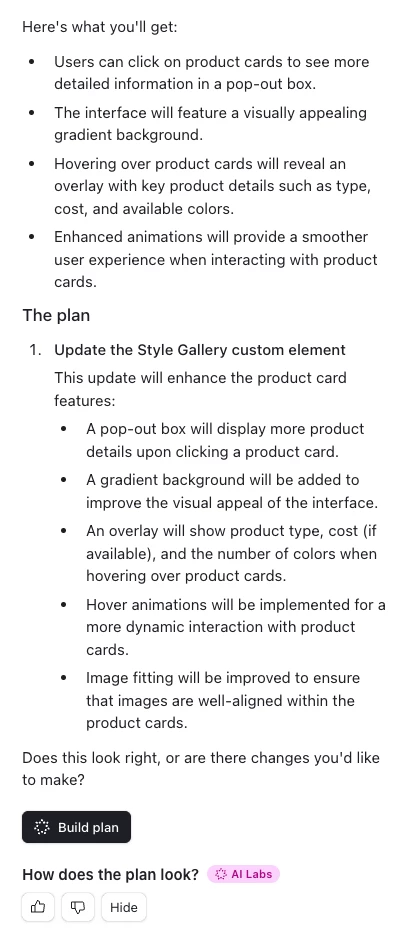
Add a pop out box that shows more product details when you click on the product card. Add a gradient styling to the background of the interface, and add an overlay when hovering over a product card that shows: product type, cost (if available), and the number of colours the product comes in. Add some hover animations for when hovering over product cards. Fit the image to the product card.
Omni then provides a build plan (if you have it switched on in AI Labs) that explains the changes it is going to make - if it makes sense, click build plan and it will regenerate the code.
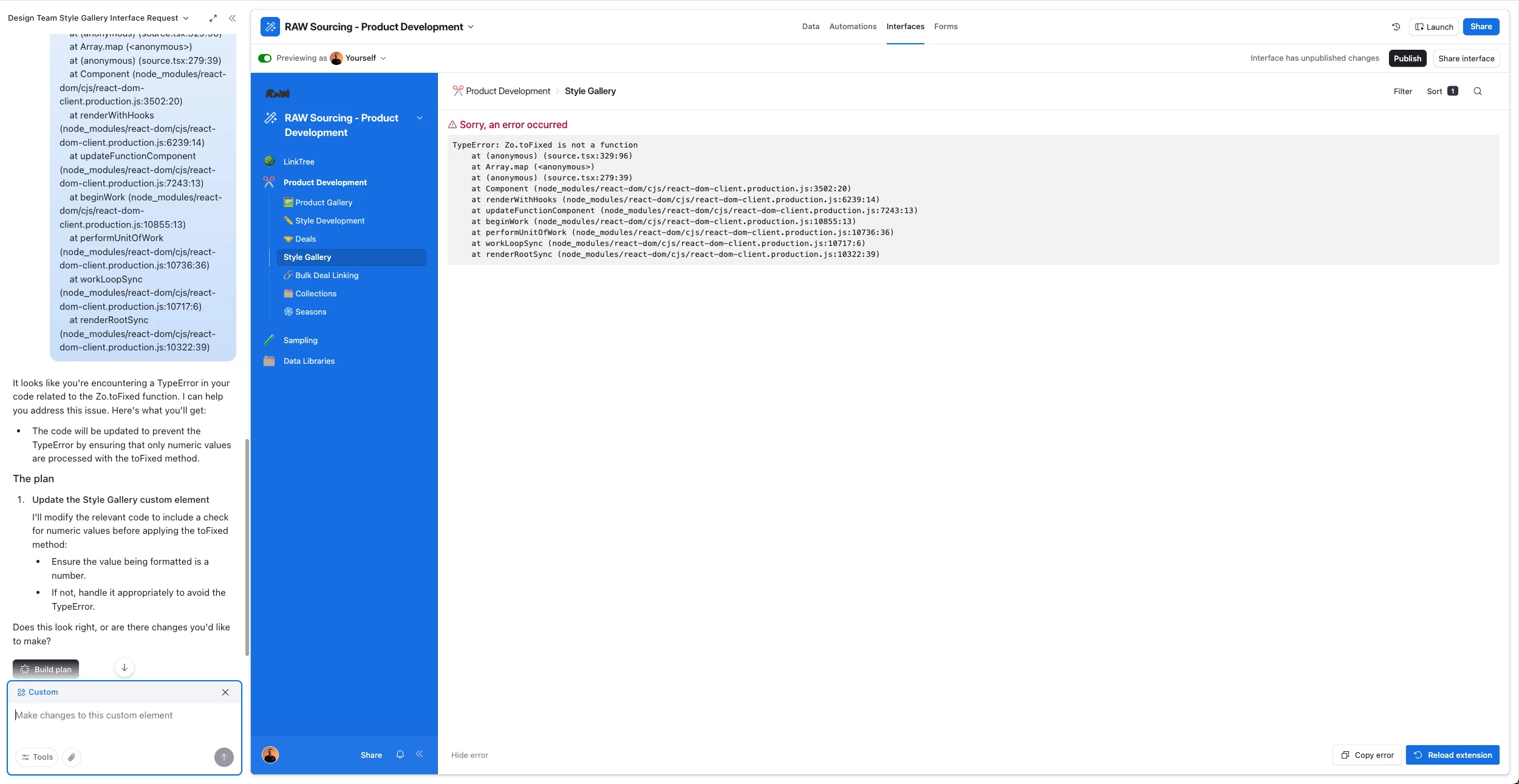
Sometimes Omni will throw an error during generation, but you can usually just copy the error and ask Omni to fix it:
And here was the result:
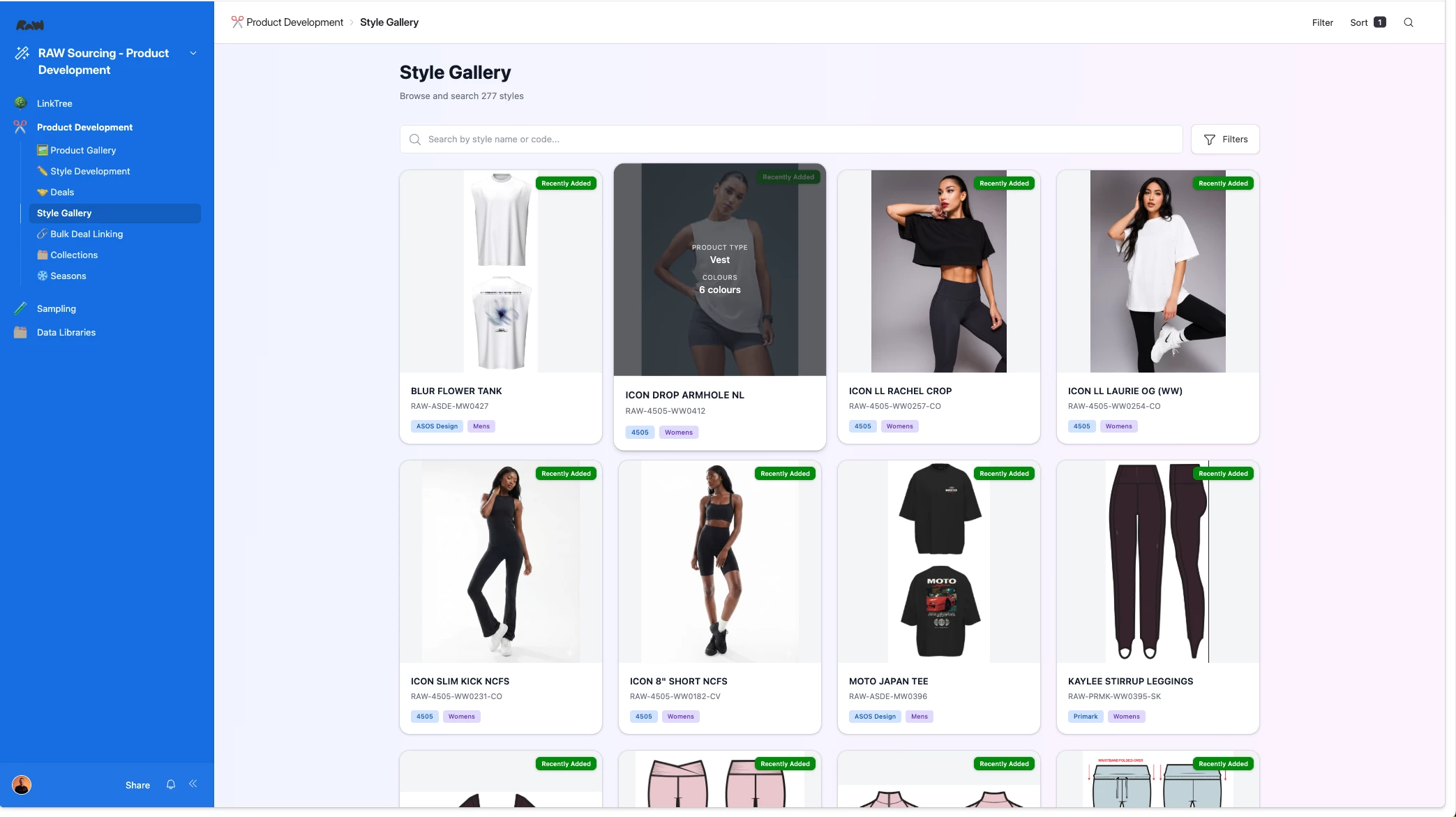
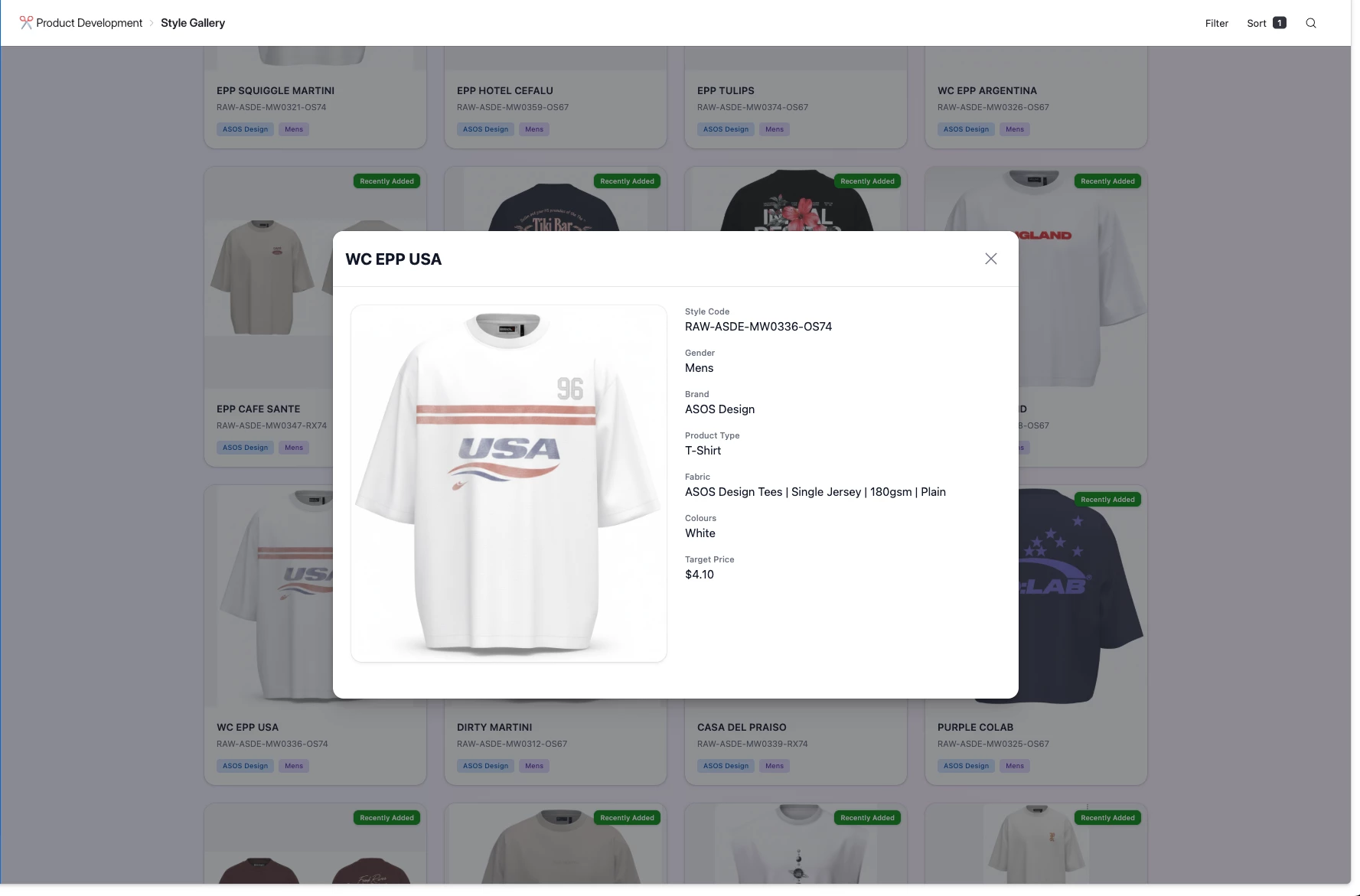
Hard to show in a screenshot, but as you scroll through the gallery, each product card has a small animation that shows which product you’re hovering over. This is pretty good and does what I need it to do, but because I like aesthetics, I want to make it flashier and prettier, so thats what I’ll tell Omni to do - I tend to direct omni in an aesthetic direction, usually gradients but you can be specific with your colours if you know exactly what you want.
Omni Prompt 3:
Add some more flair to this interface. Add gradients to each of the tags - Brand, Gender and Recently Added. Make the filters a floating box that follow the user as they scroll and can be added or removed easily. Give the interface title a bit more theatre and add improve the visual of the pop out box for product details. Add an option to open record detail.
Again Omni should provide you with a build plan:
Here's what you'll get:
-
Enhanced visual appeal with gradients on tags
-
A floating filter box that follows users as they scroll
-
A more theatrical interface title
-
Improved visuals for the product details pop-out box
The plan
-
Update your Style Gallery interface
I'll enhance the interface with the following changes:
-
Add gradient styling to the Brand, Gender, and Recently Added tags
-
Implement a floating filter box that remains visible as users scroll
-
Enhance the interface title for more visual impact
-
Improve the design of the product details pop-out box
-
Include an option to open the full record detail
-
Does this look right, or are there changes you'd like to make?
And here is the result:
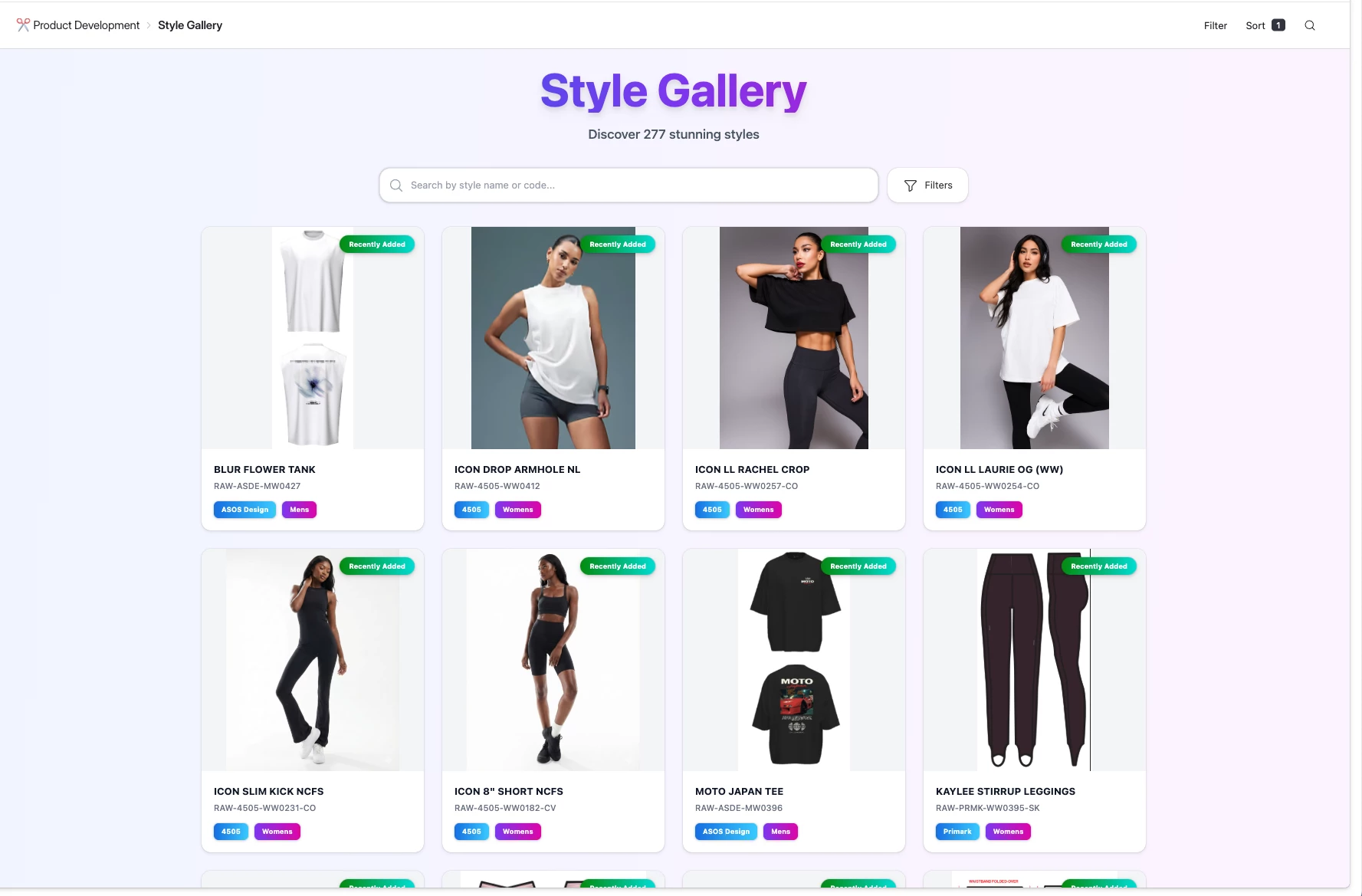
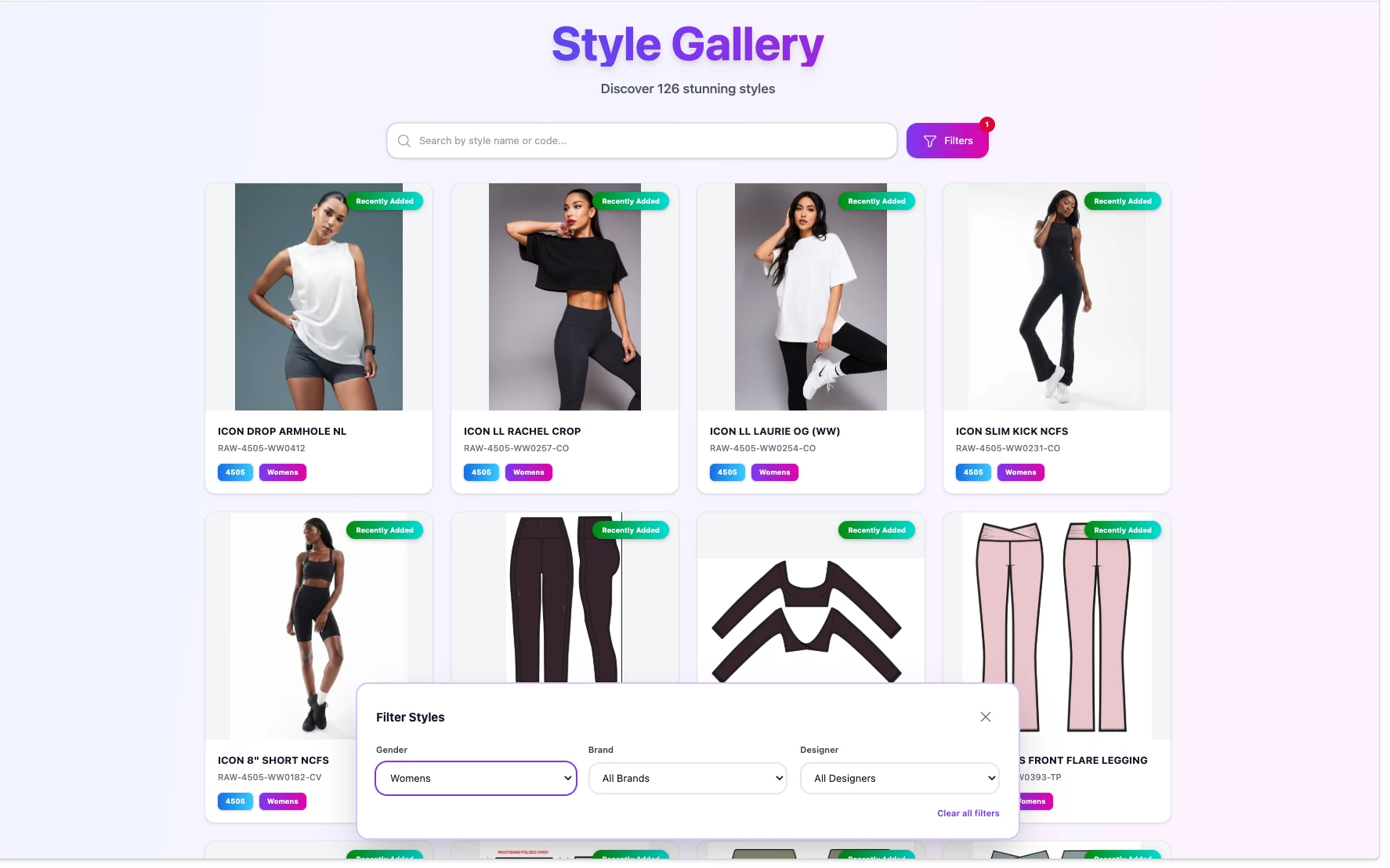
But this is not quite what I wanted for the filter so I have been specific in the next prompt:
The filters button should be a small circular button with a funnel icon, that remains in the corner of the interface and travels with the user as they scroll. Clicking the funnel should open a filter box which the designer should be able to minimise whilst scrolling.
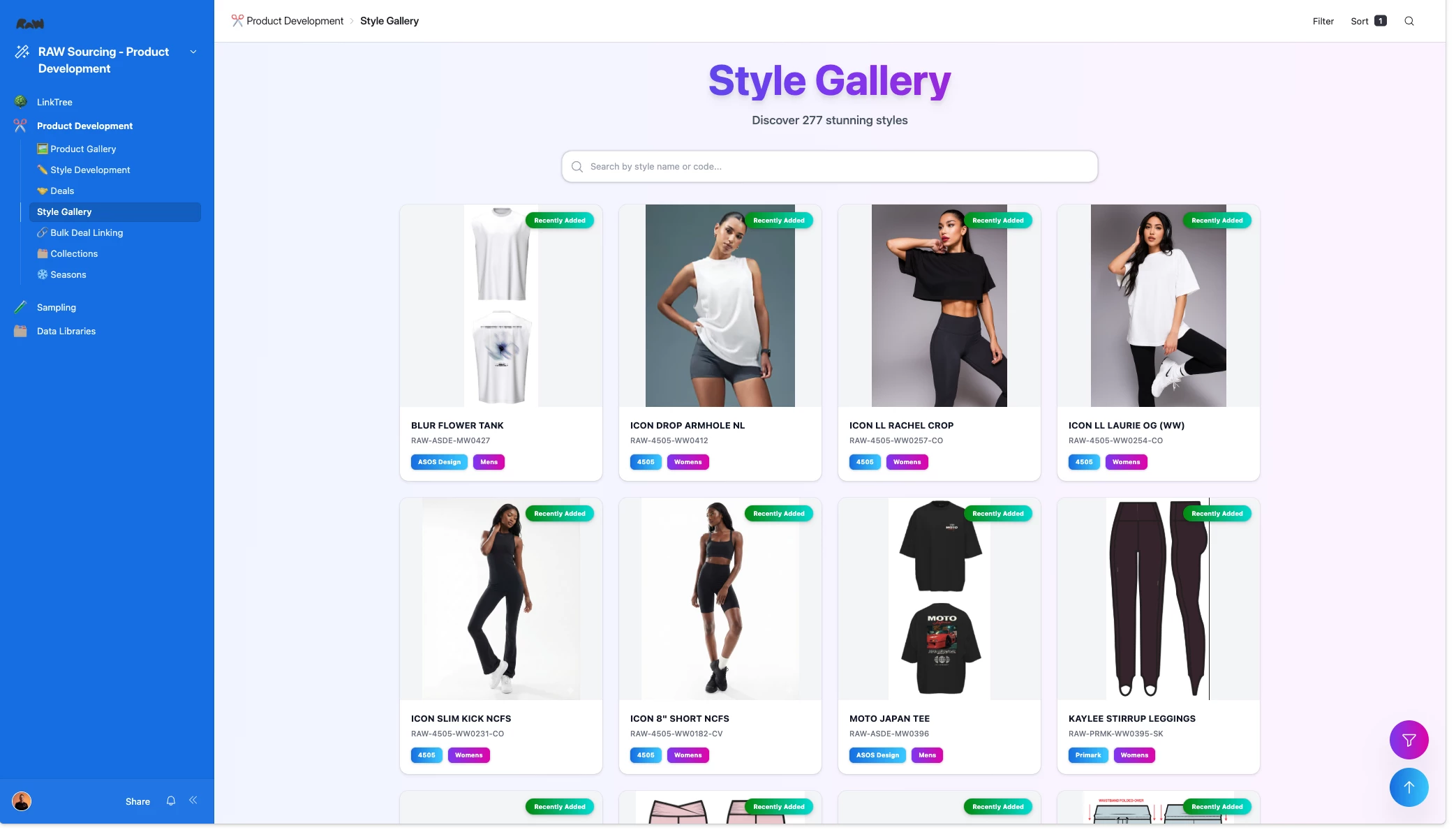
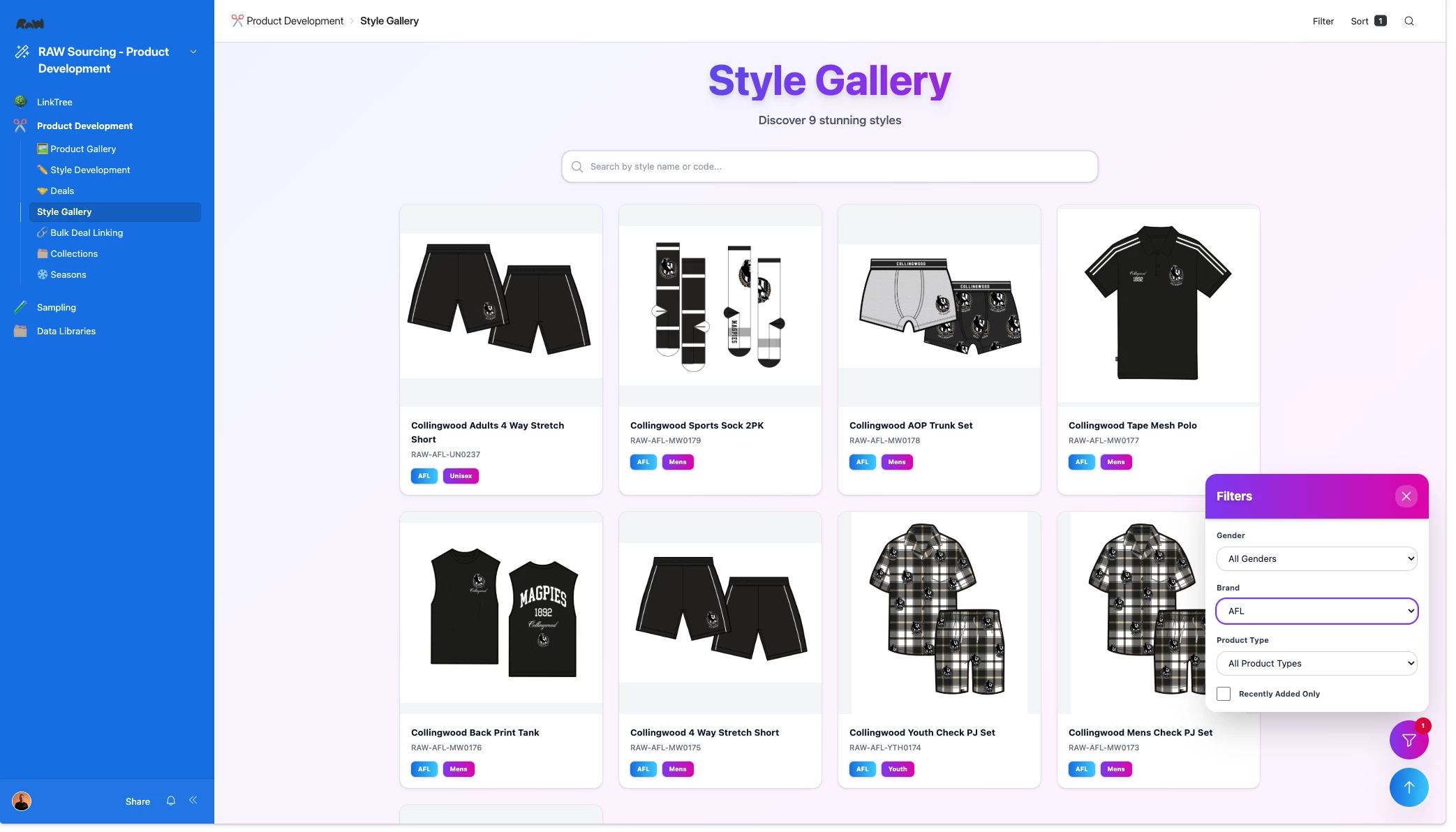
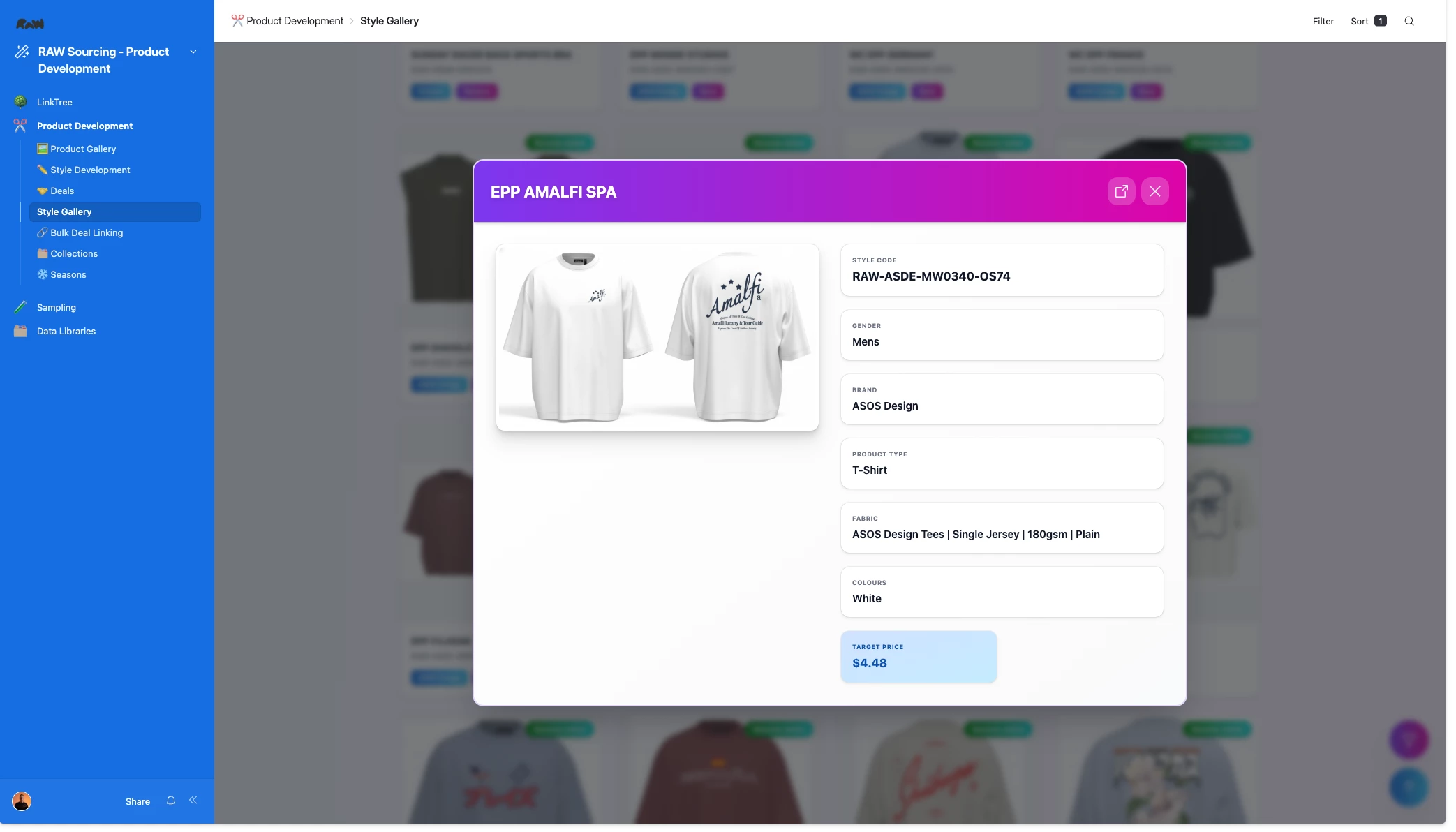
This was the final result, which I’m pretty happy with! I’ve attached a few more screenshots for some other interfaces I’ve created, and also a Loom Video that shows a majority of them in action (there’s no voiceover, just a visual tour).
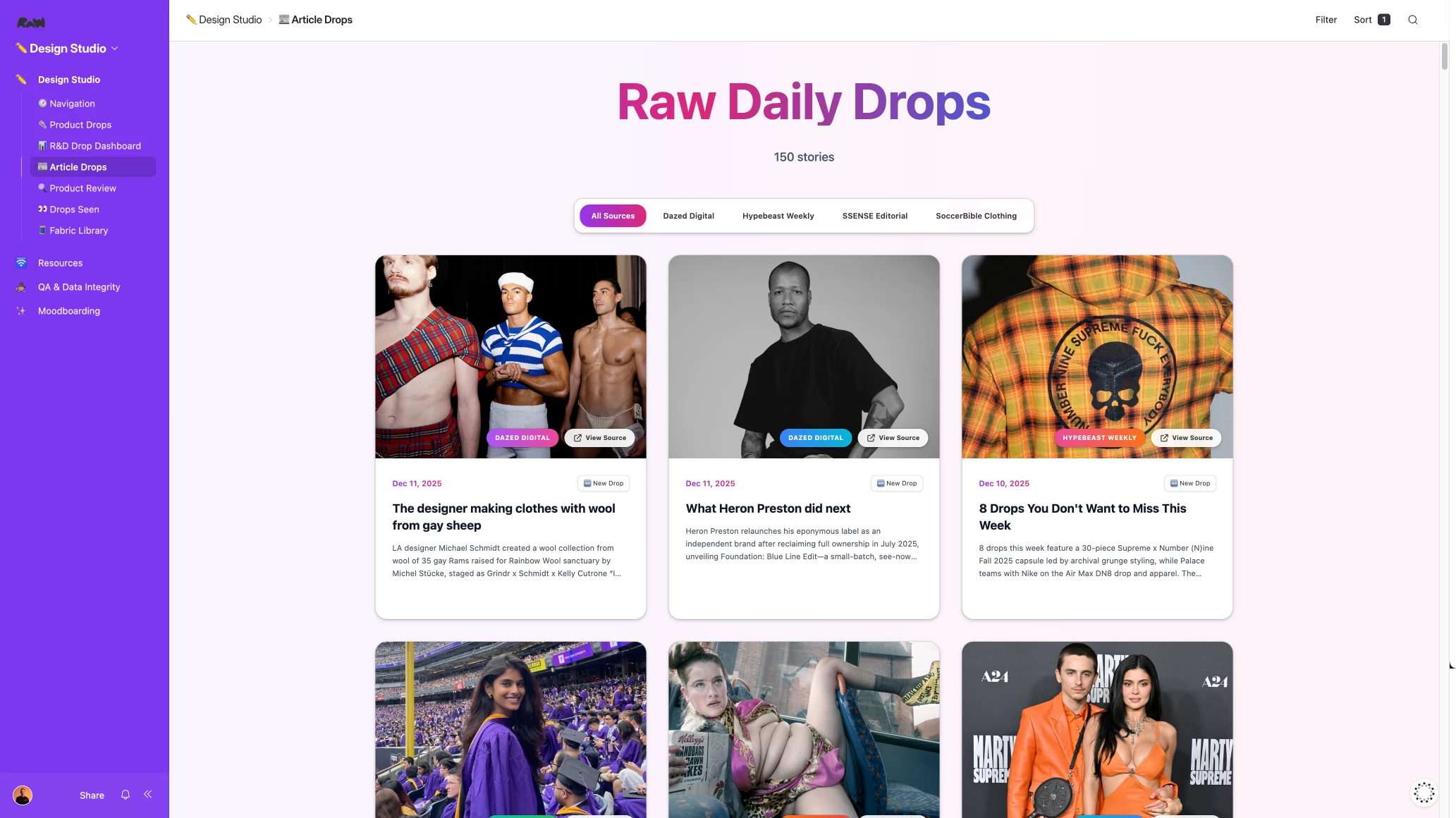
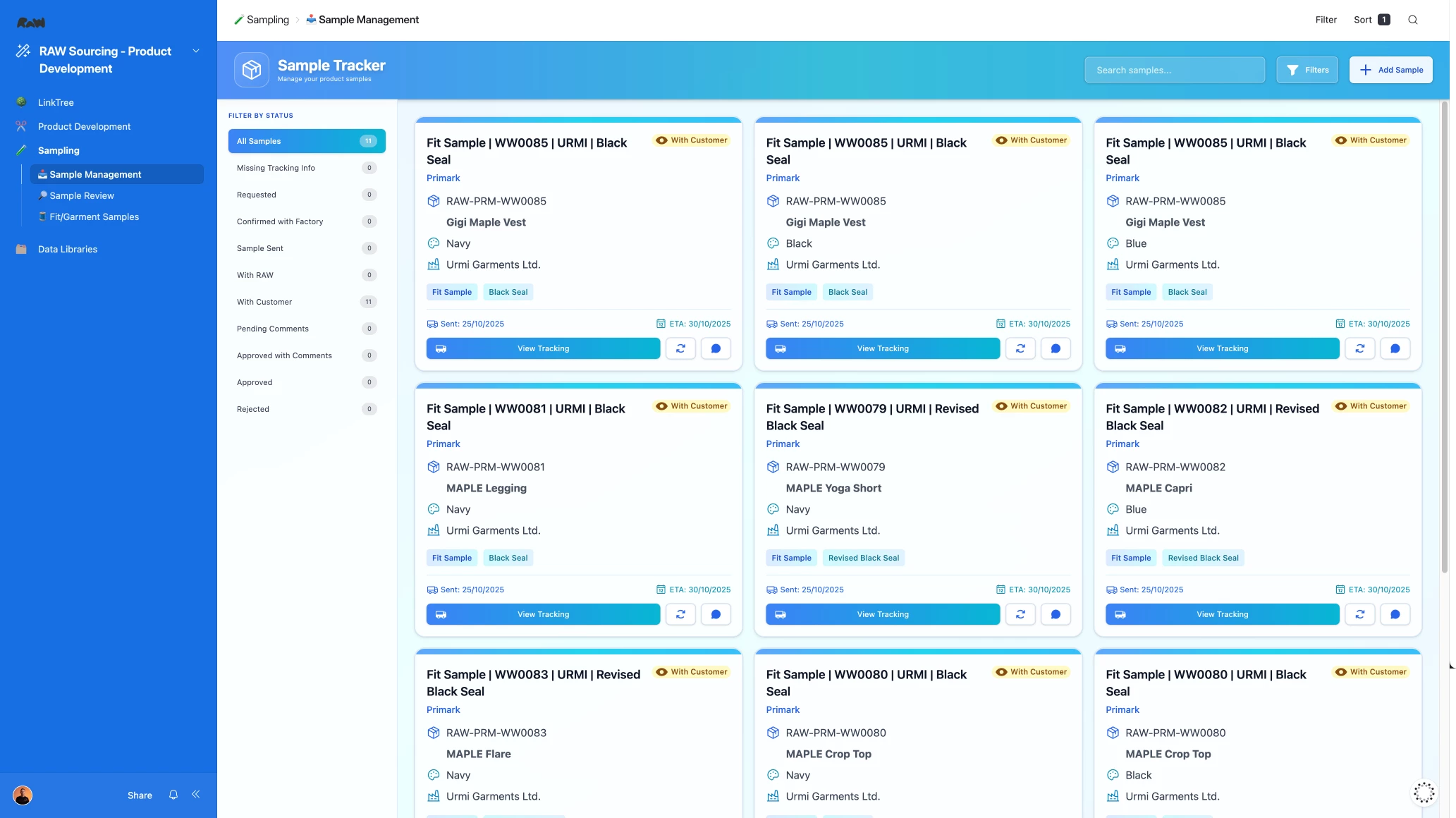
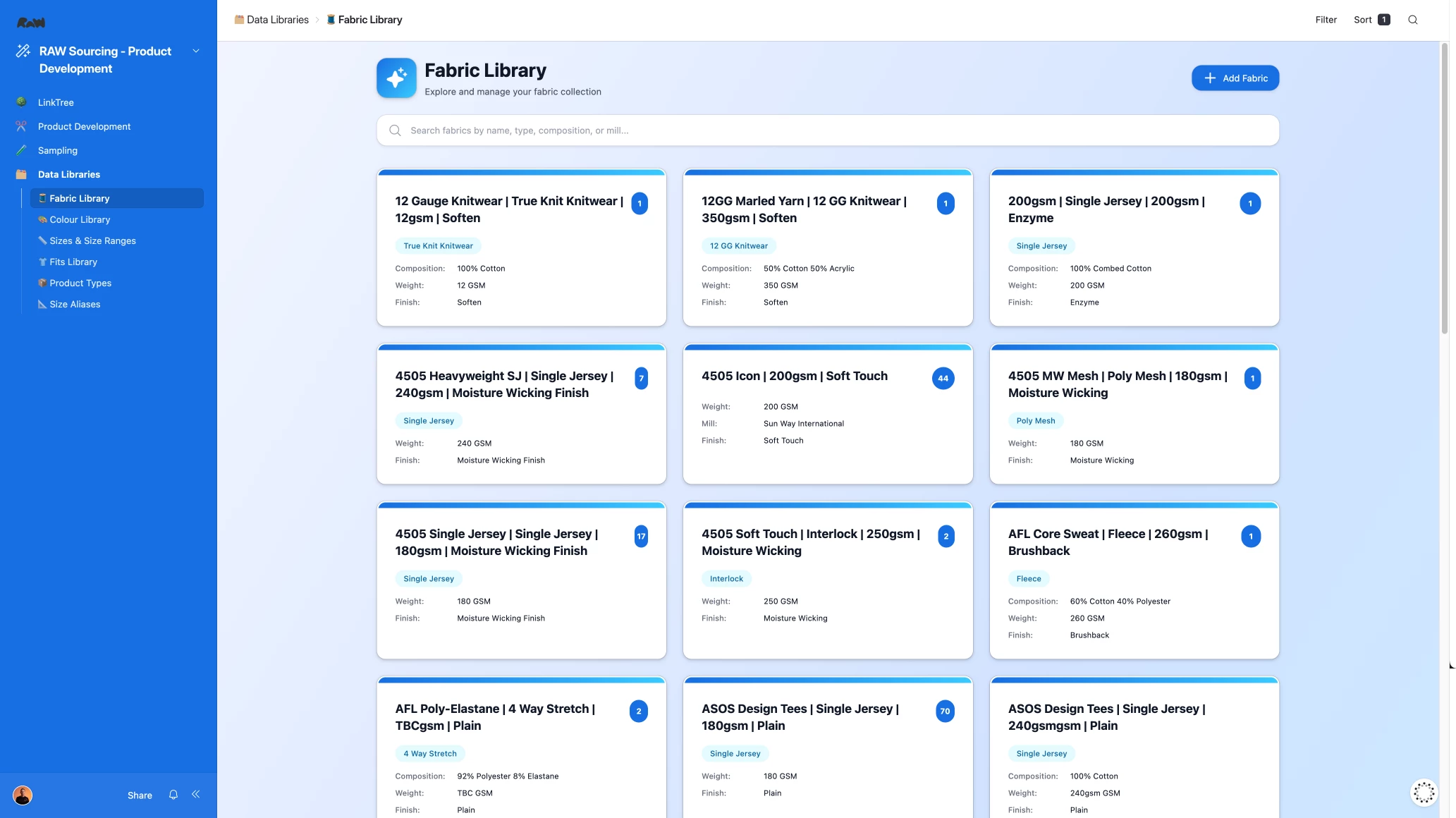
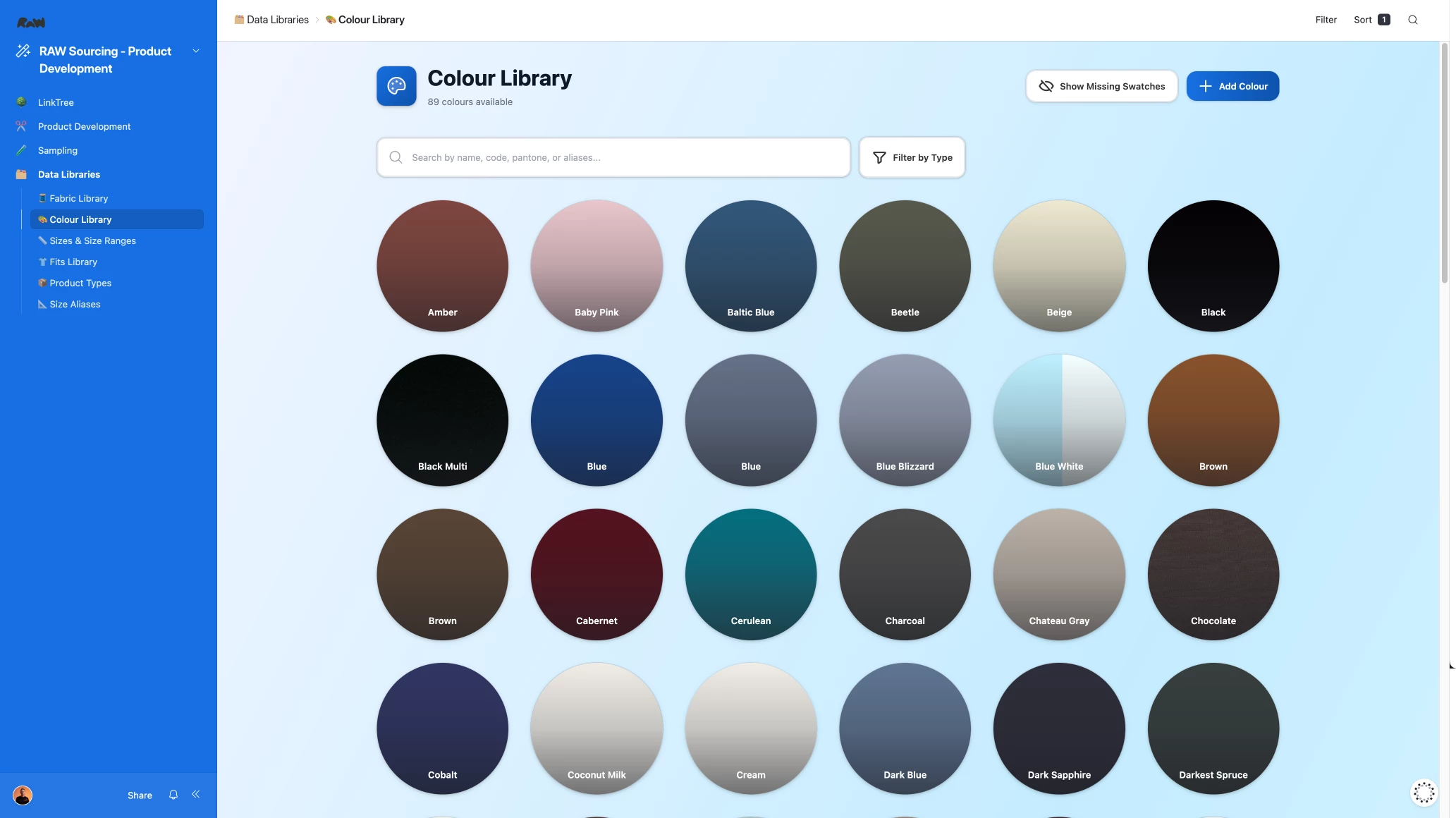
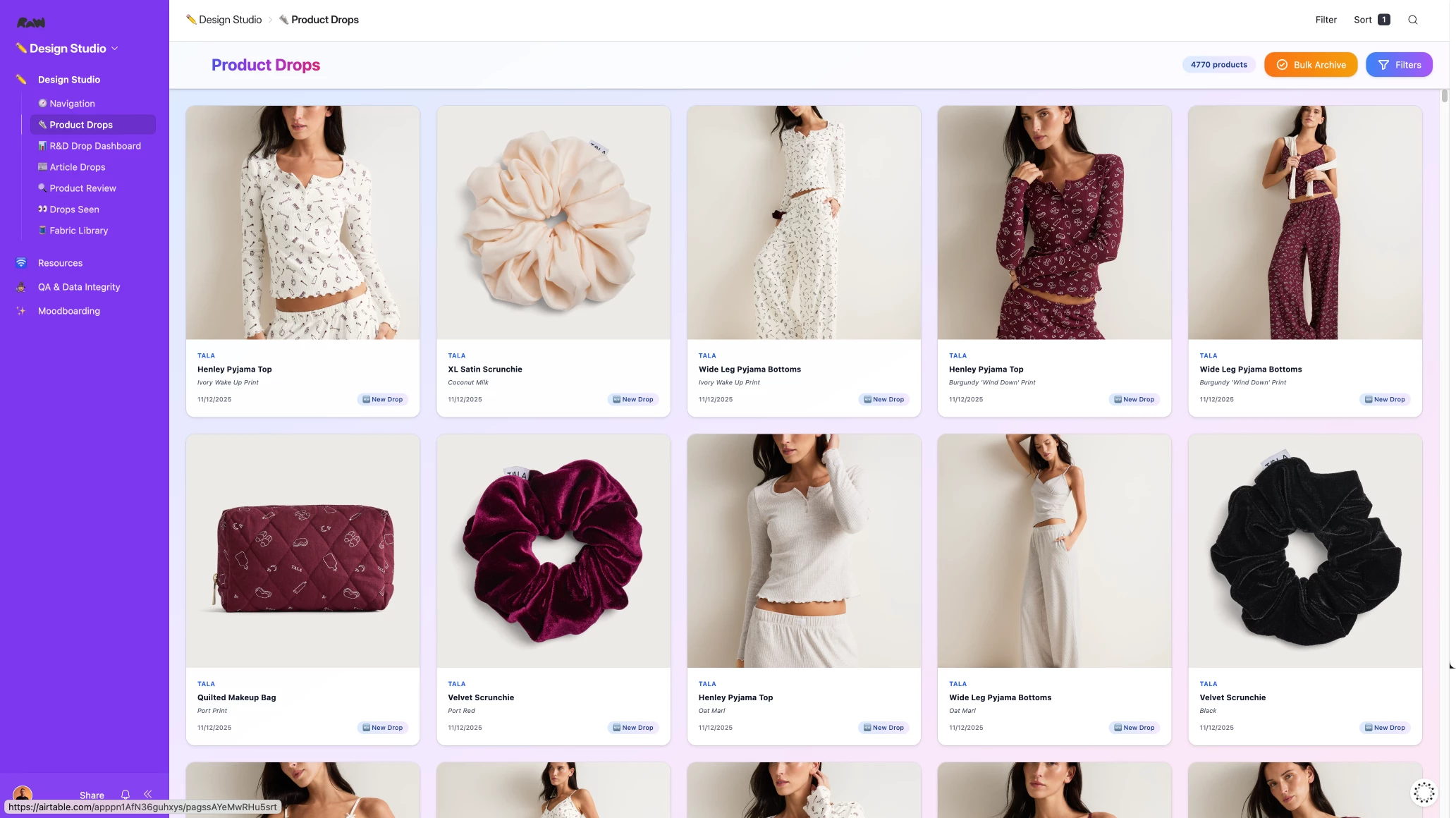
You can probably see I have a specific aesthetic I try to meet on all of them 😂
I’ve made a lot of changes over the past month and I’ll share some looms in this thread giving you a bit more of a walkthrough!
Any questions, drop a comment below!