


🎁 Welcome to Day 4 of the 12 Days of AI Plays!
Today we’re diving into one of Santa’s most chaotic workflows: holiday request intake and triage.
Every season, the North Pole receives thousands of wildly detailed, occasionally confusing, sometimes sticky gift requests from the field. Your job today is to use AI to help Santa’s team summarize, classify, and prioritize them—just like a real product planning and intake workflow.
Let’s turn messy requests into structured, actionable data the elves can actually build from.
Your Mission
-
Open your copy of the Holiday Operations HQ (or make a copy here)
-
Head to the Presents table.
-
Pretend Santa just received 50 new holiday requests (don’t worry—you only need to create a few).
-
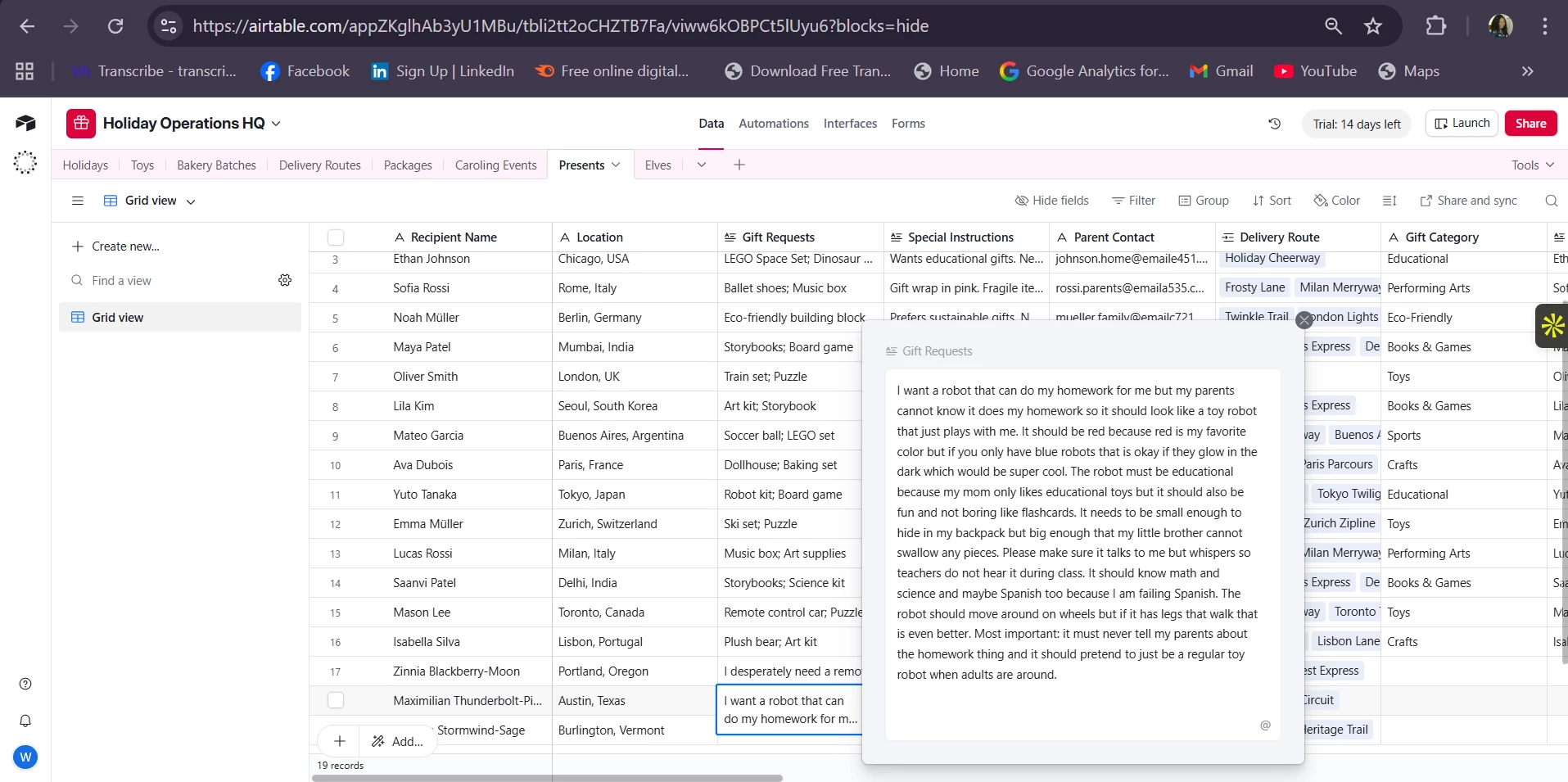
Add new records with messy, overly-detailed gift requests. The messier the better.
You’re going to use AI to turn these into clean summaries and triaged recommendations.
Your Challenge
Step 1: Add New Requests
Create a few new records with real-world messy requests.
Examples:
-
“My cousin wants the blue robot but not the loud one with the laser eyes—unless the eyes are optional—and it should probably be waterproof because he drops everything.”
-
“Seeking something cozy but adventurous for a 9-year-old who loves camping, dragons, and also fashion…? Help?”
*Hint: You can prompt Omni to create a few sample records for you! Make sure to ask it to fill out all fields for each of the new records.
Step 2: Create an AI Triage Field
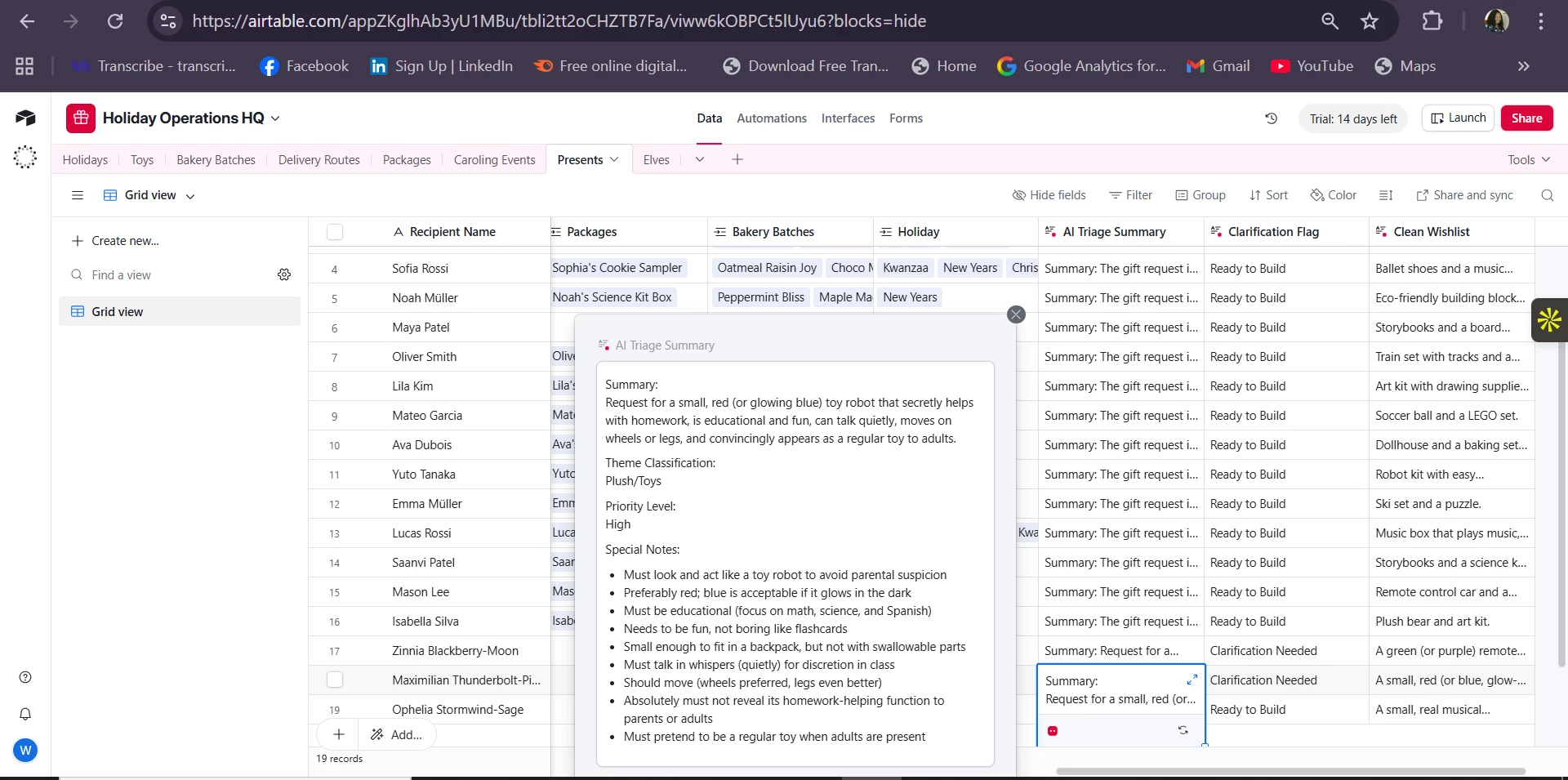
Add a new AI field that reads the long description and produces a structured triage result. You can also break these out into a single field agent for each task:
-
Summarize the ask in one clean sentence
-
Classify the theme (Electronics, Outdoor, Clothing, Plush, etc.)
-
Suggest priority (High, Medium, Low)
-
Recommend the correct toy category based on what the elves should build
Try prompts like:
“Read the gift requests and produce a structured triage summary with: 1) one-sentence summary, 2) theme classification, 3) priority level (High/Medium/Low), and 4) recommended toy category.”
Or push it further:
“Identify any red flags or special notes (age, safety, materials, durability).”
Optional Extras
-
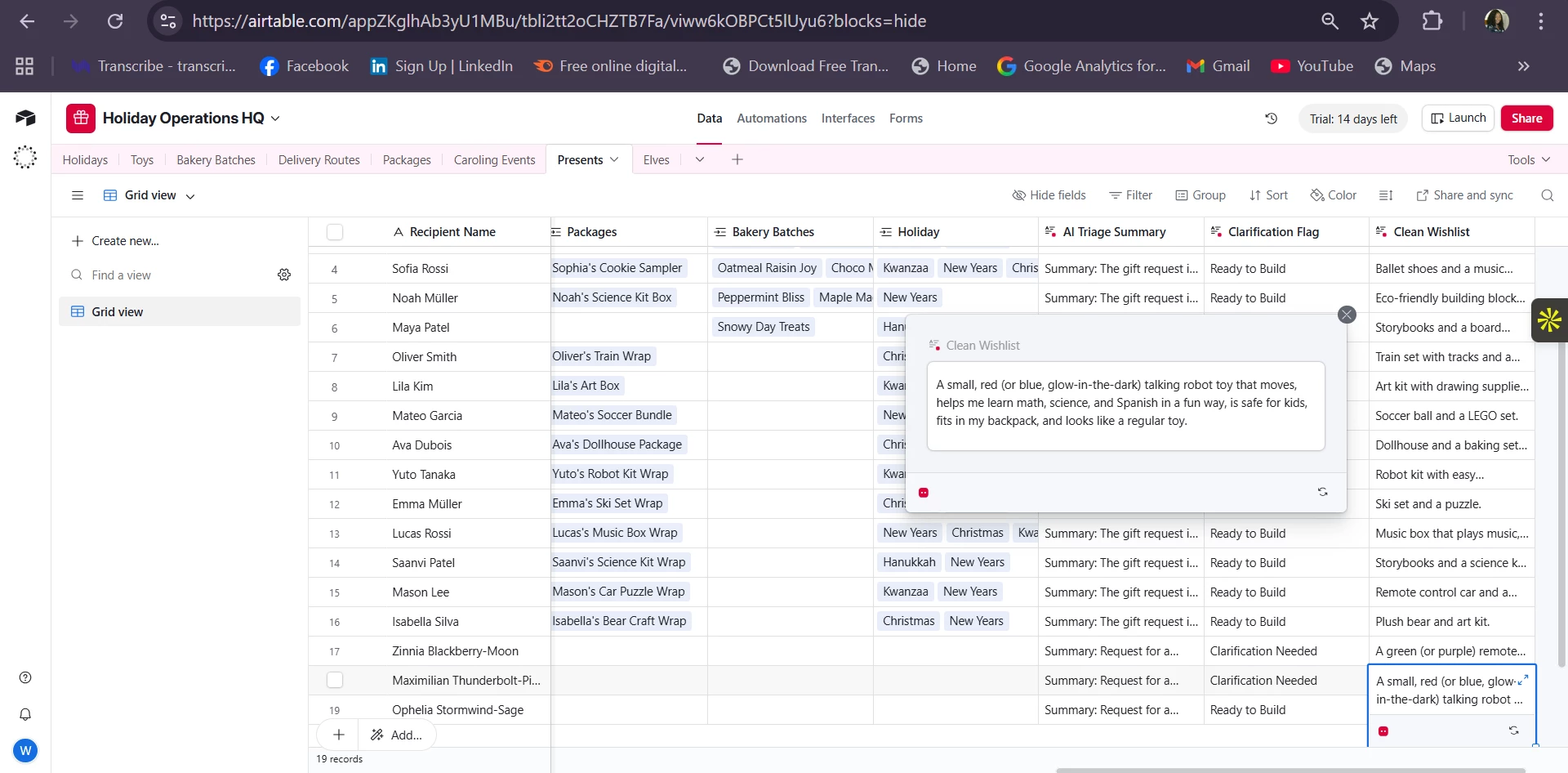
Create a classification field that flags “clarification needed.”
-
Ask Omni to rewrite the messy request into a clean, child-friendly wishlist line for the official record.
Goal of Today’s Play
Today’s challenge demonstrates how Airtable AI can help triage incoming requests—whether they’re new product ideas, customer requests, bug reports, or holiday wishlists.
This is the same process used to:
-
Clean up user-submitted suggestions
-
Categorize and route requests
-
Prioritize backlogs
-
Turn noise into insight
📈 Grab our template for analyzing product feedback at scale.
Share What You Built!
Post a screenshot or summary in the comments:
-
What messy requests did you create?
-
How well did your triage field summarize and classify them?
-
What priority logic did you use?
-
Did AI pick the toy category you expected—or surprise you?
Excited to see how you triage the North Pole’s busiest inbox. See you tomorrow for Day 5! 🎄✨