I faced this problem as we had to track daily metrics for each employee, which ended up generating dozens of records a day. This became a problem pretty quickly for obvious reasons
As a workaround, I ended up setting up a system to archive the old data while leaving the original base alone, and the steps are pretty much:
- Create a new base for archiving purposes
- Create a synced view and sync it to the new base
- In the sync settings, toggle on ‘Leave records when they are deleted or hidden in the source’
- Create a heartbeat in the destination base
- This is important as syncs only happen on bases that have activity on them
- Set up an automation in the main base to delete the old records
---
1. Create a new base for archiving purposes
I’m pretty sure everyone knows how to do this one, so I’m just going to skip it heh
2. Create a synced view and sync it to the new base
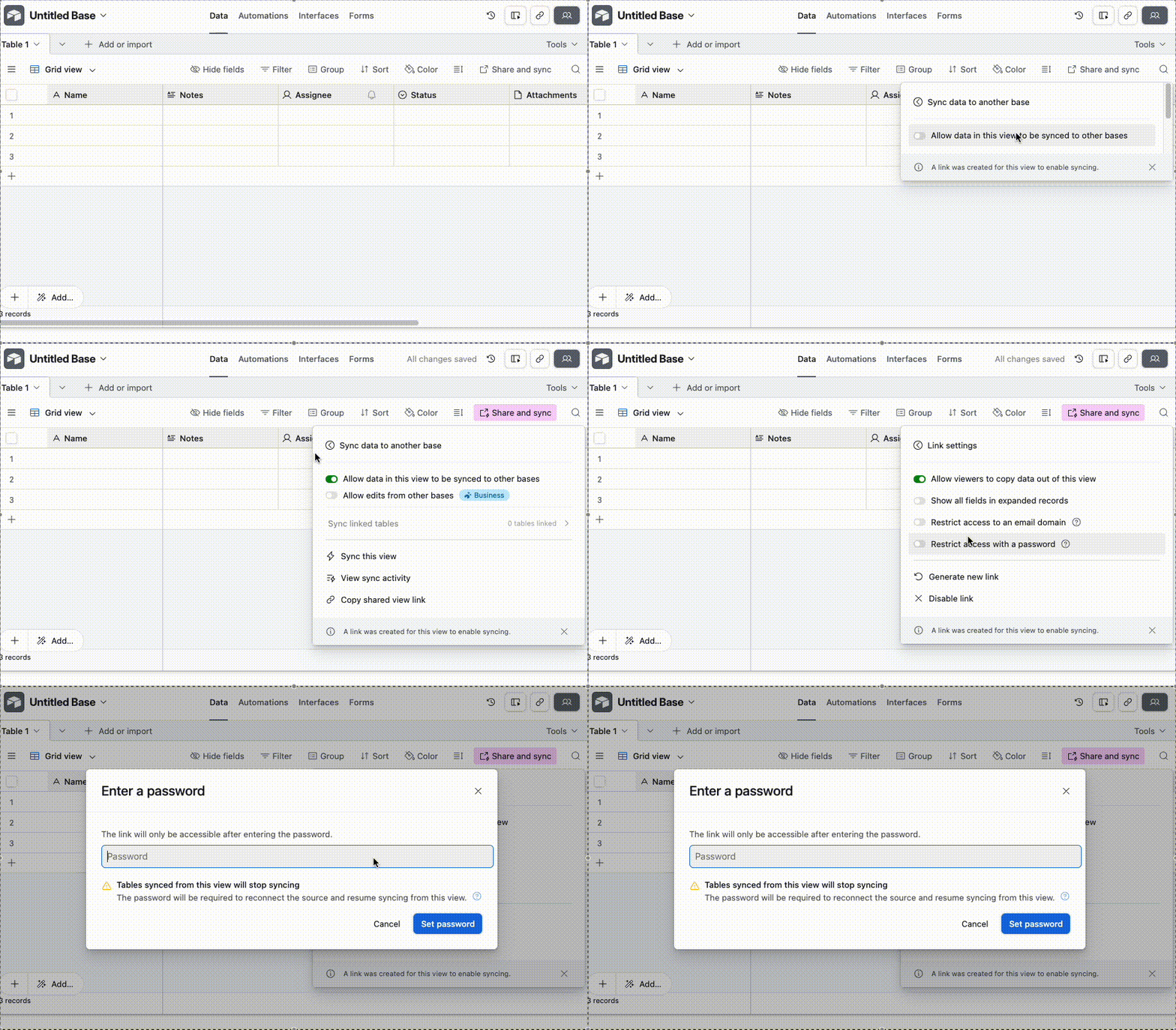
- Click ‘Share and sync’
- Click ‘Sync data to another base’
- Toggle on ‘Allow data in this view to be synced to other bases’
- Optional but recommended: Set a password for this shared link
- Copy the shared view link:
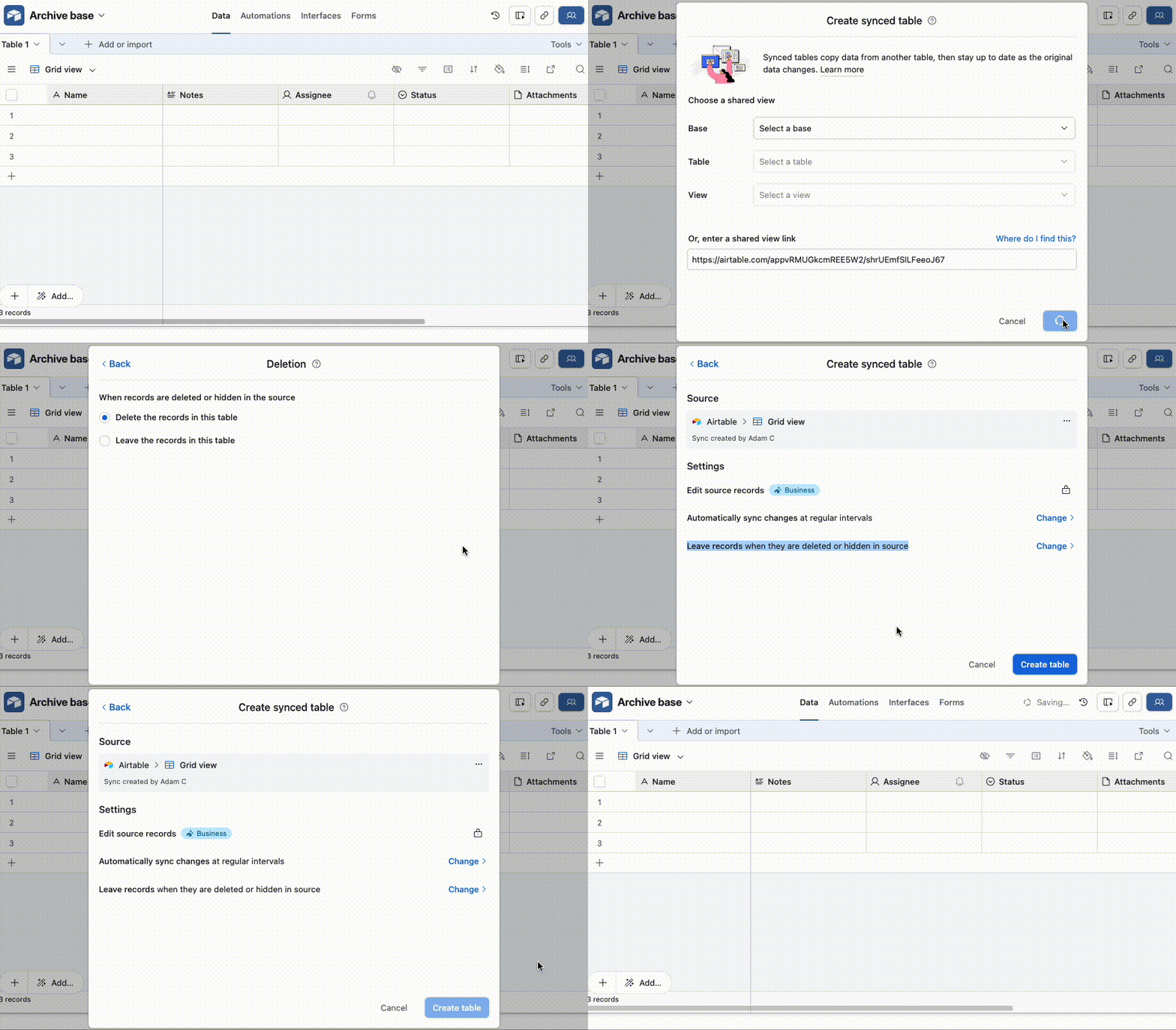
- In the archive base, set up the sync and toggle on ‘Leave records when they are deleted or hidden in source’
- This way we can delete records from our main base without worrying about it
-
3. Create a heartbeat in the destination base
The only thing we’re trying to do here is make sure the base has activity on it so that it’ll sync over any new data from the source, and so we can do this any way we want, really
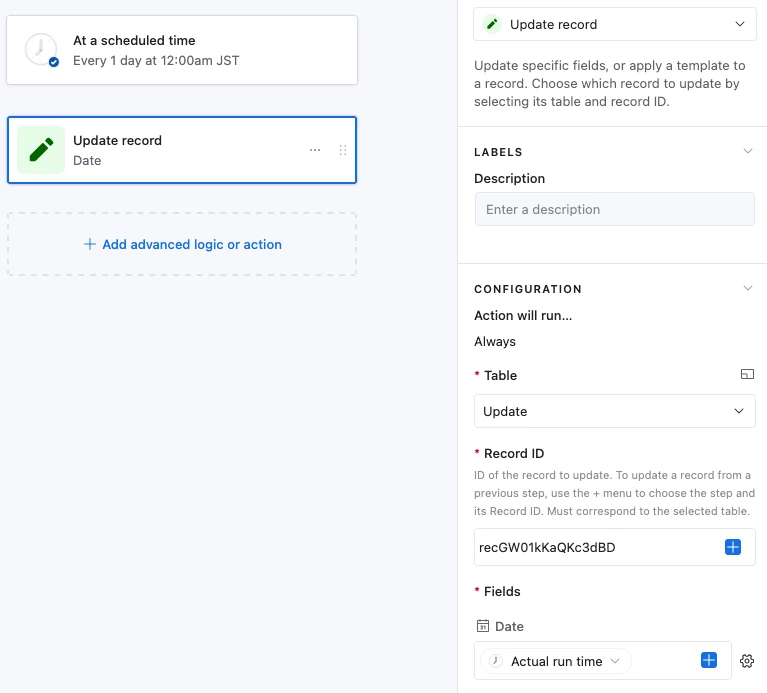
I usually just set up an automation that runs once a day, and its action is to update a date field with that date. And so I have a table with one record in it and a Date field:
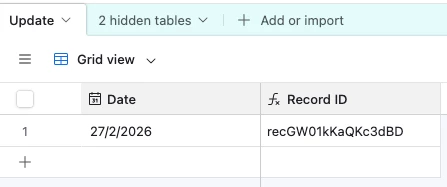
And an automation that fires once a day to update the Date field with the current Date:
4. Set up an automation in the main base to delete the old records
In the main base, create an automation that runs on a schedule and its actions will be to find the records that aren’t useful anymore and delete them. To do this, you’ll use an automation with a ‘Find Record’ step to get those records, followed by a ‘Run a Script’ action to delete them
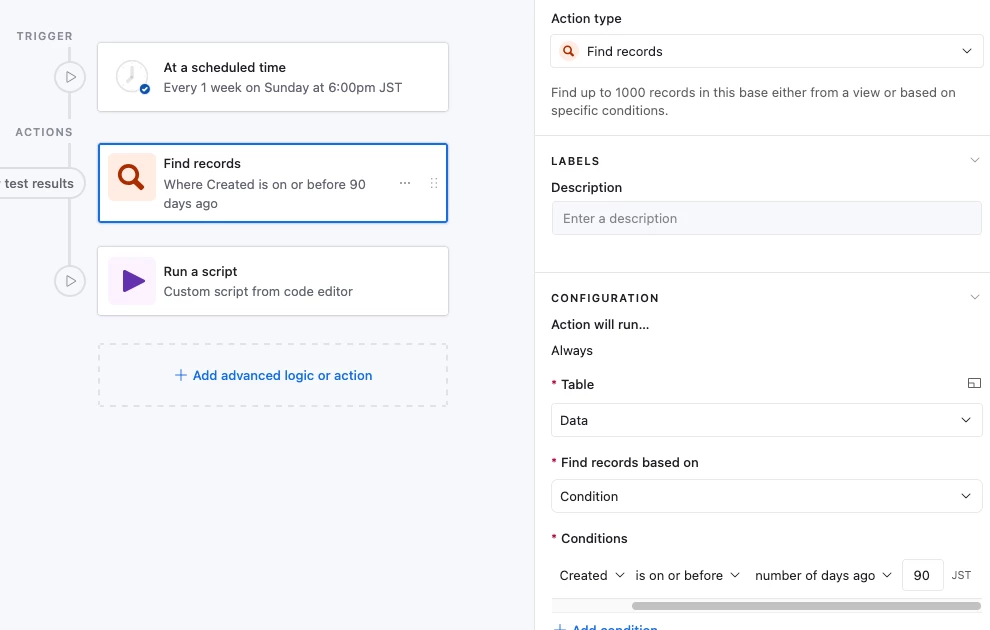
To set up the ‘Run a Script’ action, we’ll first add in two input variables:
- recordIds: The record IDs of the records we found with the ‘Find Record’ step:
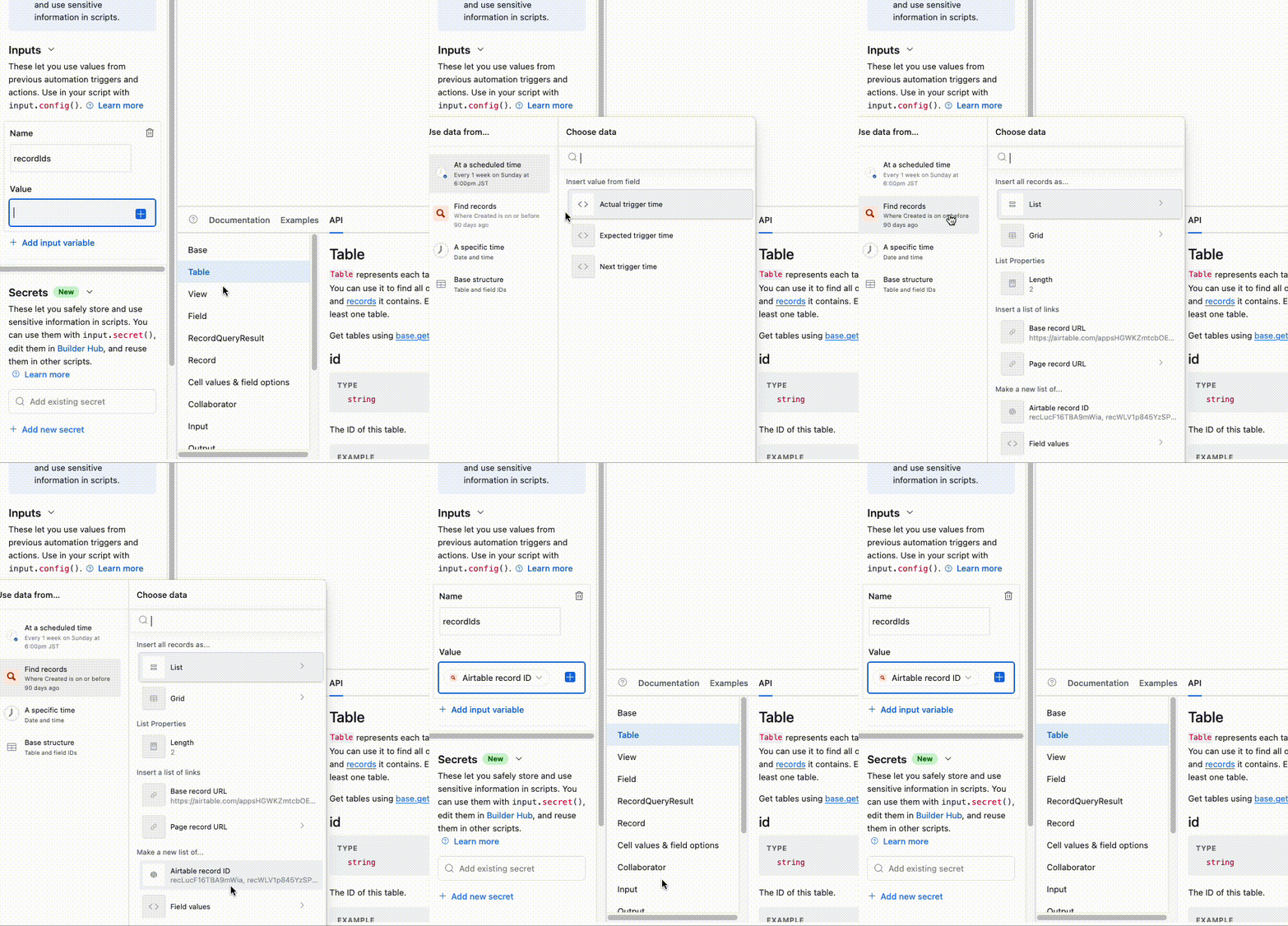
- tableId: The table ID of the table we’ll be deleting records from:
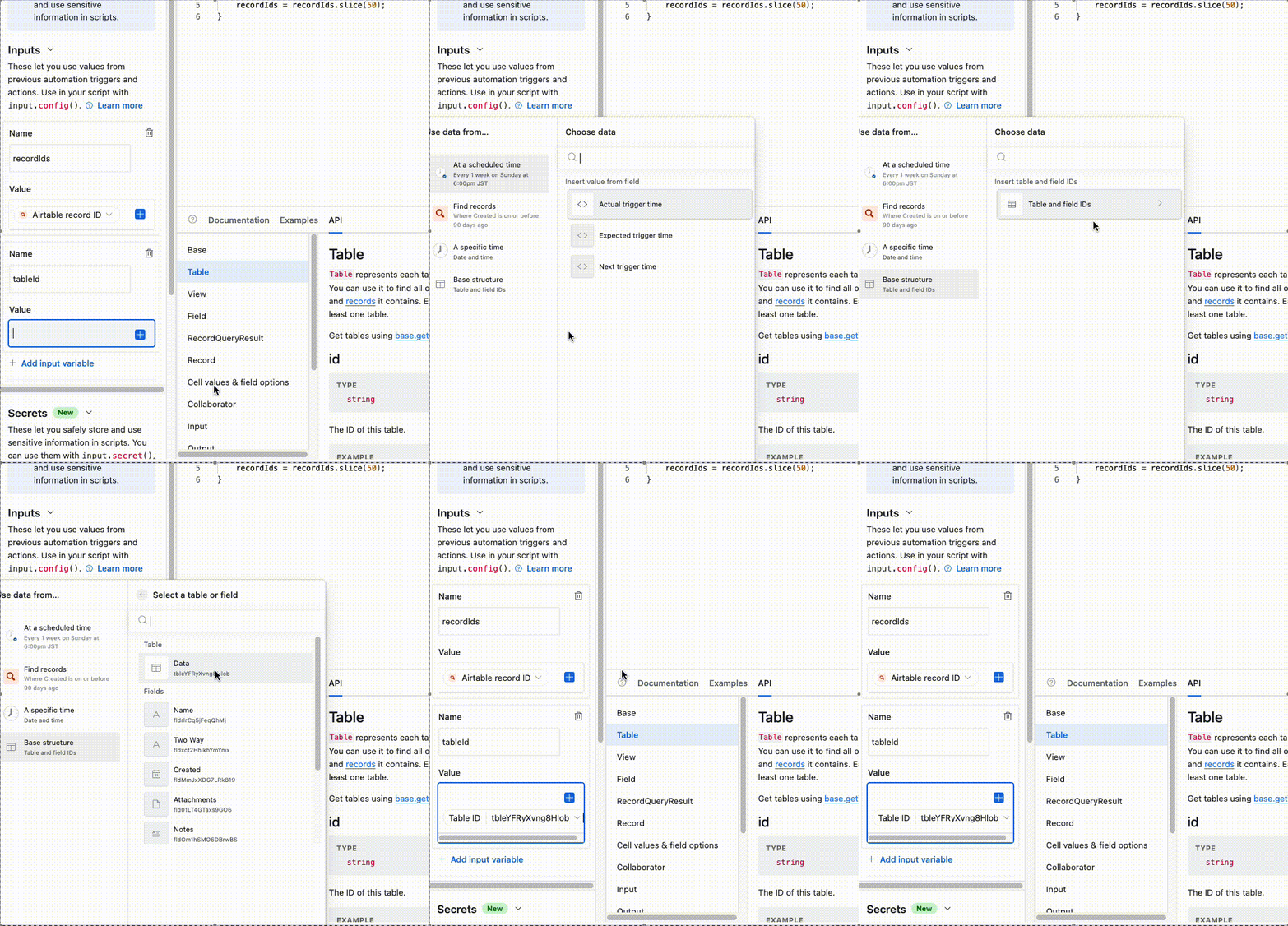
And for the script, we’ll just paste this in:
let {recordIds, tableId} = input.config()

while (recordIds.length > 0) {
    await base.getTable(tableId).deleteRecordsAsync(recordIds.slice(0, 50));
    recordIds = recordIds.slice(50);
}
And that’s it! Let me know if you encounter any issues and I’ll do my best to help!