Element had an internal error

  • August 7, 2022
  • 5 replies
  • 37 views

Kai_Muscher
Forum|alt.badge.img+13

Dear all,

I just experience strange behavior of elements in interface designer. Not only one base, or one specific interface, it’s all. Element says" Element had an internal error".
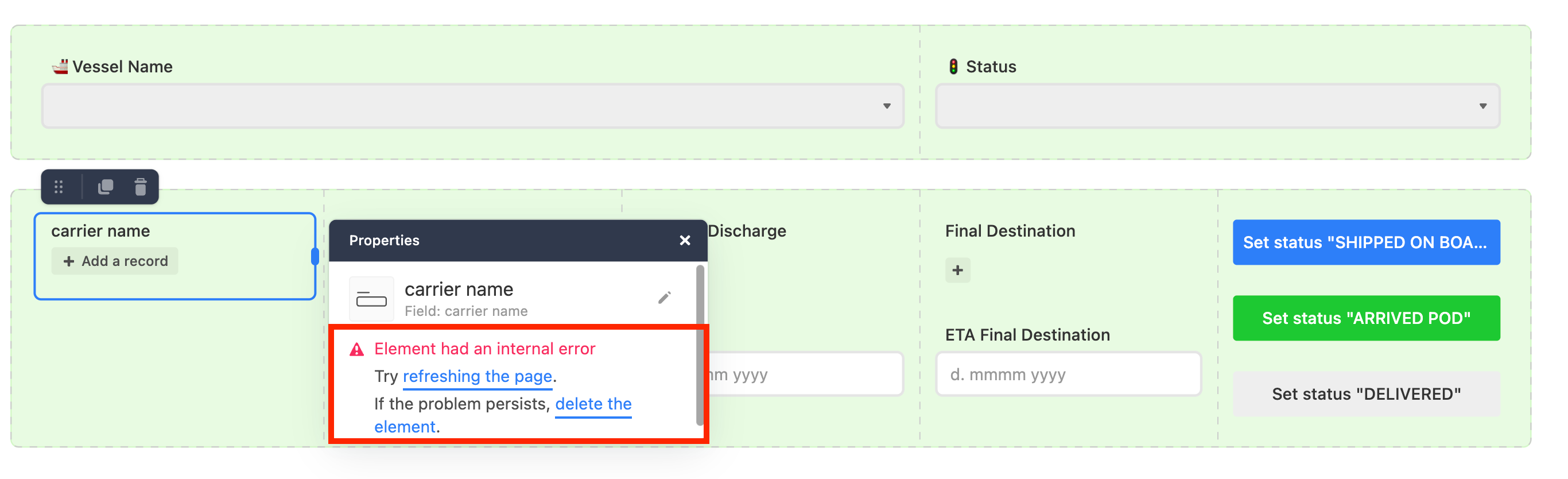
Anyone see same?


This topic has been closed for replies.

5 replies

Kai_Muscher
Forum|alt.badge.img+13
  • Author
  • Known Participant
  • August 7, 2022

if I delete that element and create new I cannot select number/type of visible fields anymore. This seems to happen only with linked records fields. Have I missed something?


Kai_Muscher
Forum|alt.badge.img+13
  • Author
  • Known Participant
  • August 17, 2022

Nobody has similar issues?


ScottWorld
Forum|alt.badge.img+35
  • Genius
  • August 18, 2022

Nobody has similar issues?


You may want to send an email to support@airtable.com to ask them for help.


Kai_Muscher
Forum|alt.badge.img+13
  • Author
  • Known Participant
  • August 21, 2022

You may want to send an email to support@airtable.com to ask them for help.


Thanks, Scott! Yes, I did ask “support” and will post findings here once available…

K


Kai_Muscher
Forum|alt.badge.img+13
  • Author
  • Known Participant
  • September 3, 2022

You may want to send an email to support@airtable.com to ask them for help.


Hi. Scott,

Upon investigating my base, support team was able to find this error and reproduce it. A fix has been rolled out after a few days. The error has gone, but also the functionality for linked records in interface designer to select number/type of visible fields.

K