Question

Google Drive connector for Image Field Agents?

  • March 31, 2026
  • 2 replies
  • 66 views

nroshak
Forum|alt.badge.img+10

We use Google Drive extensively, so I love the Google Drive connector for Field Agents. But the option doesn’t appear for image agents. I want an Image Agent to go and get the image at a link, but the “Google Drive” connector doesn’t appear: 
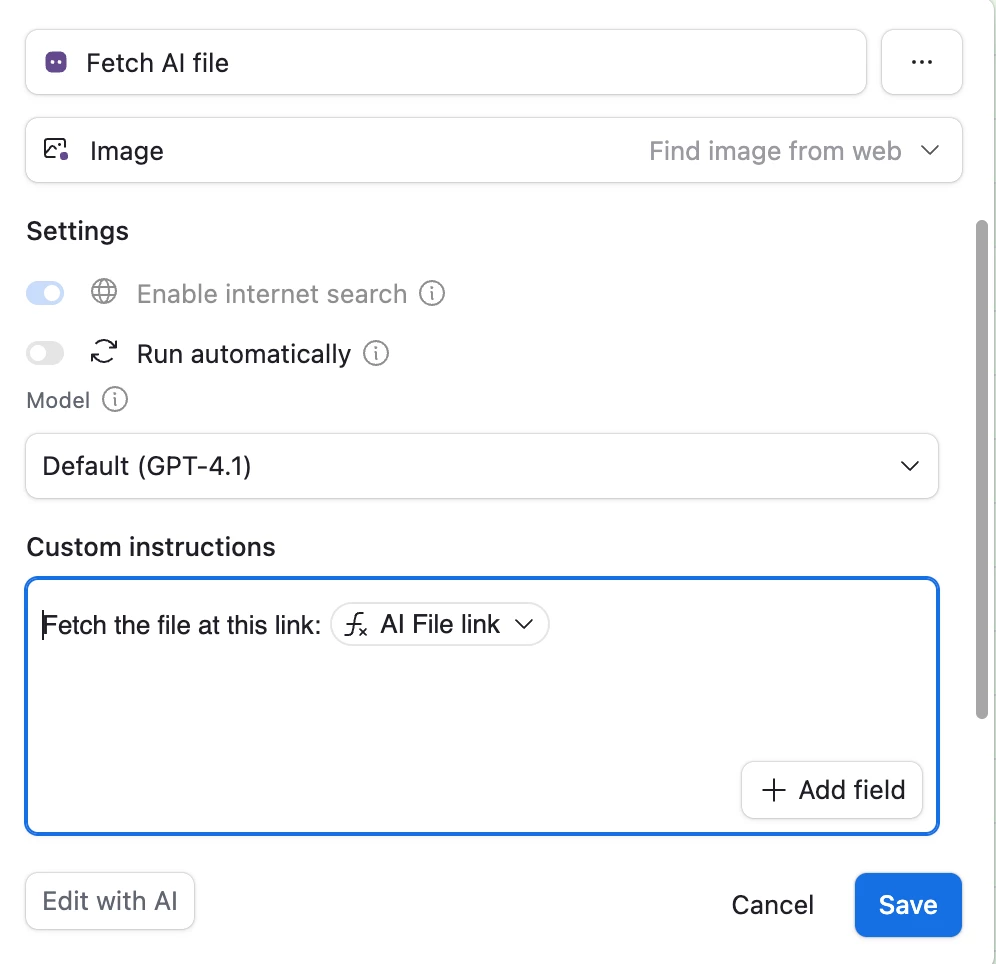
and the image fetch fails (presumably because it’s unable to connect to Google Drive). 


Any workarounds for this? 


-Natalka

2 replies

coderkid
Forum|alt.badge.img+4
  • Participating Frequently
  • March 31, 2026

Yes there's a workable workaround using Airtable's Google Drive sync.


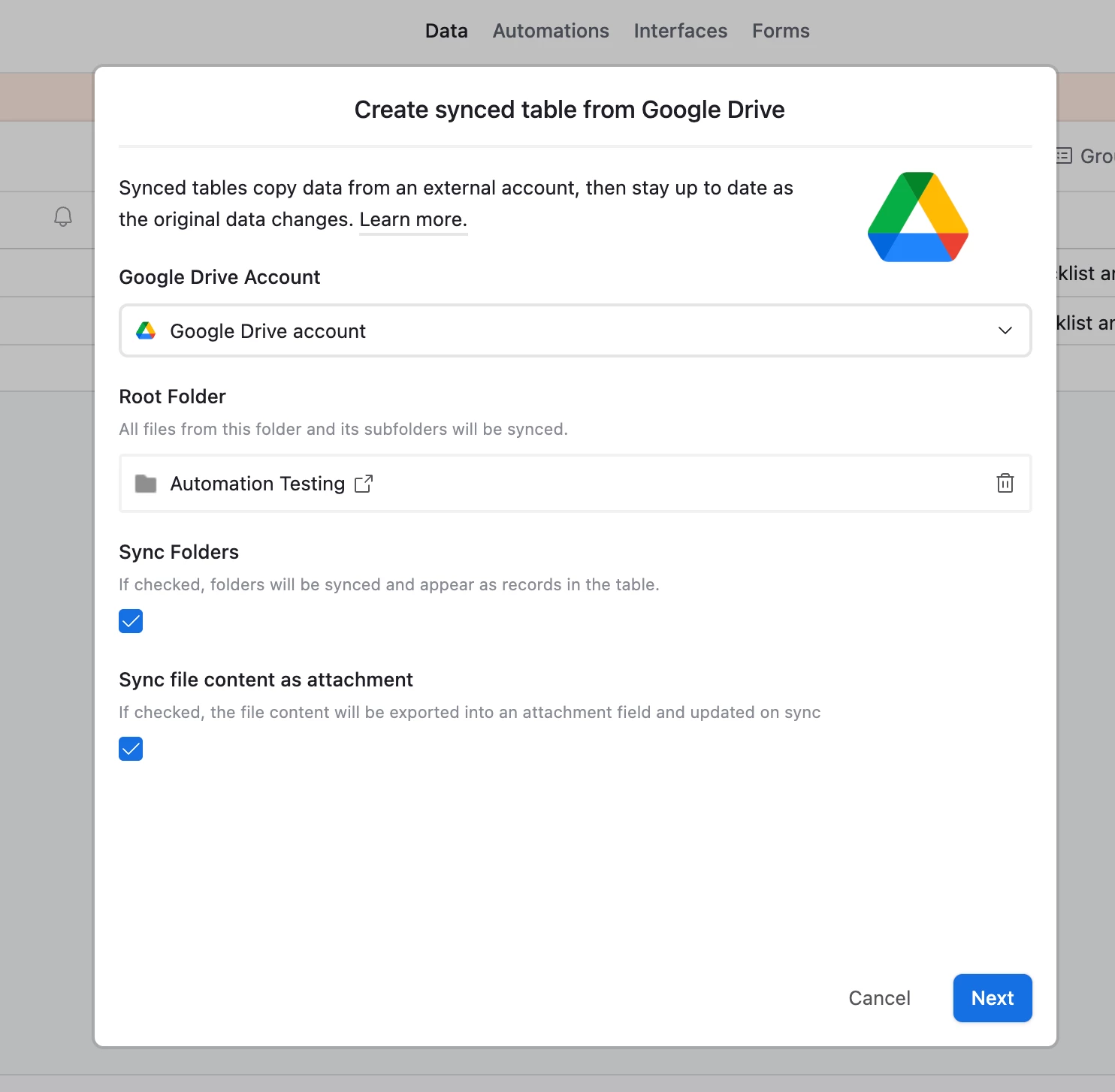
First, create a synced table from Google Drive and select the root folder you want included. Make sure to enable "Sync file content as attachment". Once the sync completes, your Drive files will appear as records in that table.


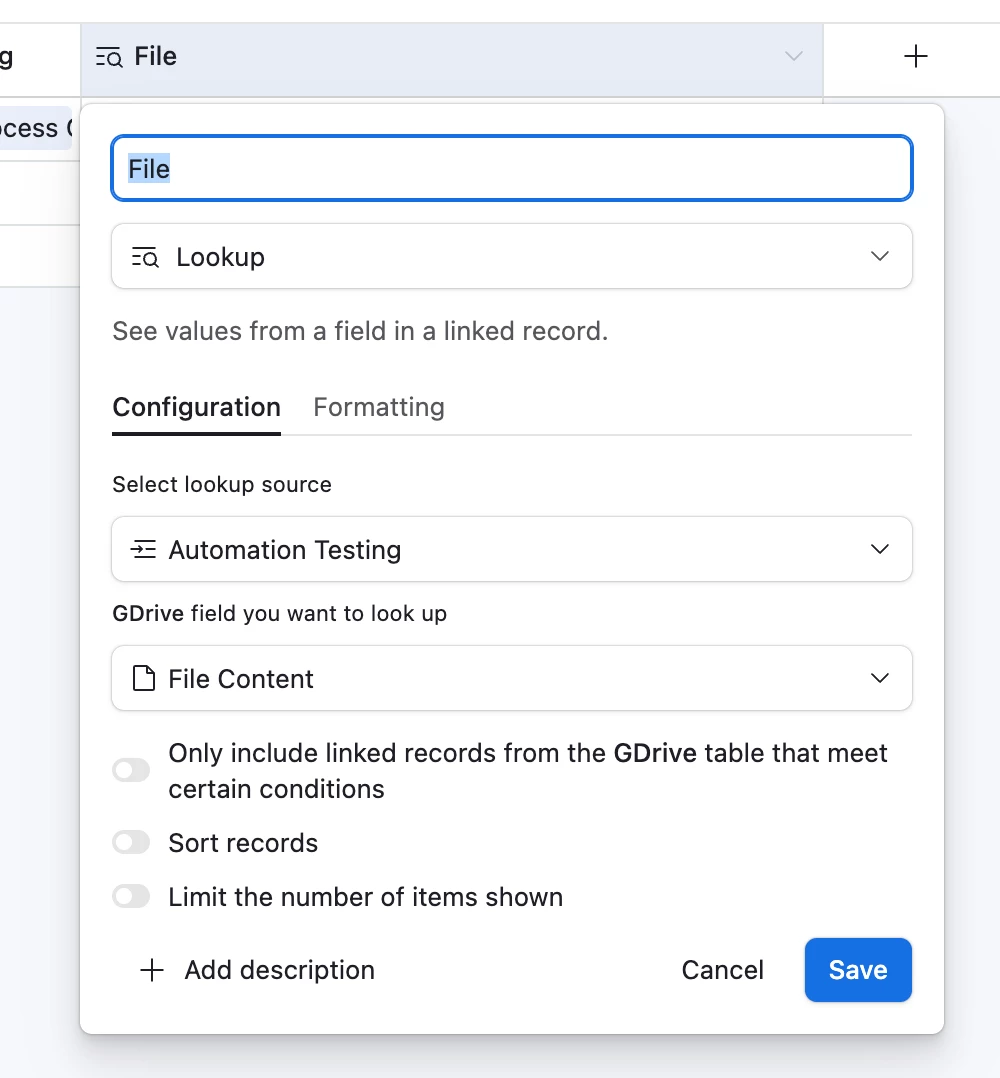
Next, in the table where you're running your Image Agent, add a linked record field that connects to the Google Drive sync table. Then create a lookup field that pulls in the "File Content" (the attachment field) from the synced table.
 

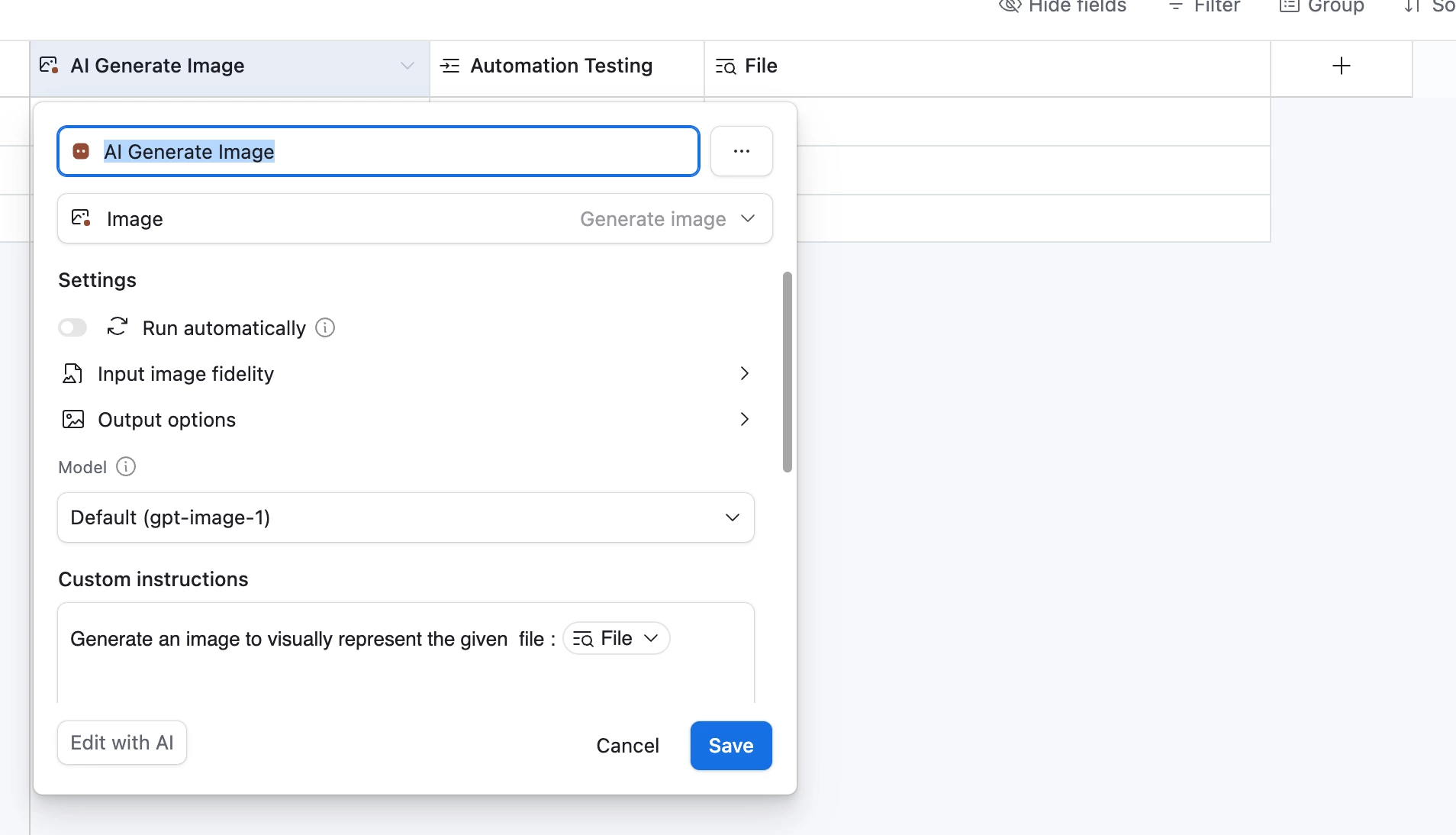
You can then reference that lookup field directly in your prompt. This effectively bypasses the missing Google Drive connector for Image Agents by giving the agent access to the file content through Airtable instead.


Hope that helps!


nroshak
Forum|alt.badge.img+10
  • Author
  • Inspiring
  • April 1, 2026

Thanks ​@coderkid ! Love this idea. Plus, there’s no need to use AI; I can just link to the matching file in the Google Drive-linked table.

This would be a perfect solution if not for this limiation:

https://support.airtable.com/docs/getting-started-with-airtable-sync#configuring-a-basic-sync

Record limit per integrated sync source - 10,000 records maximum

Unfortunately for me, the root folder has >10K files. But this will help with a subset :)