Question

Webform From One Table Update Another Table w/out Destroying

  • March 6, 2026
  • 3 replies
  • 17 views

Forum|alt.badge.img

Hello! I have two tables. One is a collection for a webform and the other contains all the main data. The webform uses a field that references the main table data, such as first name. I want when someone adds a specific code in the form to update a multi select field but I don’t want to destroy the other entires. I have it good to go right now but its overwriting the current selections with a singular selection that I want to add to the existing selections.

3 replies

ScottWorld
Forum|alt.badge.img+35
  • Genius
  • March 6, 2026

@INeedSomeHelp 

Are you trying to update a pre-existing Airtable record with a form?

It sounds like you’re trying to merge the form submission’s data with the pre-existing data in a pre-existing record?

That is not natively supported by Airtable, but you could create an automation that updates the existing record’s multi-select field by appending the new data to the old data.

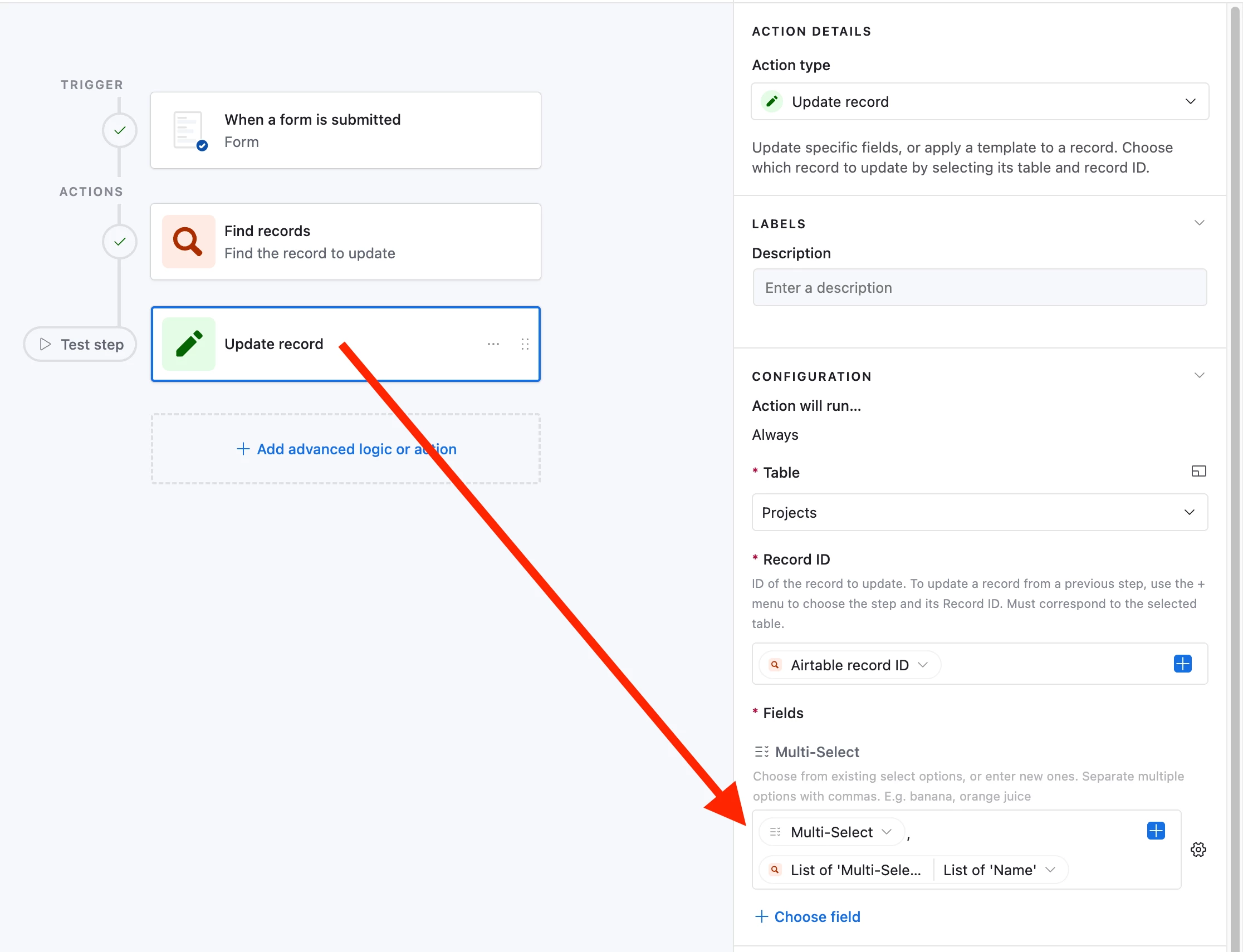
Within your automation’s “update record” action for the multi-select field, you can do this by inserting the NEW multi-select values, then typing a comma, then inserting the OLD multi-select values.

Please see my screenshot below for how this might look in your automations.

However, you will get unexpected results if either the OLD or the NEW values are blank. Airtable will add a blank entry to your multi-select values. To prevent that from happening, you would want to add some conditional actions to your automation to take different actions if either of the multi-select values are blank.

Although a much much easier way to update existing records with a form is to simply use Fillout’s advanced forms for Airtable, because it lets you update pre-existing Airtable records using a form!

Fillout is 100% free, and it offers hundreds of features that Airtable’s native forms don’t offer, including the ability to:

I show how to use a few of the advanced features of Fillout on these 2 Airtable podcast episodes:

Hope this helps!

If you’d like to hire the best Airtable consultant to help you with anything Airtable-related, please feel free to contact me through my website: Airtable consultant — ScottWorld


TheTimeSavingCo
Forum|alt.badge.img+31

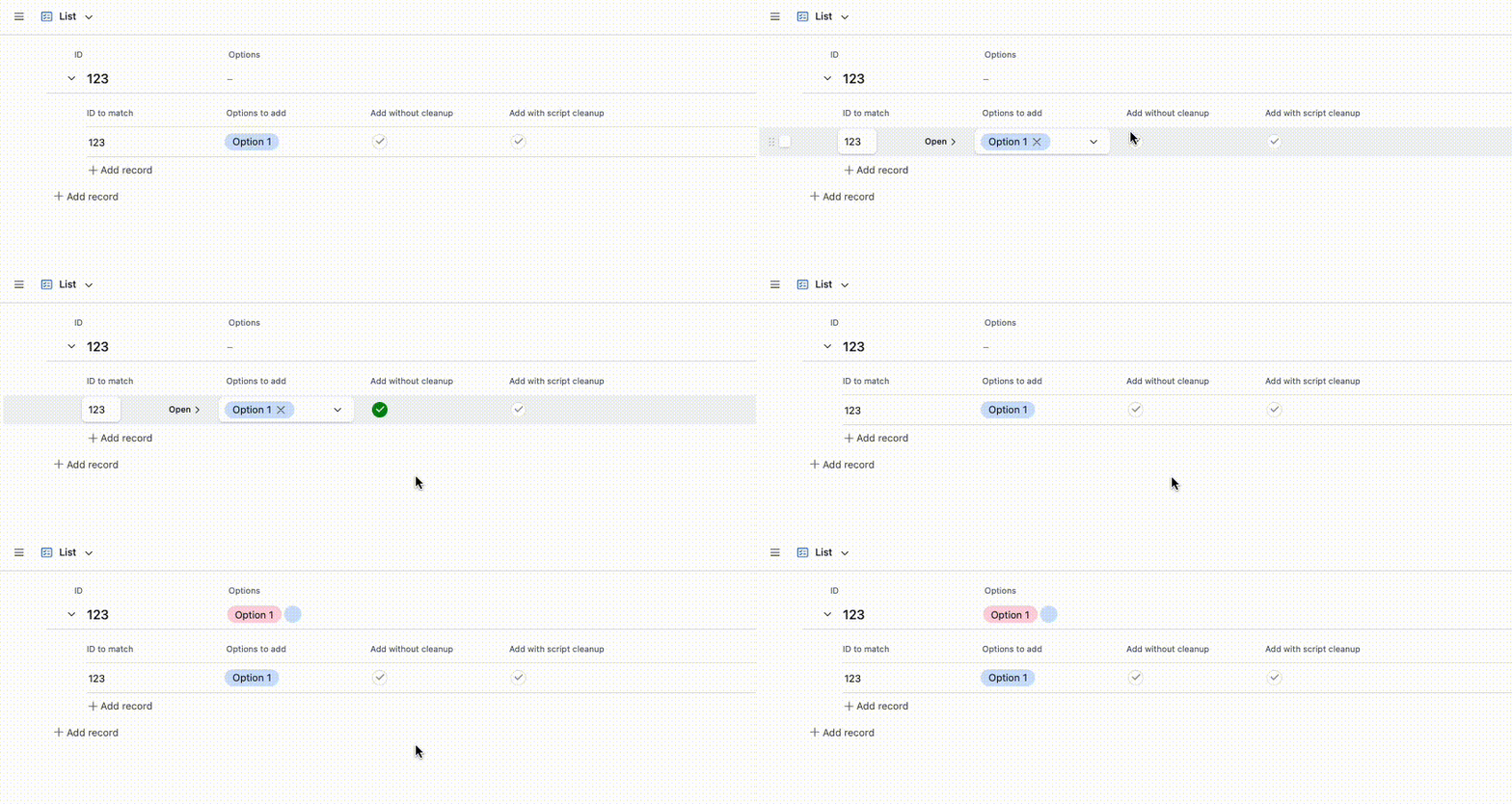
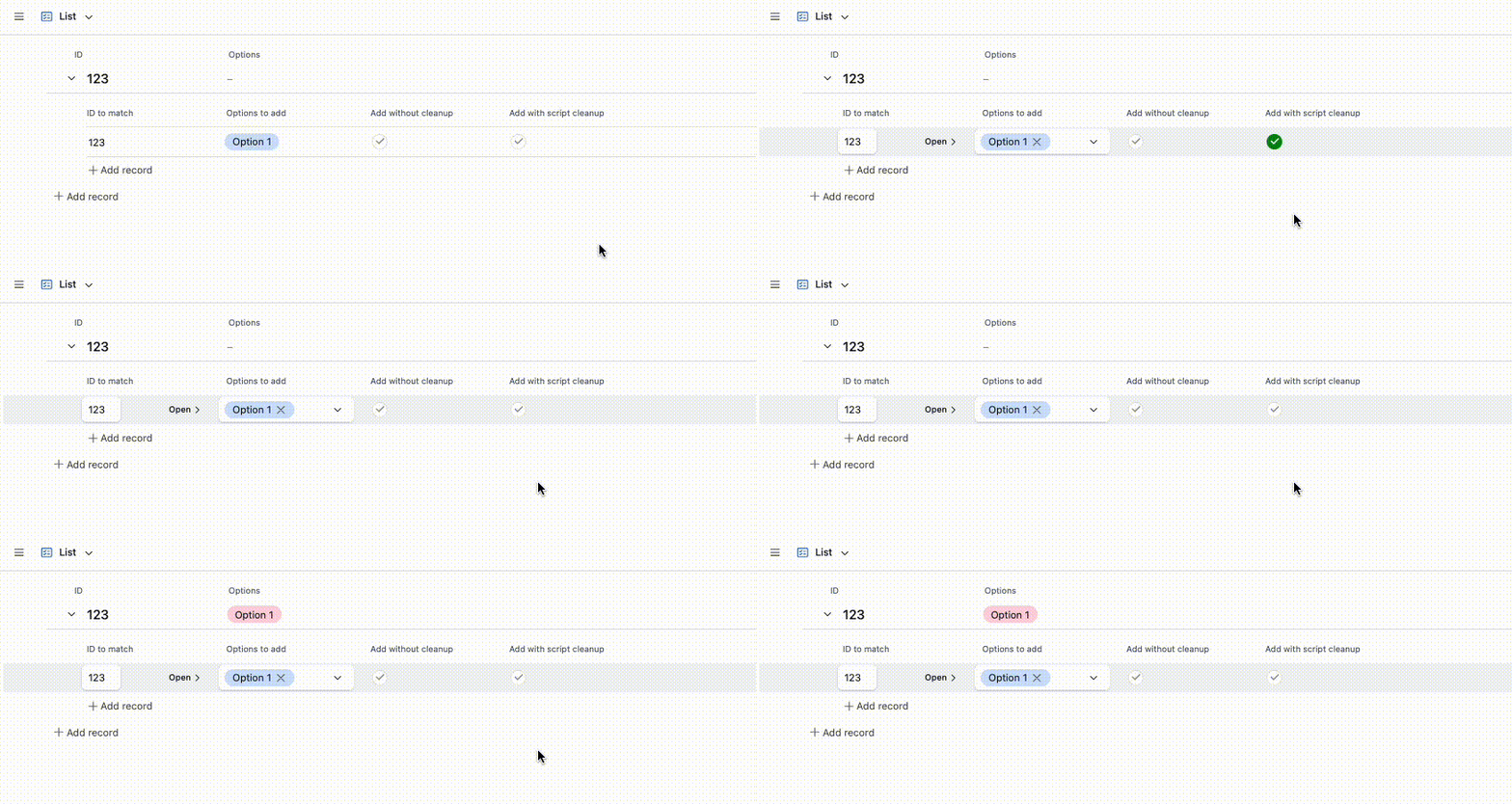
The quickest way to do it would be like Scott mentioned above!  This adds a sort of ghost option in situations where the initial value is empty.  This is just a display thing and doesn’t affect one’s workflows normally


If you want to, you can add a Run a Script step to your automation to make that not happen and I’ve set it up here for you to check out!

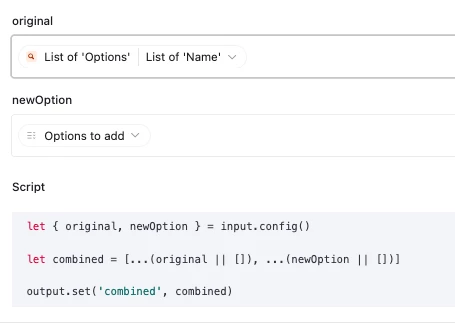
And here’s how the script’s setup:

let { original, newOption } = input.config()

let combined = [...(original || []), ...(newOption || [])]

output.set('combined', combined)


Forum|alt.badge.img
  • Author
  • New Participant
  • March 7, 2026

Thank you. I’ll have to check in to this later. For some reason I feel like this isn’t going to work but I’ll check in and let you know.