
Hey community! Long-time lurker, first-time builder posting here.
Like many of you, I've been frustrated with Page Designer living in base extensions while all my users are interface-only. Every time someone in the community asked "can I use Page Designer in interfaces?" the answer was always not yet. So I decided to just build it myself.
What I built
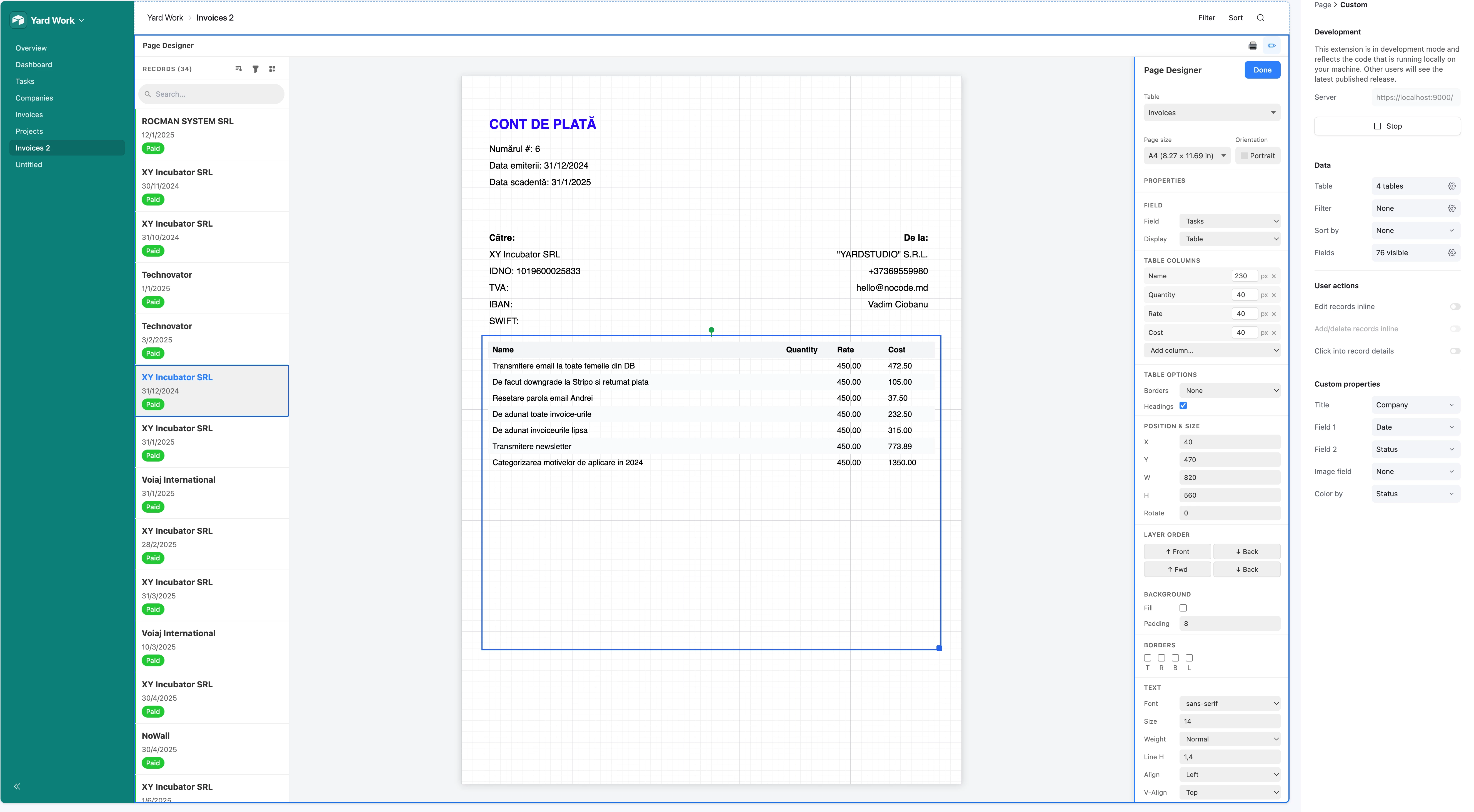
A full drag-and-drop page layout designer that lives directly inside an Interface page as a custom element. It looks and feels like Page Designer, but it's a first-class interface citizen.
Here's what it supports so far:
- 📄 Page size presets — A4, Letter, Business Card, custom dimensions
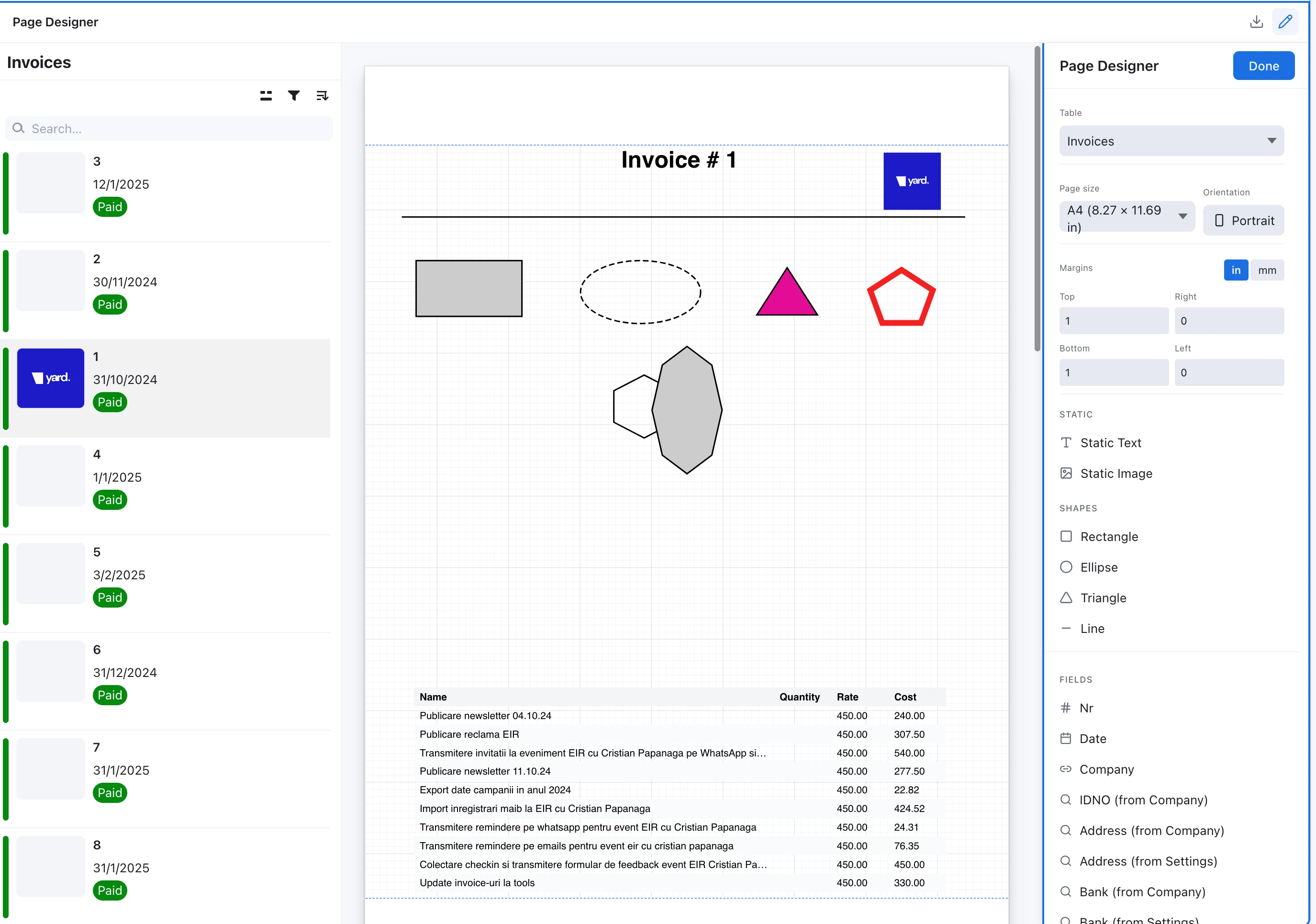
- 🖱️ Drag-and-drop canvas — absolute positioning, resize handles, rotation, layer ordering (front/back)
- 🔤 Static text elements with
{Field Name}interpolation - 🖼️ Static image elements (via URL)
- 📊 Any field from your table — text, numbers, dates, select fields, attachments
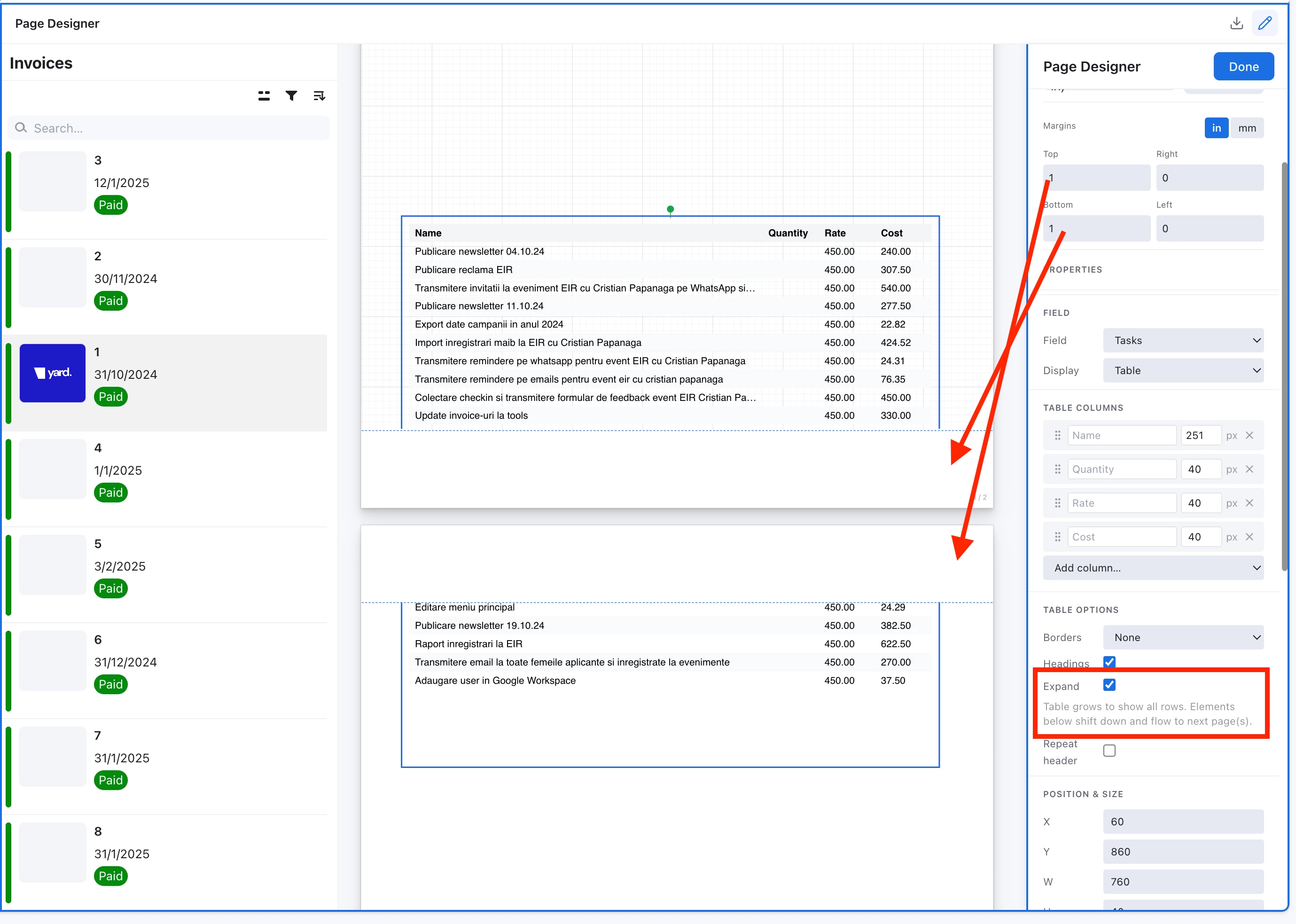
- 🔗 Linked record fields in Table mode — displays related records as a mini-grid, with configurable columns, column widths, and headings (this is what you see in the screenshot — an invoice with a live task table pulled from a linked table)
- 🎨 Full styling sidebar — font, size, weight, line height, alignment, text color, background fill, padding, borders, border-radius
- 📋 Record navigation — prev/next/go-to-record
- 🖨️ Print / PDF export — triggers the browser print dialog with proper
@pageCSS, one record per page - 💾 Persistent layouts — saved as JSON in a config table, survives reloads and is shared across users
How I built it
I used Claude Code with the Airtable Interface Extensions SDK (@airtable/blocks, interface-alpha). The whole thing is React + the SDK hooks (useRecords, useBase, etc.), with a custom drag-and-drop canvas (~120 lines of pointer event handling — no heavy libraries).
The workflow was roughly:
- I had Claude research the original Page Designer in depth — every feature, every known limitation, every community complaint
- I had it produce a full technical spec (data model, state shape, rendering pipeline, print CSS strategy)
- Then I used Claude Code in a tight loop to build and iterate — it could read the SDK docs, write the component, test layout edge cases, and fix issues as they came up
The most interesting part was the linked record table mode — pulling data from a related table and rendering it as a styled grid inside the page layout. The original Page Designer does this, and replicating it with the SDK's selectLinkedRecordsFromCellAsync was actually quite clean.
Happy to share more
If there's interest I can write up the architecture in more detail, or share the approach for the print rendering. Would also love to hear what features you'd want in something like this — especially if you've been hitting the walls of the original Page Designer.
Has anyone else been building things with the Interface Extensions SDK? Would love to compare notes.