Description
While participating in the Let’s Play Hackathon, I encountered what appears to be an inconsistency in how Airtable Interfaces render record detail layouts across platforms.
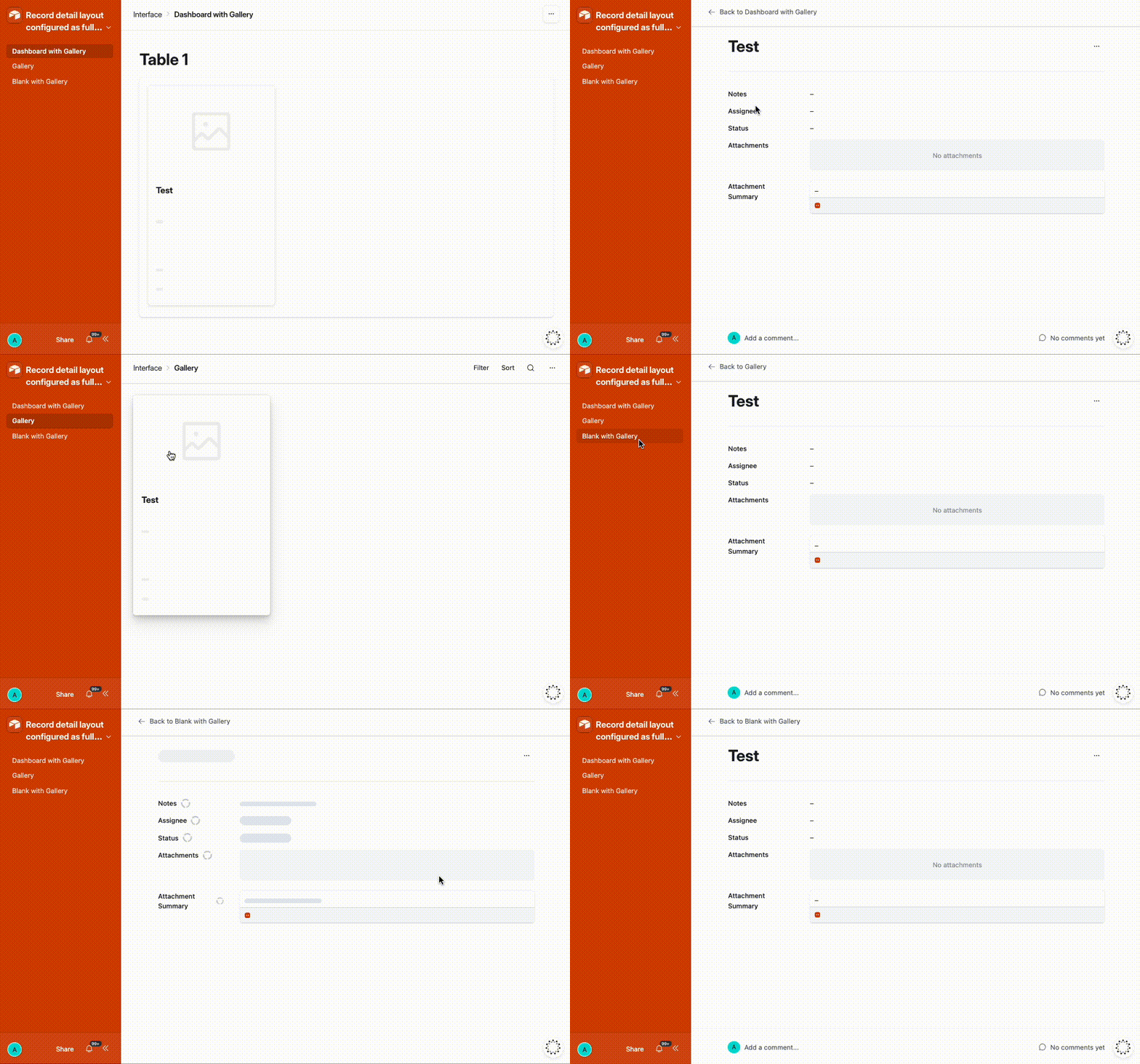
When a Record Detail layout is configured to open in Full-screen mode from a Gallery component, the record still opens as a sidesheet panel on desktop, even though the layout is explicitly configured to use full-screen.
Interestingly, the same configuration works correctly on mobile devices, where the record opens in full-screen as expected. This creates inconsistent behavior between desktop and mobile environments.
Because the Interface Designer provides a clear configuration option for full-screen mode, the expected behavior is that this layout preference should be respected consistently across platforms.
Steps to Reproduce
-
Create an Interface in Airtable.
-
Add a Gallery component displaying records.
-
Configure the Record Detail layout to open records in Full-screen mode.
-
Open the Interface on desktop.
-
Click a record in the Gallery.
Expected Behavior
The record detail should open in full-screen mode, matching the configuration defined in the Record Detail layout.
Actual Behavior
The record opens as a sidesheet panel on desktop, ignoring the full-screen configuration.
Additional Observations
-
The same Interface configuration opens correctly in full-screen on mobile devices.
-
The behavior appears to be specific to the desktop renderer.
-
Opening the record via URL parameters (such as
recordIdor the internaldetailparameter) does not change the behavior. -
The encoded
detailparameter used internally by Airtable appears to control which record is opened, but it does not seem to contain any property related to display mode.
Technical Hypothesis
It appears that the desktop interface renderer may be overriding the layout configuration and forcing the record detail to open as a sidesheet when the navigation originates from a Gallery component.
Since the mobile renderer respects the full-screen configuration, this suggests that:
-
the layout setting may not be applied consistently across renderers, or
-
the Gallery interaction on desktop may be triggering a navigation flow that defaults to sidesheet regardless of the configured layout.
Impact
This creates inconsistent UI behavior across platforms and makes it difficult to design predictable user experiences in public-facing or externally shared Interfaces.
Since the Interface Designer includes a configuration option to open records in full-screen, users would reasonably expect that this preference is honored consistently across both desktop and mobile environments.