Hello.
I'm a bit confused about the different types of extensions in Airtable and can't quite figure out which one makes sense for my use case. I already know how to solve this inside a specific base using older approaches, but now I want something more reusable across different bases and aligned with the newer tools.
Previously, there were:
- Airtable Scripting Extensions - easy to reuse by copy-pasting code, but a bit too limited in terms of interactivity.
- Airtable Extensions (Blocks) - can be built from examples, require Node, and can be distributed across bases via remotes and CLI.
Now we have:
- Custom extensions, available via
https://airtable.com/create/extensions - Interface Extensions, which can be created via prompt.
I have two tasks where I’m not sure what’s the right approach. The docs don’t help much because I’m not even sure which section I should be reading.
a) Fairly simple: select a table, pick a text field, and run a few transformations (truncate, capitalize, etc.).
Ideally, I’d like to also see which fields were already processed and which still need it.
I’ve done this before using (2), but for every new base I have to spin up Node locally, remember the whole setup (which I only touch once in a while), deal with CLI, remotes, etc.
I also tried doing it with Interface (4), but switching tables requires going into Edit mode and changing the source manually. Maybe there’s a way to add a dropdown for table selection — I haven’t figured that out yet. Also not sure how reusable Interfaces are across bases.
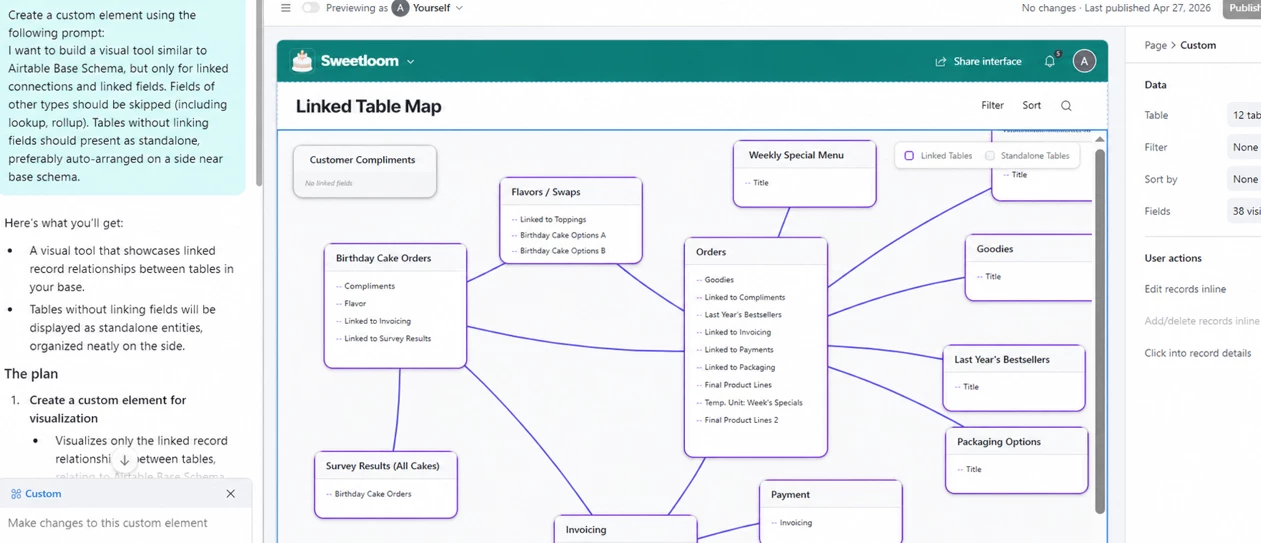
b) I made a small tweak to the Database Schema extension to only show linked fields, which helps a lot when working with large bases (100+ fields per table).
I tried moving that logic into (3) Custom extensions, but ran into Node-related errors, and the original example I used doesn’t seem to exist there.
Would appreciate a quick nudge in the right direction, or a link that explains how all these extension types fit together.