


Hi everyone,
I'm Akshar Patel (AP), a Product Manager here at Airtable. Today I'm sharing a new way to edit records on record detail pages in interfaces: Form editing.
Until now, record detail pages supported inline editing where users click into fields and update values directly on the page. That works great for quick updates, but if you've ever wanted more structure around how data gets changed, things like validation rules, a controlled set of fields, a clear submit action, inline editing doesn't quite get you there.
Now it can.
Introducing Form editing for record detail pages
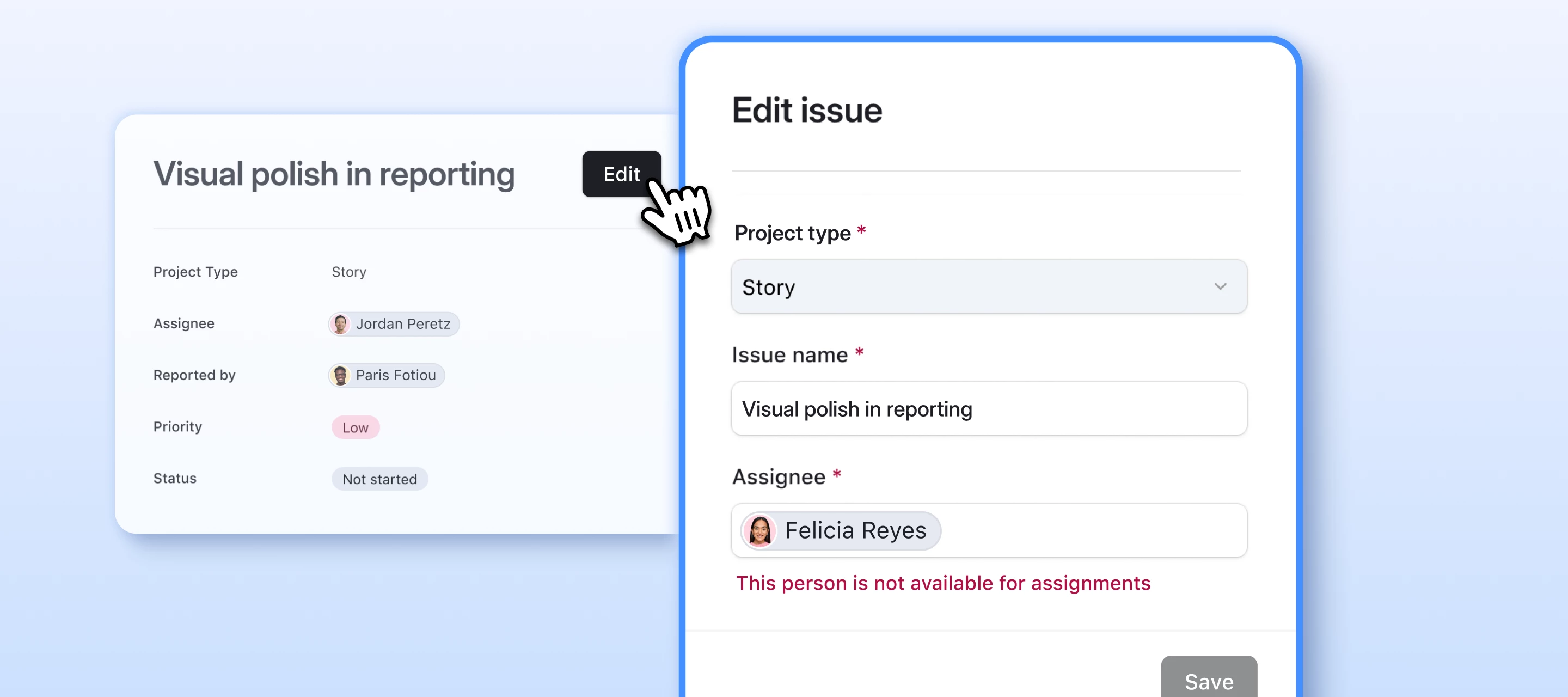
When you enable Form editing, an "Edit" button appears on the record detail page. When a user clicks it, a customizable form opens in a modal. They make their changes, and submit them all at once.
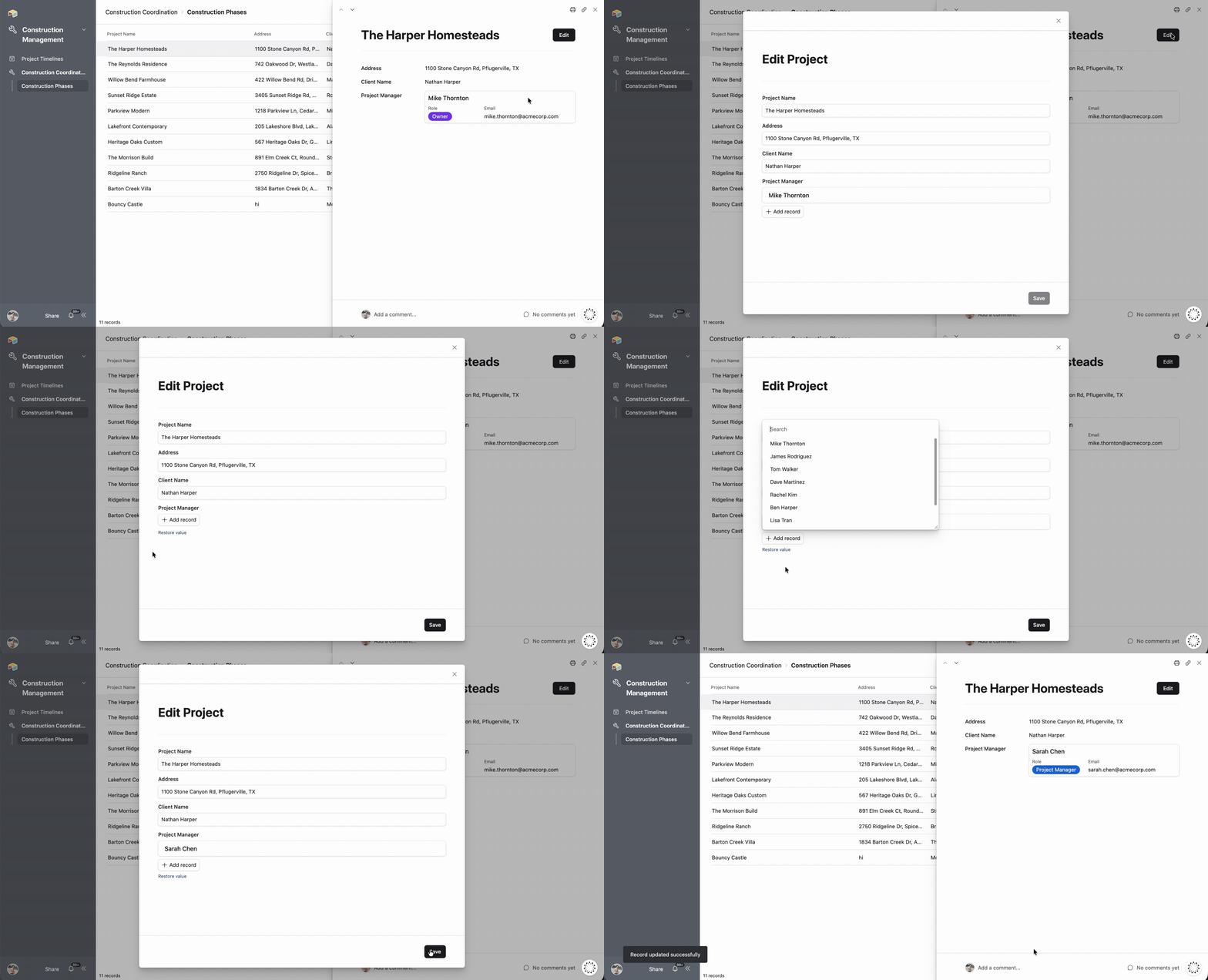
The record detail page itself stays read-only — all editing happens through the form. This gives you full control over the editing experience.
Why this matters
- Data validation: Set rules that submitted values must meet before the update goes through. No more chasing down bad data after the fact.
- Structured editing: Show only the fields that matter for a given workflow, in the order that makes sense.
- Sync writeback support: Pair form editing with external sync sources that support writeback.
- Clearer user experience: Instead of a page full of editable fields, users see a clean record view with a single action to make changes.
How to enable it
- Open your interface in edit mode
- Navigate to a record detail page
- Select the record container by clicking its main area
- In the properties panel, scroll to User actions
- Under Edit fields, select Form
- Confirm the change in the dialog that appears
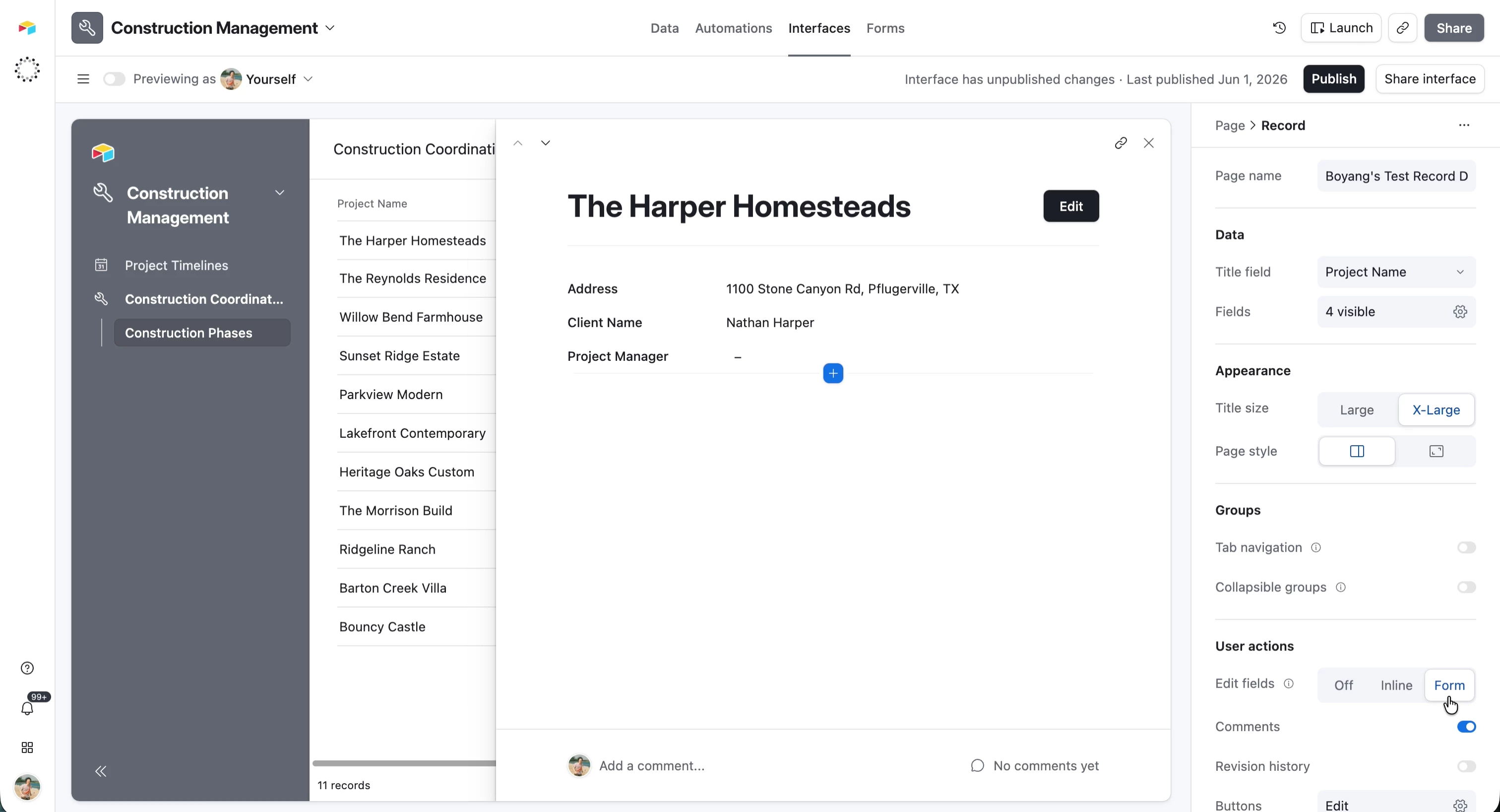
Once enabled, you can customize the edit form by clicking on the "Edit" button element and configuring its fields, layout, and validation rules in the properties panel.
How it relates to existing editing options
The Edit fields control now has three options:
| Mode | What happens |
|---|---|
| Off | All fields are read-only |
| Inline | Users edit fields directly on the page (you can still set individual fields to read-only) |
| Form | An "Edit" button opens a modal form and the record detail page itself becomes read-only |
These modes are mutually exclusive; you choose one per record detail page.
A few things to know
- Permissions still apply: users need editor access on the underlying base to make changes, regardless of editing mode
- Switching modes shows a confirmation so you don't accidentally change your page's editing behavior
- Inline editing remains disabled for externally synced tables (like Jira or Salesforce syncs), but Form editing can work with sync sources that support writeback
We'd love your feedback
We're especially interested in hearing:
- What workflows are you planning to use Form editing for?
- What kinds of validation rules would be most useful?
- How do you see yourself choosing between Inline and Form for different pages?
Drop a comment below.
Thanks for being a part of this community!
— AP