
I am trying to create a task management database for a small farming operation. Each year, many tasks will follow the same pattern of dependencies, duration, and time between. I currently have 4 tables:
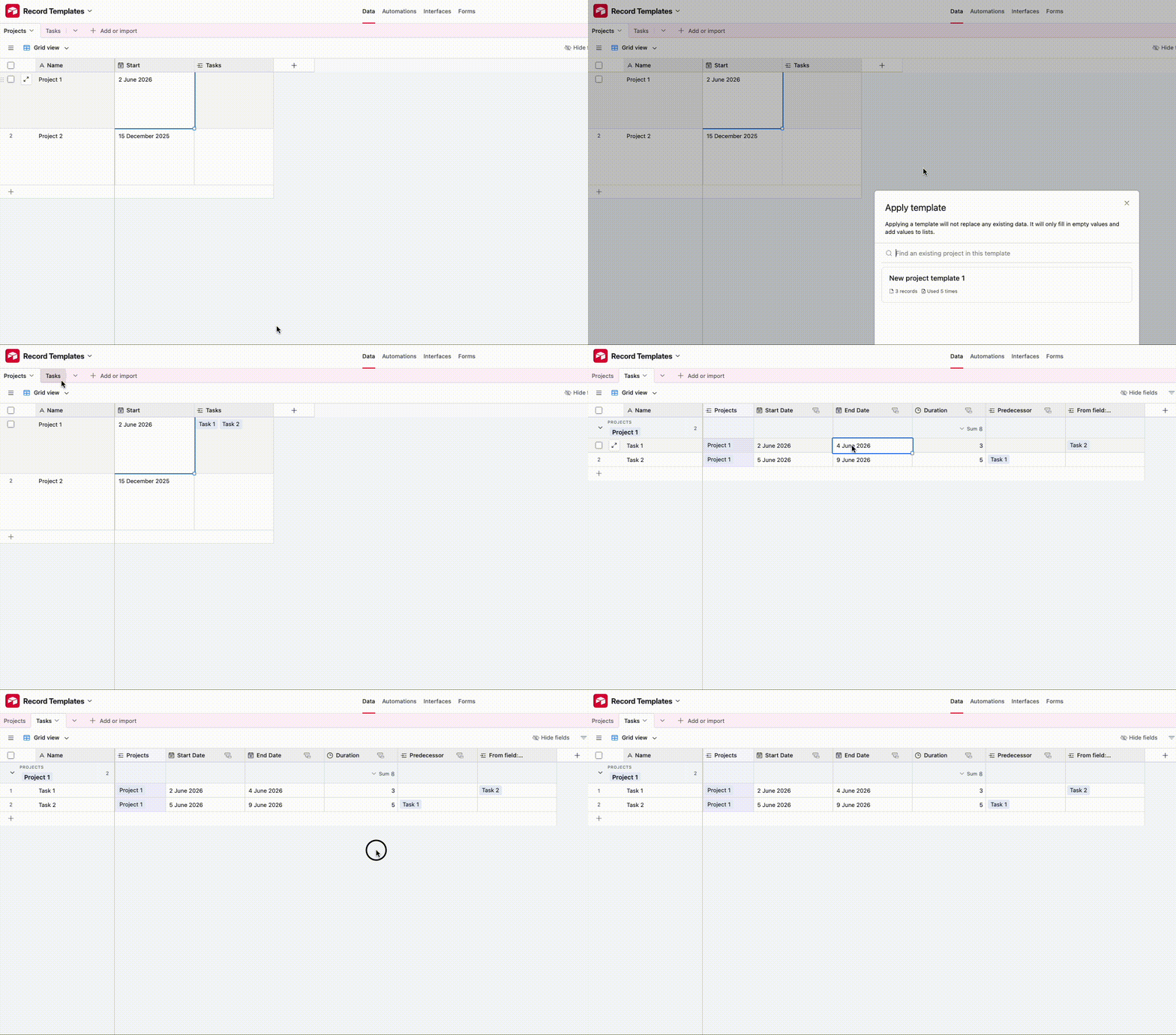
- Plants: As I add plants to the list, I can generate tasks for the Task table with an automation that pulls tasks from the Templates - Task List table.
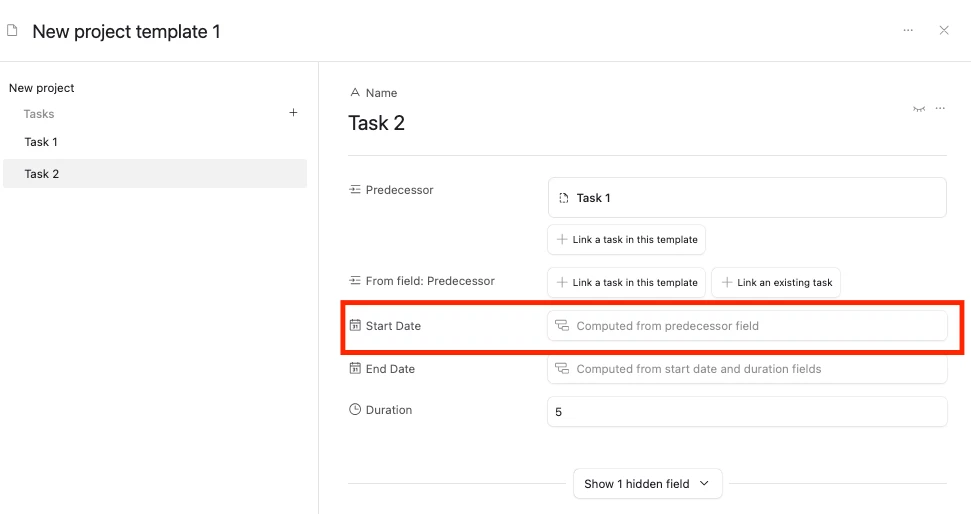
- Templates: Lists the different available task templates.
- Templates - Task List: Lists the different tasks associated with each Template. Also links dependent Predecessor and Successor tasks.
- Tasks: The final output table, where tasks from the Templates - Task List table are added when the automation from the Plants table is triggered. This automation works.
Certain details are included in the Templates - Task List table and called to the Task List via lookup or rollup fields, including Days Before Next Task and Duration. I also have a marker (checkbox) to indicate which task is the starting task in a sequence. Another automation (also working) also connects the generated tasks to the correct predecessor and successor tasks in the generated list.
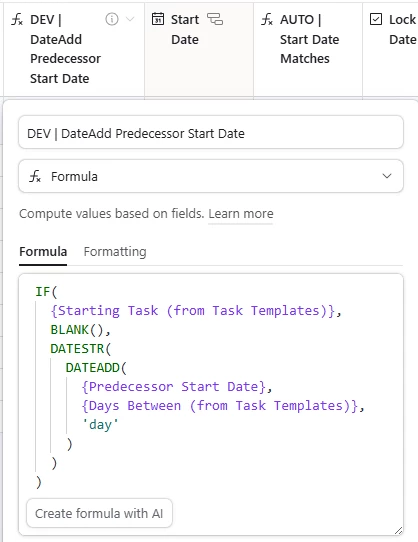
I have a formula that looks up the start date from the predecessor task and adds the appropriate number of “days between” to generate the expected start date for each task (called “DEV | DateAdd”). This requires a date in the Start Date field for the first task in the sequence (marked with the checkbox and called to this table via lookup field). Once the first one is added, the dates trickle down correctly in this formula field. However, I need all my start dates in the same column (Start Date) for (1) ease of use and (2) so I can use the Timeline view in my interface.
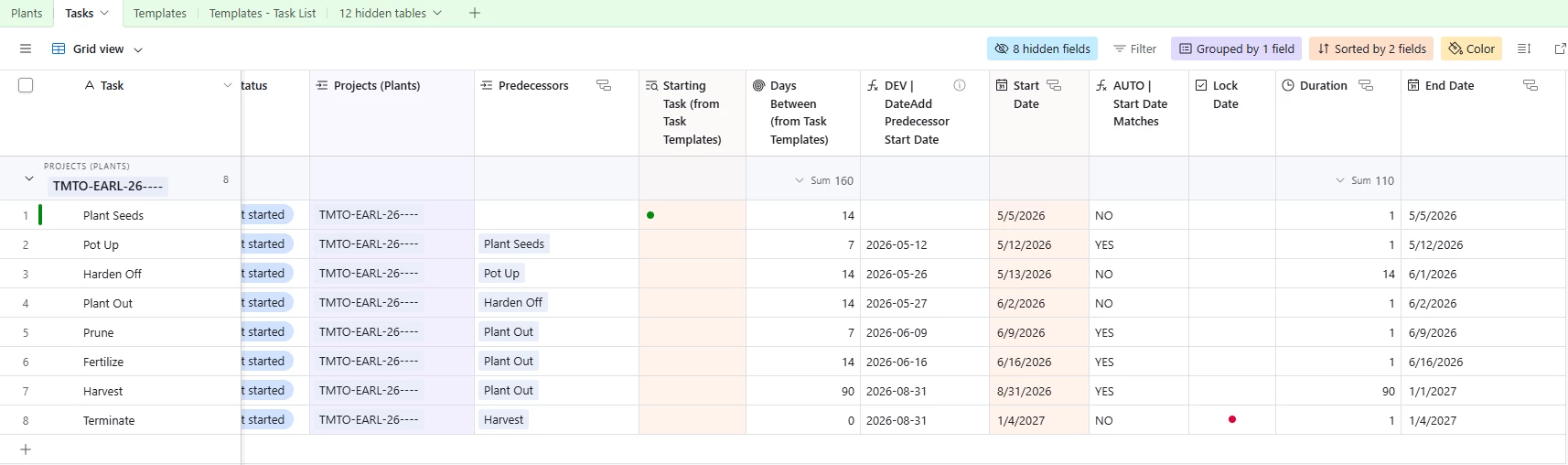
Rather than having to go retype every date in the Start Date field, I want to create an automation that just takes the date from the DEV | Date Add field and puts it in the Start Date field. I also want the Start date to update automatically if I change any of the dates in the column, and I want to lock certain dates (like final termination date for the season) so they don’t change once they’re added. In theory, this should be fairly simple, but it’s returning some odd results and I’m having trouble figuring out what I’m doing wrong.
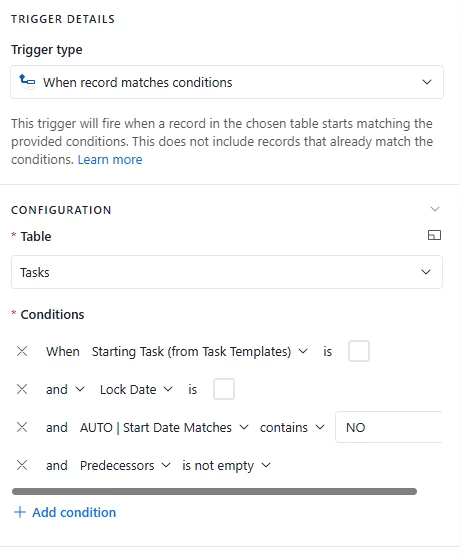
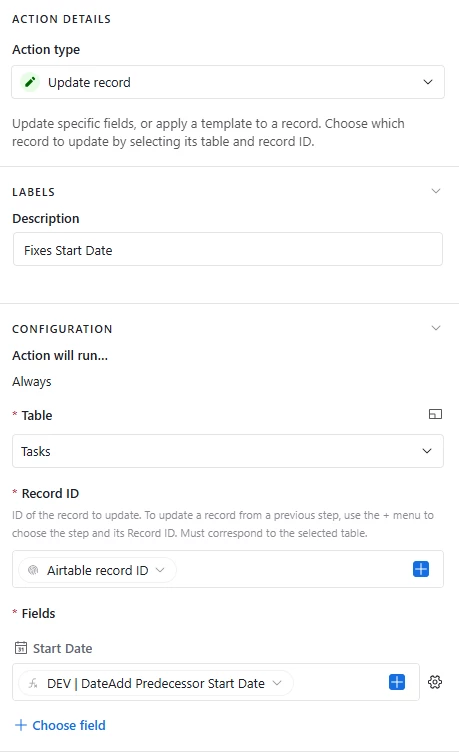
It originally tried to enter the DEV | Date Add value for the starting task, but that’s always going to be blank, so it caused an error. Easy fix: add a condition to the automation so it doesn’t run on that record.
Then it was causing a strange loop where it would just constantly redo the fields, changing the dates to something that appears random because the math ain’t mathing. So to try to fix that, I added a formula called “AUTO | Start Date Matches” to check if the DEV | Date Add field matches the Start Date field. It returns a simple YES or NO. I changed the automation to only run if the check formula returns NO for a field.
Now, it’ll change the dates correctly once, then immediately change some of them to random dates that don’t match the DEV | DateAdd field or honor the automation set up. Then the automation just stops and leaves things incorrect, even if the check field is NO and the dates aren’t honoring the formula. It’ll even change the start task and tasks with locked dates, which it shouldn’t be doing at all. You can view the automation in action here. And here is a copy of the base: https://airtable.com/appmZMKUT1WpuHan2/shrHAcDvikePeSCxm.
I have been working on this for hours and my brain is mush. I hope I have given all the pertinent details, but if I can clarify anything, just say the word. Can anyone offer any suggestions for how to get this to work properly?
I’m also open to suggestions for ways to simplify this whole set up. (I do have plans to trigger the task generation with an interface button, I just haven’t built it yet.)